Redwood: Govern Trading Partner Items Using Item Rules
You can define rules for trading partner items and trading partner item relationships to govern supplier item, customer item, competitor item, and manufacturer part number (MPN) data. You can create assignment, validation, and relationship rules to automate trading partner item number and description generation, validate trading partner item data, and improve consistency in trading partner item and relationship management.
You can also use assignment rules to automatically derive and populate trading partner item attributes, including extensible flexfield attributes. For example, you can automatically assign a Preferred status or set the start date for trading partner items from strategic suppliers that meet compliance requirements.
Validation rules help enforce business policies and improve data quality. For example, you can require purchased items to have at least one preferred trading partner item relationship or prevent inactive manufacturer part numbers (MPNs) from being associated as preferred relationships.
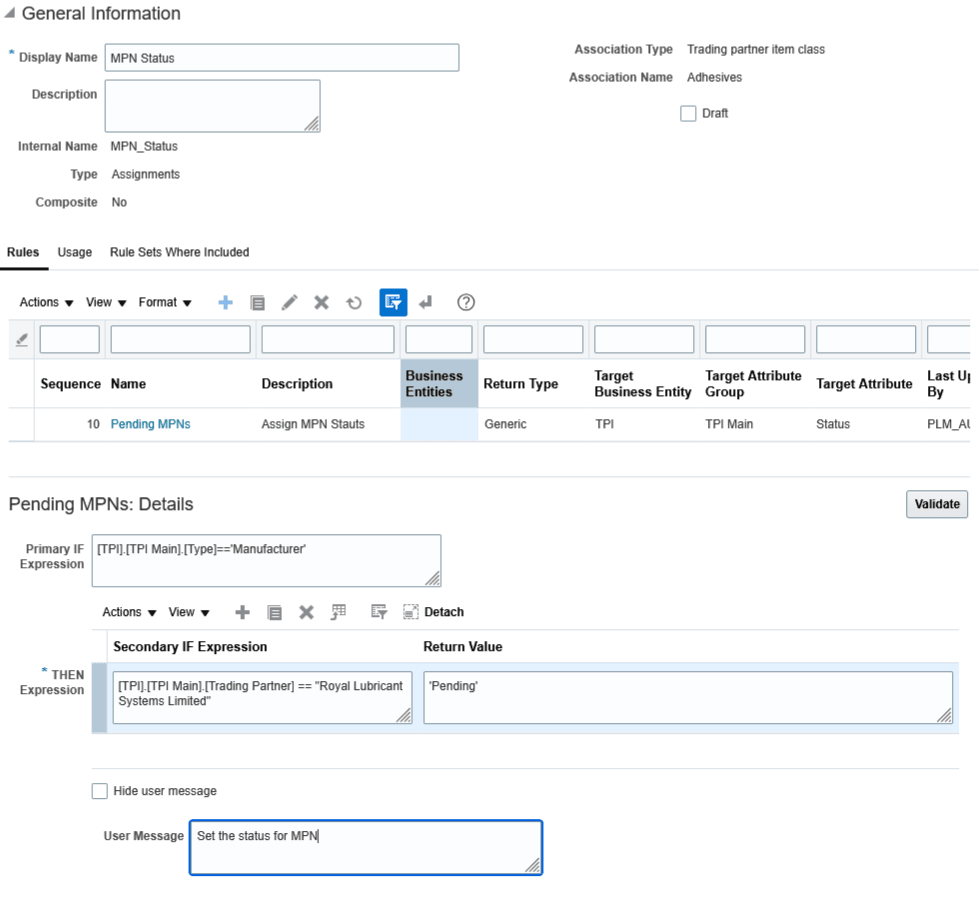
Assignment Rule For Trading Partner Item
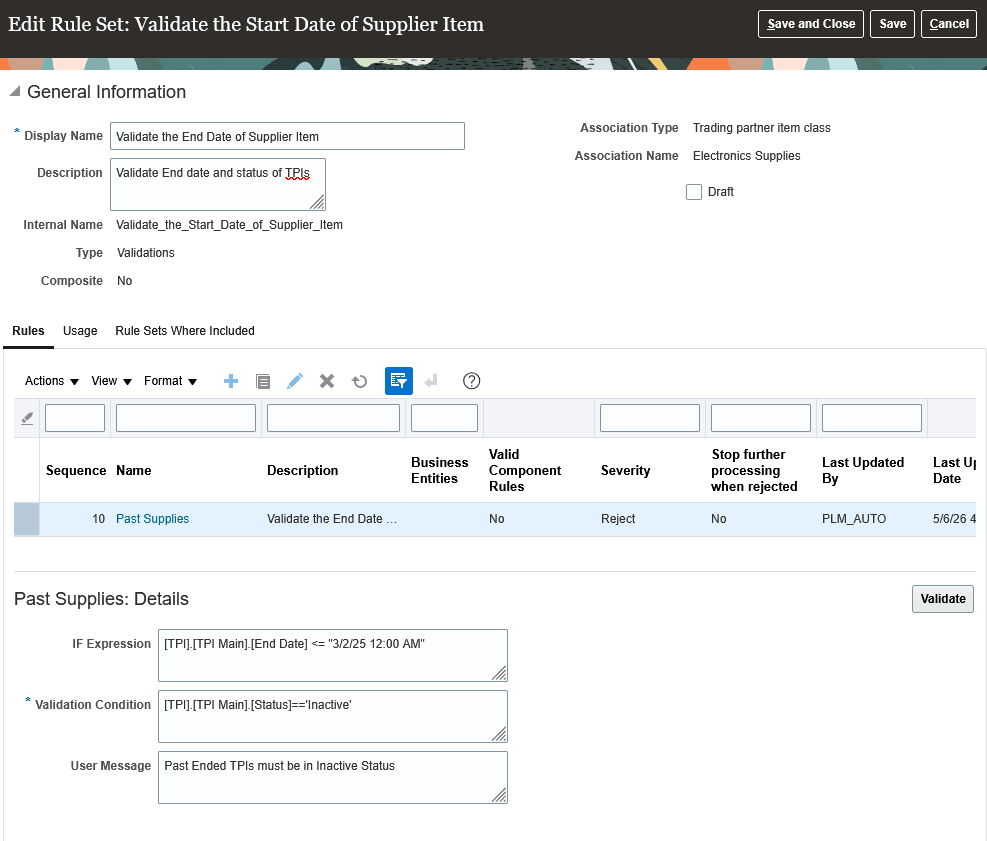
Validation Rule For Trading Partner Item
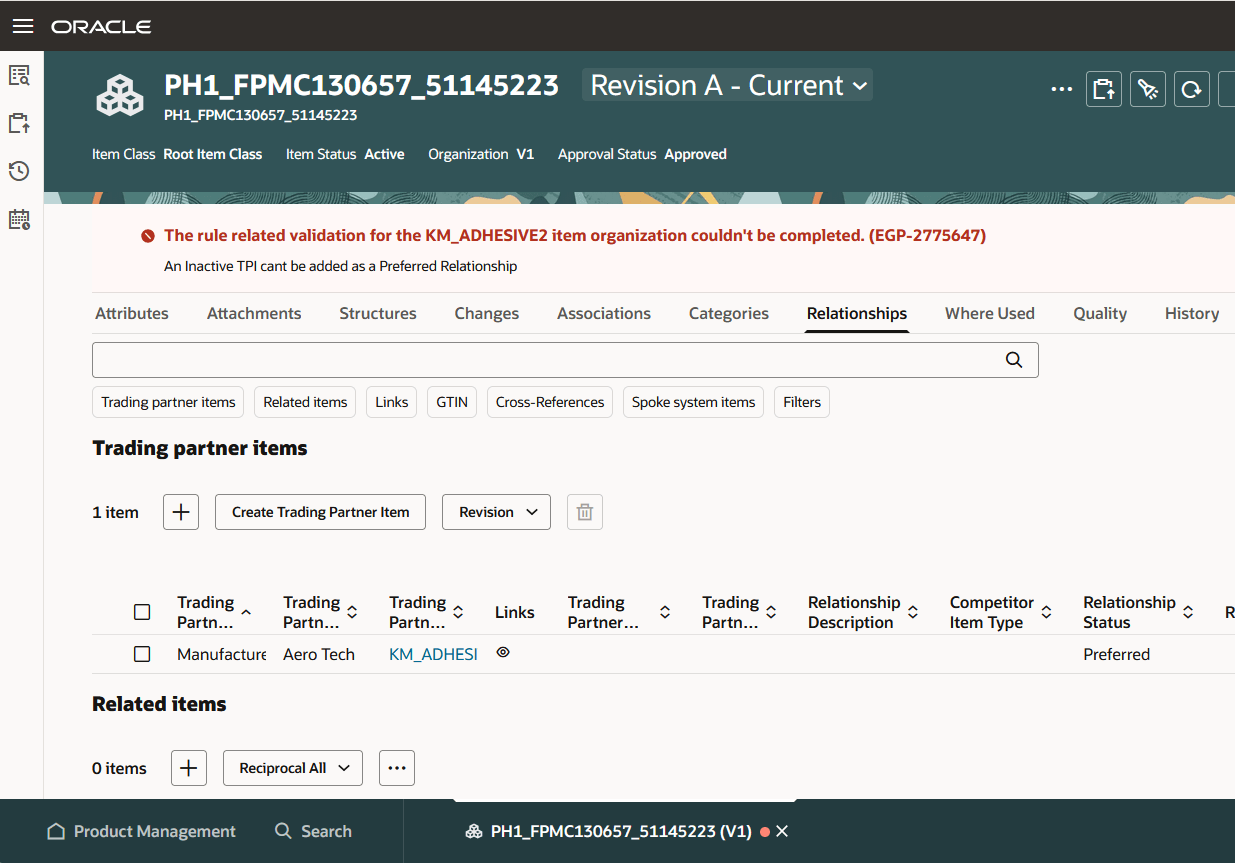
Trading Partner Item Relationship Rule Disallows Adding Inactive MPN as a Preferred Relationship
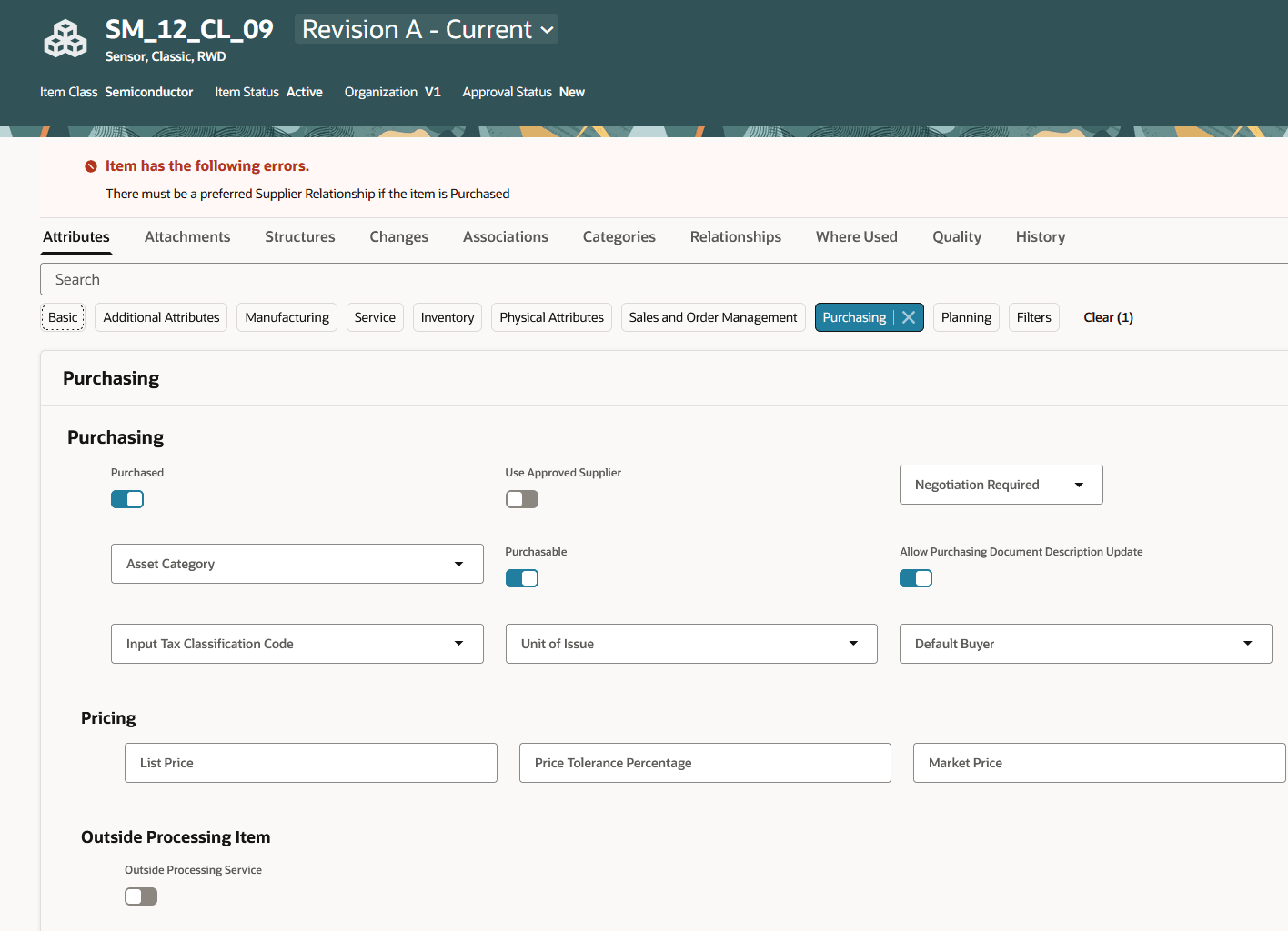
Rule Mandates a Supplier Item Relationship for Purchased Items
The feature helps to govern trading partner item and relationship data more effectively by automating attribute assignments and enforcing business validation policies. This improves data quality and consistency while reducing manual effort in supplier, customer, competitor, and manufacturer part number (MPN) management across your organization.
Steps to enable and configure
- Run the Upgrade Product Management Data scheduled process to enable the Advanced Trading Partner Items feature and use the advanced capabilities.
- Enable the the opt-in Redwood: Use Extensible Flexfields for Advanced Trading Partner Items (ORA_EGI_RW_ADVANCED_TPI_EFF).
Tips and considerations
This feature is available only for the advanced trading partner items in Redwood.
Key resources
- Refer to Advanced Trading Partner Items Whats New - 26A.
- Refer to the Product Rules chapter in the Oracle Fusion Cloud SCM: Implementing Product Management guide, available on the Oracle Help Center.
Access requirements
Users who are assigned a configured job role that contains this privilege can access this feature:
- Manage Item Rule Set (EGO_MANAGE_ITEM_RULE_SET_PRIV)