AI Agent: Planning Order Release Assistant - Root Cause Analysis
The planning order release assistant uses AI to automatically evaluate individual orders against preset conditions to determine suitability for release for execution and mark only those orders for release that met the conditions. However, previously if the AI process marked an order not suitable for release, you wouldn’t understand what data condition blocked the order from being released. This update enables you to analyze the specific root cause preventing an order from being marked for release by the AI agent Planning Order Release Assistant. For each ineligible order, you can see the exception name, the threshold value preventing release, and the value associated with that order.
This enables planners to quickly understand and act on the root cause of release ineligibility, without navigating multiple pages or performing manual investigation.
To review the orders that were evaluated by the Planning Order Release Assistant:
- Open the plan’s Action menu.
- Select View Status Details.
- From the list of actions, select the row with your instance of the Order release assistant workflow.
- Select the Workflow ID link.
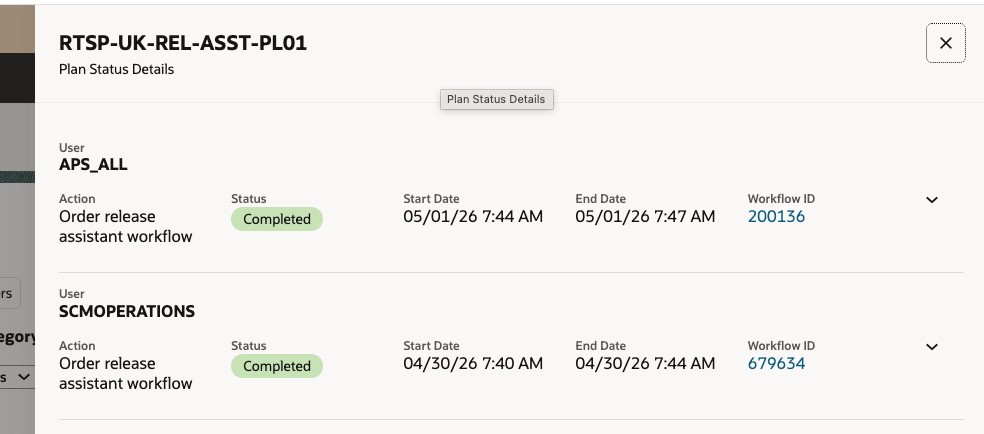
Plan Status Detail Drawer Showing Multiple Order Release Assistant Workflow Links
This will open the Supplies and Demands page for the relevant orders and include the orders that were marked for release and those that were not.
- To see only the orders that were not marked for release by the AI Agent, filter the results using the Release Status filter.
- Select the status of Release.
- To review, select the order rows and open the Drill To menu.
- From the menu, select Order Release Exceptions.
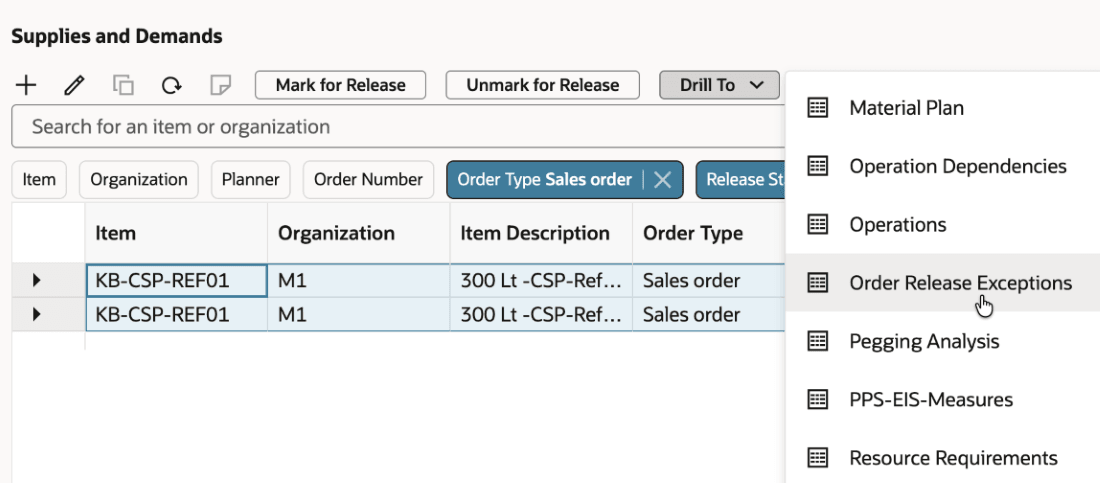
Order Release Exceptions Drill To Action
This opens the Exceptions table, listing the exceptions that exist for the orders that were not marked for release, listed by exception type. The exceptions are listed starting with the first exception type identified. Compare these exceptions to your Planning Order Release Assistant’s rules document to see the threshold values that weren’t met.
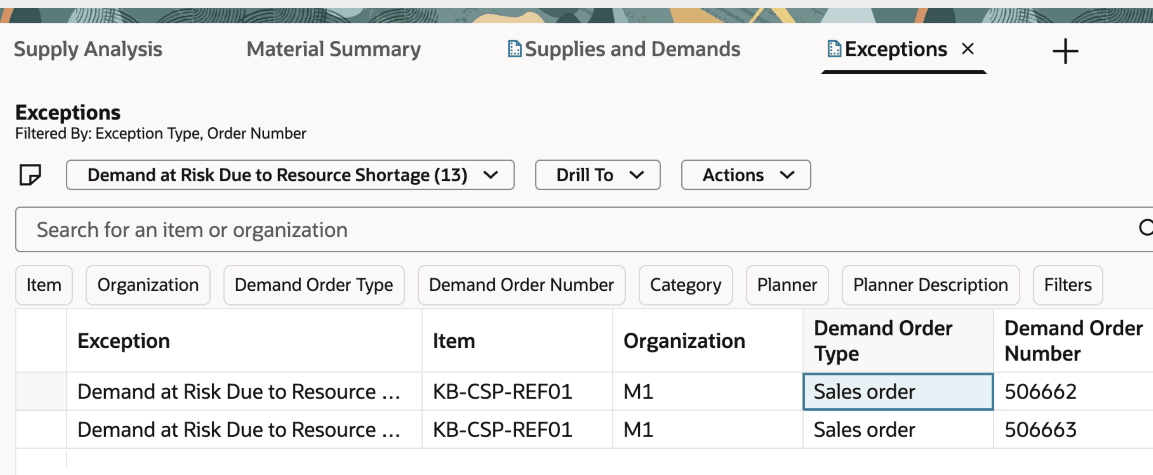
Exceptions List Filtered by the Order Release Exceptions
For example, these two orders shown in the exception list weren’t marked for release. The Order Release Assistant’s threshold document had a limit for the Demand at Risk Due to Resource Shortage exception for the value of order amount being no more than $100. These orders had a value of $1500, therefore exceeding the defined threshold and requiring a manual review.
You can switch the exception type menu to see additional exceptions for the given orders.
Steps to enable and configure
To enable permission groups for roles:
- In the Setup and Maintenance work area, search for the Manage Administrator Profile Values task using the search link in the Tasks panel tab.
- Search for the Enable Security Console External Application Integration (ORA_ASE_SAS_INTEGRATION_ENABLED) profile option and set the Site profile level to Yes.
Key resources
- How can I give users access to AI agents?
- AI Agent: Planning Order Release Assistant in Supply Planning What's New 26A.
Access requirements
Rules document upload and delete:
To upload a new or delete an existing threshold document the following privilege is required:
- Manage Planning Objects (MSC_MANAGE_PLANNING_OBJECTS_PRIV)
Using the Orders Release Assistant:
Users who are assigned a configured job role that contains these privileges can access this feature:
- Monitor Plan Inputs Work Area (MSC_MONITOR_PLAN_INPUTS_WORK_AREA_PRIV)
These privileges were available prior to this update.
A duty role is also required:
- Supply Chain Planning Order Release Workflow Duty (ORA_DR_MSC_ORDER_RELEASE_WORKFLOW_DUTY)