Search for Deliver-to Locations Using Additional Attributes in Requisitions
Search for deliver-to locations using additional attributes in the Self Service Procurement application. With ‘More search options’ on location LOVs, you can filter your search by these attributes:
- Location Name.
- Location Code.
- Address Line 1.
- Town or City.
- Postal Code.
- Country Code.
The enhanced deliver-to location search, previously available in the Preferences drawer, is now available on these pages:
- Enter Requisition Line.
- Edit Requisition Line.
- Edit Requisition Summary.
- Edit Multiple Lines.
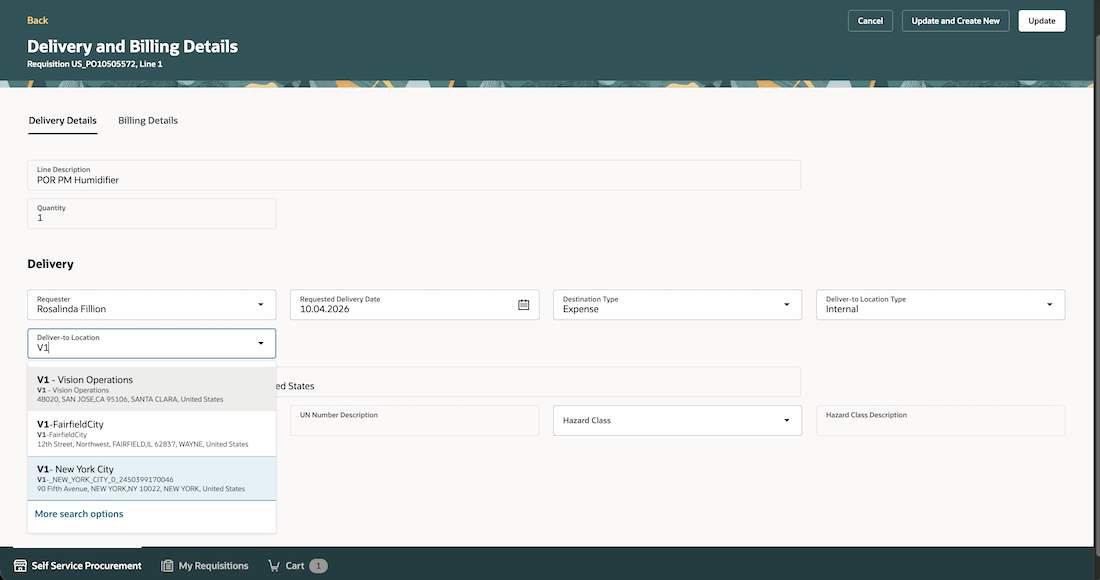
More Search Options for Enhanced Location Search Now Available Across the Self Service Procurement Application
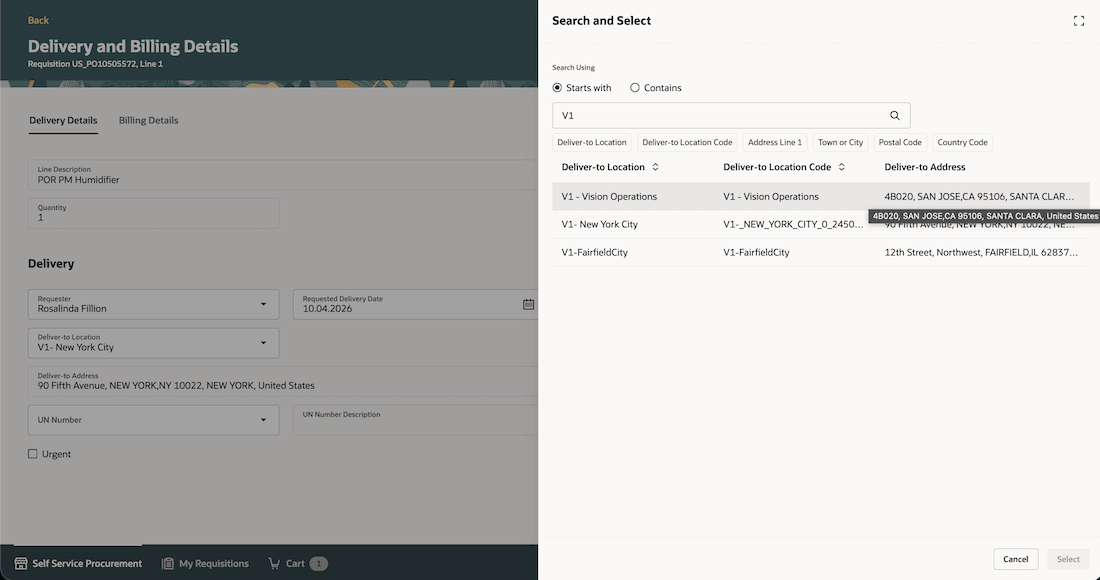
Search Using the Location Name
To launch 'More search options', you must first search using at least 1 character with a 'Starts with' search on Location or Location Code.
The Search and select drawer supports ‘Starts with’ and ‘Contains’ search options.
- Search by location name and refine results using additional filters.
- Sort results by location or location code.
- Hover over the address details to view the full address.
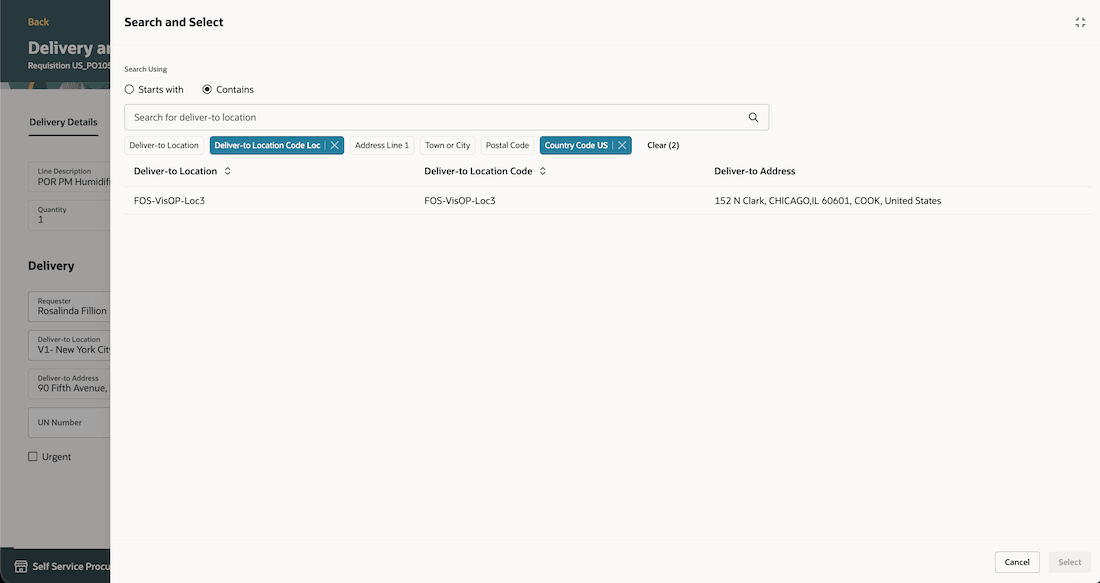
Refine Search Using Filters
Steps to enable and configure
By default, the enhanced search is disabled. To enable it, edit the homepage in Oracle Visual Builder Studio and set the Enable the Enhanced Deliver-to Location LOV constant to True.
If you have enabled this constant before this update, you will see the enhanced search on other pages out-of-the-box upon moving to 26C.
If you enabled this constant before this update, the enhanced search will be available on other pages out of the box, upon moving to 26C.
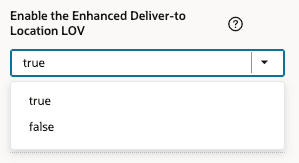
Enable the Enhanced Deliver-to Location LOV Constant
Tips and considerations
When you enable 'More search options' for Locations, note the changes in behavior to the basic search feature. This will help you decide whether this option best meets your requirements.
- The feature that suggests the 5 most recently selected locations won't be available.
- The basic search performs a 'Starts with' search on Location and Location Code attributes, after you enter 1 character.
- If you access pages through saved bookmarks, you won't immediately see the updates. You must navigate to the target page from the Self Service Procurement homepage after enabling the feature. This one-time step ensures the updates are applied to your bookmarked links.
Key resources
- For information about using Oracle Visual Builder Studio to extend your Redwood application pages, see Oracle Fusion Cloud HCM and SCM: Extending Redwood Applications for HCM and SCM Using Visual Builder Studio.
- For information about search for locations using additional attributes in preferences, refer to the Search for Locations Using Additional Attributes in Preferences feature, available in Oracle Fusion Cloud Self Service Procurement What's New, update 25C.
Access requirements
Users who are assigned a configured job role that contains this privilege can access this feature:
- Create Requisition with Changes to Deliver-to Location (POR_CREATE_REQUISITION_CHANGE_DELIVER_TO_LOCATION_PRIV).
This privilege was available prior to this update.