Storage location assistant
As warehouse personnel, you may frequently face situations, such as the suggested storage location is either unavailable because it is full, temporarily inaccessible, or not an appropriate location, based on the current warehouse conditions. In highly regulated industries, such as healthcare, life sciences, industrial manufacturing, and wholesale distribution, suspending work to search for alternate locations or to consult a supervisor for an appropriate location that disrupts the ongoing operations may increase travel time and adds a risk of inventory being stored incorrectly.
Now, you can use an embedded AI-powered assistant in mobile put away and pick confirmation workflows to receive recommended alternate storage locations in real time.
Select Show Other Locations on the mobile Pick Confirm or Put Away Goods page to open the Storage Location Assistant. The assistant uses the current transaction context to recommend alternate locations without a prompt.
On the Confirm Pick Details drawer, select Show Other Locations to open the Other Locations drawer. This drawer shows all subinventories and locators where the item is available. Select the location from which you want to pick. The selected location populates the Confirm Pick Details drawer.
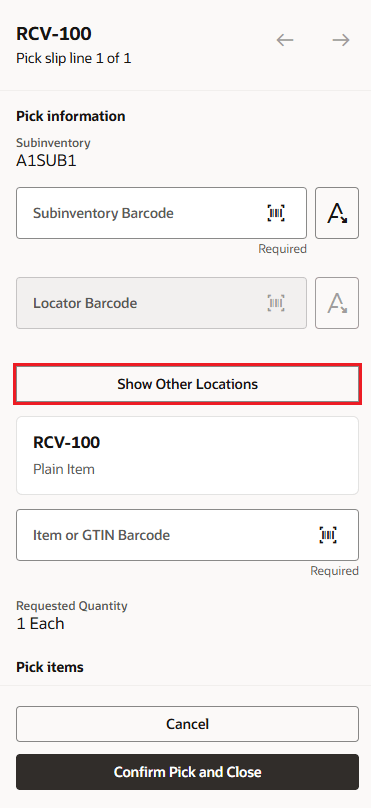
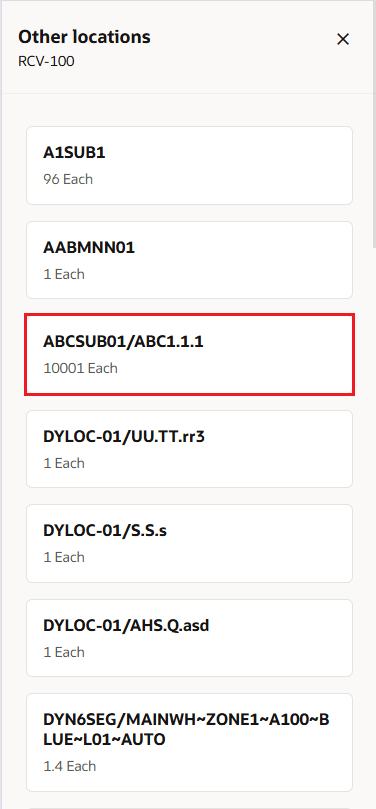
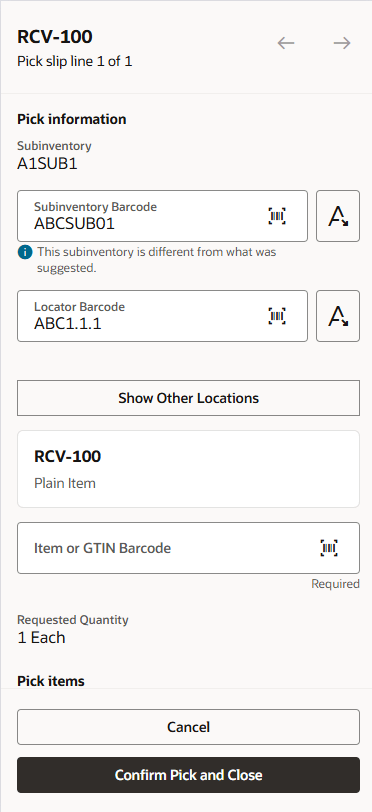
Confirm picks - mobile
On the Enter Put Away Details drawer, select Show Other Locations to open the Other Locations drawer. This drawer shows other subinventories and locators to put away items. The user can select the location where they want to put away the material, and the selected location is populated on the Enter Put Away Details drawer.
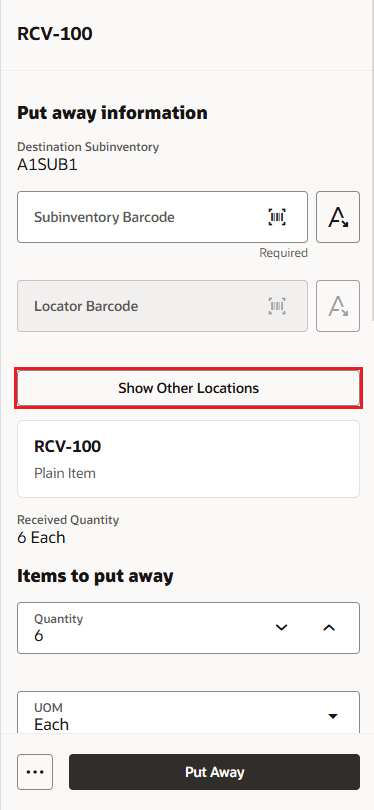
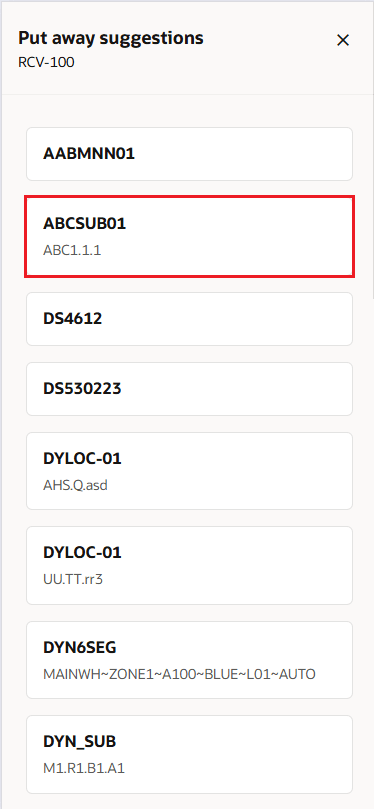
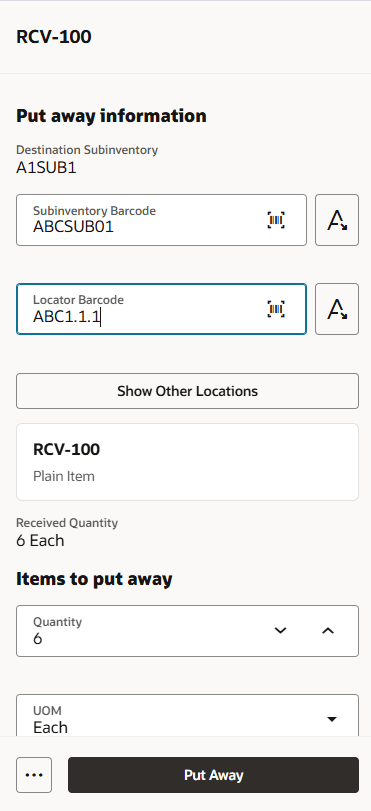
Put away goods - mobile
This context-aware guidance at the point of work enables warehouse staff to make informed decisions immediately, reduce operational delays, maintain inventory accuracy, and improve overall warehouse efficiency while minimizing the need for supervisory intervention.
Steps to enable and configure
Leverage the Visual Builder Studio to expose your applications. To learn more about extending your application using Visual Builder, visit Oracle Help Center > your apps service area of interest > Books > Configuration and Extension.
To use this agent, assign the Storage Location Assistant Agent (ORA_INV_STORAGE_LOCATION_ASSISTANT_AGENT_DUTY) to a configured job role and assign the configured job role to the user.
Tips and considerations
By default, the agent shows up to 25 other locations. You can update this value by customizing the agent in AI Studio.
Key resources
- Oracle Fusion Cloud SCM: Using Inventory Management guide, available on the Oracle Help Center.
- For information about using Oracle Visual Builder Studio to extend your Redwood application pages, see
Access requirements
Users who are assigned a configured job role that contains this duty role can access this feature:
| Duty role status | Duty role name and code |
|---|---|
| New |
Storage Location Assistant Agent ORA_INV_STORAGE_LOCATION_ASSISTANT_AGENT_DUTY |
To access the Oracle AI Agent Studio for Fusion Applications and manage SCM AI agents, users must be assigned a custom job role that contains these duty roles:
| Duty role status | Duty role name and code |
|---|---|
| Existing |
SCM Intelligent Agent Management Duty ORA_RCS_SCM_AI_AGENT_MANAGEMENT_DUTY |
| Existing |
SCM Intelligent Agent Management Duty ORA_RCS_SCM_AI_AGENT_MANAGEMENT_DUTY |
| Existing |
Fai Genai Agent SCM Administrator Duty ORA_DR_FAI_GENERATIVE_AI_AGENT_SCM_ADMINISTRATOR_DUTY |
To interact with AI agents in product pages, users must be assigned a custom job role that contains this duty role:
| Duty role status | Duty role name and code |
|---|---|
| Existing |
Fai Genai Agent Runtime Duty ORA_DR_FAI_GENERATIVE_AI_AGENT_RUNTIME_DUTY |
In the Security Console, filter by Roles and Permission Groups to find this duty role.
To allow users to interact with agents, you must also enable permission groups in the Security Console on those users' custom job roles that contain the Fai Genai Agent Runtime Duty role. You can enable permission groups when you manage the basic information of your custom job roles.
Users' custom job roles must also contain privileges that allow access to the pages where AI agents are enabled.
See Access Requirements for AI Agent Studio (for administrators) and How can I give users access to AI agents (for end-users) for more information.