Use additional filters to search for recipes
The Redwood user experience for managing recipes continues to evolve with faster, intuitive search and enhanced traceability into recipe history. Enhanced capabilities include the following:
- Additional filters with operators.
- Exact match search.
- About Record action.
This update adds additional filter options to the Recipes page. You can now search for recipes using specific attributes, such as product, product description, and formula name. Other new filters now available are recipe name, recipe type, production priority, and costing priority. The existing Recipe Status filter now defaults to Active, enabling you to focus on active recipes by default.
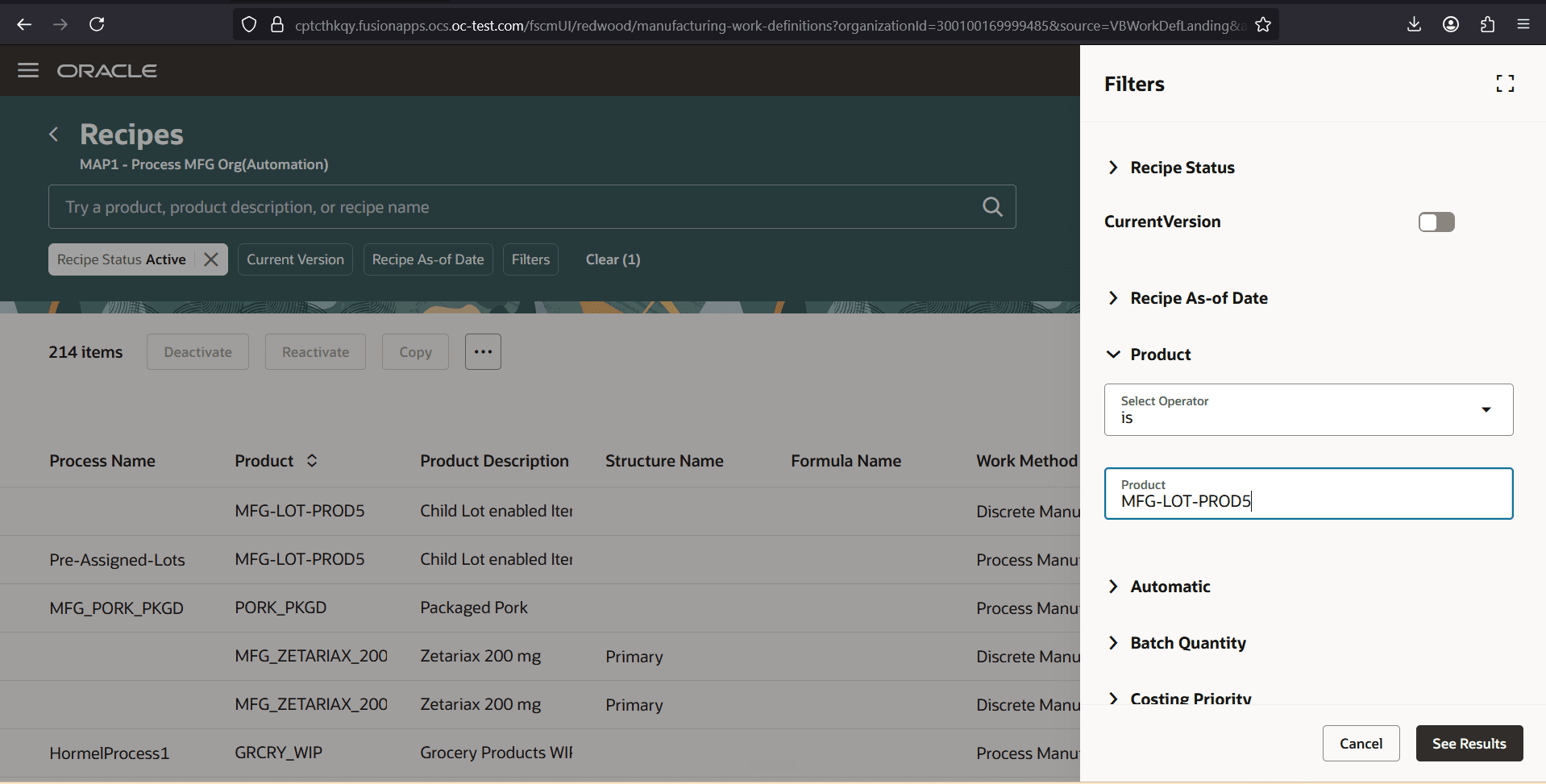
Filters on the Recipes page
When searching for recipes, you can use double quotation marks to search for an exact string, or for values that begin with the quoted string when you include the percent-sign wildcard. For example, entering "SAPS-FIND-FG1" looks for an exact match, while entering "SAPS-FIND-FG%" returns matching values that begin with that string, such as "SAPS-FIND-FG1" and "SAPS-FIND-FG2".
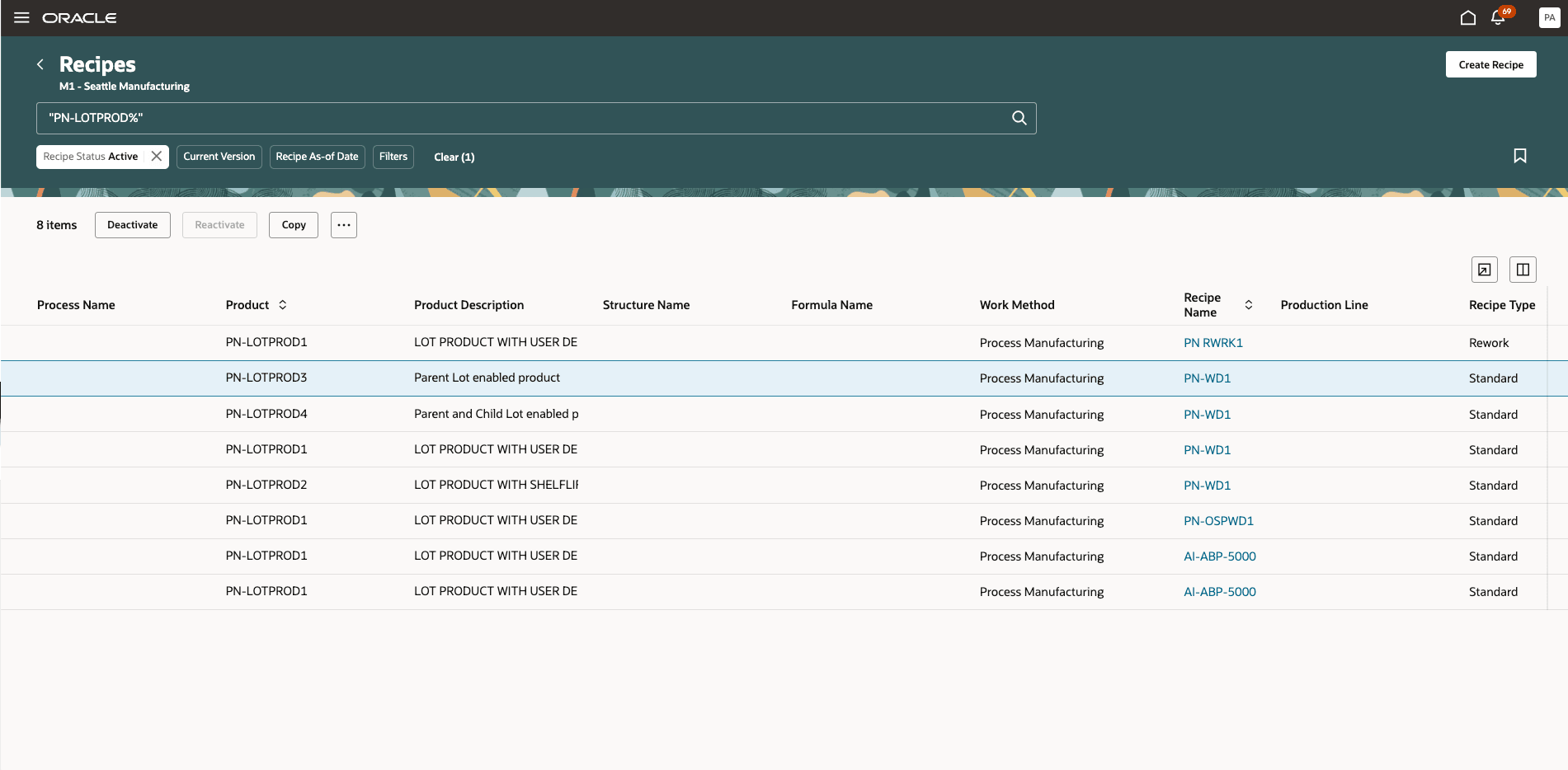
Quoted search
A new action About Record now appears in the More Actions menu on the Recipes page. Selecting the About Record action opens a drawer, which shows a record history of who created and updated the record, along with the timestamps. The About Record action is also available from the recipe data grid pages, such as Operations, Operation Dependencies, Operation Outputs, Operation Items, Operation Resources, Instructions, and Parameters.
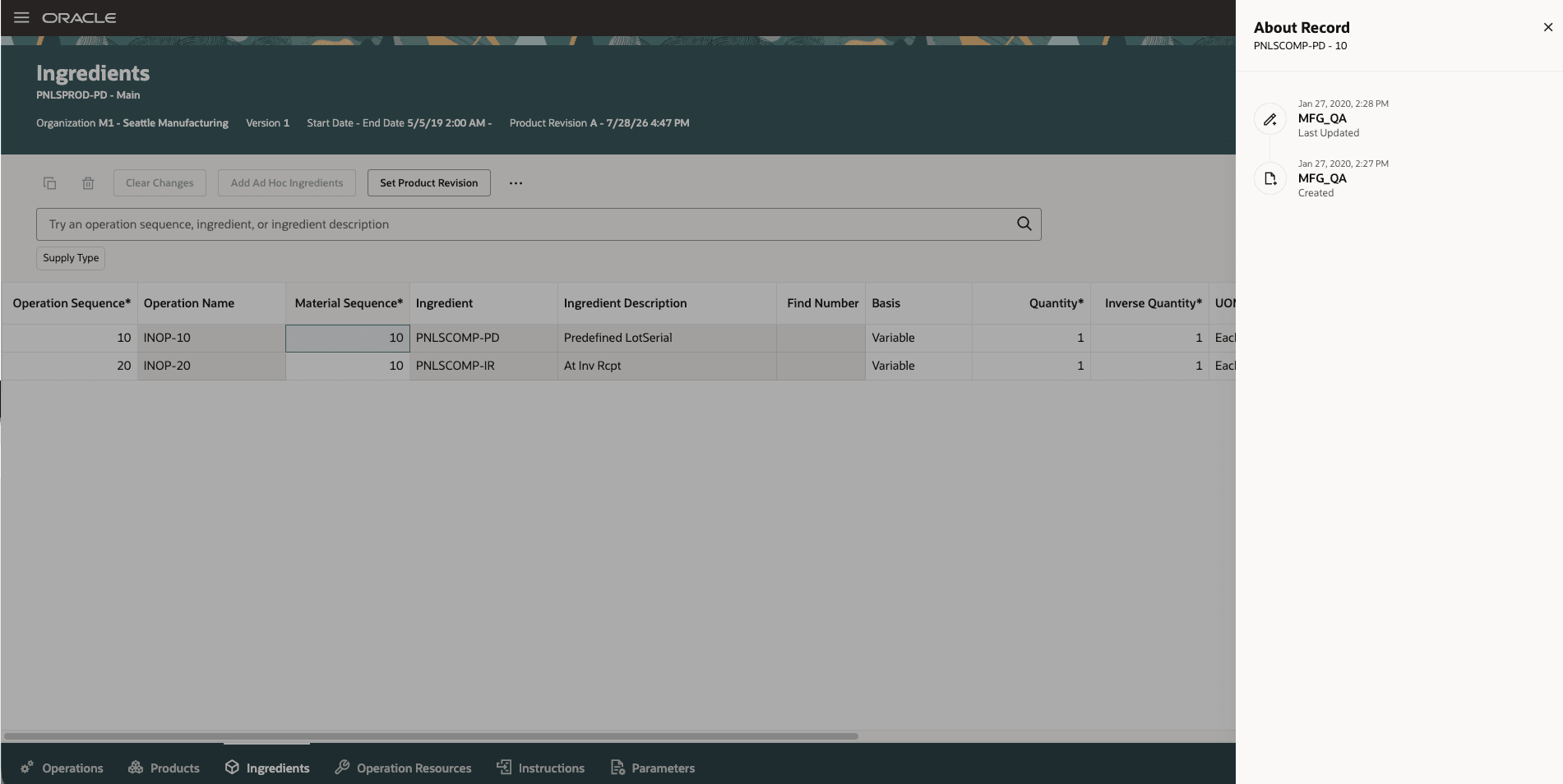
About Record on the Ingredients page
Additional filter options and enhanced search capabilities help users quickly find the right recipes, improving productivity and making it easier to manage large volumes of recipes. The new About Record feature provides instant access to record history, improving traceability, audit readiness, and troubleshooting efficiency.
Steps to enable and configure
You don't need to do anything to enable this feature.
Tips and considerations
- These enhancements are available only with the Redwood experience, which can be enabled using the profile option, Redwood Work Definitions Enabled.
- These enhancements are also applicable to discrete manufacturing work definitions. Refer to the 26D feature: Use additional filters to search for work definitions.
- Quoted searches support exact matches and prefix matches when the percent-sign wildcard is included.
Key resources
- Oracle Fusion Cloud SCM: Refer to the Using Manufacturing guide, available on the Oracle Help Center.
- Oracle Fusion Cloud SCM: Refer to the Implementing Manufacturing and Supply Chain Materials Management guide, available on the Oracle Help Center.
- Oracle Fusion Cloud SCM: Refer to the Process Manufacturing Terminology What's New, available on Oracle Help Center.
Access requirements
If you are using custom job roles, then you need to validate that you have the previously delivered privileges listed.
| Privilege status | Privilege name and code |
|---|---|
| Previously delivered | Manage Work Definitions WIS_MANAGE_WORK_DEFINITIONS_PRIV |
| Previously delivered | View Work Definitions WIS_VIEW_WORK_DEFINITIONS_PRIV |
| Previously delivered | Get Work Definitions by Service WIS_GET_WORK_DEFINITIONS_SERVICE_PRIV |
| Previously delivered | Manage Work Definitions by Service WIS_MANAGE_WORK_DEFINITIONS_SERVICE_PRIV |