Restrict cancellations for batches with ingredient, resource, or operation transactions
Currently, users are able to cancel batches even after ingredients have been issued or resources have been charged. Such cancellations may occur for several reasons, including last-minute demand cancellations when production is near completion, unintended user errors, or other legitimate business-driven batch cancellations. Today, organizations rely on post-facto reporting to identify such cancellations. This approach can be inefficient, error-prone, and does not prevent the issue at its source. Allowing cancellations after transactional activity can create several downstream challenges, such as:
- Integration inconsistencies for customers using external systems, shop floor solutions, or extensions leading to data integrity issues.
- WIP clearance through variance or scrap accounts, introducing financial noise.
- Increased manual reconciliation effort during period close.
This update provides a configurable preventive control to restrict cancellation of batches with open transactions through the Restrict cancellation of batches with open transactions plant parameter. Only users with the Cancel Work Orders with Transactions privilege can proceed with the cancellation. The same privilege is applicable to both discrete and process manufacturing customers.
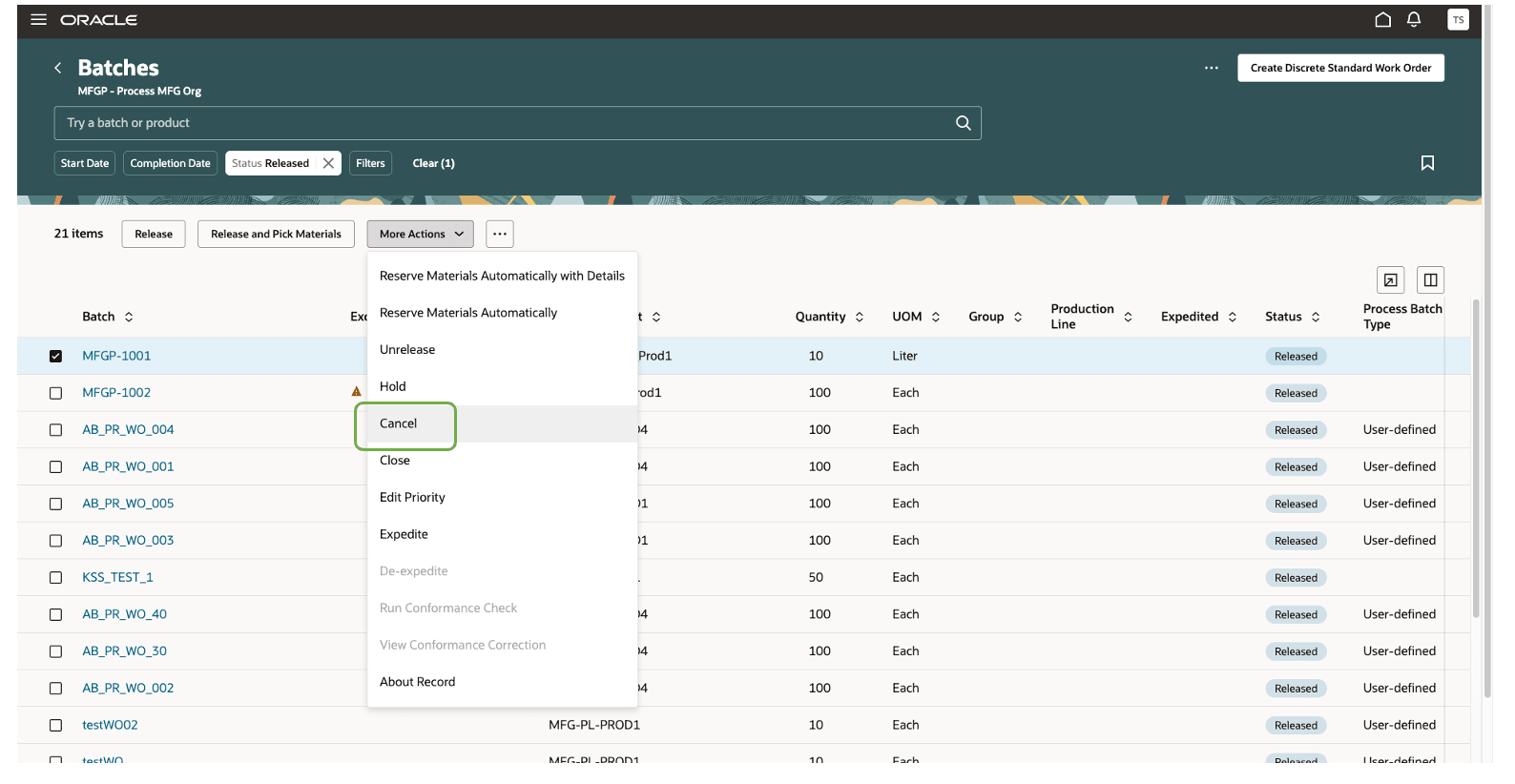
Batch Cancel action
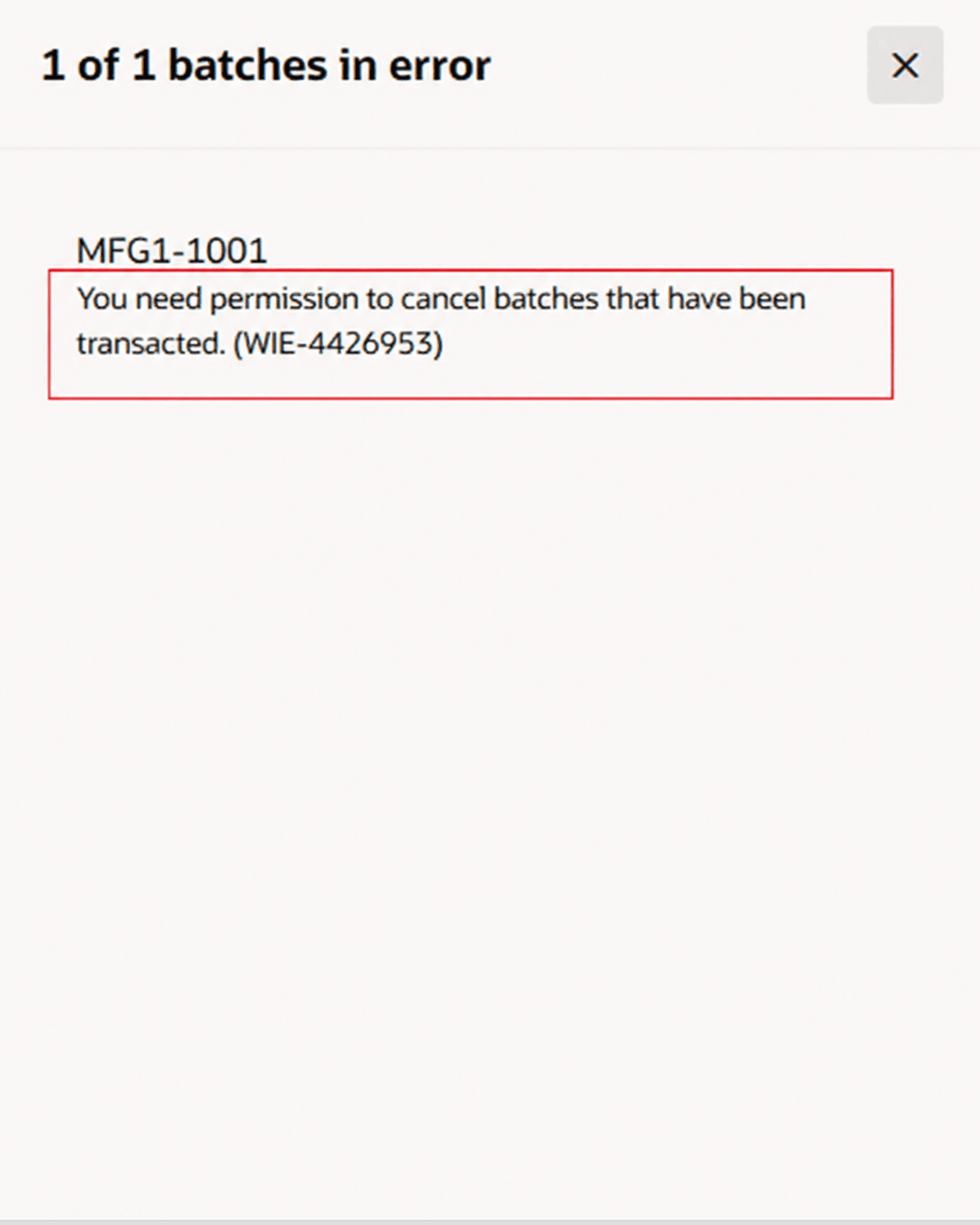
Error message displayed when the user doesn’t have the cancel privilege
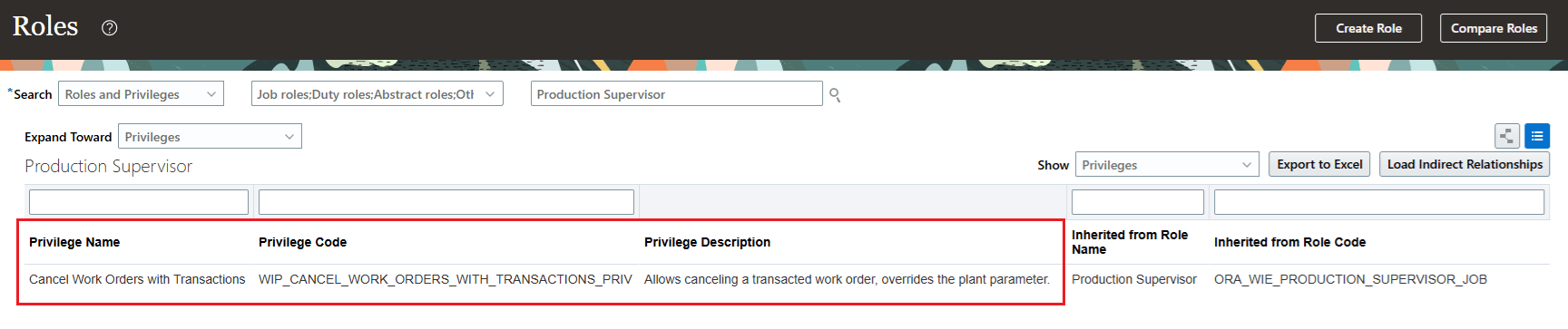 New privilege required to cancel batches with transactions
The plant parameter is not selected by default, which maintains the current behavior. Here are the possible combinations of the plant parameter and the new privilege:
- Plant parameter is not selected: All users can cancel a batch with transactions.
- Plant parameter is selected and the user does not have the new privilege: The user cannot cancel a batch with transactions.
- Plant parameter is selected but the user has the new privilege: The user can cancel a batch with transactions.
Changes to FBDI:
These restrictions also apply when the batch status is updated to Cancelled through the Import Batches (FBDI) process.
Changes to REST:
These restrictions also apply when the batch status is updated to Cancelled through the Update Batch REST service.
The ability to restrict cancellations for batches with transactions provides the following advantages:
- Reduces operational errors and prevents unintended cancellation of batches with consumed ingredients or charged resources.
- Ensures better inventory accuracy, minimizes manual reviews, and improves efficiency during financial and operational period close.
Steps to enable and configure
Enable the feature using the plant parameter 'Restrict cancellation of batches with open transactions'.
Set up the plant parameter to enable this feature:
- In the Setup and Maintenance work area, search for and open the Manage Plant Parameters task.
- Select the required inventory organization.
- In the Execution Configuration tab, select the Restrict cancellation of batches with open transactions parameter.
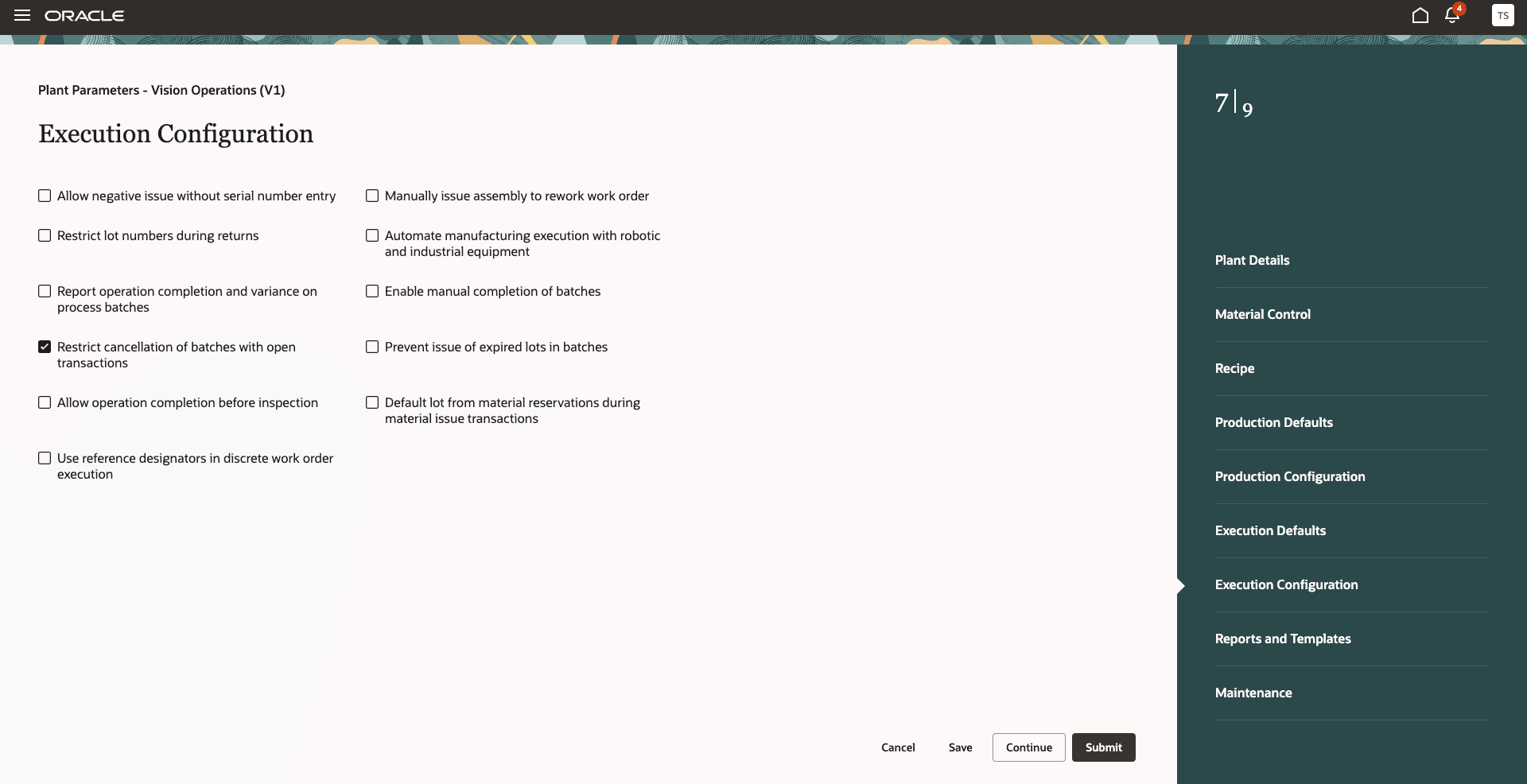
Plant parameter
Tips and considerations
- This feature is not applicable for Contract manufacturing organizations.
- This experience is only available for Redwood pages.
- Enable the process manufacturing terminology profile option for a more consistent process manufacturing user experience.
Key resources
- Oracle Fusion Cloud SCM: Refer to the Using Manufacturing guide, available on the Oracle Help Center.
- Oracle Fusion Cloud SCM: Refer to the Process Manufacturing Terminology What's New, available on Oracle Help Center.
- Oracle Fusion Cloud SCM: Refer to the Implementing Manufacturing and Supply Chain Materials Management guide, available on the Oracle Help Center.
Access requirements
Users who are assigned a configured job role that contains the following privilege can cancel transacted batches by overriding the plant parameter:
| Privilege status | Privilege name and code |
|---|---|
| New |
Cancel Work Orders with Transactions WIE_CANCEL_WORK_ORDERS_WITH_TRANSACTIONS_PRIV |