Approve dispense areas using Electronic Records and Electronic Signatures
Dispense areas define where controlled dispensing activities occur, so changes to these setups can affect compliance and execution quality. This feature enables Electronic Records and Electronic Signatures (ERES) approval for creating or updating dispense areas.
Key Capabilities:
- Trigger electronic signature approval when a dispense area is created or modified.
- Prevent unapproved or rejected dispense areas from being used for dispensing activities.
- Capture dispense area information in the electronic record to ensure traceability in the process.
You can now invoke a deferred ERES approval before a new dispense area can be used.
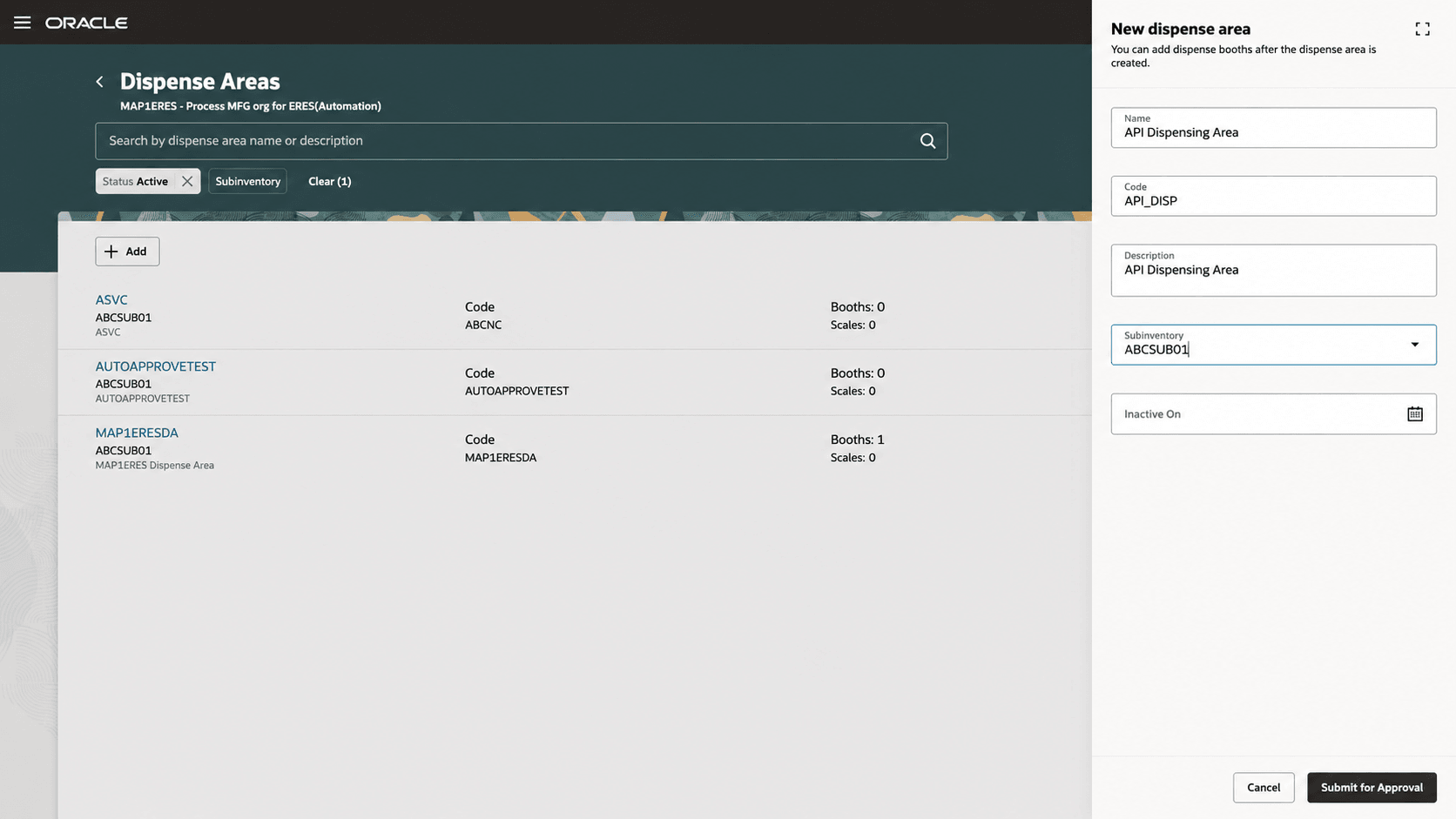
Dispense area creation triggers deferred approvals
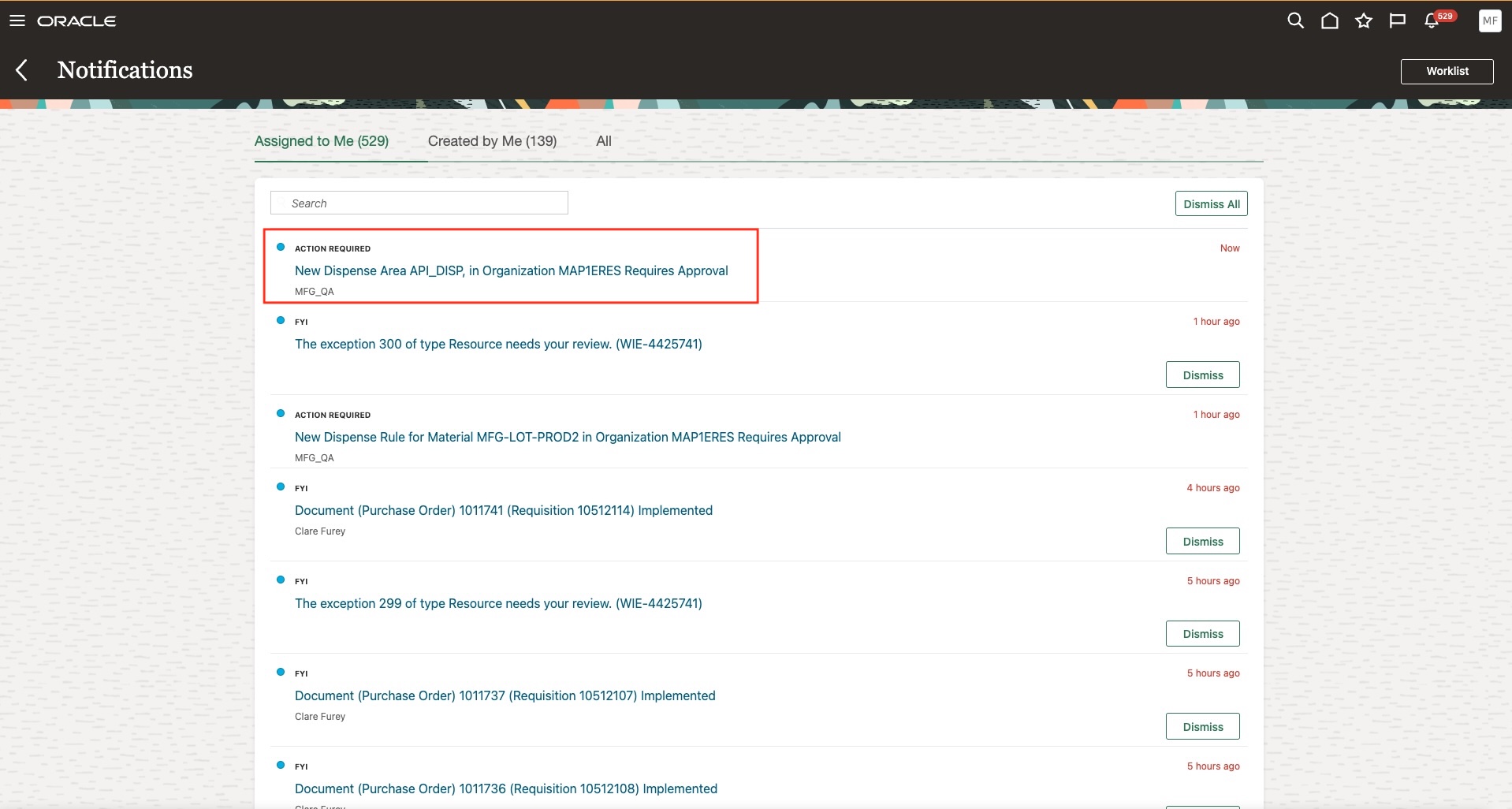
Dispense area approval notification
The approver can review the details of the dispense area created before they decide to approve or reject the record.
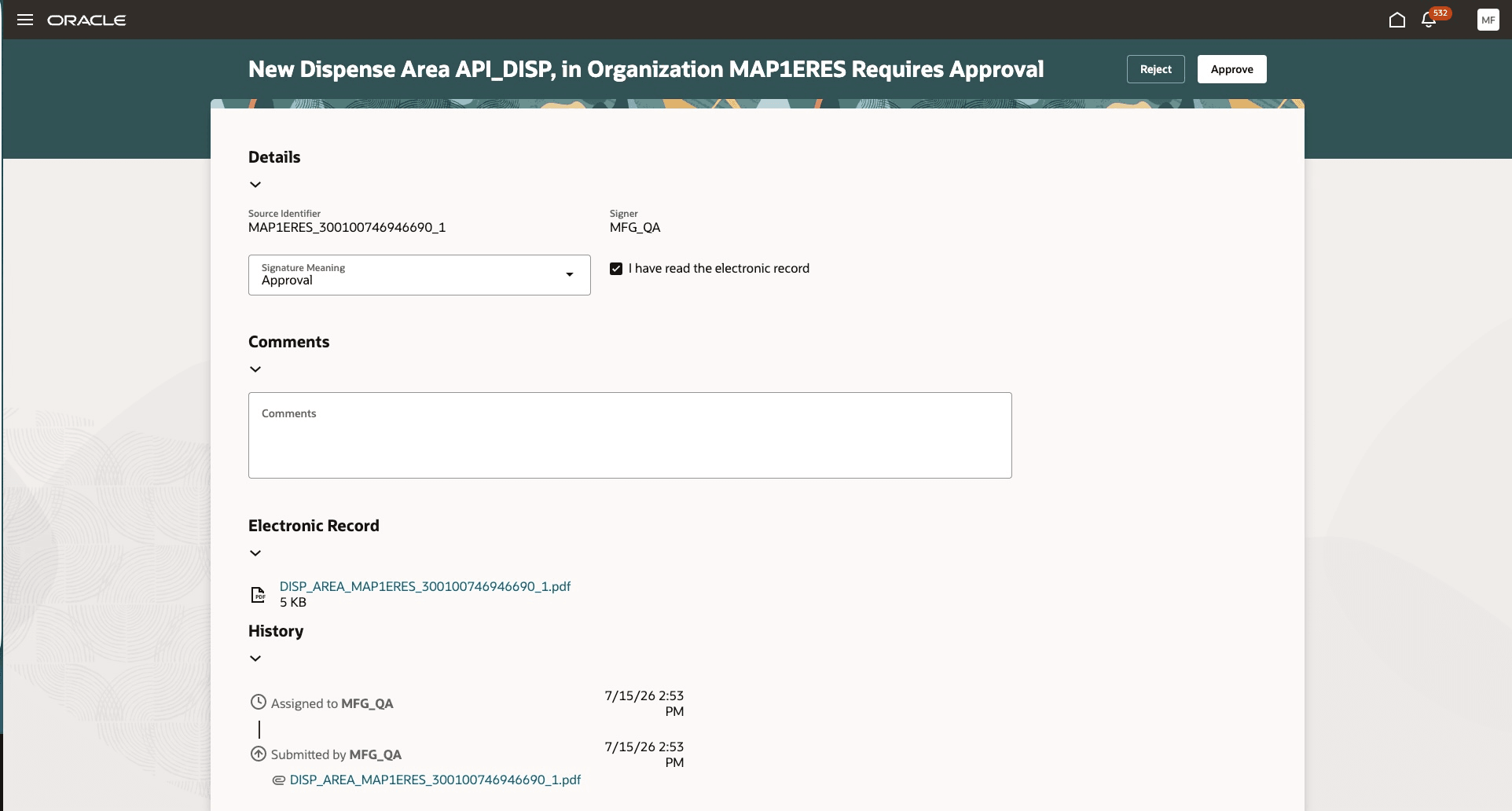
Dispense area approval
The new ability to approve dispense areas provides the following advantages:
- Adds governance protocols for the dispensing setup in a regulated industry.
- Prevents unapproved dispense areas from being used in rules or transactions.
- Improves auditability of setup changes.
Steps to enable and configure
- In the Setup and Maintenance work area, search for and select the Configure Electronic Signature Preferences task.
- On the Configure E-Signature Organizations page, select the inventory organization/plant where you would be dispensing materials.
- Enable the Dispense Area Creation Approval transaction.
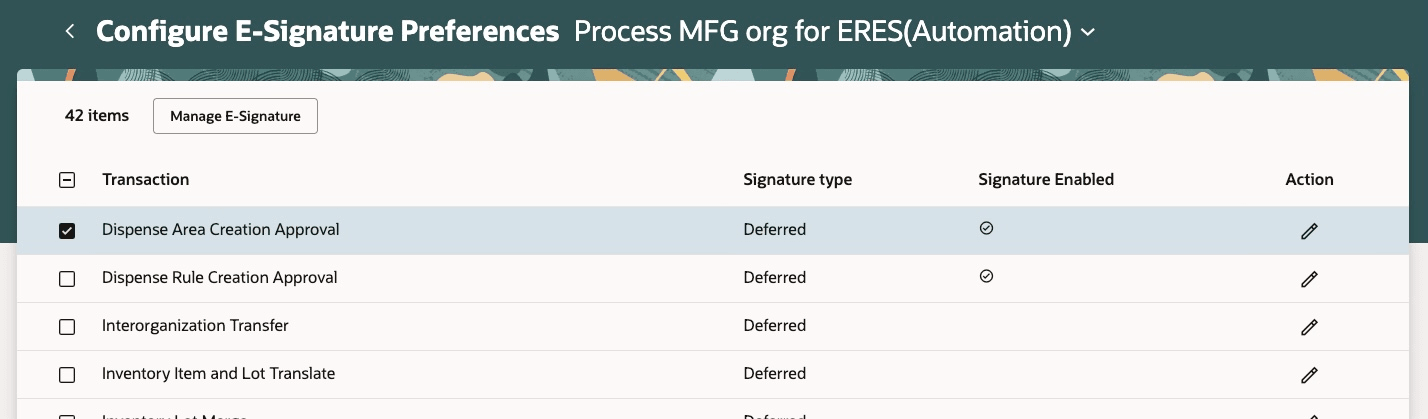
Configure e-signature preferences for dispense areas
- After you enable electronic signatures for a transaction, define configurable business process rules in Oracle Business Process Management using the Manage Task Configurations for Supply Chain Management task.
- Use the Manage Approval Groups task in the Setup and Maintenance work area to determine the approvers for each transaction. The task name is DispenseAreaApproval.
Tips and considerations
- The dispense area creation approval is invoked only when a new dispense area is created.
- Once a dispense area is approved, you can add dispense booths and scales to it. The dispense area also becomes eligible to be associated with a dispense rule.
Key resources
- Oracle Fusion Cloud SCM: Refer to the Using Manufacturing guide, available on the Oracle Help Center.
- Oracle Fusion Cloud SCM: Refer to the Implementing Manufacturing and Supply Chain Materials Management guide, available on the Oracle Help Center.
- Oracle Fusion Cloud SCM: Refer to the What's New documentation for Dispense Materials to Batches, available on the Oracle Help Center.
Access requirements
If you are using custom job roles, then you need to validate that you have the previously delivered privilege listed.
| Privilege status | Privilege name and code |
|---|---|
| Previously delivered |
Manage Dispense Areas WIS_MANAGE_DISPENSE_AREAS |