Search purchasing documents by contract number
Search purchasing documents by contract number to improve contract visibility and make it easier to identify documents backed by a procurement contract. The Contract attribute is now displayed in the search results, helping buyers and suppliers quickly identify contract-backed purchasing documents without opening each record.
Buyers and suppliers can search for purchasing documents by entering the contract number on the Purchase Orders or Purchase Agreements page. Search results display matching purchase orders and blanket purchase agreements.
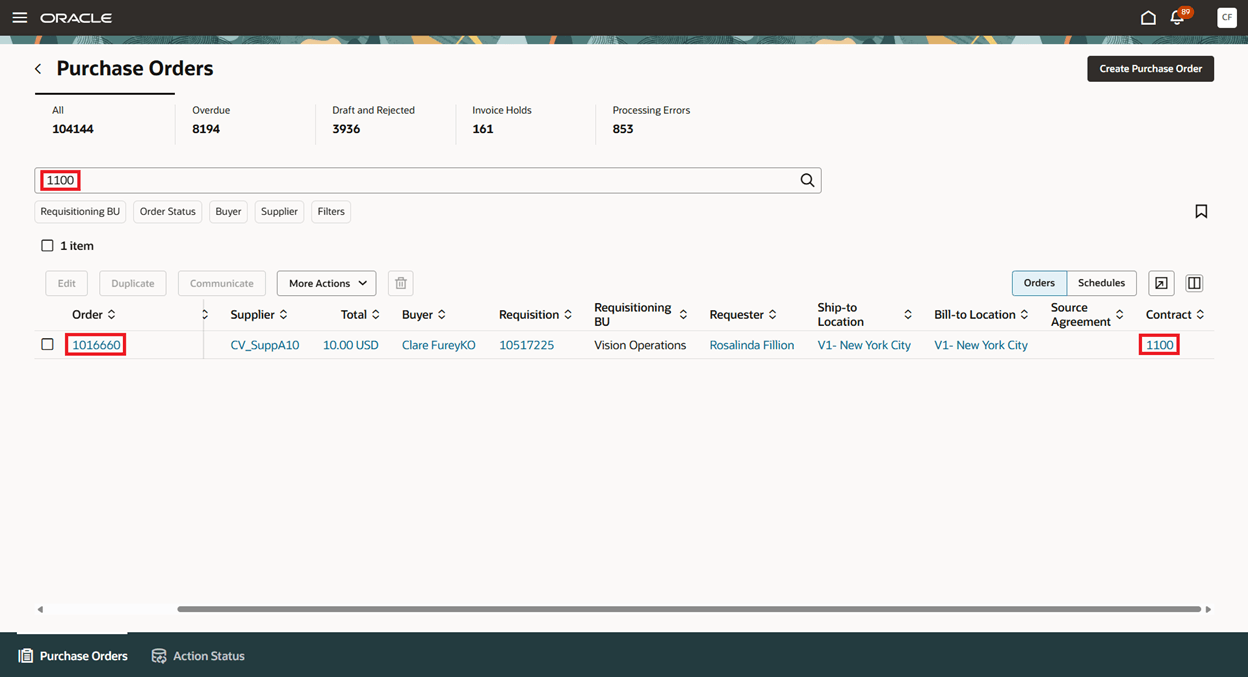
Search results displaying a purchase order associated with a procurement contract
Buyers can also open the procurement contract from the associated purchasing document to review its details and terms.
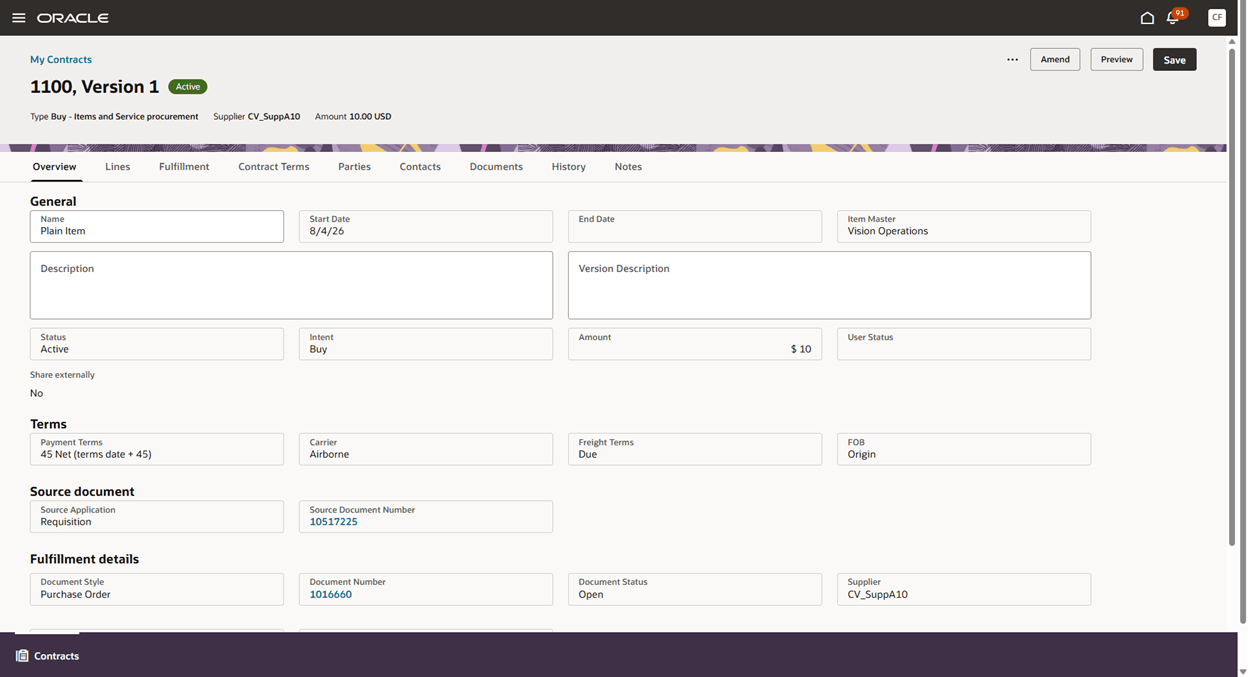
View contract details from the Purchase Order search results
Steps to enable and configure
To enable buyers to drill down from the contract value to the source procurement contract, opt in to the Redwood Contract Management feature under the Enterprise Contracts offering.
Tips and considerations
- When the Redwood Contract Management feature is enabled and you have the required access, you can select the contract value in the search results to open the source procurement contract. Suppliers can’t open the source procurement contract from the contract value.
- For suppliers accessing purchasing documents through the Supplier Portal, the Contract attribute is displayed as read-only text.
- Use the Manage Columns icon to add, hide, or reorder the Contract column in the search results.
Key resources
- For details on creating purchasing documents from a contract to fulfill requisition demand, refer to the Redwood: Release a Purchase Order from a Contract That Fulfills Requisition Demand feature, available in Oracle Fusion Cloud Procurement What’s New, update 26A.
- For details on creating purchasing documents from a contract, refer to the Redwood: Create and Manage Procurement Contracts feature, available in Oracle Fusion Cloud Procurement What’s New, update 26A.
Access requirements
If you are using custom job roles, then you need to validate that you have the previously delivered privileges listed.
| Privilege status | Privilege name and code |
|---|---|
| Previously delivered | Create Contract OKC_CREATE_CONTRACT_PRIV |
| Previously delivered | Edit Contract OKC_EDIT_CONTRACT_PRIV |
| Previously delivered | View Contract OKC_VIEW_CONTRACT_PRIV |