Procurement Spend Command Center
Use the Procurement Spend Command Center powered by Oracle Fusion Claw to identify maverick spend, agreement leakage, and price-variance exceptions. Discover opportunities to redirect purchases to existing agreements, quantify potential savings, and take informed action to improve contract compliance and reduce procurement costs.
Key capabilities include:
- View off-contract spend by supplier and category.
- Compare total spend, maverick spend, and agreement leakage with the previous quarter.
- Identify the procurement business units with the highest off-contract exposure.
- Explore supplier, category, and business unit drivers behind changes in spend.
- Ask questions about the displayed information and investigate opportunities further.
Use the new Procurement Spend Command Center quick action under Procurement quick actions from the homepage to access the Procurement Spend Command Center.
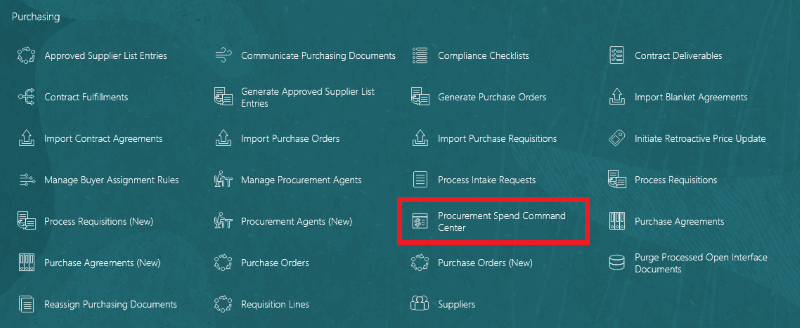
Procurement Spend Command Center quick action
The Procurement Spend Command Center surfaces AI-powered agentic workflows and spend insights in these panels:
- Quarterly Spend Trend: View an AI-generated summary of total spend, maverick spend, agreement spend, and agreement leakage over the last five quarters.
- Maverick Spend Exposure: View the suppliers and categories with the highest maverick spend in the last completed quarter.
- Current Quarter Spend Insights: View AI-generated insights into total invoice-line spend and the suppliers and categories with the highest maverick spend.
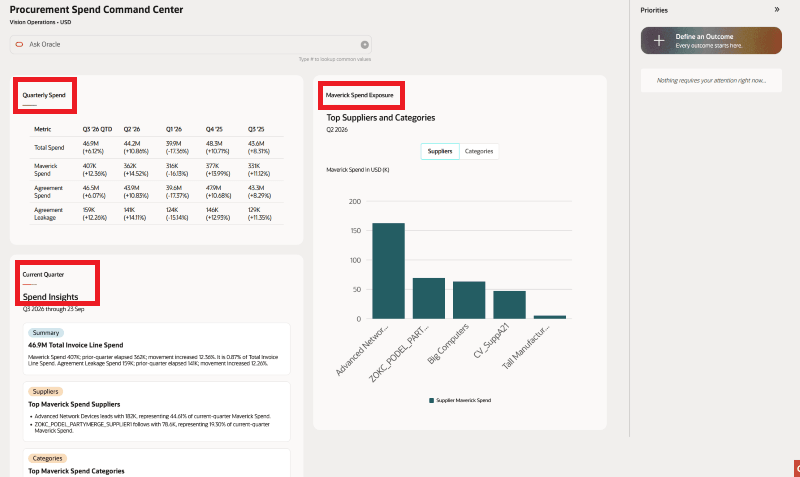
Procurement Spend Command Center
The Procurement Spend Command Center provides three predefined outcomes for invoice lines created in the last completed quarter:
- Maverick spend and agreement leakage: Identify spend that occurred without an agreement or purchase order, including spend for which an eligible blanket purchase agreement was available.
- Agreement redirection opportunities: Identify eligible agreements that you can use to redirect future purchases and potentially reduce costs.
- Supplier-item price variance: Identify variations in the price paid for the same item from the same supplier and compare the prices with the negotiated price on an eligible agreement.
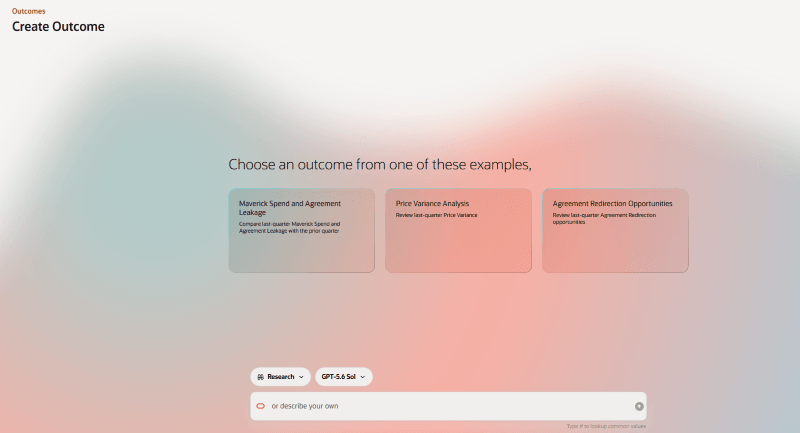
Procurement Spend Command Center Outcomes
For each outcome, you can review supporting evidence, understand why the opportunity was identified, and consider recommended next steps before taking follow-up action.
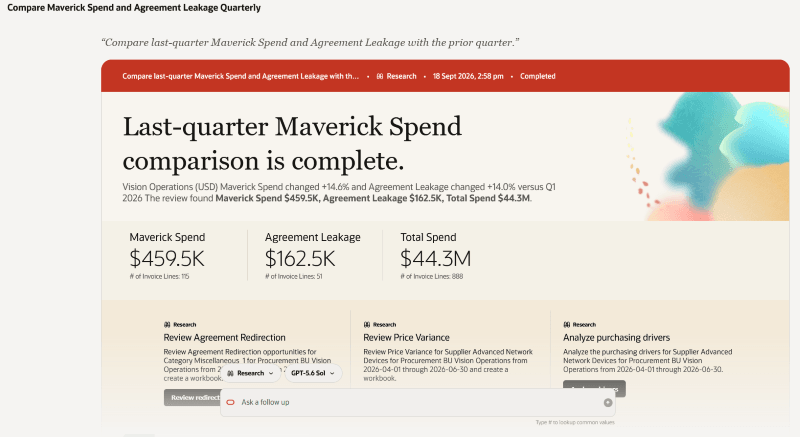
Maverick spend analysis of last quarter
For maverick spend analysis, you can also download a Microsoft Excel workbook containing the data used in the analysis.
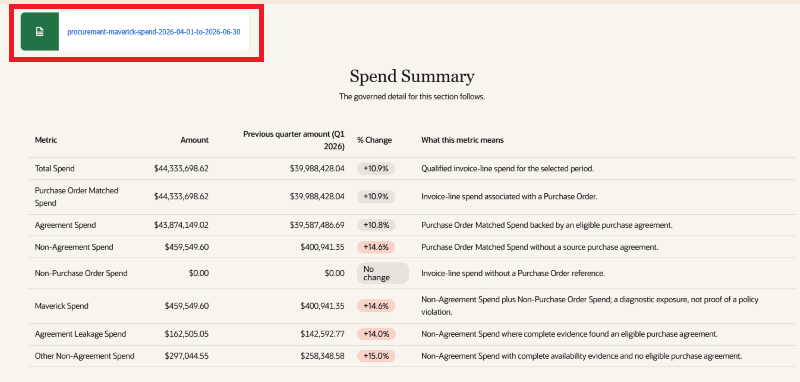
Maverick spend spreadsheet
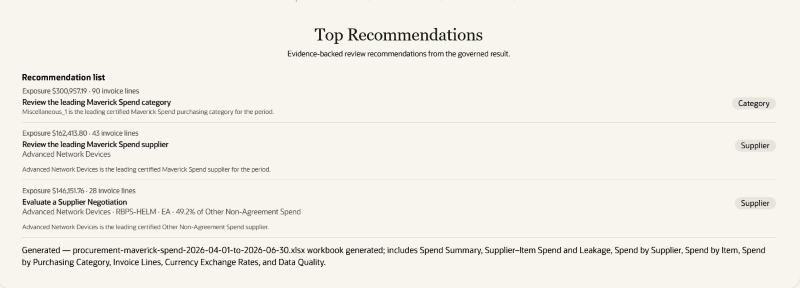
Recommendations for maverick spend outcome
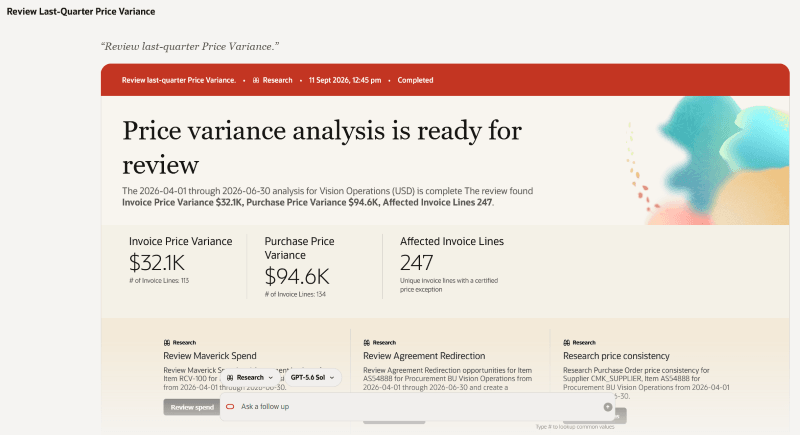
Price variance analysis
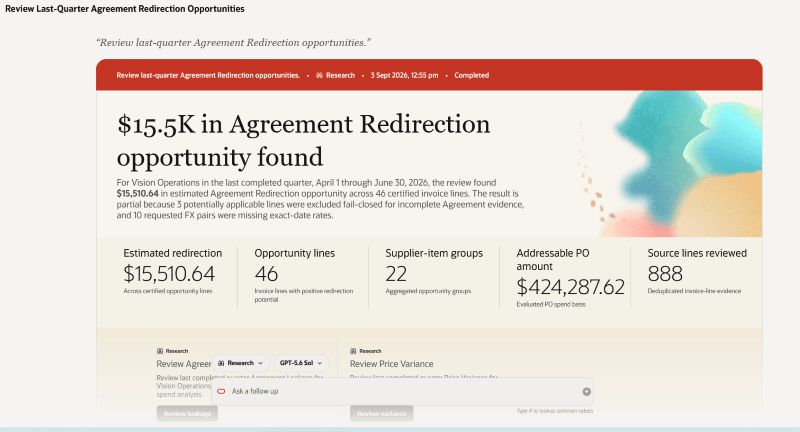
Agreement redirection opportunities
Use Ask Oracle to ask questions and analyze spend across different time periods, procurement business units, suppliers, and categories.
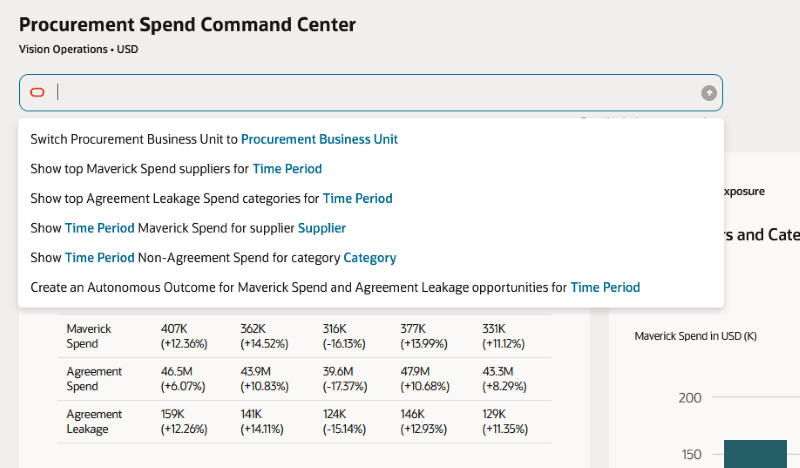
Ask Oracle
Steps to enable and configure
To use this feature, enable the Spend Analysis Command Center Enabled (ORA_PO_SPEND_ANALYSIS_COMMAND_CENTER_AGENTIC_APP_ENABLED) profile option.
To allow users to interact with agents, you must also enable permission groups for their configured job roles. To enable permission groups for roles, enable the Enable Security Console External Application Integration (ORA_ASE_SAS_INTEGRATION_ENABLED) profile option.
For instructions on setting profile option values, see Set Profile Option Values.
Tips and considerations
- Spend analysis is performed in the currency specified in the Procurement Business Unit Configuration
- For Purchase orders whose currency is different from the Procurement BU currency:
- The conversion rate type is derived from the Procurement Business Unit configuration.
- The system date is used as the conversion date.
Key resources
- Access Requirements for AI Agent Studio
- How can I give users access to AI agents?
- Create AI Agents Using Preconfigured Templates
- How do I use AI Agent Studio?
Access requirements
Users need all of the following duty roles to access this feature. Duty roles marked as new were introduced in this update.
|
Duty role status |
Duty role name and code |
|---|---|
| New |
Access Procurement Spend Analysis Command Center Application ORA_PO_SPEND_ANALYSIS_COMMAND_CENTER_APP_DUTY |
Users need all of the following privileges to access this feature. Privileges marked as new were introduced in this update.
| Privilege status | Privilege name and code |
|---|---|
| Previously delivered |
View Purchase Order Work Area PO_VIEW_PURCHASING_WORKAREA_PRIV |
To allow users to interact with agents, configure a job role by enabling permission groups in the Security Console. Assign the Access Procurement Spend Analysis Command Center Application duty role and View Purchase Order Work Area privilege, add the read: Payables Invoice Line permission group, and set its Security Views to All Rows and All Fields.
See Access Requirements for AI Agent Studio (for administrators) and How can I give users access to AI agents (for end-users) for more information.