Purchase Requisition Status Advisor - Search experience improvements
In update 25C, we introduced the AI Agent: Purchase Requisition Status Advisor feature, which gives users access to requisition statuses, details, and summaries through an AI agent-based chat interface.
This update includes the following enhancements:
- Queries now return results that align with equivalent searches and filters on the My Requisitions page.
- The agent uses the same requisition statuses displayed on the My Requisitions page, such as Draft and Ordered.
- Queries now retain some history and context.
- A query can return a list of requisitions, such as, “Which of my requisitions are still in draft?”
- Follow-up queries refer to an item from the previous results, such as, “What are the details of the first requisition?” The agent understands that “the first requisition” refers to the first requisition returned by the previous query.
- Responses now use a more consistent, concise format.
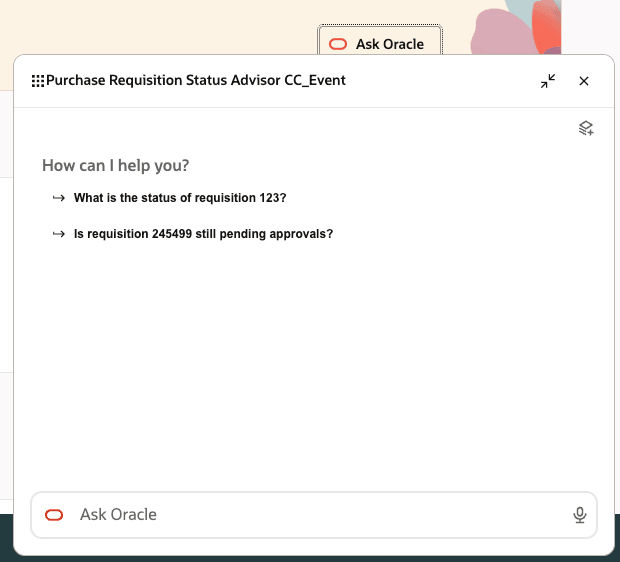
Purchase Requisition Status Advisor - Chat window
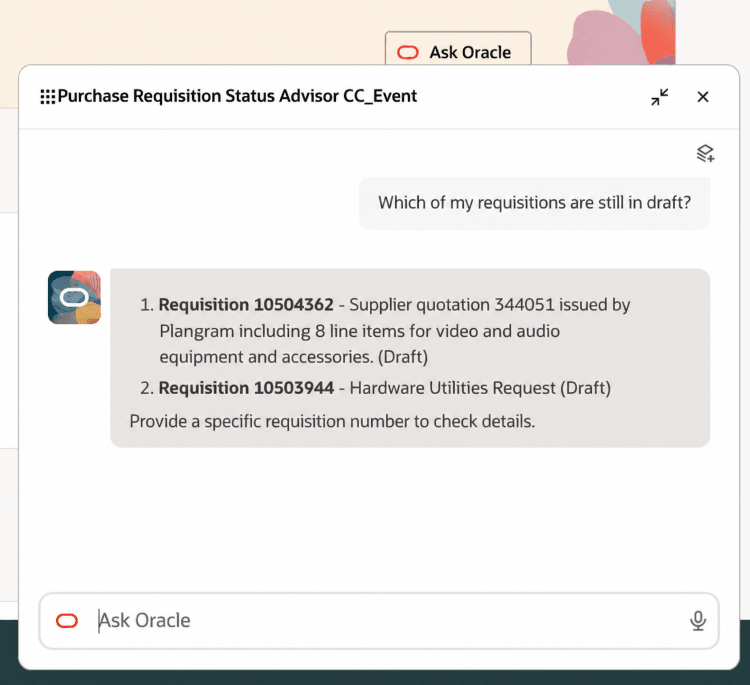
Purchase Requisition Status Advisor - Status is the same as the status on the My Requisitions page
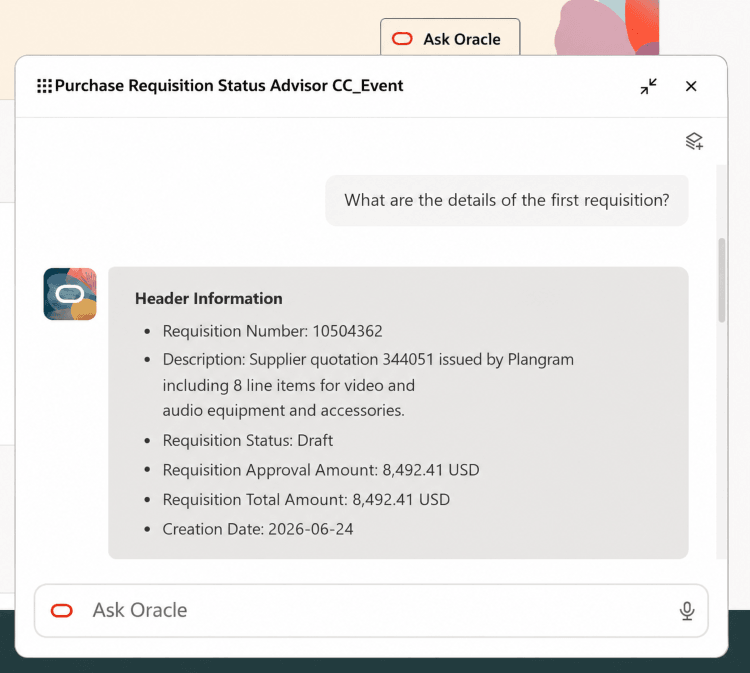
Purchase Requisition Status Advisor - Remembers history and context
Steps to enable and configure
If you haven't setup the agent before, follow these steps:
- Create and publish an instance of the seeded Purchase Requisition Status Advisor by referring to the Create a copy of a Preconfigured Workflow topic.
- Create a new Guided Journey or edit an existing one, and add an agent task of the type Workflow Agent for the new agent you created in AI Agent Studio.
- Using Oracle Visual Builder Studio, add the Guided Journey to the Redwood page from where you want your users to access the agent.
Tips and considerations
- To allow end users to see the agent in Guided Journey:
- Specify the appropriate role in the Security tab of your Agent Team instance.
- Grant the role to the end users.
- Agents moved to a workflow-type agent: In this update, the agents listed here have been moved from a supervisor-type agents to a workflow-type agents:
- Requisition Status Advisor
- Procurement Policy Advisor
- Quote to Purchase Requisition Chat Assistant
- These agents are now preconfigured and runnable without additional configuration (seeded runnable agents). In previous releases, these agents were provided as templates and couldn't be run directly. For more information about preconfigured workflow agents, see Edit a Preconfigured Workflow.

Workflow agents dashboard
This update improves performance and makes the agent easier to personalize. Additionally, the Procurement Request Concierge feature introduced in this update requires agents to be of the workflow type.
Note: If you previously copied a supervisor-type agent template and made changes to it, you must create a copy of the corresponding workflow-type agent to use the latest version. For more information, see Create a Copy of a Preconfigured Workflow.
Key resources
- Access Requirements for AI Agent Studio
- How can I give users access to AI agents?
- Create AI Agents
- For information about using Oracle Visual Builder Studio to extend your Redwood application pages, see Oracle Fusion Cloud HCM and SCM: Extending Redwood Applications for HCM and SCM Using Visual Builder Studio
Access requirements
No additional access is required for this enhancement.
To access the Oracle AI Agent Studio for Fusion Applications and manage PRC AI agents, users must be assigned a custom job role that contains these duty roles:
| Duty role status | Duty role name and code |
|---|---|
| Existing | PRC Intelligent Agent Management Duty ORA_PO_PRC_AI_AGENT_MANAGEMENT_DUTY |
| Existing | PRC Intelligent Agent Management Duty ORA_PO_PRC_AI_AGENT_MANAGEMENT_DUTY_HCM |
| Existing | Fai Genai Agent PRC Administrator Duty ORA_DR_FAI_GENERATIVE_AI_AGENT_PRC_ADMINISTRATOR_DUTY |
To interact with AI agents in product pages, users must be assigned a custom job role that contains this duty role:
| Duty role status | Duty role name and code |
|---|---|
| Existing | Fai Genai Agent Runtime Duty ORA_DR_FAI_GENERATIVE_AI_AGENT_RUNTIME_DUTY |
In the Security Console, filter by Roles and Permission Groups to find this duty role.
To allow users to interact with agents, you must also enable permission groups in the Security Console on those users’ custom job roles that contain the Fai Genai Agent Runtime Duty role. You can enable permission groups when you manage the basic information of your custom job roles.
Users’ custom job roles must also contain privileges that allow access to the pages where AI agents are enabled.
See Access Requirements for AI Agent Studio (for administrators) and How can I give users access to AI agents (for end-users) for more information.