25.1.9.1.11.3.2 Computing Subject and Action Values
Compute task subject text and action values in the Actions Source query.
P_ITEMS_TO_BUY,
lets the requester list the items to purchase. A second optional parameter,
P_STORE, lets them indicate a preferred store to purchase the items from.
If the initiator provides both items and a preferred store, then the Subject should
be:Please Buy Coffee and Bagels at Zabar'sPlease Buy 2GB Credit Card Sized Hard DriveThe task definition Subject field does not allow HTML Directives for
conditional substitution, but it is still straightforward to get a computed task subject. The
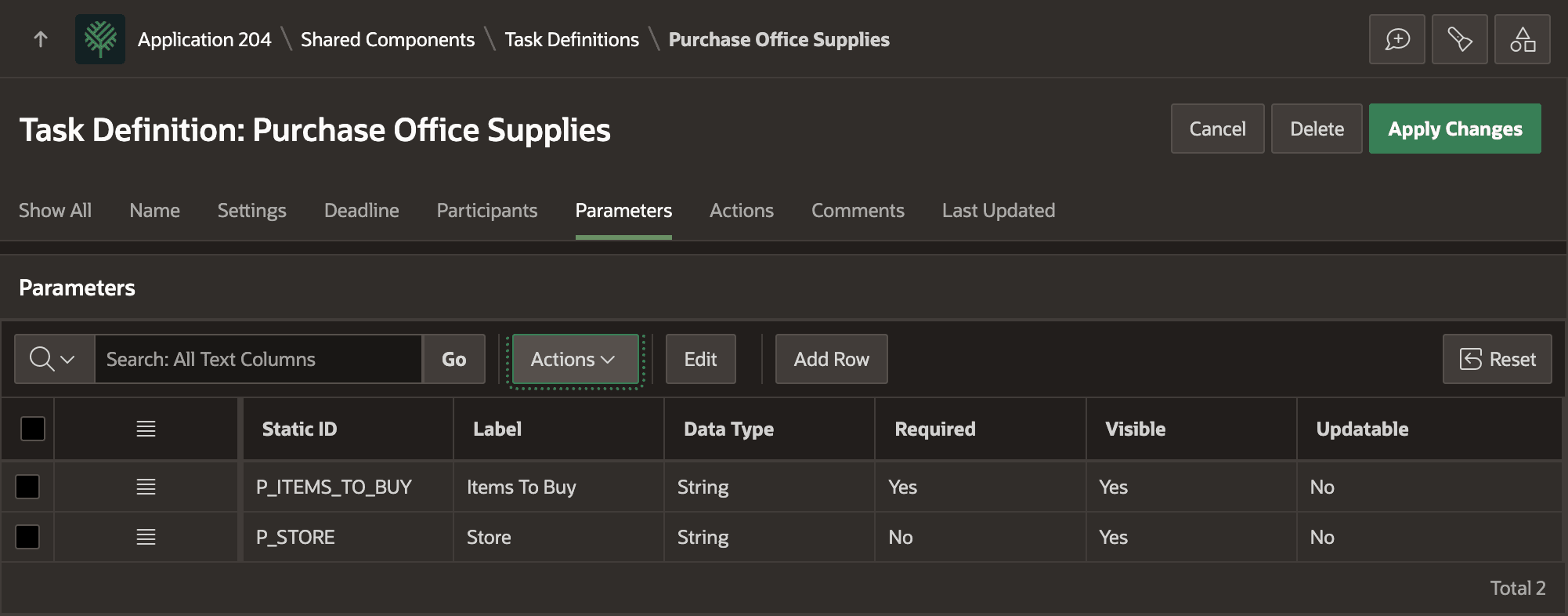
figure shows the Parameters tab of the Task Definition edit page in App Builder showing one required parameter P_ITEMS_TO_BUY and one optional parameter
P_STORE.
Figure 25-55 Parameters for Purchase Office Supplies Task Definition
Your Actions Source Query can retrieve one row containing any number of columns to provide information to reference in the task definition's Subject or actions. Notice below that the query computes a dynamic subject line using a CASE expression to include the optional store information in the title.
OWNER_EMAILS_FOR_TASK function to retrieve a comma-separated list of emails of the potential owners. You can then reference the COMPUTED_SUBJECT and POTENTIAL_OWNER_EMAILS column aliases wherever needed in the task definition. The query looks like this:select 'Please Buy '
||:P_ITEMS_TO_BUY
||case
when :P_STORE is not null
then ' at '||:P_STORE
end as computed_subject,
your_app_pkg.owner_emails_for_task(:APEX$TASK_ID, :APEX$DETAIL_PK)
as potential_owners_emails
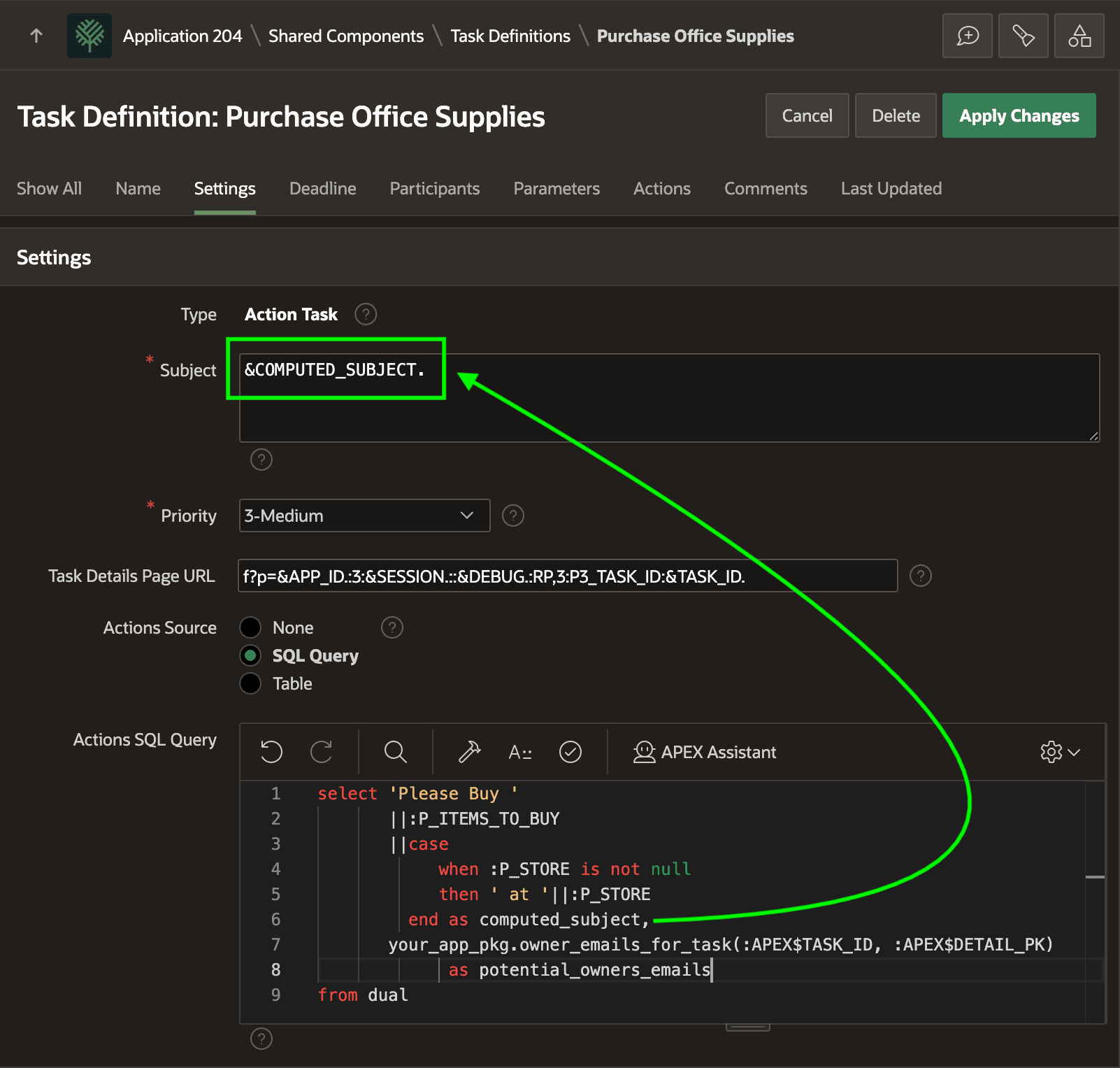
from dualAs shown below, the task definition's Subject references the dynamically
computed subject using the &COMPUTED_SUBJECT. notation. The figure shows
the Settings tab of the Task Definition edit page in App Builder and highlights how the Subject can use
&COMPUTED_SUBJECT. to reference a column from the Actions
SQL Query.
Figure 25-56 Actions Source Query Retrieves Computed Title and Potential Owner Emails
Parent topic: Notifying Assignees on Create