8.3 Configuring a Wizard Page Flow
A wizard is a multi-step UI pattern that helps users complete a task intuitively.
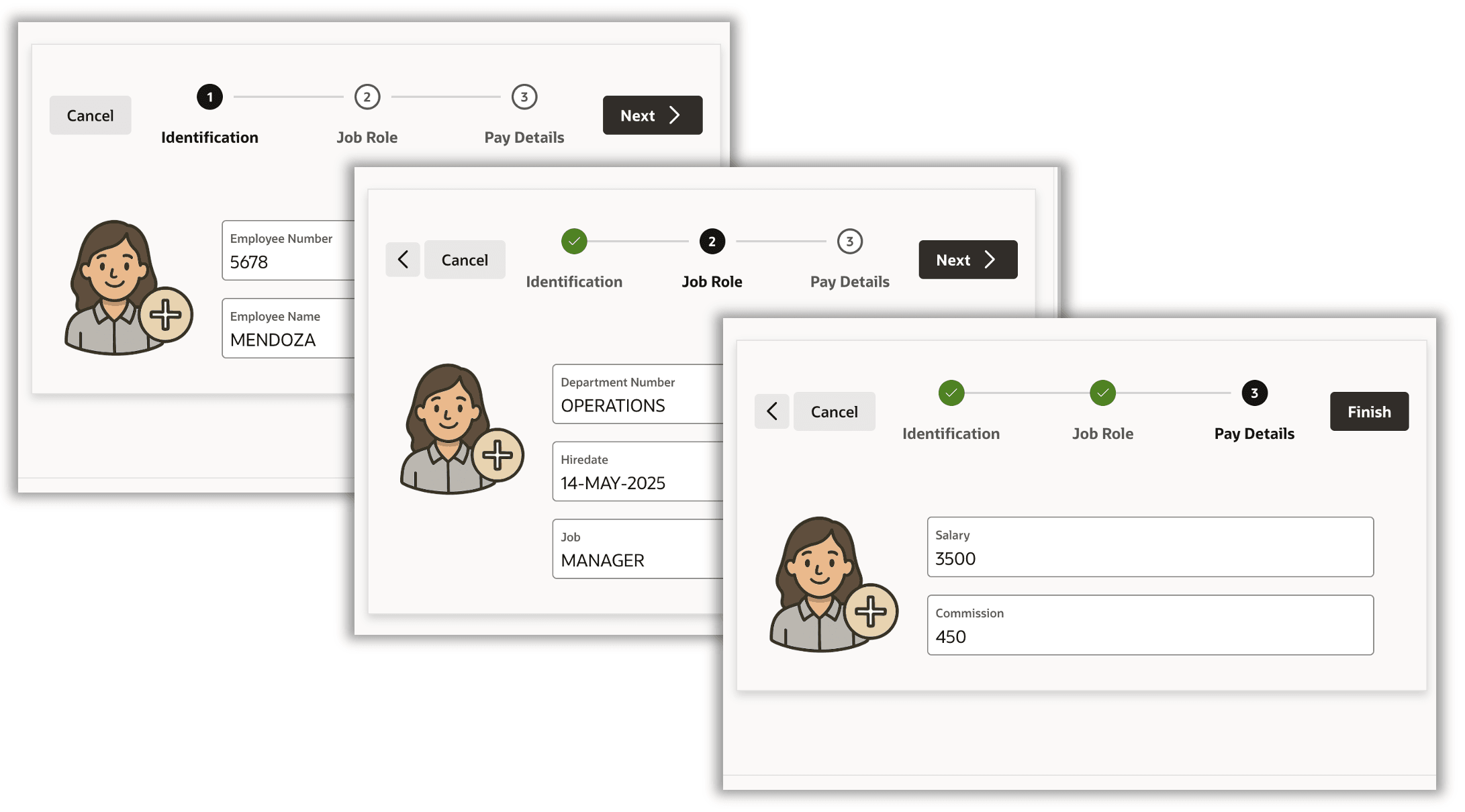
A wizard guides users through a sequence of smaller, structured actions in a logical order, one page at a time. The user sees a "route map" at the top. It identifies the "stops" along the way to the destination. For example, onboarding an new employee involves entering their identifying info, job role, and pay details. The figure below shows a simple example of a three-page employee onboarding wizard. Users expect to enter data across the steps and go back to review data in a previous step if needed before completing the task by clicking (Finish) on the last step.
Your application's multi-step wizard contains multiple pages linked by branches for forward and back navigation. Progress indicator list entries define the wizard step titles.
Figure 8-3 Three Step Wizard for Onboarding an Employee
- Creating a Multi-Step Wizard
The Create Page wizard automates making your app's wizard. It generates the wizard's multiple pages linked by branches, with progress indicator list entries that define the wizard step titles. - Multi-Step Wizard in Page Designer
After the wizard creates the initial pages, use Page Designer to add step-specific content to each one. - Shared List Defines Wizard Pages
The page entries in a shared component list define the wizard "train" stop titles and their sequence. - Branches Link Pages to Define Flows
You establish the page navigation flow an end user can follow by defining branches. - Render, Submit, Branch, Repeat
At runtime, the model-driven APEX engine breathes life into your page and component definitions using a simple lifecycle: render, submit, branch, and repeat.
Parent topic: Understanding Page Flow & Session State