6.1.7 Finding Text Across Columns
By default, every Faceted Search region has a Search facet that lets users find text across columns. It can appear inline in the region, or reference a page item placed elsewhere on the page.
Configure that columns the search facet will search over by setting the Database Columns property in the Source group of the Search facet. Use a comma-separated list of column names.
Users type one or more words they are looking for. When they press
[Enter], APEX finds rows containing any of the words in any column you've configured.
If other facet filter options are applied, the results include only rows that match
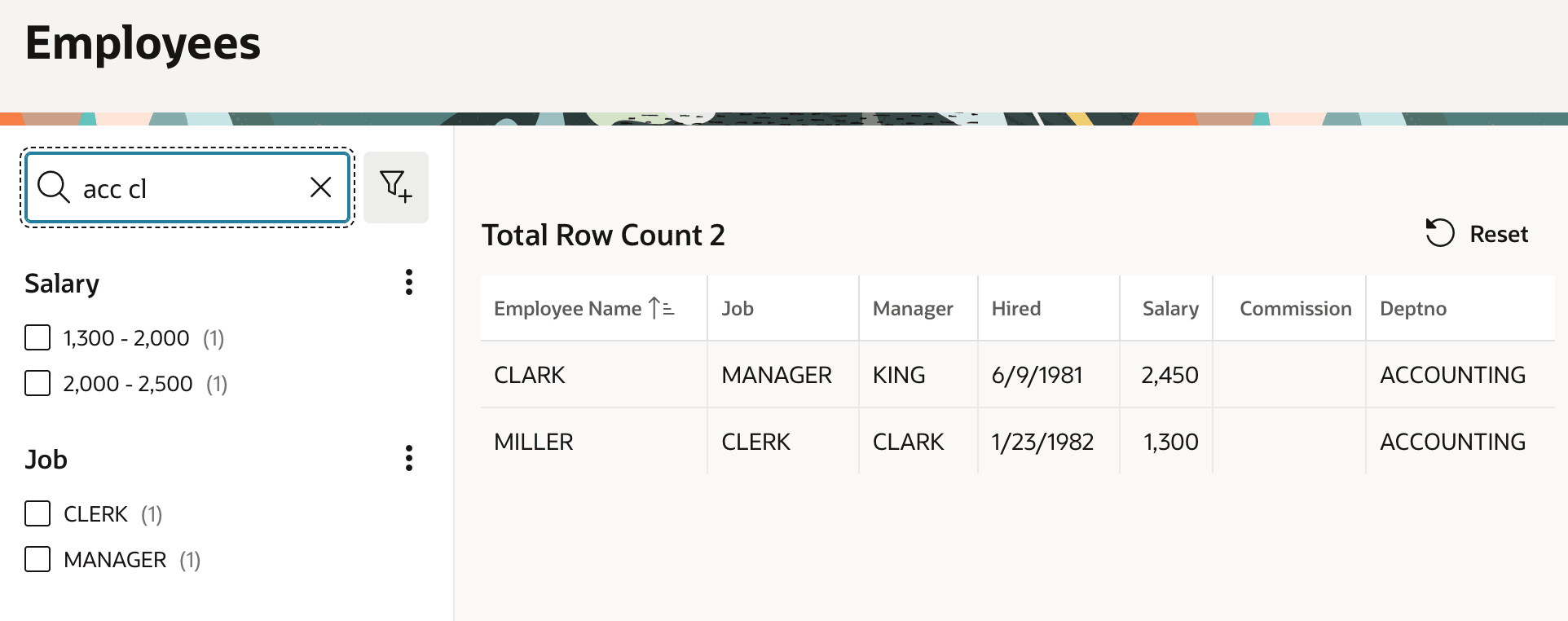
all of the filters. In the figure below, the user types acc
followed by cl and the matches include one row with
CLARK in Employee Name and ACCOUNTING in
the Deptno column and another with CLERK in the Job
column and ACCOUNTING in the Deptno column.
Figure 6-7 Finding Text Across Columns with the Search Facet
Parent topic: Narrowing a Search Using Facet Filters