Creating a Task List
What is a Task List?
A Task List represents a group of related guides, usually performed sequentially. Task lists also track the user's progress as they complete each task in the list.
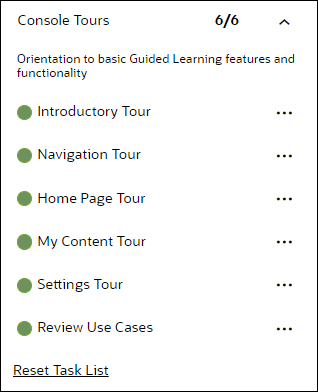
Task Lists can be used for:
- Training flows that walk your users through a new software platform.
- Onboarding sequences that train and certify new employees.
- Pre-defined checklists that users need to complete while working on a certain process.
To create a Task List:
-
On the OGL console homepage, select Task List.

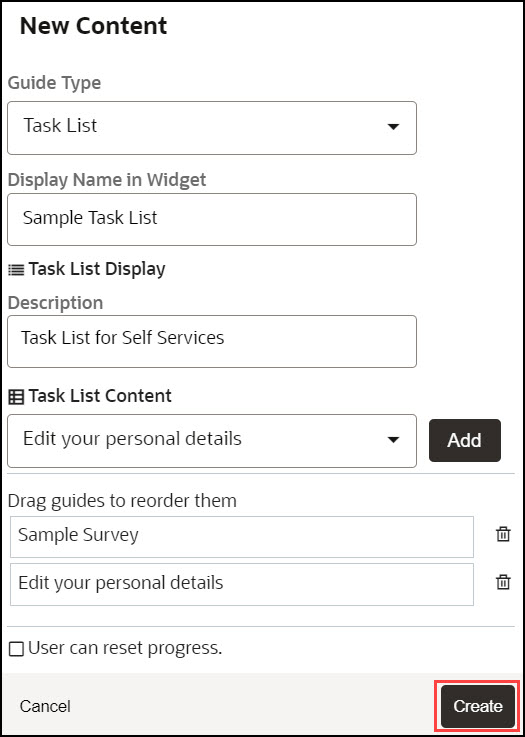
The New Content modal dialog is now displayed.
Note:
The following characters are not allowed: / \ | : " < > ? - Enter the Display Name and the Description.
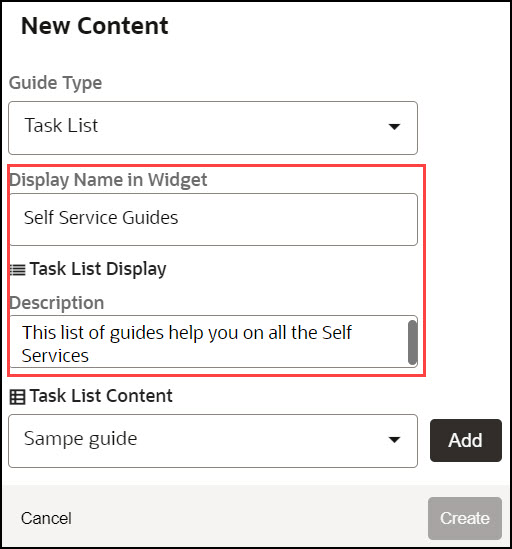
- Use the Task List
Content dropdown to add guides to your Task List.
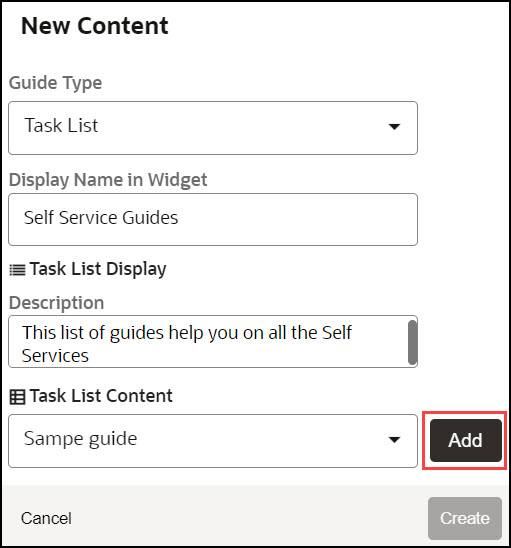
- Choose the guide from the dropdown and select Add.
- Add multiple guides from the dropdown as required.
- Check the option User can reset progress to enable users to reset
the progress.
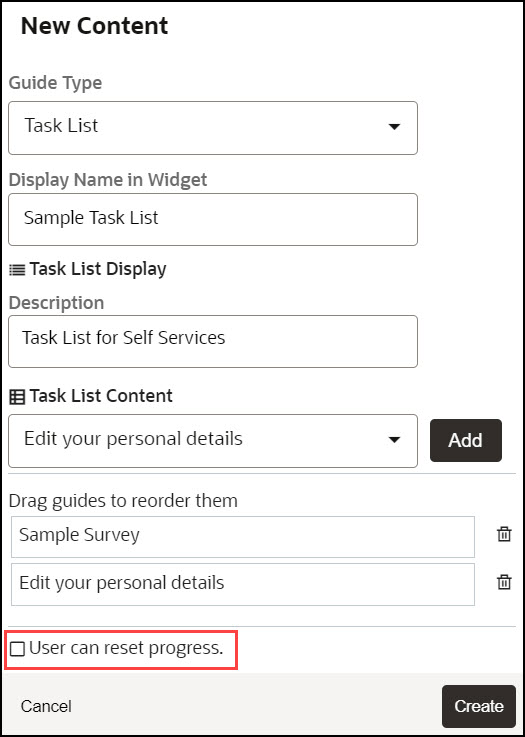
- Select Create.
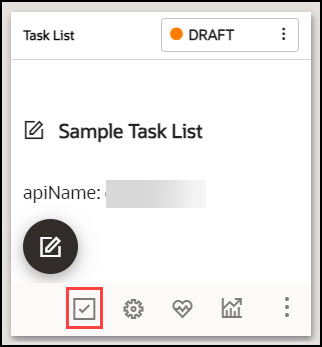
The Task List is now created.
- Configure guide activation settings, as needed, by selecting Guide
Activation in the guide tile.
Note:
Remember to set your activation conditions, refer to Enabling Guide Activation Settings section. For multi-language deployments, refer to the Translations section.