3.1.5 Account Search - Check Details
This topic explains the systematic instructions to view the check details of an account.
User can search for the required account and open the 360 view of the account. To find and view the account, see Account Search.
The Check Details tile displays the details of the check books currently issued. The tile displays the Check Book Number, Total Leaves, and Request Status of a check book. It also displays a pie chart showing the Blocked, Used, and Unused check leaves. User can scroll the different check books, by clicking the Next icon to the right of the tile as shown in the image below. For more information on setting check details, see Step 6 in Account Creation.
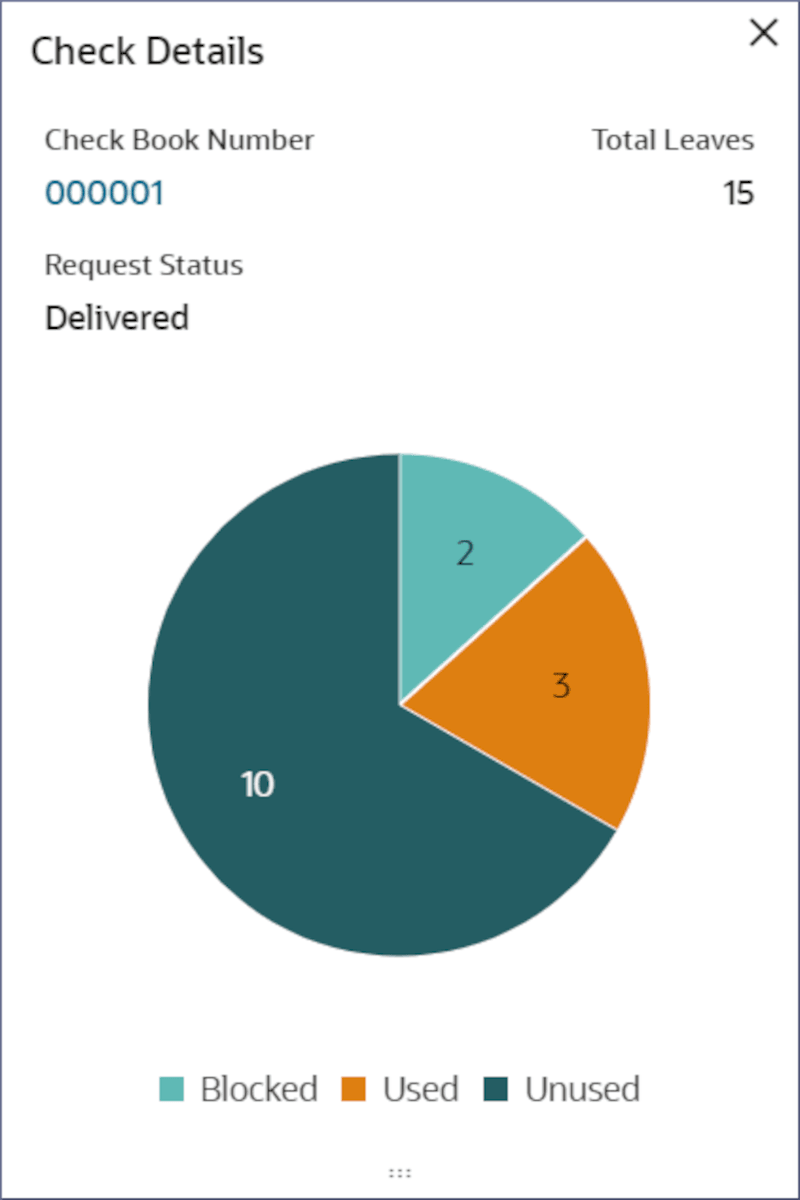
- To view check details, follow the steps below:
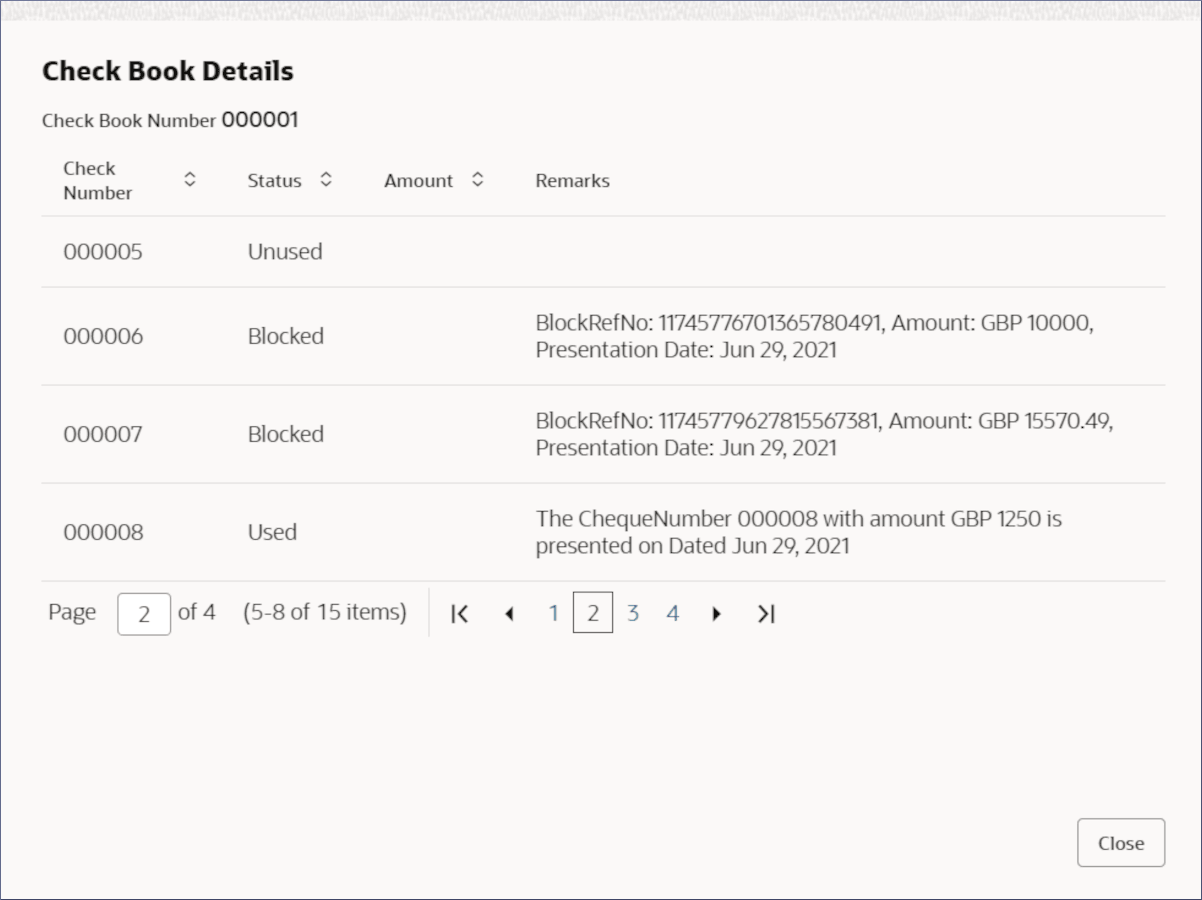
- In the Check Details tile, click the Check Book Number field.The Check Book Details dialog displays the details of each check leaf. For more information on fields, refer to field description table below:
Note:
Alternatively, user can click on a slice in the Pie chart to view more details of specific check leaves.Table 3-10 Check Book Details - Field Description
Field Name Description Check Book Number Displays the check book number. Check Number Displays the number of the check leaves in the check book. Status Displays the status of the check leaf. Amount Displays the amount of the check. Remarks Displays the remarks, if any logged for the specific check transaction..
- In the Check Details tile, click the Check Book Number field.
- Click
 .
.
Parent topic: Account Search