3.1.6 Account Search - Account Limits
This topic explains the systematic instructions to view the limit details of an account.
User can search for the required account and open the 360 view of the account. To find and view the account, see Account Search.
The Account Limits tile displays the limit details. For a multi-currency account, it displays the limits placed on the sub-accounts for each supported currency. User can scroll the different sub-accounts by clicking Next (>) to the right or Previous (<) to the left of the tile as shown in the image below. The limits presented are configured for each currency in the Limits data entry screen during the account creation. For more information on setting limits, see Step 8 in Account Creation.
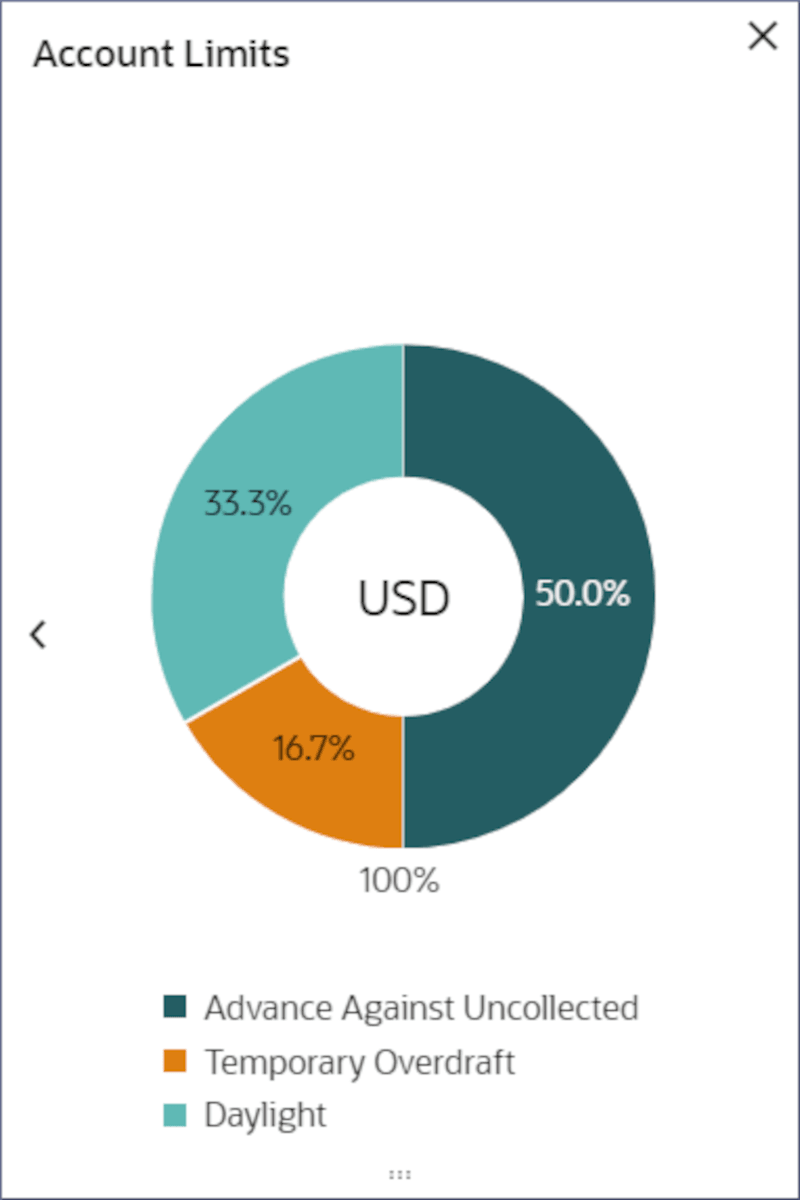
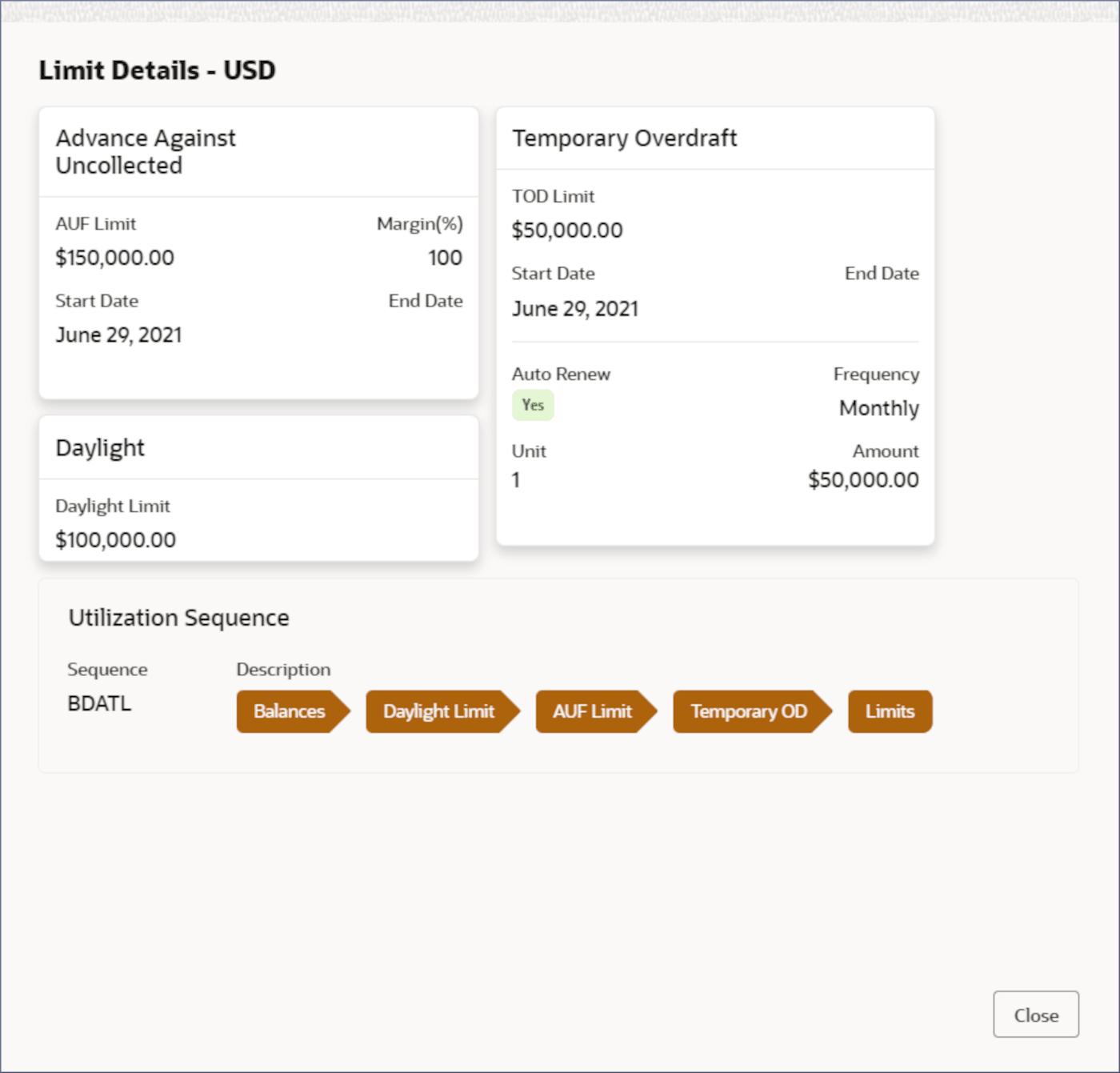
- In the Account Limits tile, click the pie chart, to view the account limits.The Limit Details - <Currency Name> dialog displays the limits placed on the account.
Figure 3-20 Limit Details
Note:
For more information on the fields in the Limit Details dialog, see Step 8 in the Account Creation topic.
Parent topic: Account Search