3.1.7 Account Search - Preferences Detail
This topic explains the systematic instructions to view the preference details of an account.
User can search for the required account and open the 360 view of the account. To find and view the account, see Account Search.
The Preferences tile displays the account
preference details for ATMs, check books, and direct banking facilities. The account
preferences are configured during account creation in the
Preferences data entry screen. For more information on
setting account preferences, see Step 5 in Account Creation.
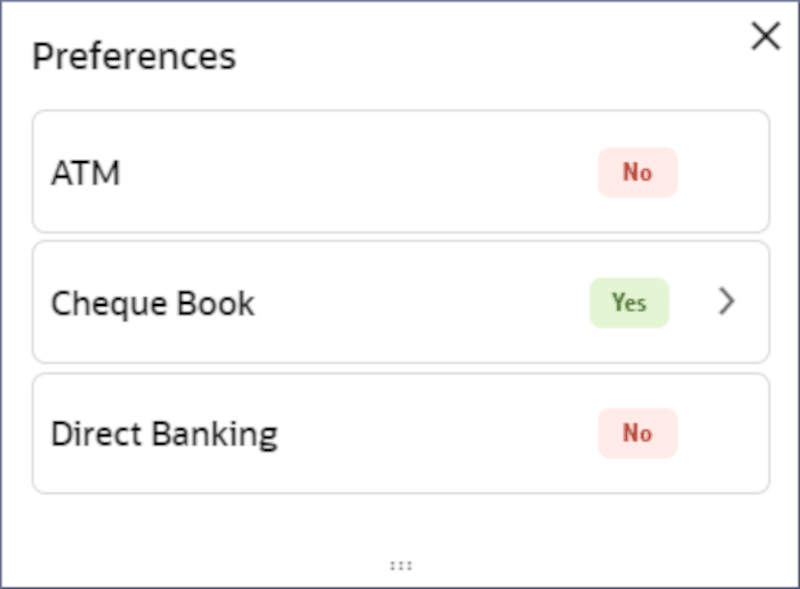
- In the Preferences tile, click the required preferences field, to view the account Preferences details.A corresponding dialog displays the preference details.
Note:
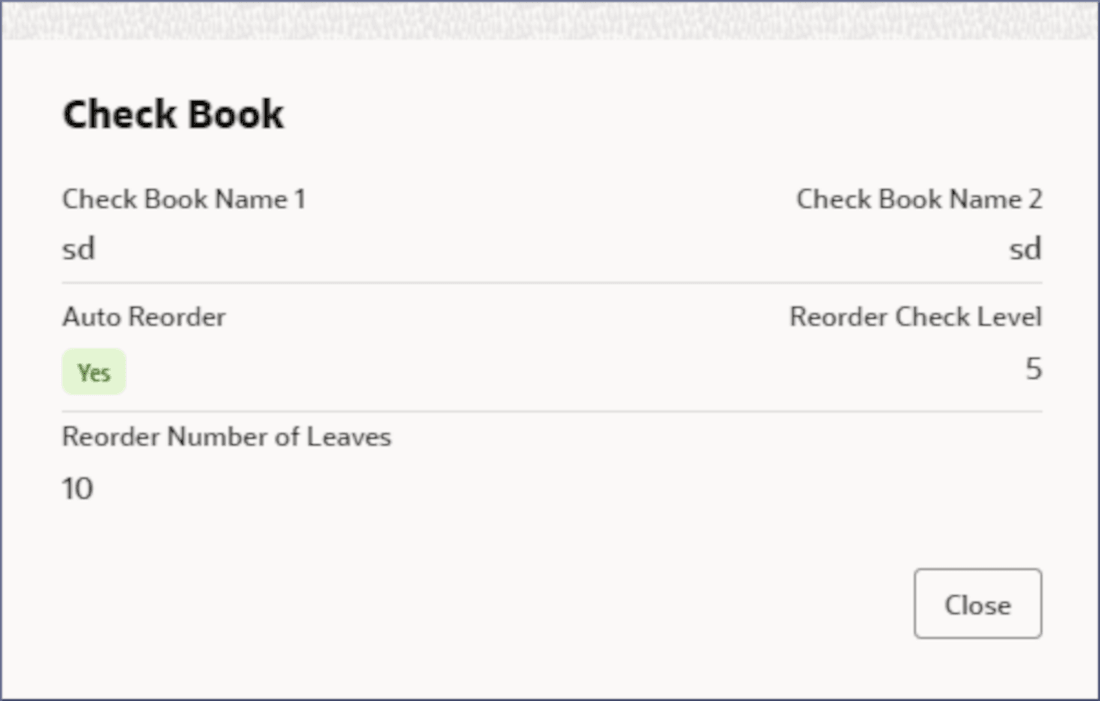
The user can click the required option from the dialog, and the system displays the related section accordingly. For example, if the user clicks the Check Book field, then the Check Book dialog is displayed. Also, the icon to the right of a field indicates that there is more information to display.
- Click
 .
.
Parent topic: Account Search