3.10 Collateral
You can add collateral details of the party in this data segment, if the details are available.
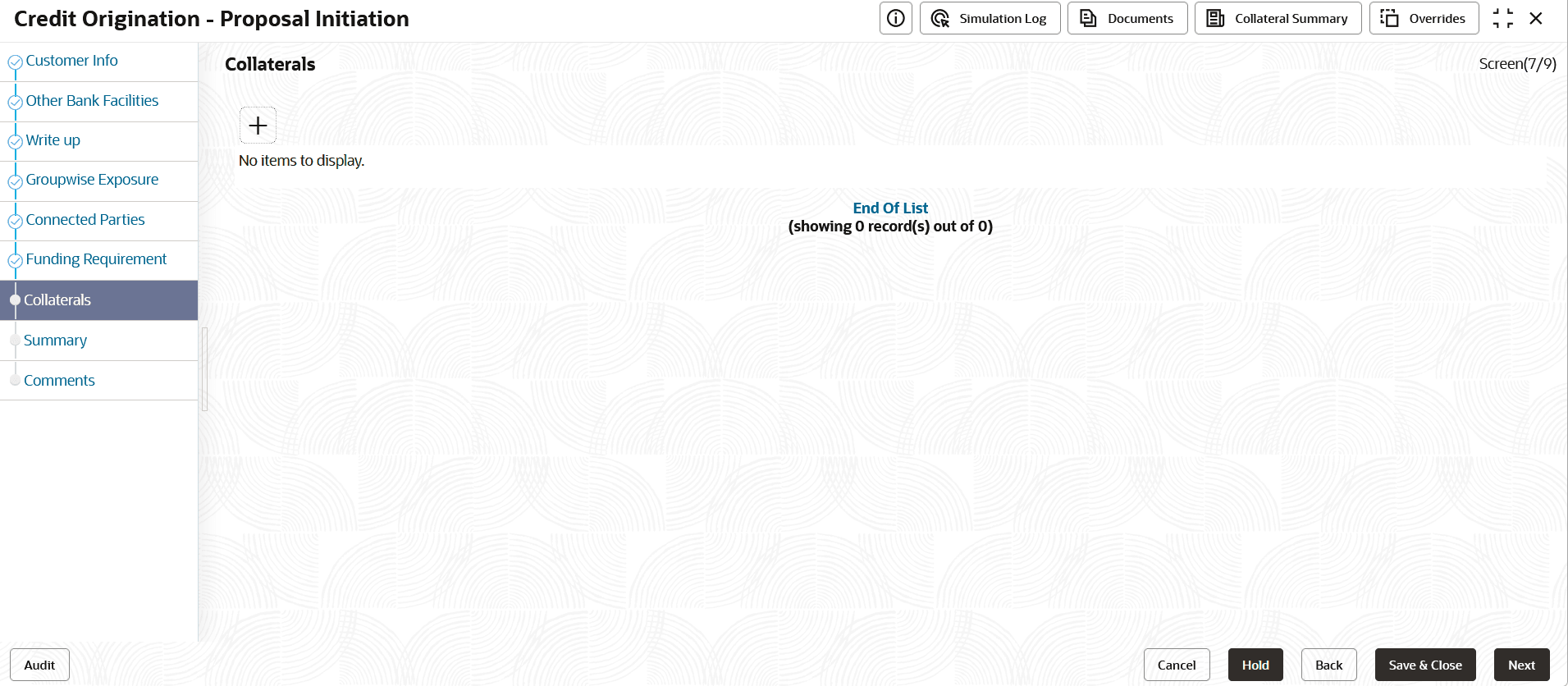
- Click the + icon.The Basic Details window is displayed.
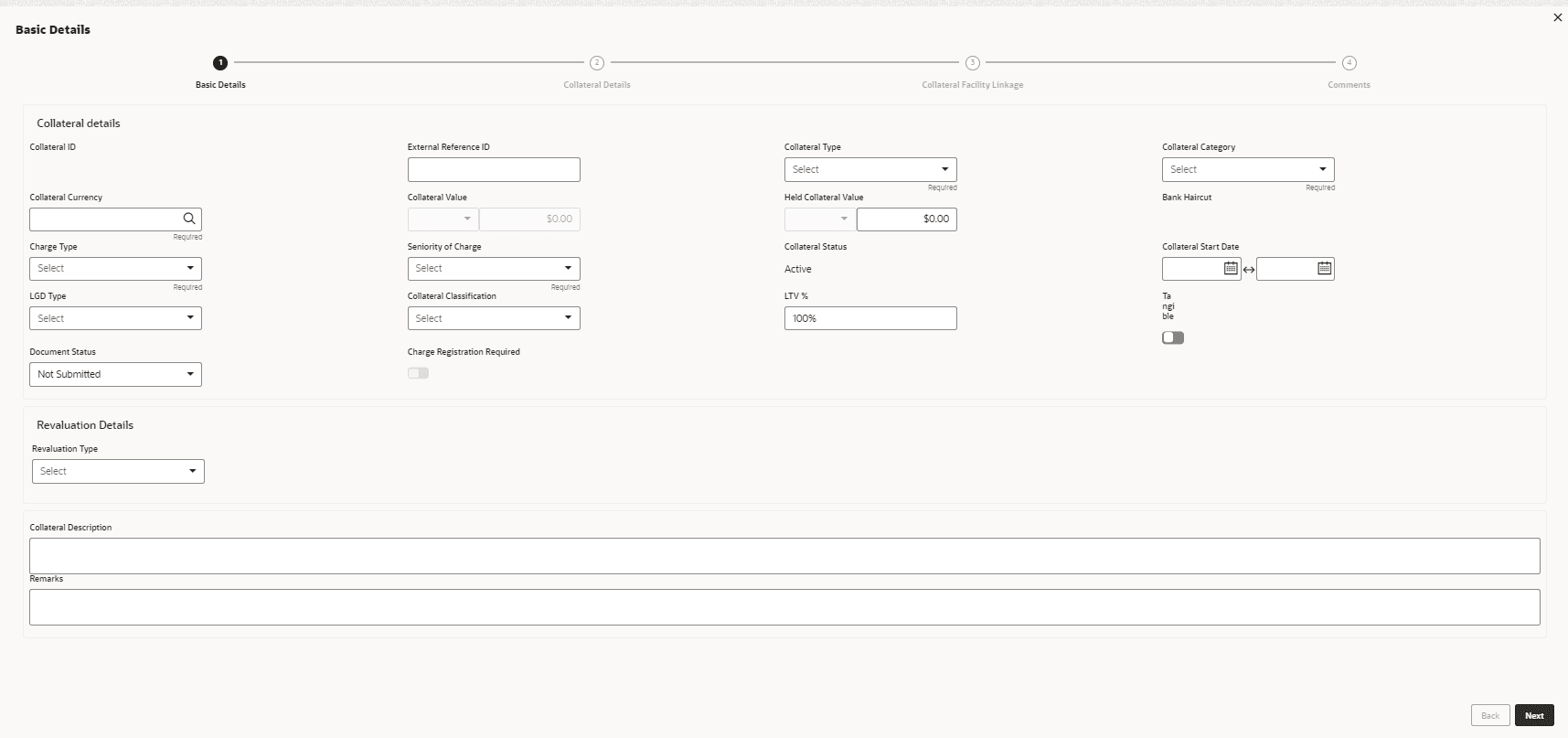
Basic Details
In this page, you can select a collateral type and capture basic details about the collateral.
For information on fields in the Basic Details screen, refer the table below.
Table 3-27 Basic Details
Fields/Icon Description Collateral ID Specify a unique ID for collateral in the Collateral Id field. External Reference ID Specify external reference ID for collateral in the External Reference ID field. Collateral Type Select the Collateral Type from the drop-down list. The options available are: - Accounts Receivables
- Accounts Contracts
- Agreement Undertaking
- Aircraft
- Bill of Exchange
- Bond
- Cash Collateral
- Commercial Paper
- Commodity
- Corporate Deposits
- Crop
- Deposits
- Fund
- Guarantee
- Intangible Assets
- Insurance
- Inventory
- Livestock
- Machine
- Miscellaneous
- PDC
- Perishable
- Precious Metals
- Promissory Note
- Property
- Ship
- Stock
- Vehicle
Collateral Category Select Collateral Category from the drop-down list. Collateral categories are listed based on the selected Collateral Type. Collateral Currency Click search icon in Collateral Currency field and select the currency for collateral value. Collateral Value and Held Collateral Value Specify Collateral Value and Held Collateral Value in corresponding fields. Charge Type Select Charge Type based on selected Collateral Type. The options available are: - Assignment
- Equitable Mortgage
- Hypothecation
- Lien
- Mortgage
- Negative lien
- Pledge
- Registered Mortgage
- Setoff
Seniority of Charge Select the bank’s Seniority of Charge on the collateral. The options available are: - Exclusive
- First
- First Pari passu charge
- Second
- Second Pari passu charge
- Subservient Charge
- Third
Collateral Status Collateral Status is displayed as Active by default. Collateral Start Date and Collateral End Date Click Calendar icon and select the Collateral Start Date and Collateral End Date. Collateral will be effective only during the mentioned period. LGD Type Select the LGD Type (Loss Given Default Type) from the drop-down list. The bank will take action on loss given default based on the option selected in this field. The options are: - Cash & Cash Equivalent- Cash Margin
- Cash & Cash Equivalent- FD Lien
- Cash & Cash Equivalent - Mashreq Investment Certificate (MIC)
- Cash & Cash Equivalent - Mashreq Investment Series (MIS)
- Contracting Receivables - PPCs
- Corporate Guarantee - International/GCC /Local Corporate
- Durables/Non-Durables
- Financial Guarantee - Banks/Financial Institution
- Gold
- Main index equities (including convertible bonds)
- Mortgage Equipment - Industrial Items /Consumer Durables/Non-DurablesNon-Durables
- Mortgage Real Estate - Commercial/Residential/Industrial Unit/Property
- None (No Collateral)
- Other equities (including convertible bonds) listed on a recognised exchange
- Others issuers Bonds
- Pledged Rental Receivables - Residential/Commercial
- Pledged Stocks - Goods (durable / non-durable)
- Shares
- Sovereign Bonds
- Trade Receivables - LBD
- UCITS/Mutual funds
Collateral Classification Select Collateral Classification from the drop-down list. The options available are: - Liquid
- Secured
- Unsecured
LTV % Specify the collateral’s loan to value percentage in LTV % field. By default, it is displayed as 100%. Tangible Enable Tangible flag, if the collateral is tangible. Document Status Select Document Status from the drop-down list. The options available are: - Not Submitted
- Released
- Submitted
Revaluation Details Select Revaluation Type from the drop-down list. The options are: - Automatic
- Manual
Collateral Description Specify a brief description about the collateral in Collateral Description field. Remarks Capture Remarks about the collateral.
Parent topic: Proposal Initiation