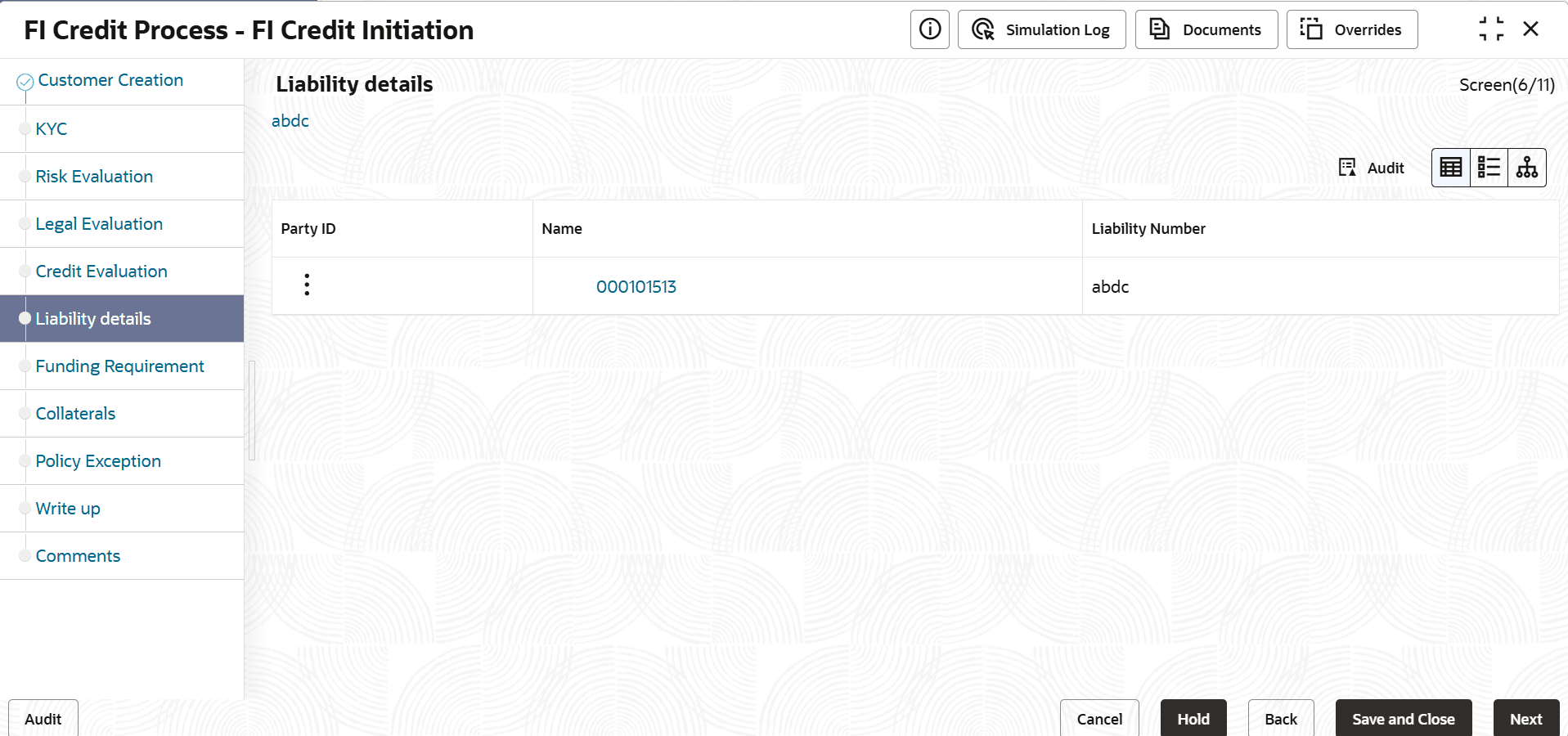
3.8 Liability Details

This topic provides systematic instructions about the Liability Details.

In this page, you can enrich the liability details added in the initiation stage.

  1. Click Next in the previous data segment to proceed with the next data segment, after successfully capturing the data.
    The Liabilty screen displays.
  2. Select the required liability and click Edit.
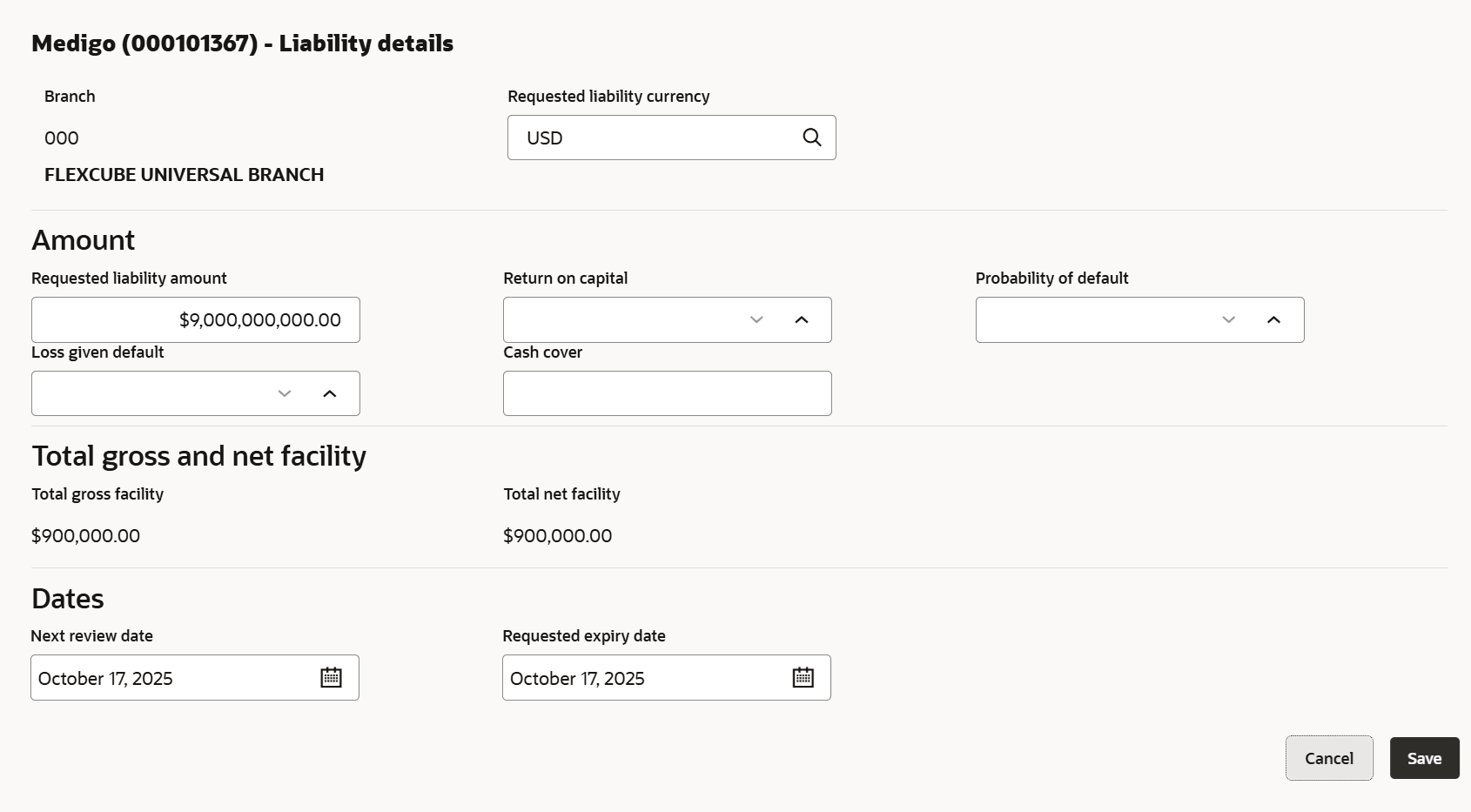
    The Liability Details window is displayed.
  3. Specify the details on the Liability Details page.

    Table 3-37 Liability Details

    Fields Description
    Requested Liability Currency Select the currency in which the liability is requested by the party.
    Requested Liability Amount Liability amount requested by the party.
    Return On Capital Ratio calculated by dividing the after tax operating income by the average book-value of the invested capital.
    Probability of Default Estimate of the likelihood that the entity will be unable to meet its debt obligations.
    Loss Given Default Amount of money a bank or other financial institution loses when a borrower defaults on a loan.
    Cash Cover Amount deposited by the party in your bank.
    Total Gross Facility Displays the total gross facility.
    Total Net Facility Displays the total net facility.
    Next Review Date Select the next review date when the party's liability needs to be reviewed.
    Requested Expiry Date Select the requested expiry date for the liability based on your party request.

    Note:

    For more information on fields, refer Field Configuration Parameters
  4. Click Next.
    The Funding Requirement page appears.