29.2 Transaction Code Logo Maintenance - View
This topic describes the systematic instruction to Transaction Code Logo Maintenance - View option.
To search and view transaction code logo:
- Perform anyone of the following actions:
- In the Transaction Code Logo
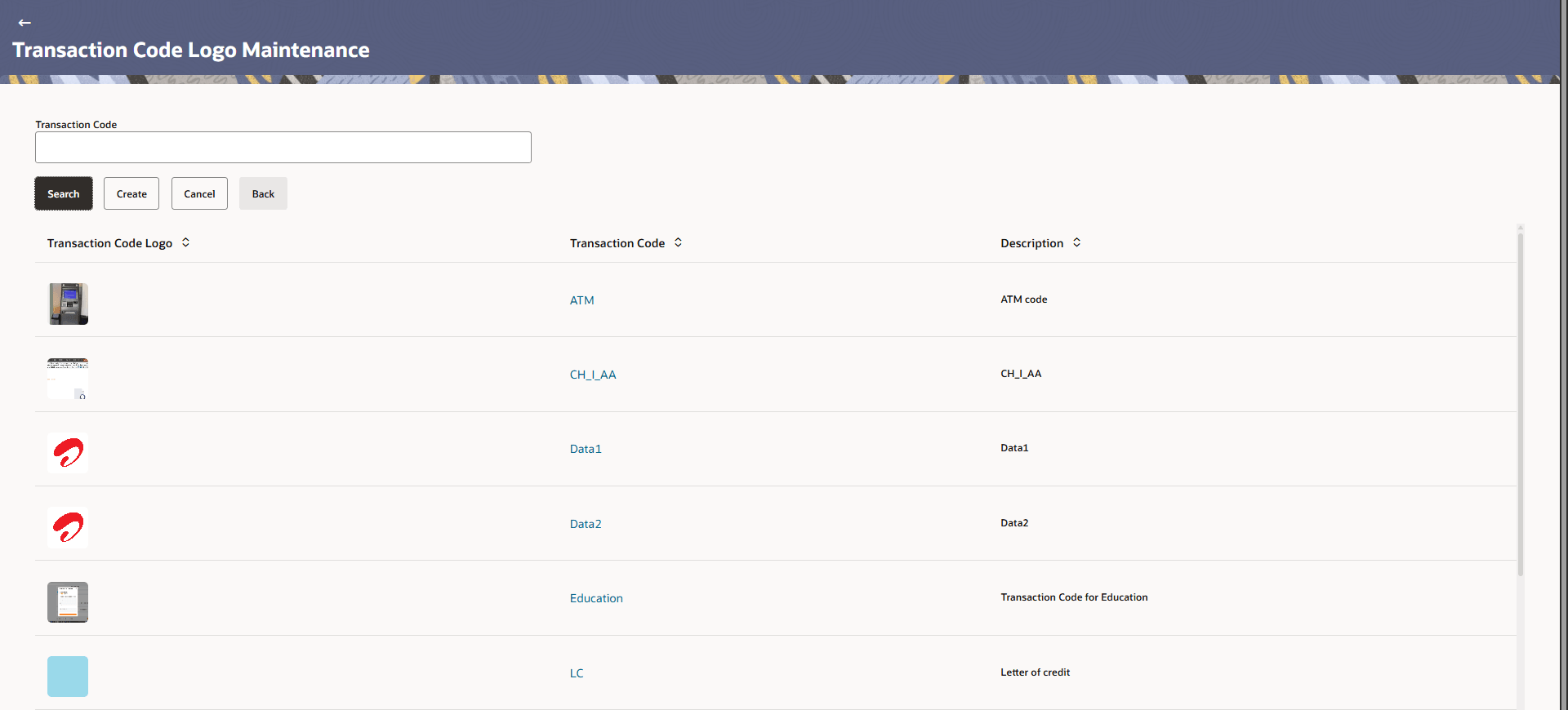
Maintenance screen appears. Enter the search parameters
and click Search.
The Transaction Code Logo Maintenance screen with search results appears based on the search criteria.
- Click Cancel to cancel the search process.
- Click Clear to clear the search process.
Figure 29-2 Transaction Code Logo Maintenance - Search
For more information on fields, refer to the field description table.
Table 29-2 Transaction Code Logo Maintenance - Search - Field Description
Field Name Description Transaction Code Search the transaction code–logo mappings using the transaction code. Description Search the transaction code–logo mappings using the transaction description. Search Results Information specified in below fields are related to Search Results. Transaction Code Logo Displays the logo mapped to the transaction code (for example, ATM). Transaction Code Displays the transaction code for which the logo mapping is defined. Description Displays the description of the transaction code. - In the Transaction Code Logo
Maintenance screen appears. Enter the search parameters
and click Search.
- Click the Transaction Code link of the record to view
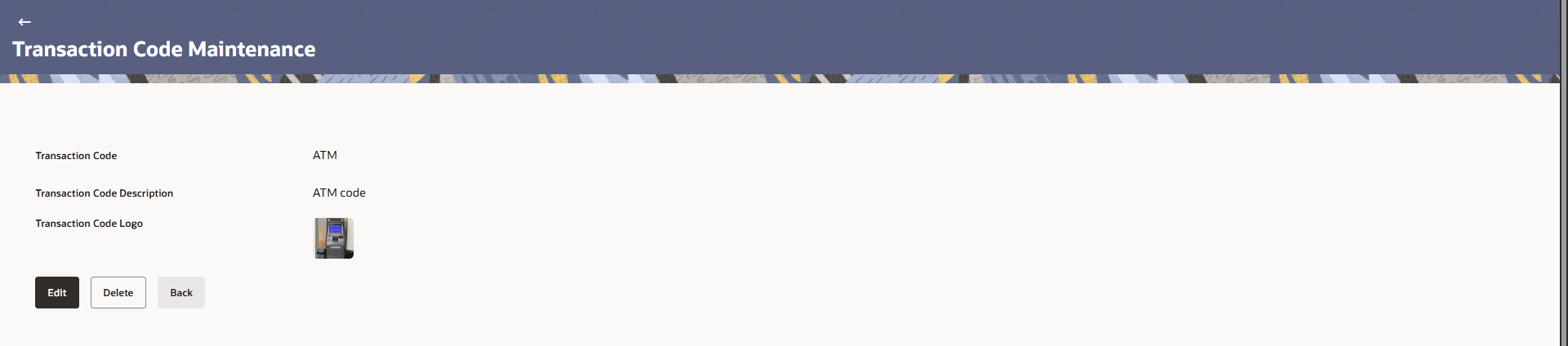
the transaction code details.The Transaction Code Logo Maintenance - View screen appears.
Figure 29-3 Transaction Code Logo Maintenance - View
For more information on fields, refer to the field description table.
Table 29-3 Transaction Code Logo Maintenance - View - Field Description
Field Name Description Transaction Code Displays the transaction code (for example, ATM) for which the logo mapping is defined. Transaction Code Description Displays the description of the transaction code (for example, ATM code). Transaction Code Logo Displays the logo associated with the selected transaction code.
Parent topic: Transaction Code Logo Maintenance