22.5 Initiate Islamic Outward Guarantee/Stand By LC - Commitment Details
This topic provides the systematic instructions to initiate an Outward Guarantee/Stand By LC - Commitment Details in the application.
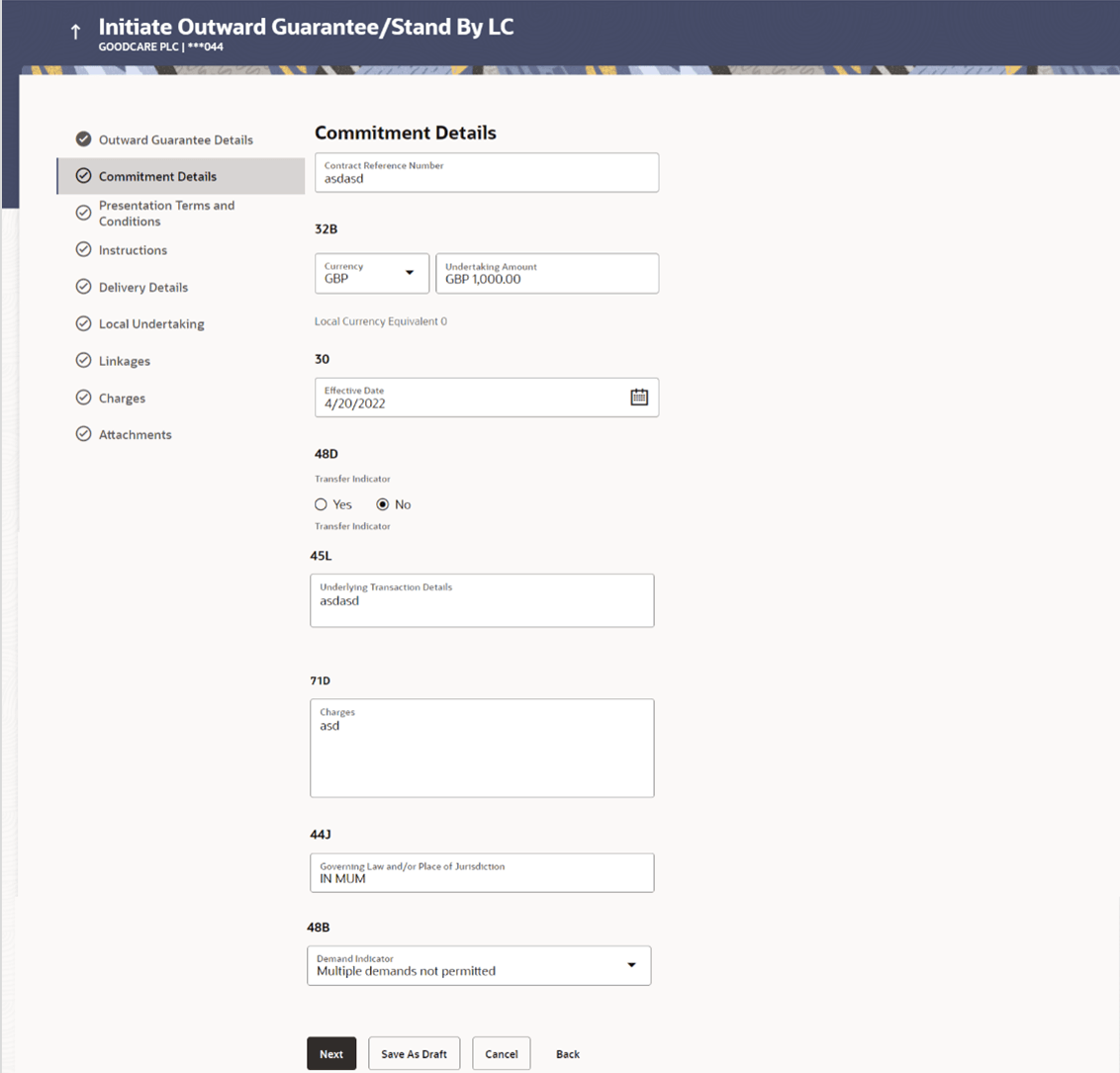
Commitment Details tab captures the commitment details of the Outward Guarantee application process.
To initiate the commitment details of the Outward Guarantee/Stand By LC:
- On Initiate Islamic Outward Guarantee/Stand By LC screen, then
click Commitment Details. The Initiate Islamic Outward Guarantee/Stand By LC - Commitment Details screen appears.
Figure 22-8 Initiate Outward Guarantee/Stand By LC - Commitment Details
Description of the illustration initiate-outward-guarantee-commitment-details.pngNote:
The fields which are marked as Required are manadatory.For more information refer to the field description table below:
Table 22-7 Initiate Islamic Outward Guarantee/Stand By LC - Commitment Details - Field Description
Field Name Description Contract Reference Number Specify the beneficiary’s reference number for the Outward Guarantee contract. Currency Select the currency for the Outward Guarantee was created. Undertaking Amount Specify the amount for which the Outward Guarantee was created. Local Currency Equivalent Displays the local currency equivalent value for the undertaking amount from back office (with decimal places). Effective Date Select the effective date of the Outward Guarantee. Transfer Indicator Select the option to define whether transfer of the instrument is permissible for the Outward Guarantee. The options are:
- Yes
- No
Transfer Conditions Specify the details of the transfer values under the Outward Guarantee. This field is enabled only if the Transfer Indicator is Yes.
Underlying Transaction Details Specify the details of the underlying business transactions for which undertaking is issued. Charges Specify the details of the charges, and who will bear it for the Outward Guarantee. Governing Law and/or Place of Jurisdiction Specify the details of the Governing Law and/or Place of Jurisdiction applicable to the undertaking. Demand Indicator Select whether the multiple or partial demands are permissible while initiating Outward Guarantee or not. The options available for selection are:
- Multiple demands not permitted
- Multiple and partial demands not permitted
Parent topic: Initiate Islamic Outward Guarantee/Stand By LC