8.6 Business Tab
This topic provides information on the business section, which records and manages organizational details, eligibility criteria, and funding applications.
If this application is an SME Loan (defined in the Applications section Class field as SMALL BUSINESS), the Business Applicant link appears on the Funding link bar. This link displays the small business information recorded on the application entry process. User can edit the Funding screen at anytime in the following steps. Remember to save your work with each change.
If there is no business information associated with the application, the Business Applicant link is unavailable.
For more information about the individual fields in this section, see the Application Entry chapter.
- On the Origination, click Origination. Under Origination, click Funding.
- Under Funding, click Funding tab.
Under Funding tab, click
Business.
The Business screen displays.
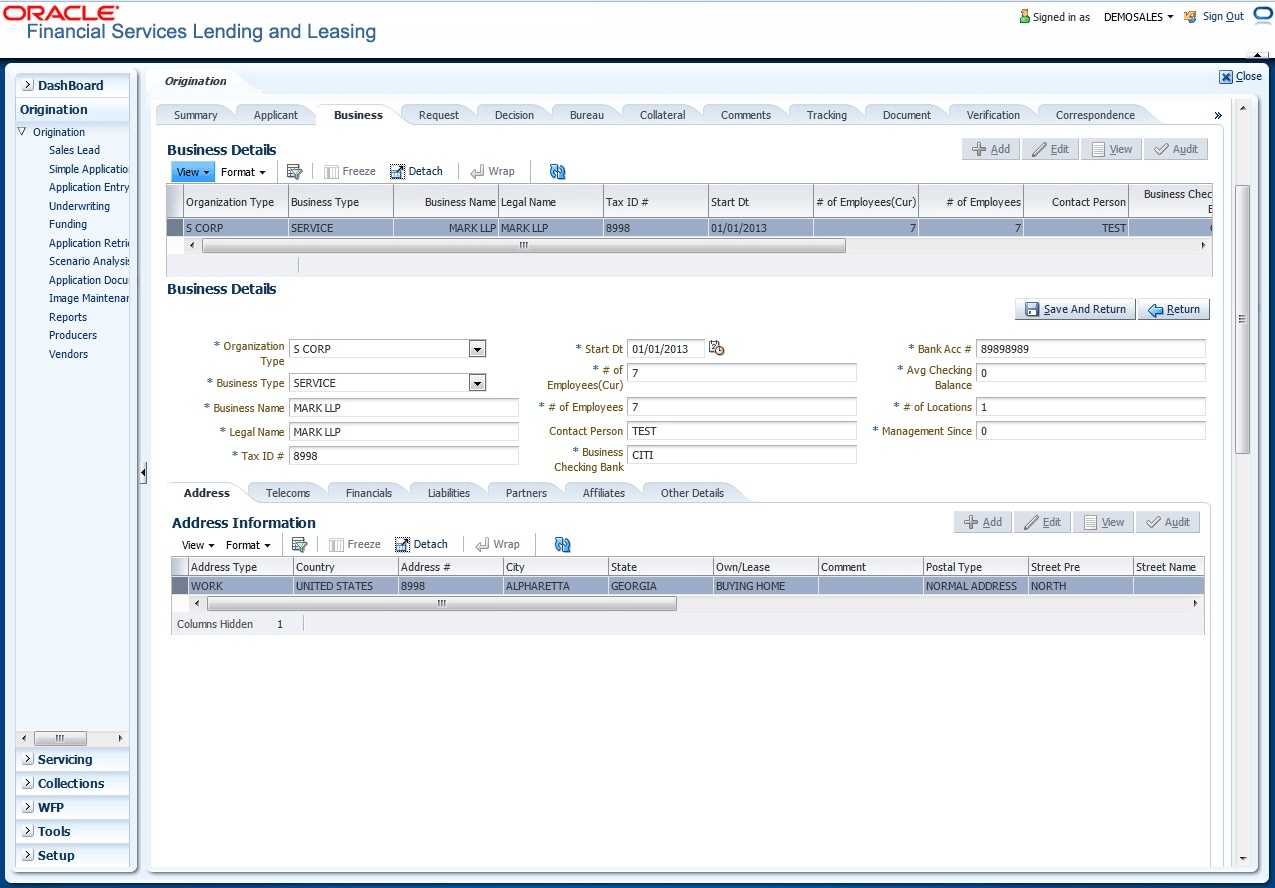
For details on this screen refer Business Tab section in Underwriting chapter.
Parent topic: Funding