People Management
Use People Management in Simphony Home to add, configure, and manage people who use Simphony. People Management centralizes person details, access, roles, and point-of-sale configuration.
For general People Management procedures, see People Management in the Oracle Restaurants Reporting and Analytics User Guide.
Point of Sale settings
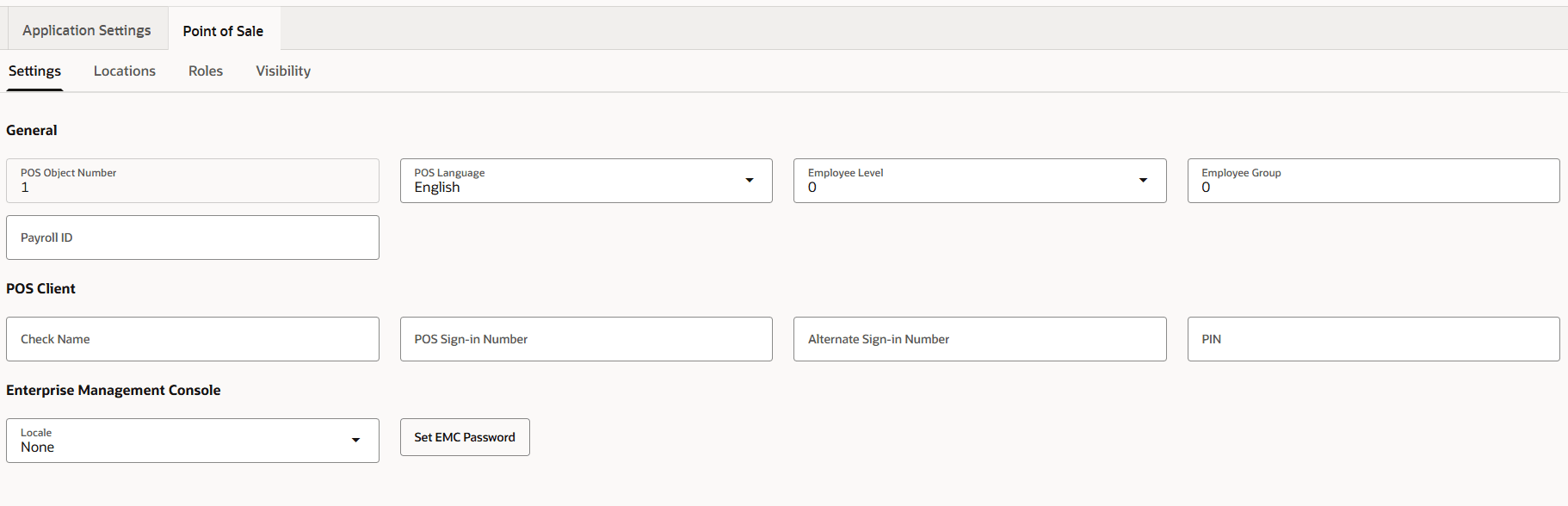
For each person, use the Point of Sale workspace to configure the Simphony settings that apply to point-of-sale operations. The Settings tab includes the POS object number, POS language, employee level, employee group, payroll ID, check name, POS sign-in number, alternate sign-in number, PIN, EMC locale, and EMC password.
Figure 5-14 People Management Point of Sale settings
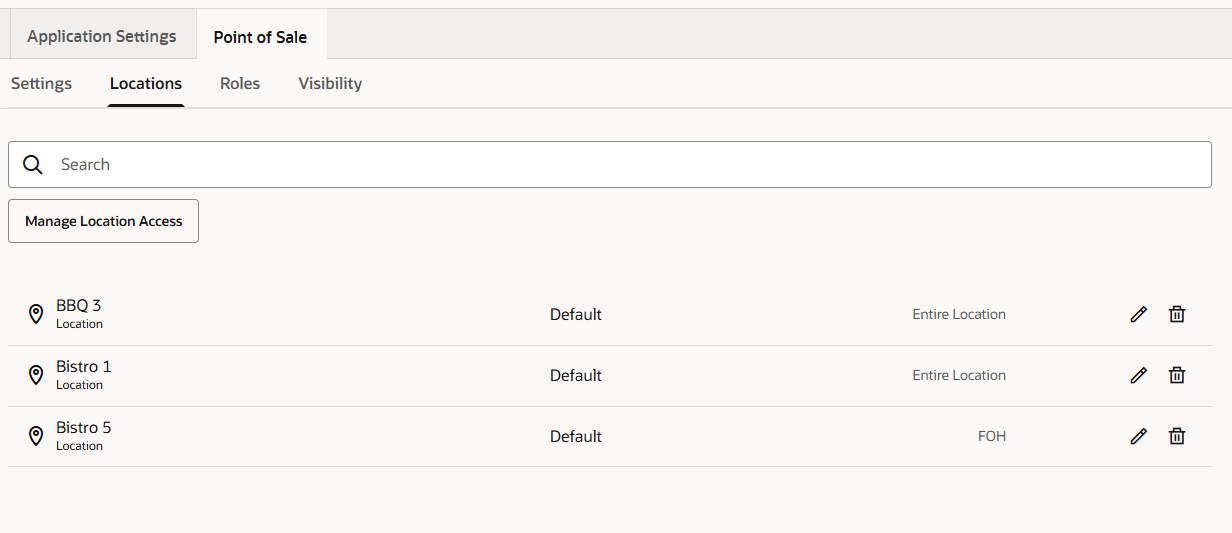
Use the Locations tab to assign the locations where the person can work and to manage the person's access at each location. Use the Roles and Visibility tabs to configure the person's assigned roles and visibility settings.
Figure 5-15 People Management Point of Sale locations
Legacy Employee Maintenance
For information about Legacy Employee Maintenance, see Employees in the Simphony 19.8 Configuration Guide.