7 Dashboard Tiles and Tile State Report
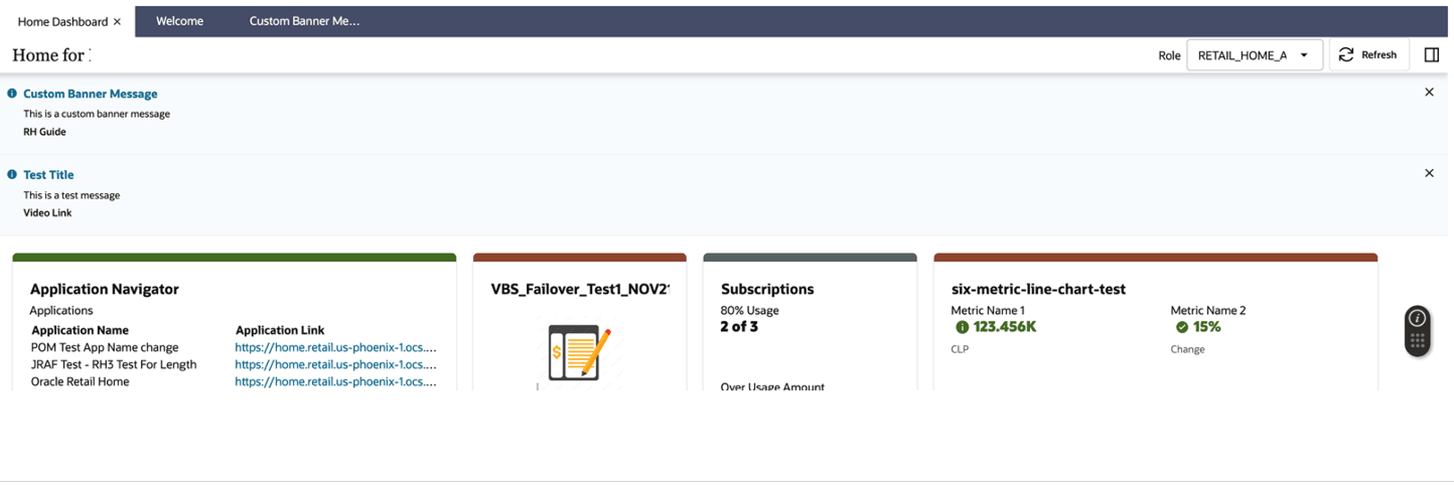
Retail Home displays tiles on the main dashboard that provide important metrics, KPIs, application status, subscription information, batch metrics, shortcut links, and other useful information for customer administrators and users.
Tiles on the main dashboard fall into two categories:
- Predefined dashboard tiles, which are included with Retail Home and displayed in the Home Dashboard.
- Tile state reports, which are reports available for use on tile states within an application tile.
For details about configuring tile states and data sources, see Dashboard Configuration.
For details about expected payloads from back-end REST services and BI, see Appendix: Report Data Requirements.
Refer to the Custom Reports chapter for details about the available Tile State Report Templates as well as the data source configuration requirements for custom reports based on those templates.
Note:
Currently, there are no report layouts for banner and contextual reports available in the release version of Retail Home.Standard Reports
Favorites
The Favorites tile state report can be included on an application's tile if that application supports favorites. The Favorites report will display the items (tasks, reports, and so on) that have been marked as "favorite" by the user within the target application. The user can click on a favorite item to launch the favorite item in the target application within a separate browser window.
Figure 7-1 Favorites Tile
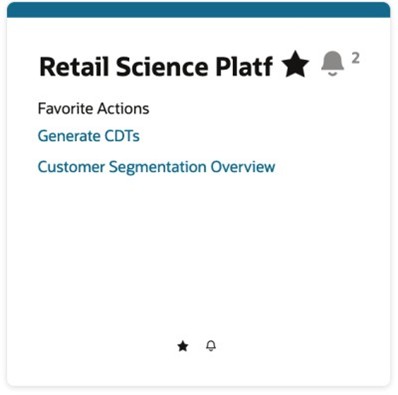
Table 7-1 Data Source Configuration
| Name | favoritesService |
| Type | REST |
| Source | https://{host}:{port}/orase-domain/RetailAppsPlatformServices |
Notifications
The Notifications tile state report can be included on an application's tile if that application supports notifications. The Notifications report will display the unread notifications for the current user. The user can click a notification to launch that notification in the target application within a separate browser window.
Figure 7-2 Notifications Tile
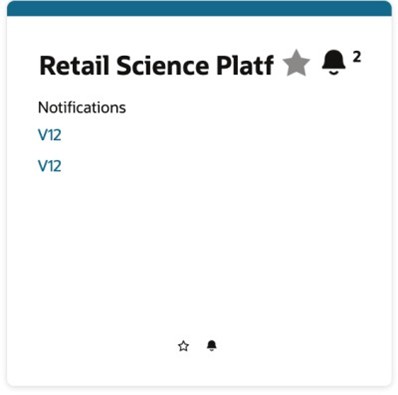
Table 7-2 Data Source Configuration
| Name | notificationsService |
| Type | REST |
| Source | https://{host}:{port}/orase-domain/RetailAppsPlatformServices |
Metric Summary Reports
Metric summary reports display key performance indicators (KPIs) in a standard layout. These reports retrieve data from a service endpoint that conforms to the standard API supported by Retail Home.
All metric summary reports use the following data source configuration:
Table 7-3 Common Data Source Configuration for Metric Summary Reports
| Name | RetailHomeReportDataService |
| Type | REST |
| Source | https://{host}:{port}/path/to/service/endpoint |
Two Metric Summary
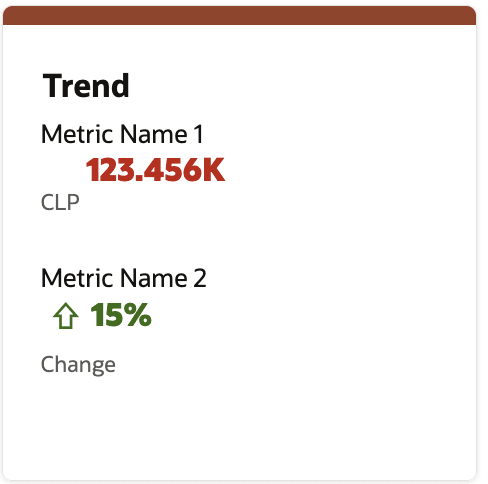
The Two Metric Summary report displays one or two metrics in a standard layout. The data is retrieved from a service endpoint that conforms to the standard API supported by this report.
Currently, this report can be used to integrate with Apex. Refer to External Data Integration (Oracle APEX) for more details.
Figure 7-3 Example of Two Metric Summary Tile
Four or Six Metric Summary
The Four Metric Summary and Six Metric Summary reports display one to four (or one to six) metrics, plus an optional metrics chart in a standard layout (requires a 2x2 tile). These reports also display a single chart with two series or KPIs. The data is retrieved from a service endpoint that conforms to the standard API supported by this report.
Figure 7-4 Example of Four Metric Summary Tile (Without Chart) - 2x1 Tile

Figure 7-5 Example of Six Metric Line Chart 2x2 Tile
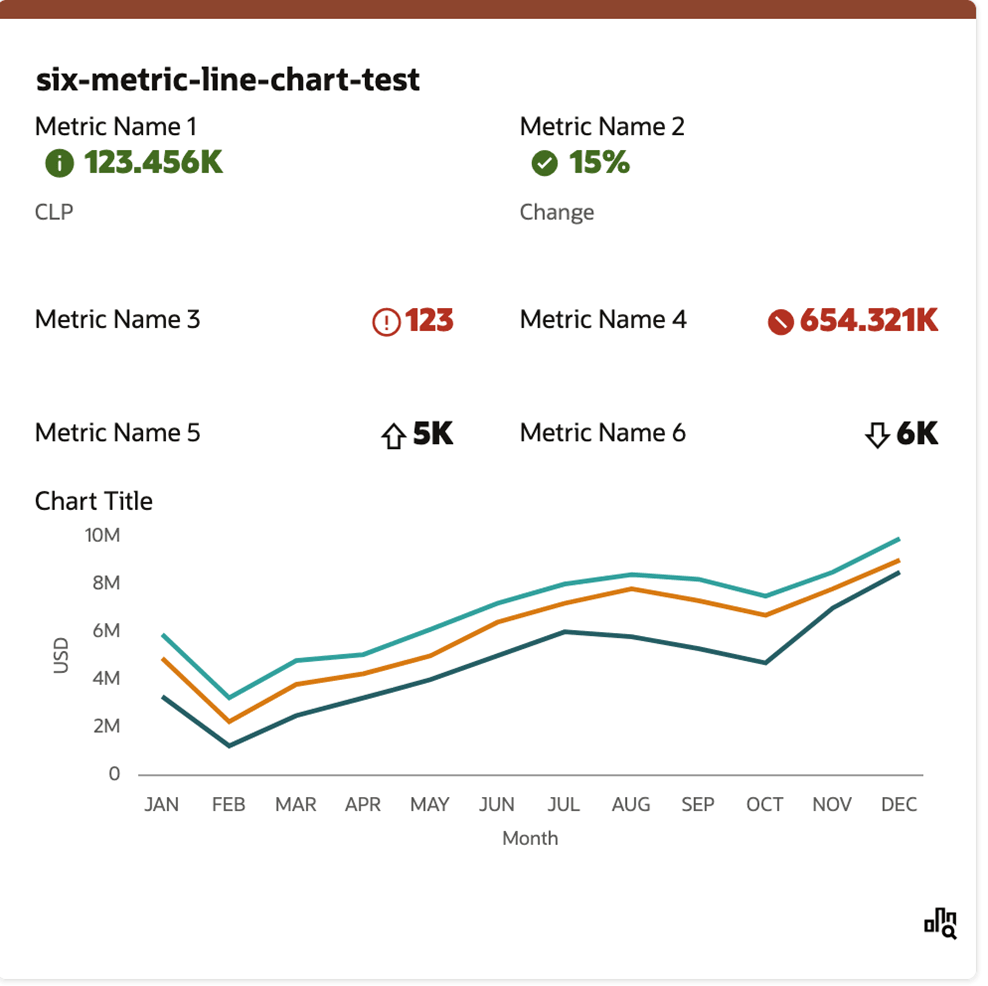
Figure 7-6 Example of Six Metric Summary Tile
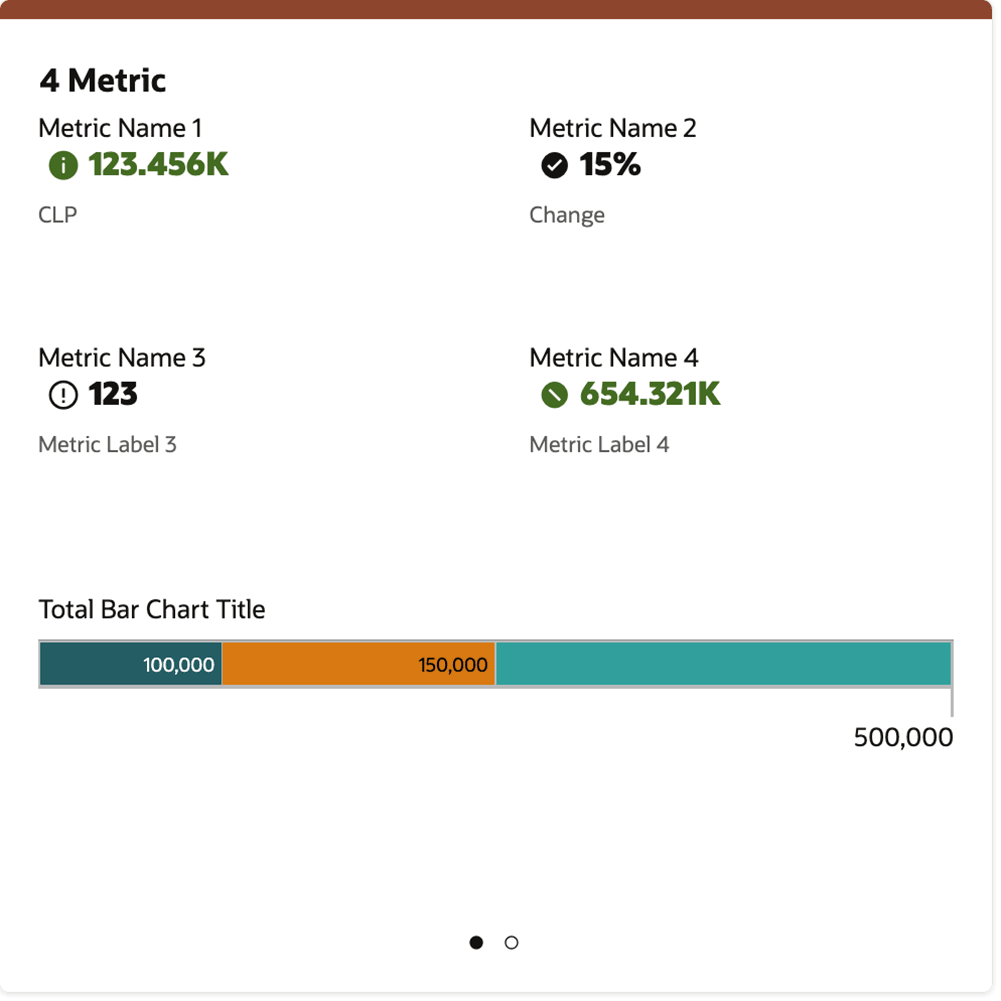
Five Metric Summary
The Five Metric Summary displays one to five metrics plus an optional metrics chart in a standard layout (requires a 2x2 tile). These reports also display a single chart with three series or KPIs. The data is retrieved from a service endpoint that conforms to the standard API supported by this report.
Figure 7-7 Example of Five Metric Summary Tile
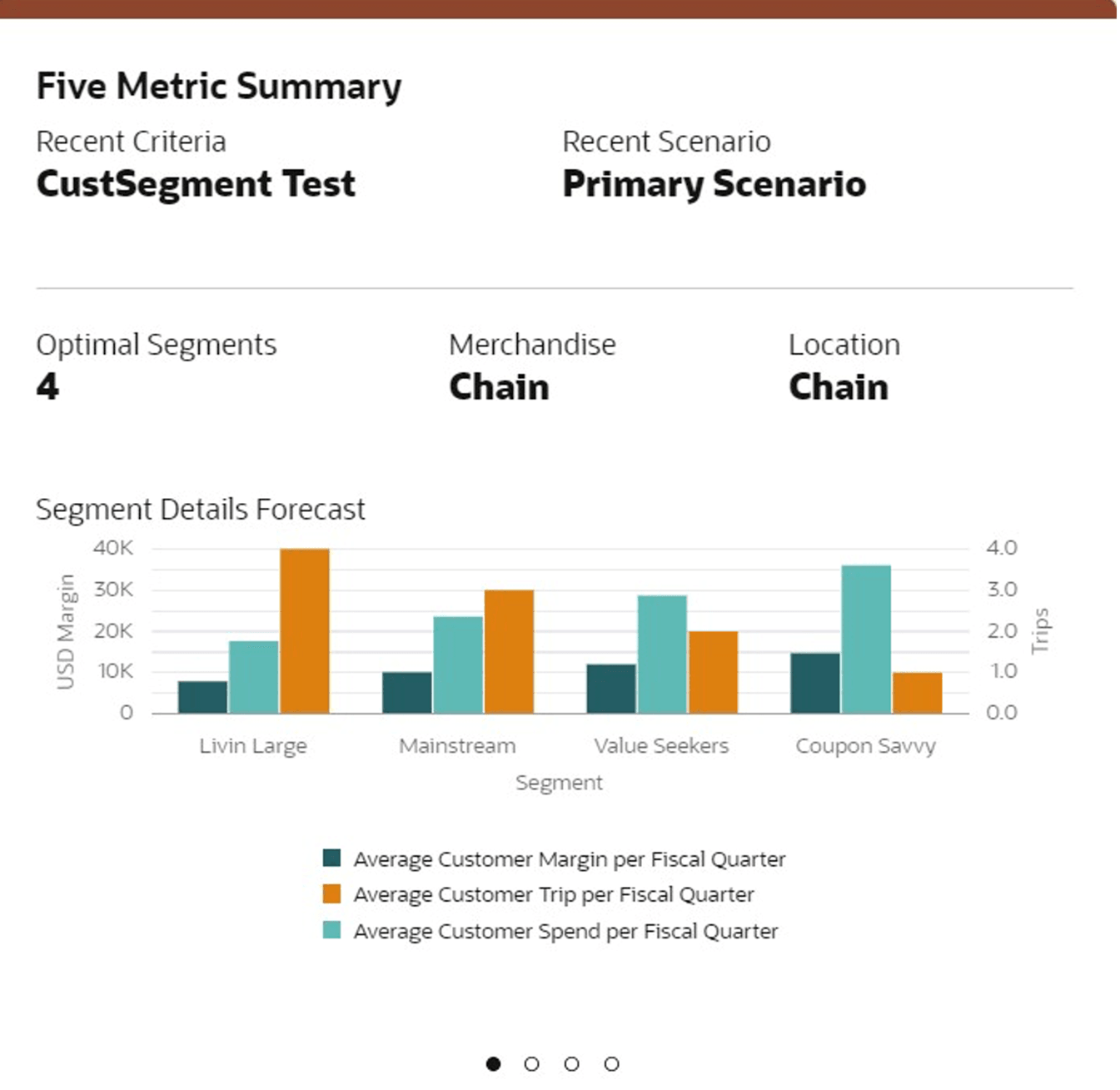
Figure 7-8 Example of Five Metric Summary Tile
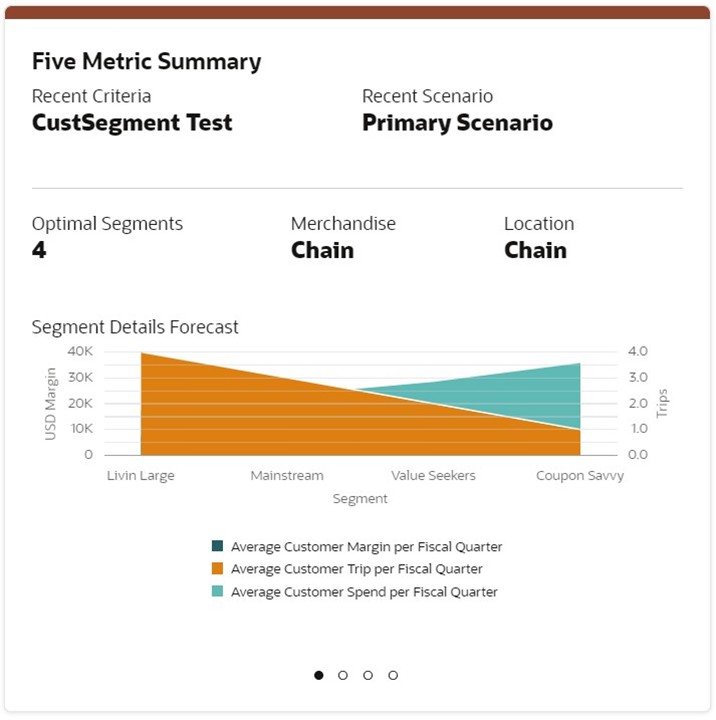
Eight Metric Summary
The Eight Metric Summary report displays one to eight metrics in a standard layout (requires a 2x2 tile). The data is retrieved from a service endpoint that conforms to the standard API supported by this report.
Figure 7-9 Example of Eight Metric Summary Tile
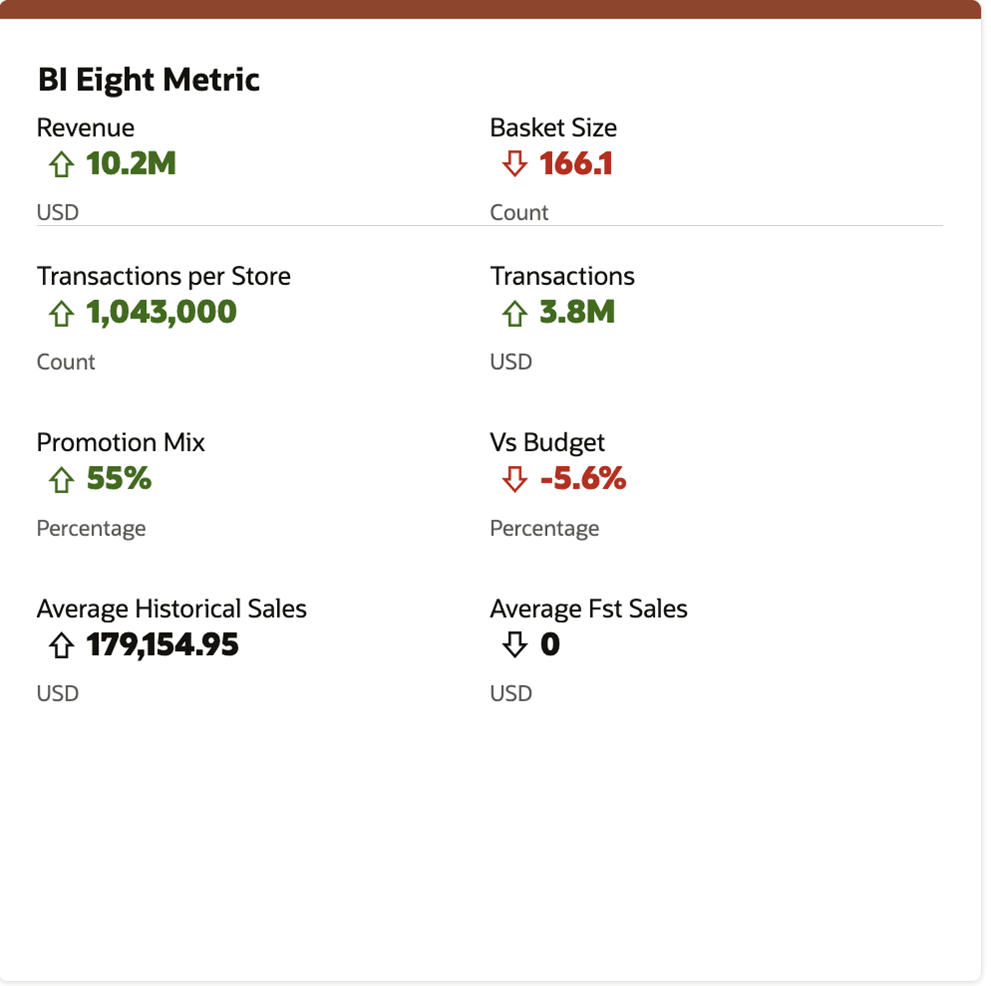
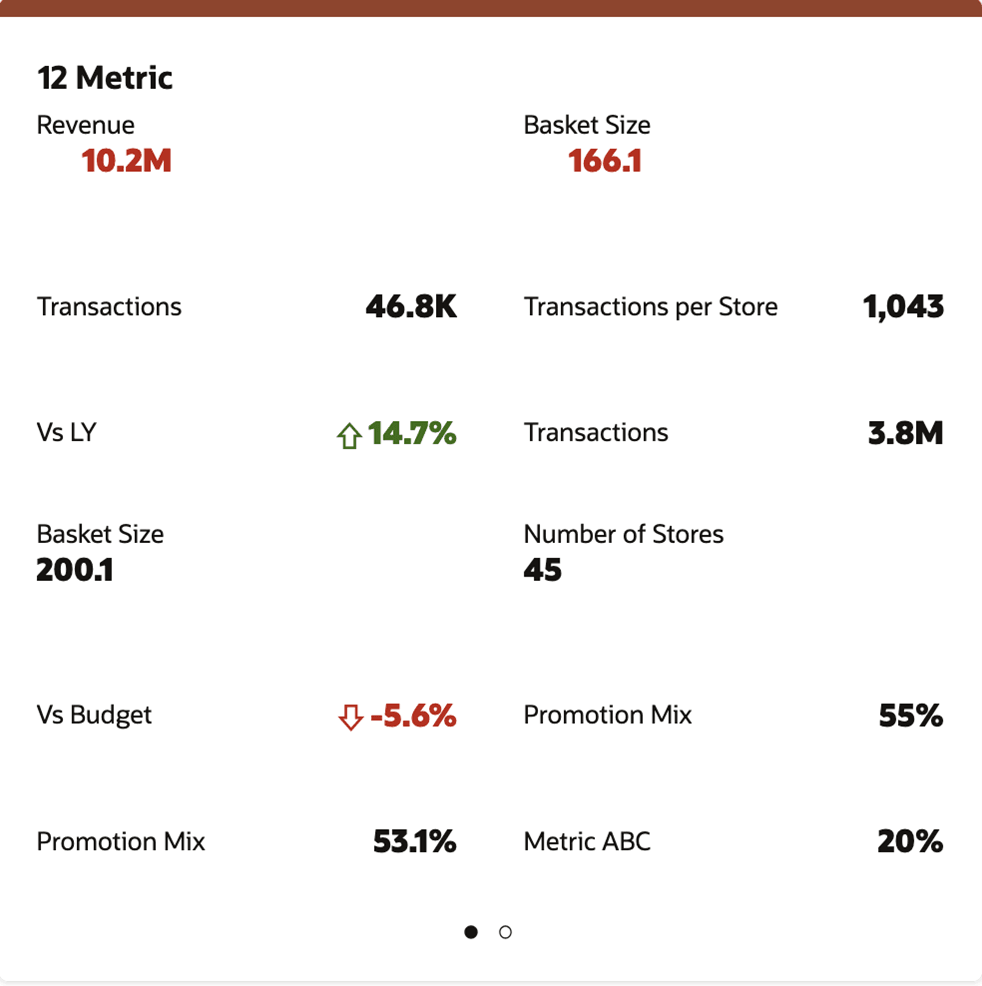
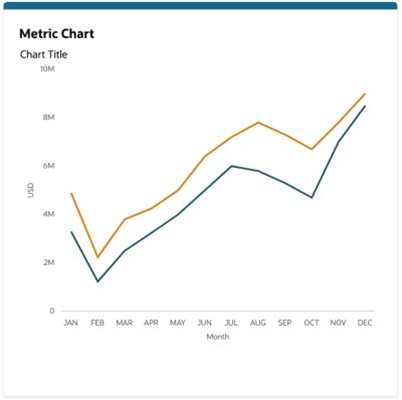
Table Reports
The Metrics Table, Image Table and Image Metrics One Metric Table, Table reports display data in a tabular layout (requires a 2x2 tile). The data is retrieved from a service endpoint that conforms to the standard API supported by these reports.
Figure 7-12 Example of Metrics Table
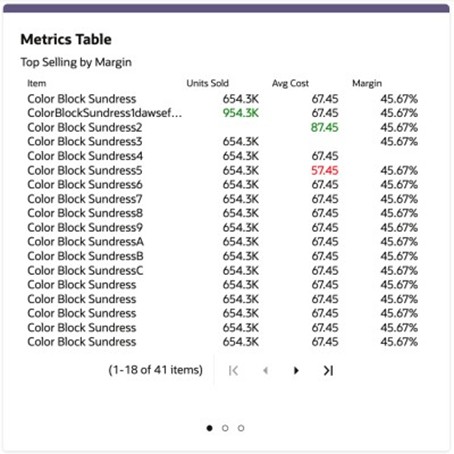
Figure 7-13 Example of One Metric Table
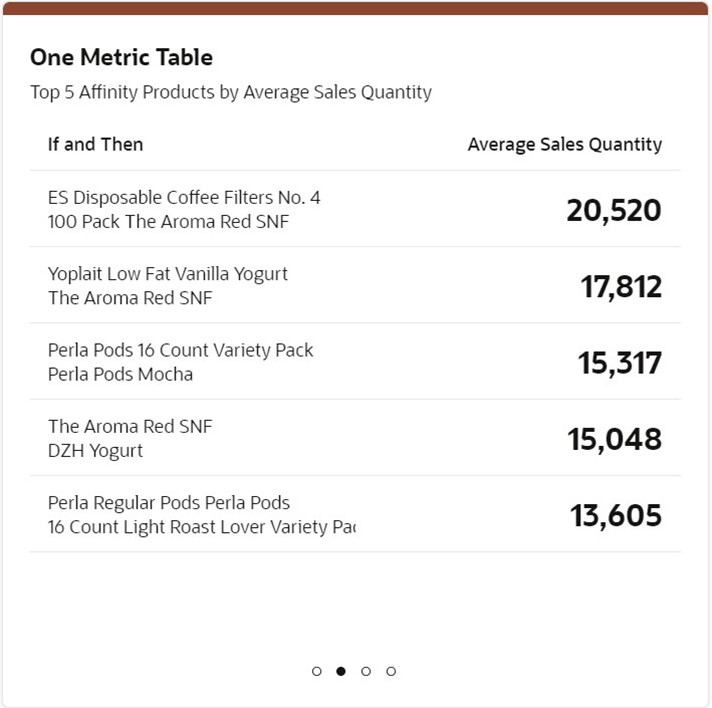
Figure 7-14 Example of Image Table
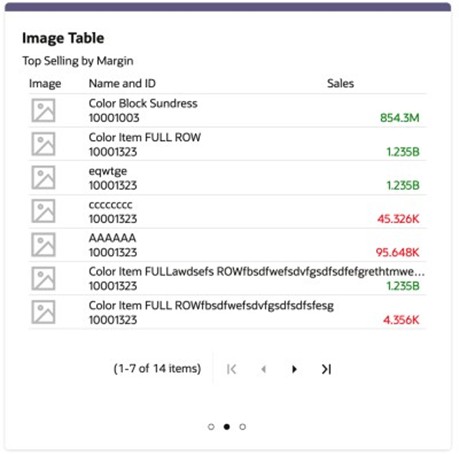
Figure 7-15 Example of Image Metrics Table
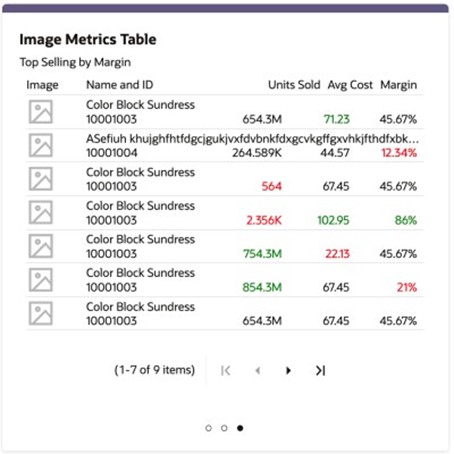
Table 7-4 Data Source Configuration
| Name | RetailHomeReportDataService |
| Type | REST |
| Source | https://{host}:{port}/path/to/service/endpoint |
ORASE Reports
The Demand Transference and ORASE Offer Optimization reports display metric data in a standard layout (requires a 1x1 tile). The data is retrieved from a service endpoint that conforms to the standard API supported by these reports.
Figure 7-16 Example of Demand Transference (1x1 Tile)
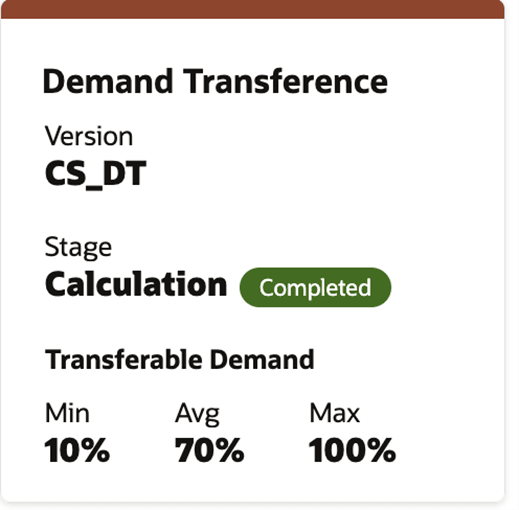
Figure 7-17 Example of ORASE Offer Optimization (2x2 Tile)
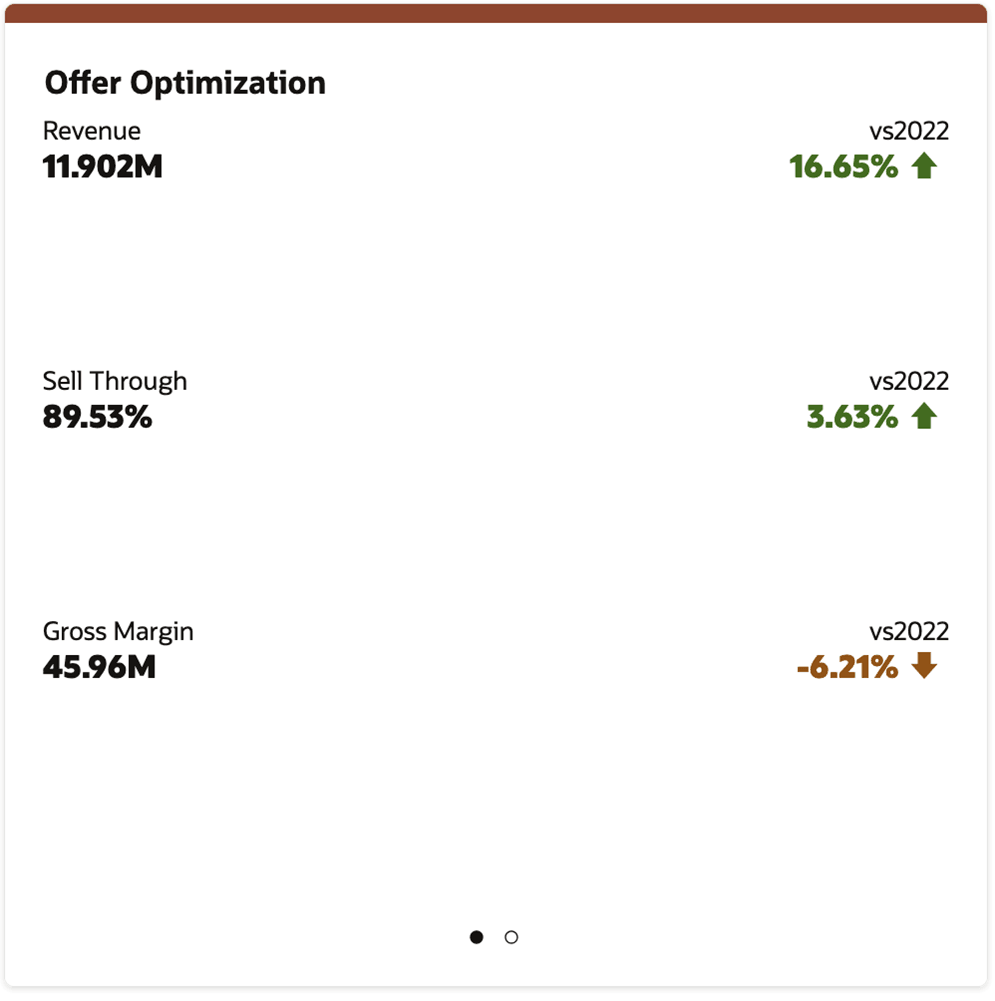
Table 7-5 Data Source Configuration
| Name | RetailHomeReportDataService |
| Type | REST |
| Source | https://{host}:{port}/path/to/service/endpoint |
Admin Dashboard Tiles
In addition to the ability to view important metrics and KPIs in the Dashboard, the customer administrators can also view other tiles having application status, subscription metrics, batch metrics, shortcut links, and information that will be useful for them to refer or act upon.
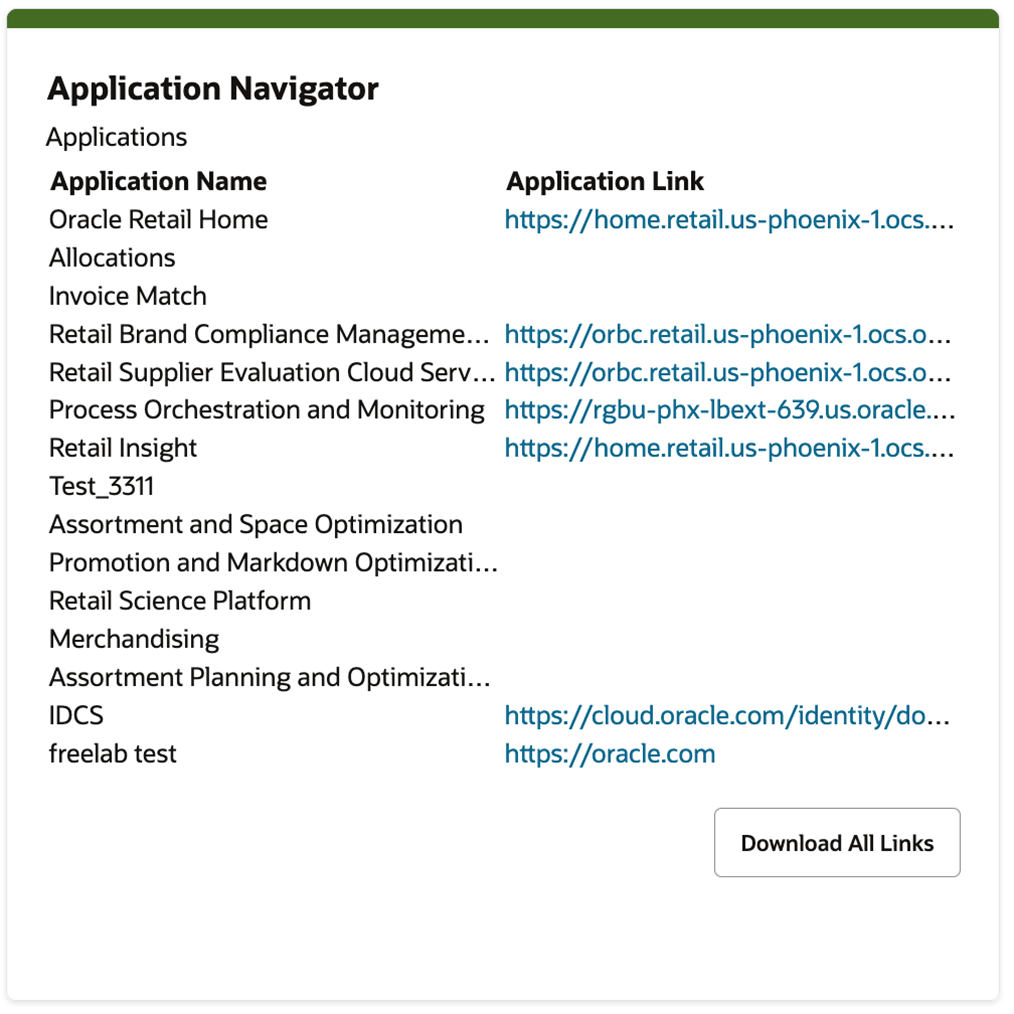
Application Navigator
This tile lists the applications configured in the Application Navigator Setup table and their application links (if added in Application Navigator Setup). The user also has an option to download all the links into a CSV file using the Download All Links button.
Figure 7-18 Application Navigator Tile
Subscriptions
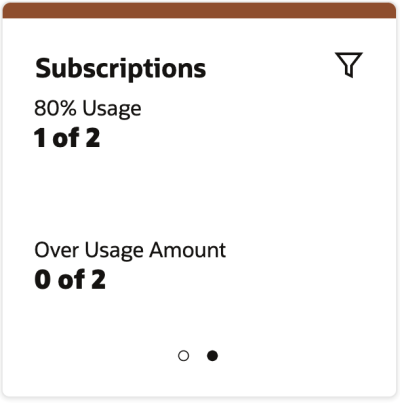
This tile displays the following customer subscriptions related information.
-
Number of subscriptions above 80% usage amount.
-
Number of subscriptions over usage amount.
Figure 7-19 Subscriptions Tile
Outage Calendar
This report shows current and upcoming outages for all of the customer's Oracle Retail environments. Information displayed includes the scheduled date and time of the outage and whether it has completed.
Note:
The Outage Calendar is in-built and pulled from Object Storage and updates daily. Details must be defined as:Primary Area Layout = retailhome.contextualReports.outgageCalendar
Name = RetailHomeOutageService
Type = File
Source = N/A.All details are prepopulated, and Type and File should not be
changed
Figure 7-20 Built-In Outage Calendar in Dashboard Configuration
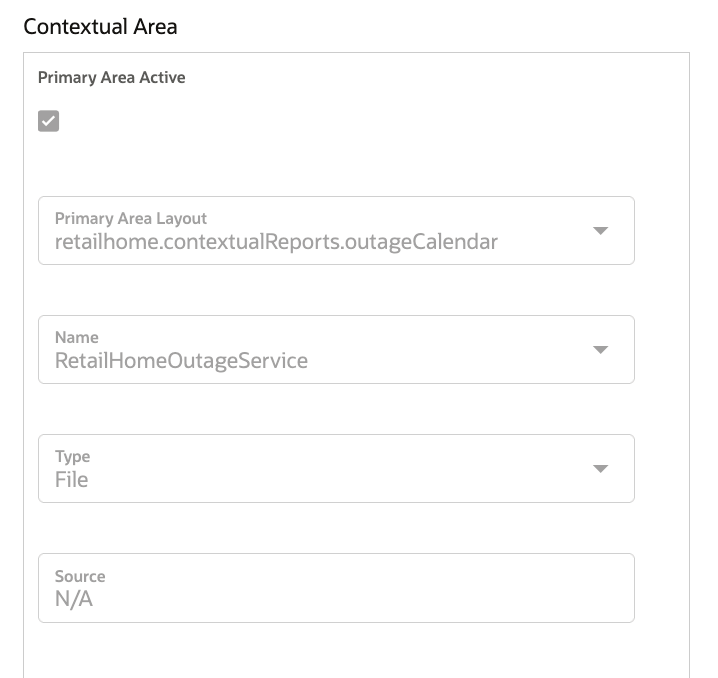
Figure 7-21 Outage Calendar
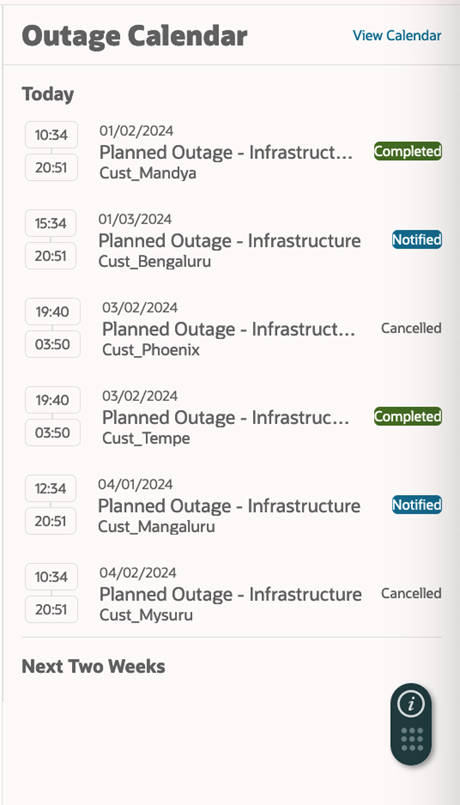
Click the View Calendar link in the upper-right corner to open a new tab listing all upcoming outages in a sortable table. The Outages are categorized as “Current and Future Outages” (which lists the current and planned outages) and “Historical Outages” (which lists the outages that occurred/scheduled for last 6 months).
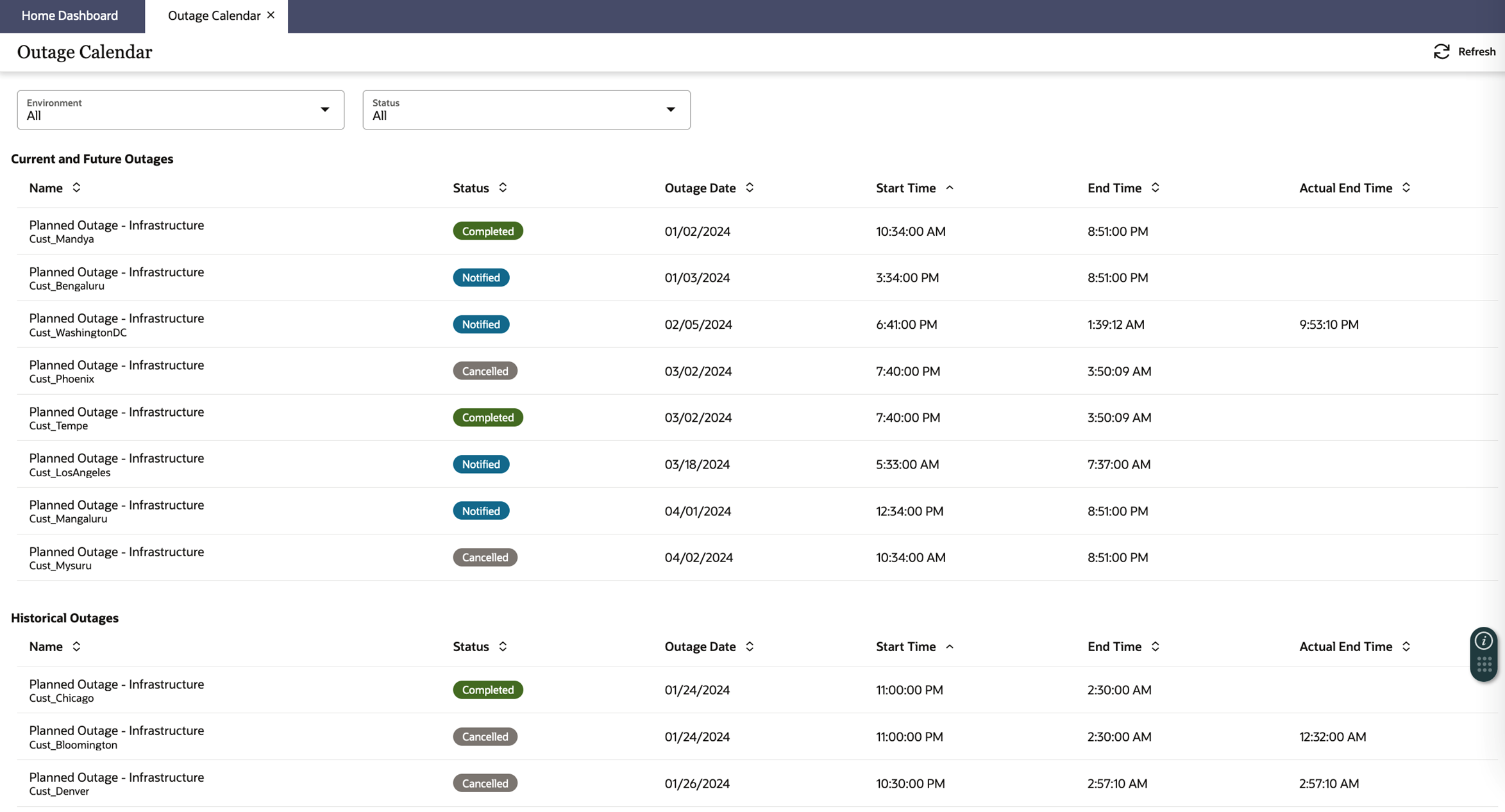
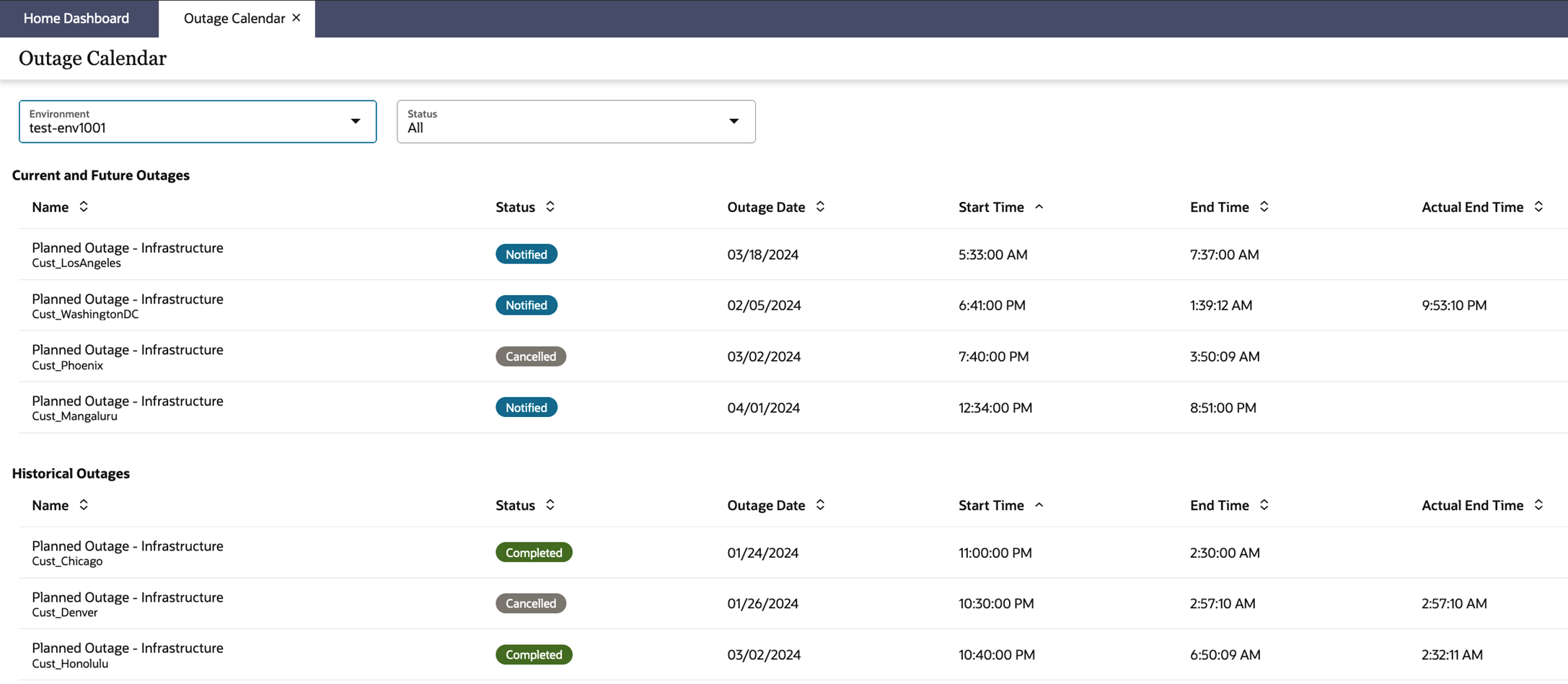
The outages can also be filtered by Environment and Status.
Custom Banner Messages
Custom Banner Messages allow Retail Home administrators to communicate important, timebound information to Retail Home users through the Dashboard page. Administrators can create and manage these messages using the Custom Banner Messages option under the Dashboards and Reports menu.
Banners are created from the Custom Banner Messages screen and can include a title, description, message type, and an optional link.
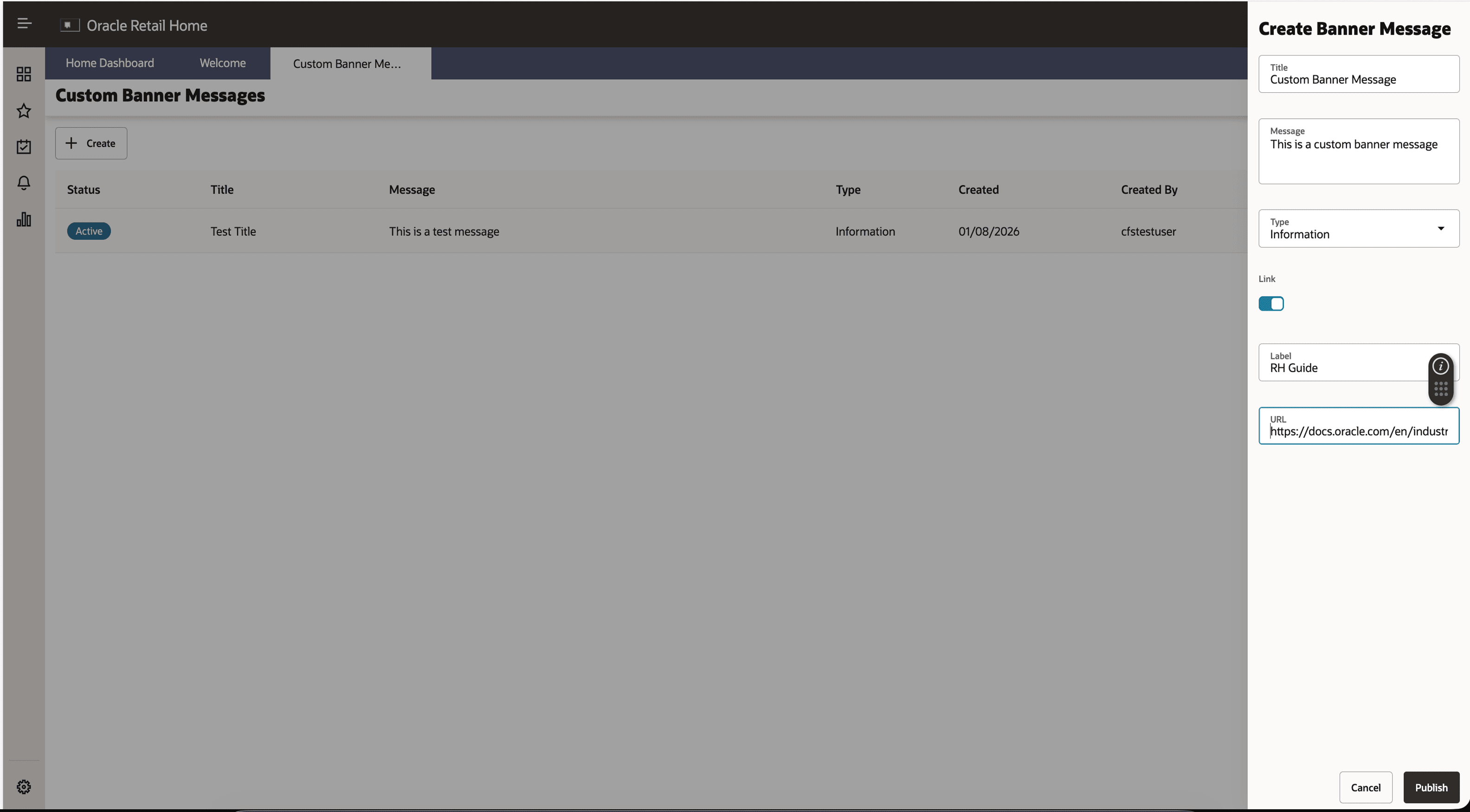
Once published, the banner appears at the top of the Retail Home dashboard, alongside existing status banners such as Batch Status and Outages. Users may temporarily dismiss the banner, but it will continue to appear on subsequent logins until it expires or is removed by the administrator.