Selecting Nets Automatically
Define processing parameters and automatically select your nets using the Automatic Netting Selection process (TR_NET_ASEL).
Page Used to Automatically Select Nets
| Page Name | Definition Name | Usage |
|---|---|---|
|
NET_AUTO_RQST |
Set up an automatic process to run bilateral nets. |
Automatic Netting Selection Page
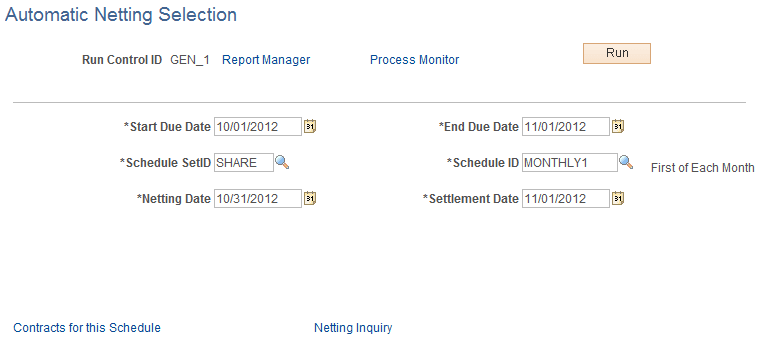
Use the Automatic Netting Selection page (NET_AUTO_RQST) to set up an automatic process to run bilateral nets.
Navigation:
This example illustrates the fields and controls on the Automatic Netting Selection page. You can find definitions for the fields and controls later on this page.
| Field or Control | Description |
|---|---|
|
Contracts for this Schedule |
Click to access the Review Netting Contracts page, and view all contracts associated with the specified Schedule ID. |
|
Netting Inquiry |
Click to access the Netting Inquiry page, and view information for the associated Netting Reference ID. |
When the Automatic Netting Selection process is complete, use the Review Multiple Netting page to verify and modify the netted information.
Related Topics