Using the Activity Guide
An activity guide is the central point where customers execute the tasks necessary to complete the data migration from Asset Management (AM) to Lease Administration (LA). The guide also includes tasks to transition your leases to the new accounting standard ASC 842, GASB 87, and IFRS 16. See Understanding the Data Migration and Transition Process.
There are five sections to the activity guide:
-
Initial Assessment of Asset Management — review your existing Asset Management leases and update certain information on your property leases.
-
Pre-Migration Configuration — configure Lease Administration to work with your leases being migrated from AM. You must complete shared product configuration in Lease Administration before leased assets from AM can be migrated into the LA data structure.
-
Migration Process — an online process is executed to migrate leased asset information in AM to the LA data structure. This includes both finance and operating leased assets.
-
Preparing to Transition to the New Standard— review and adjust configuration to prepare for the initial capitalization of operating leased assets.
-
Transition to the New Standard — review existing accounting configuration and add new accounting configuration to support processing under the new accounting standard. You will then capitalize your operating leased assets and run the straight-line accounting process creating the monthly amortization of your leased asset and lease liability.
Navigation from Lease Administration:
Navigation:
. Click the button Start Migration Tasks.
Navigation from Asset Management:
Navigation:
. Click the button Start Migration Tasks.
This example illustrates the fields and controls on the Migration Tasks page.
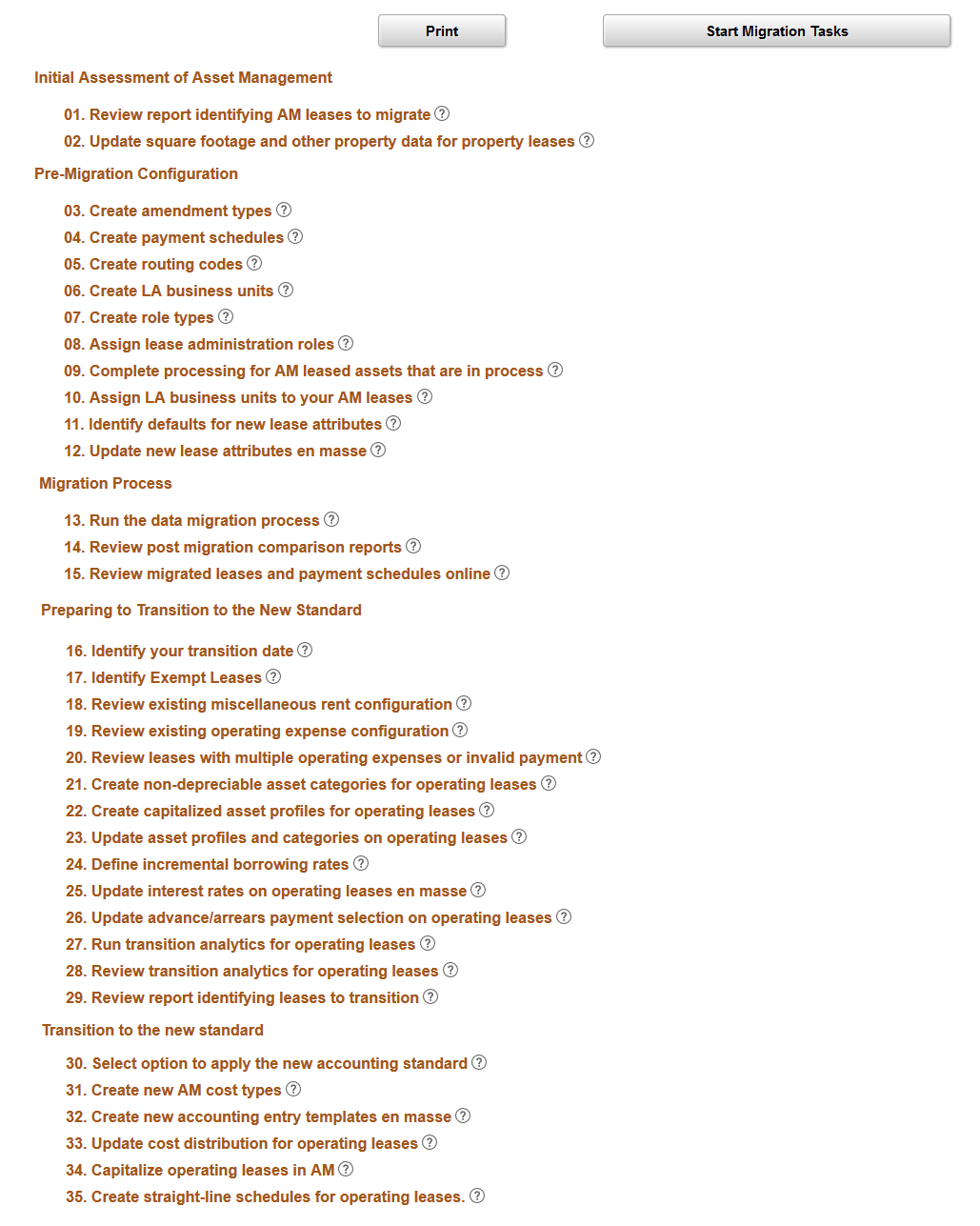
The migration process can be started by clicking the Start Migration Tasks button.