Setting Up the PeopleSoft Fluid User Interface for Project Management
Pages Used to Set Up the PeopleSoft Fluid User Interface for Project Management
| Page Name | Definition Name | Usage |
|---|---|---|
|
PC_PM_RPT_SETUP |
Use this page to determine how charts are displayed for Project Profit Margin, Contract Profit Margin, and Unbilled Cost WIP (work in progress). |
|
|
PC_PM_RPT_SETUP2 |
Use this page to determine the number of prior periods to use when the Project Timesheets Due page is displayed. |
|
|
PC_MYPREF_FL |
Determine whether to include project team resources that have a completed status on PeopleSoft Fluid pages. |
|
|
PC_MYPREF_FL |
Determine the number of timesheet periods to view. |
|
|
PC_MYPREF_FL |
Determine the reporting business unit. |
|
|
PC_MYPREF_FL |
Determine search preferences when using the resource locator. |
|
|
PC_MYPREF_FL |
Determine the number of past weeks to display when viewing status reports. |
See Project Management with the PeopleSoft Fluid User Interface .
Travel Authorizations Tile
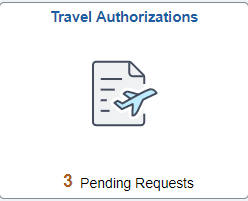
The Travel Authorization tile can be placed on any homepage and alerts you to the total number of requests that have not been submitted.
This example illustrates the Travel Authorizations Tile.
Reporting Options - Reporting Groups Page
Use the Reporting Options - Reporting Groups page (PC_PM_RPT_SETUP) to determine how charts are displayed for Project Profit Margin, Contract Profit Margin, and Unbilled Cost WIP (work in progress).
Navigation:
This example illustrates the fields and controls on the Reporting Options - Reporting Groups page.
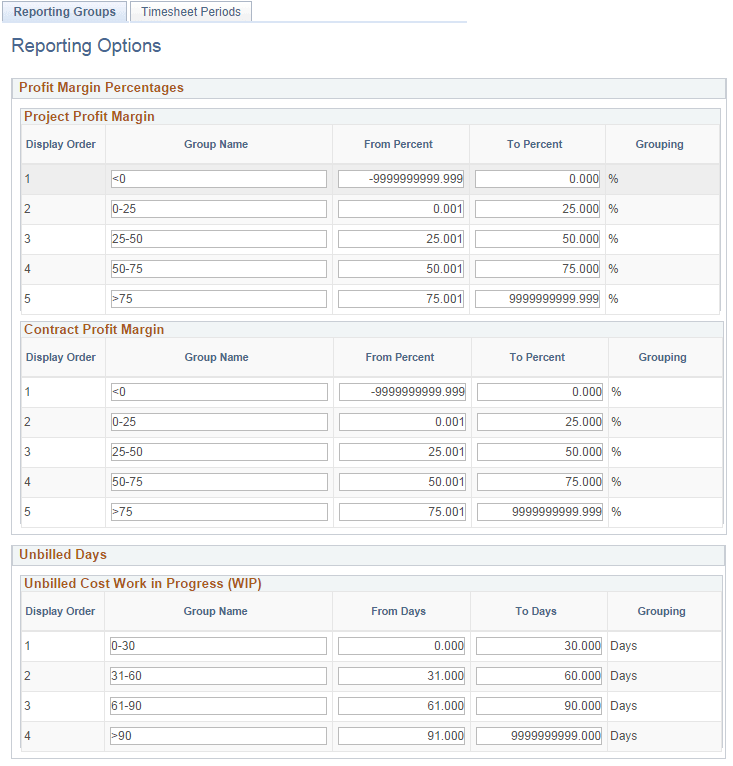
Use this page to determine group names and ranges that appear on the Project Profit Margin (pivot) Page, Contract Profit Margin (pivot) Page, and the Project Unbilled Cost WIP (pivot) Page. You can create zero to five ranges.
| Field or Control | Description |
|---|---|
|
Group Name |
Enter text that appears for each bar of the Gantt chart for the page. |
|
From Percent, To Percent, From Days, and To Days |
Enter a range that defines the range for the group name. Note: Be sure to not overlap ranges. |
|
Grouping |
Displays % (percent) or Days on the page, depending on which section you are in. |
Reporting Options - Timesheet Periods Page
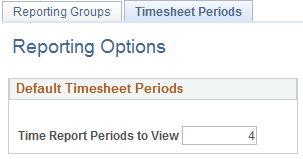
Use the Reporting Options - Timesheet Periods page (PC_PM_RPT_SETUP2) to determine the number of prior periods to use when the Project Timesheets Due page is displayed.
Navigation:
This example illustrates the fields and controls on the Reporting Options - Timesheet Periods page.
| Field or Control | Description |
|---|---|
|
Time Report Periods to View |
Enter the number of prior periods to display when viewing the Project Timesheets Due (pivot) Page. The periods are determined by the Time Report Period field of the PeopleSoft Expenses: Expenses Definition - Business Unit 2 Page for PeopleSoft Expenses. This default value can be overridden on the My Preferences - Project Timesheets Due Page. |
My Preferences - Project Team Resources Page
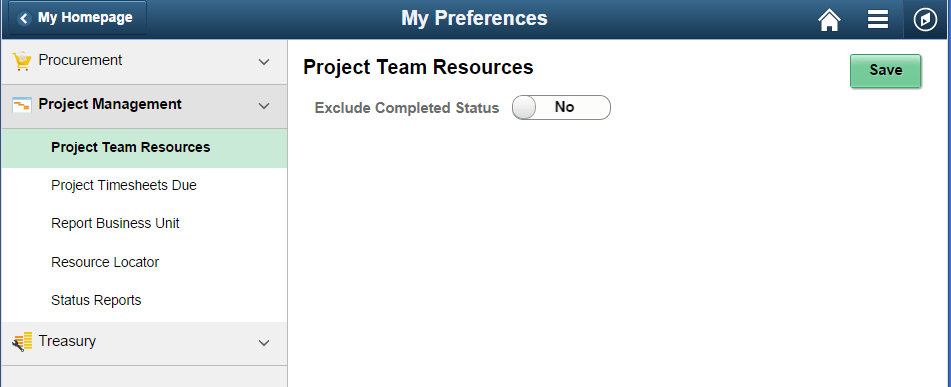
Use the My Preferences - Project Team Resources page (PC_MYPREF_FL) to determine whether to include project team resources that have a completed status on PeopleSoft Fluid pages.
Navigation:
This example illustrates the fields and controls on the My Preferences - Project Team Resources page.
| Field or Control | Description |
|---|---|
|
Exclude Completed Status |
Select to exclude resources that have a Completed status on the project team. The system automatically excludes resources that have a Rejected and Cancelled status. |
My Preferences - Project Timesheets Due Page
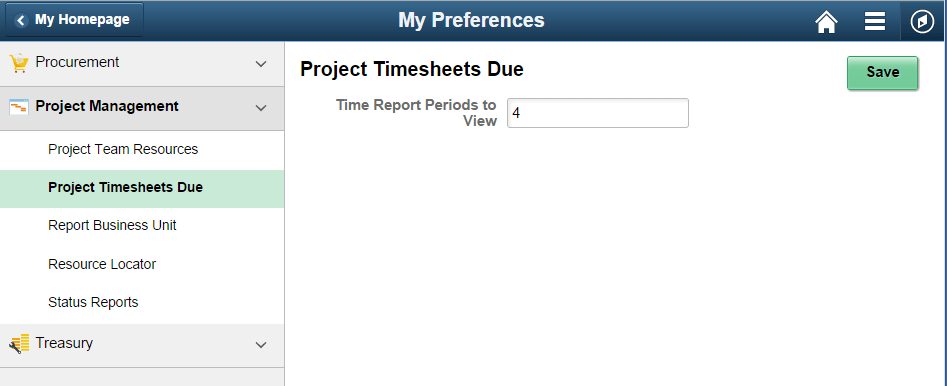
Use the My Preferences - Project Timesheets Due page (PC_MYPREF_FL) to determine the number of timesheet periods to view when viewing time reports.
Navigation:
This example illustrates the fields and controls on the My Preferences - Project Timesheets Due page.
| Field or Control | Description |
|---|---|
|
Time Report Periods to View |
Enter the number of prior timesheet periods to consider when viewing the Project Timesheets Due (pivot) Page. |
My Preferences - Report Business Unit Page
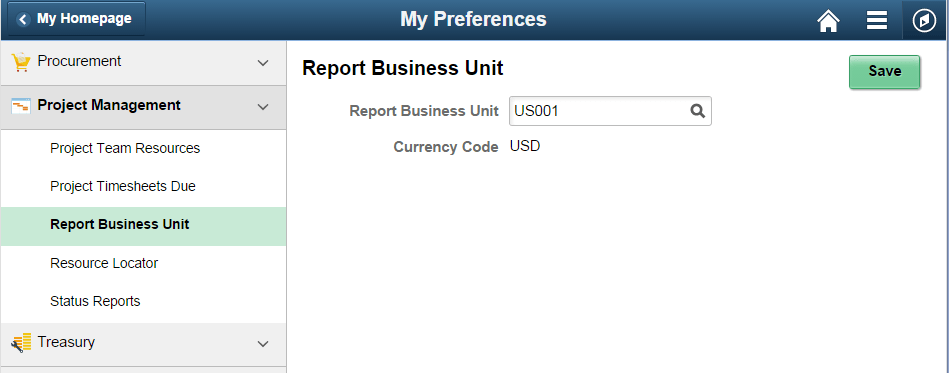
Use the My Preferences - Report Business Unit page (PC_MYPREF_FL) to determine the reporting business unit.
Navigation:
This example illustrates the fields and controls on the My Preferences - Report Business Unit page.
| Field or Control | Description |
|---|---|
|
Report Business Unit |
Select the business unit that you want to use when viewing the Project Financials (pivot) Page and the Project Unbilled Cost WIP (pivot) Page. |
|
Currency Code |
Displays the currency code of the business unit entered. |
My Preferences - Resource Locator Page
Use the My Preferences - Resource Locator page (PC_MYPREF_FL) to determine search parameters when using the resource locator.
Navigation:
This example illustrates the fields and controls on the My Preferences - Resource Locator page.
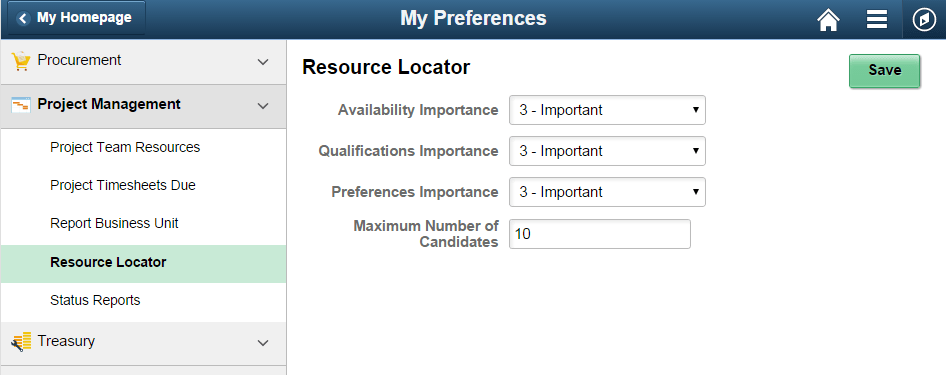
Enter a value that is used by the system when searching for resources. Values for the drop down list boxes are:
This example illustrates the options when clicking on the drop down menu option for Availability Importance, Qualifications Importance, and Preferences Importance:
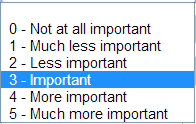
Use this page to change PeopleSoft Resource Management defaults that are initially entered on the PeopleSoft Resource Management: Express Search Page.
| Field or Control | Description |
|---|---|
|
Availability Importance, Qualifications Importance, and Preferences Importance |
Assign the relative priorities to the Availability, Preferences, and Qualifications factor family fit scores for this search session. |
|
Maximum Number of Candidates |
Enter a number that determines the number of rows that appear when performing a resource search on the Resource Locator Page. The initial default value is 5. Once you change the value, your most recent selection persists. The maximum value for this field is 50. |
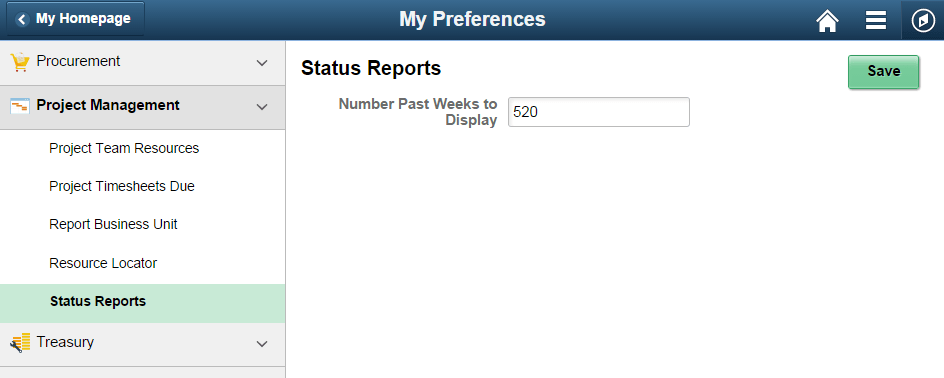
My Preferences - Status Reports Page
Use the My Preferences - Status Reports page (PC_MYPREF_FL ) to determine your preference when viewing status reports.
Navigation:
This example illustrates the fields and controls on the My Preferences - Status Reports page.
| Field or Control | Description |
|---|---|
|
Number of Past Weeks to Display |
Enter a number that determines how many weeks, in the past, that the system should display when viewing the Project Status Reports Page (pivot) and the Project Status Reports Page. |