Manage People and Jobs Dashboard
Use the Manage People and Jobs dashboard (HC_MNG_PPL_JOB_DBRD_LP) to access tiles to add and manage job and person information, support organizational planning and development, access approvals and analytics, and complete compliance reporting.
Navigation:
Select the Manage People and Jobs tile from the My Work - Human Resources section of the PeopleSoft (My Home) Landing Page.
This example illustrates the fields and controls on the Manage People and Jobs dashboard.
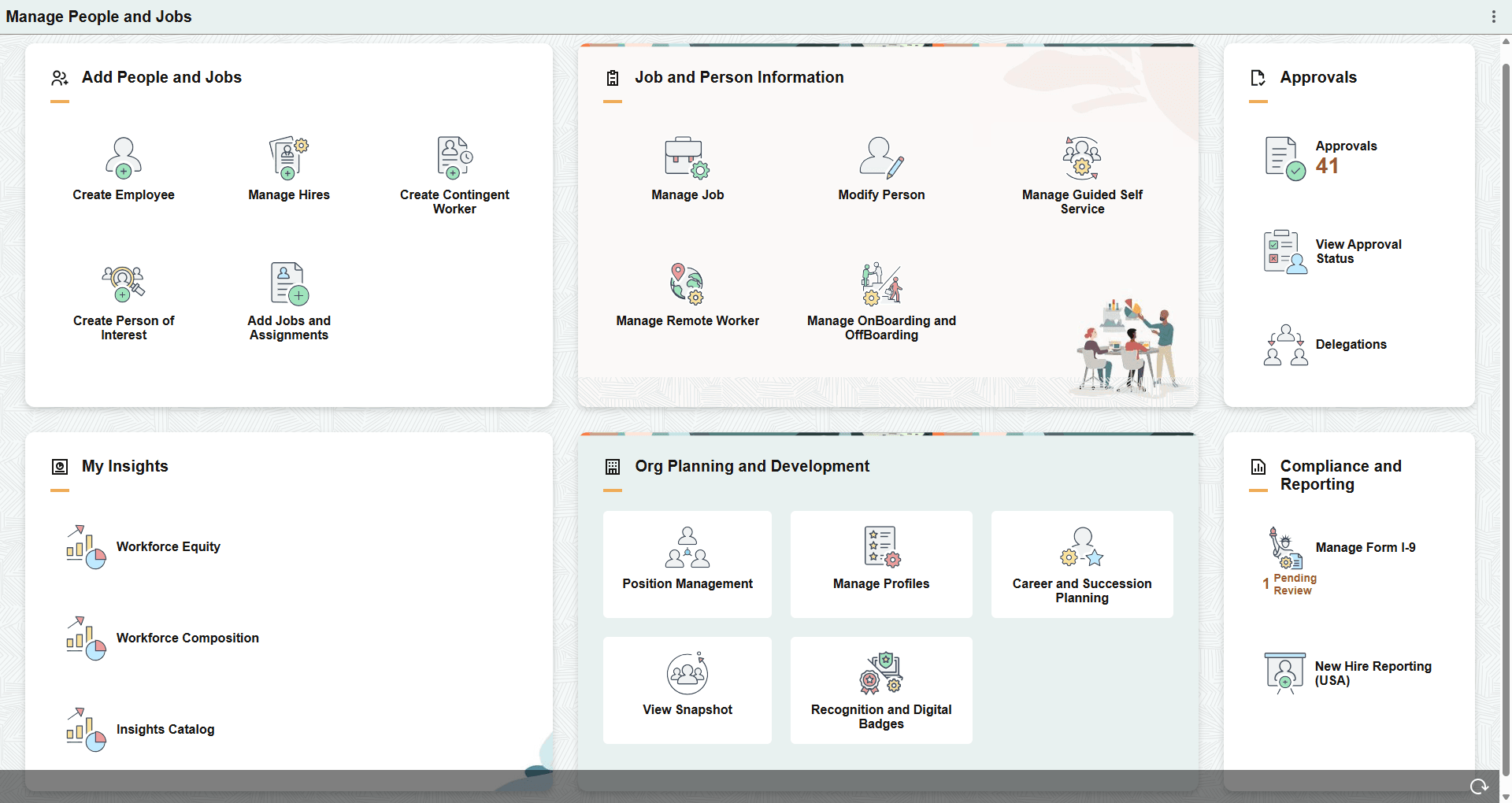
The Manage People and Jobs dashboard includes the following sections and tiles, which appear based on user roles and security permissions.
-
Add People and Jobs section
-
PeopleSoft Human Resources Administer Workforce: Create Employee Tile
-
Manage Hires Tile (see PeopleSoft Human Resources Administer Workforce: Manage Hires Page)
-
PeopleSoft Human Resources Administer Workforce: Create Contingent Worker Tile
-
PeopleSoft Human Resources Administer Workforce: Create Person of Interest Tile
-
Add Jobs and Assignments Tile (see PeopleSoft Human Resources Administer Workforce: (Fluid) Organizational Relationship Tile)
-
-
Job and Person Information section
-
PeopleSoft Human Resources Administer Workforce: Manage Job Tile
-
PeopleSoft Human Resources Administer Workforce: Modify Person Tile
-
Manage Guided Self Service Tile (see PeopleSoft eProfile Manager Desktop: <Transaction Name> Page for Reviewing Submitted Transactions)
-
PeopleSoft Human Resources Administer Workforce: Manage Remote Worker Tile (for Administrators)
-
Manage OnBoarding and OffBoarding Tile (see PeopleSoft Human Resources Administer Workforce: Setting Up PreBoarding and OnBoarding Activity Guides)
-
-
Approvals section
-
My Insights section
-
Org Planning and Development section
-
PeopleSoft Human Resources Manage Positions: Position Management Tile
-
PeopleSoft Human Resources Manage Profiles: Manage Profiles Tile
-
PeopleSoft Human Resources Plan Careers and Successions: Career and Succession Planning Tile
- PeopleSoft eProfile Manager Desktop: (Administrator) View Snapshot Tile
- Recognition and Digital Badges Tile
-
-
Compliance and Reporting section