Managing New Hire Tasks as an Administrator Using Fluid
This topic lists the pages that administrators can access from a single location in the PeopleSoft Fluid User Interface to perform new hire tasks.
For general information about fluid pages in PeopleSoft HCM, see Application Fundamentals: Understanding PeopleSoft Fluid User Interface Homepages.
Pages Used to Manage New Hire Tasks as an Administrator Using Fluid
| Page/Component Name | Definition Name | Usage |
|---|---|---|
|
_AUTOGEN_NAVCOLL_6 (cref for the tile) |
Access a collection of frequently-used new hire administrative components. |
|
|
PeopleSoft Human Resources Manage Profiles: Person Profile Page |
JPM_PROFILE_PERS |
Create and update person profiles. |
|
PeopleSoft Human Resources Manage Professional Compliance: Development Plan Page |
PCMP_DEV_PLAN |
Assemble a development plan from the list of accomplishments, competencies, courses, and activities. |
|
PERSON_CHECKLIST |
Ensure that the human resources administrators perform all the required administrative tasks for a person, create a checklist listing all the items that need to be completed and the person responsible for completing them. |
|
|
Update Person Detail Component |
PERSONAL_DATA |
Manage name, biographical information, and contact information for a person. For more information, see (Classic) Adding a Person. |
|
DRIVERS_LIC_GBL |
Enter license numbers or other data from a worker's driving record. |
|
|
BADGE |
Record badge numbers that you issue to a person, including employees, contingent workers, or persons of interest. |
|
|
Identification Data Component |
IDENTIFICATN_DATA |
Track passport, citizenship information, visas, permits, and photos for employees. For more information, see Managing Citizenship and Visa or Permit Information |
|
HR_MANAGE_HIRES |
View a list of people who are ready to be hired. The list includes applicants who have been readied for hire in PeopleSoft Recruiting Solutions. The list also includes persons who have gone through the template-based hire process. |
|
|
Add a Person Page |
PERSONAL_DATA_ADD |
Initiate the process to add a person to the system, including their name, biographical information, and contact information. For more information, see (Classic) Adding a Person. |
|
HR_TBH_EULIST |
Initiate a Smart HR transaction to hire or update a person’s personal, job, or profile information. |
|
|
Job Data Component |
JOB_DATA |
View or update the job record of an employee, contingent worker, or POI. For more information, see Understanding Job Data and (Classic) Adding Organizational Instances. |
|
COMPANY_PROPERTY |
Assign company property, such as vehicles, computer equipment, tools, or uniforms, to workers. |
|
|
General Comments Page |
GENL_COMMENTS |
Enter a miscellaneous comment about a worker. |
|
Employee SSN Verification Page |
RUNCTL_TAX109 |
Create an electronic file that you can use to submit employee name and SSN information to the Social Security Administration for verification. For more information, see PeopleSoft Payroll for North America: Understanding Payroll Data and PeopleSoft Payroll for North America: Tax Reports (TAX). |
|
Employee Tax Data USA Component |
TAX_DATA |
(USA, USF) Enter and maintain the tax information that the system uses to calculate taxes for employees. For more information, see PeopleSoft Payroll for North America: (USA) Entering U.S. Employee Tax Data. |
New Hire Tasks Tile
Administrators use the New Hire Tasks tile to access a collection of frequently-used new hire administrative components.
Navigation:
The New Hire Tasks tile is delivered as part of the Workforce Administrator home page, but the location can change if you change the delivered home pages or if administrators personalize their home pages.
This example illustrates the New Hire Tasks tile.
Click the New Hire Tasks tile to access the New Hire Tasks application start page.
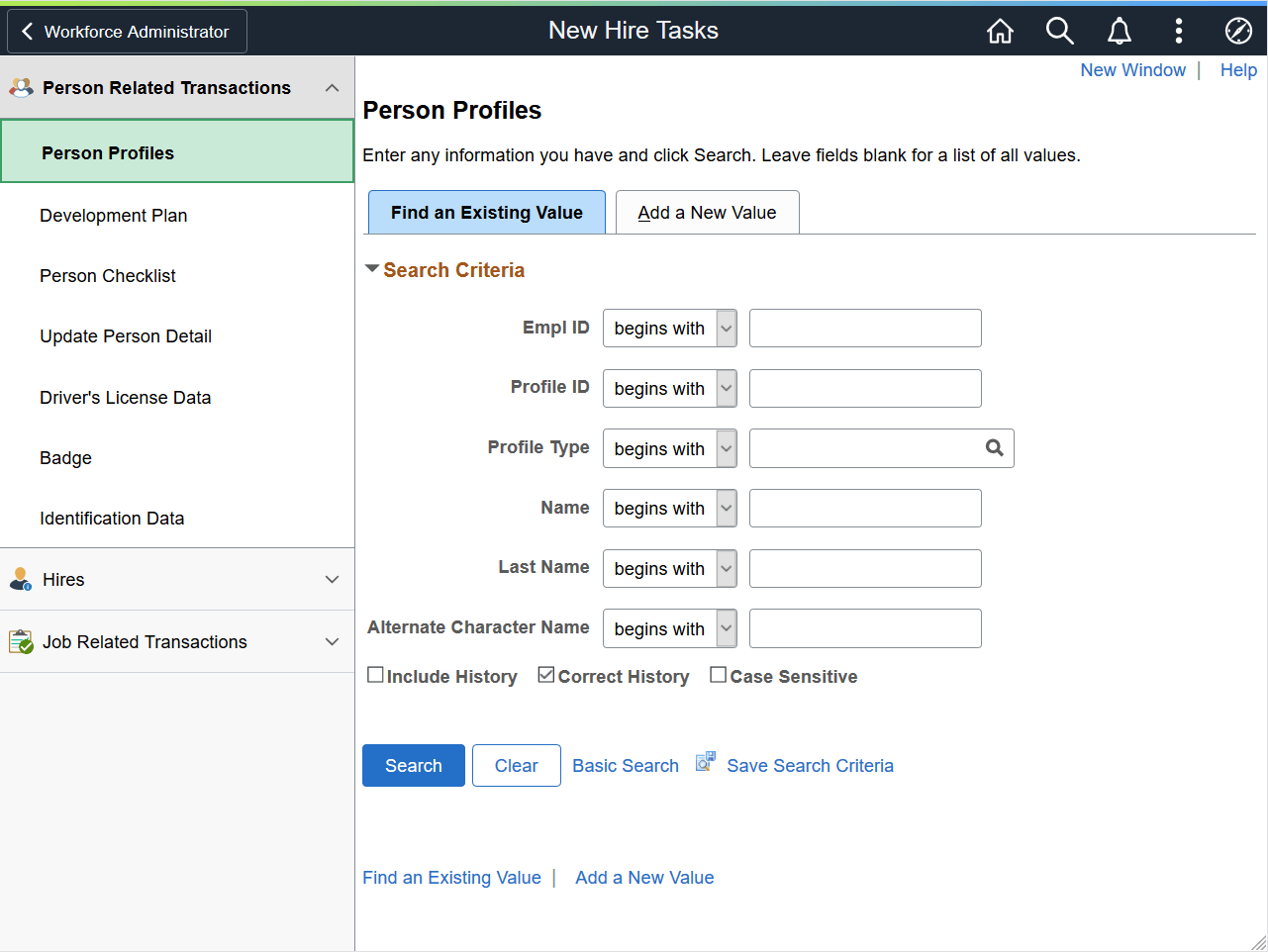
This example illustrates the New Hire Tasks application start page for the tablet.
This example illustrates the New Hire Tasks application start page for the smartphone.
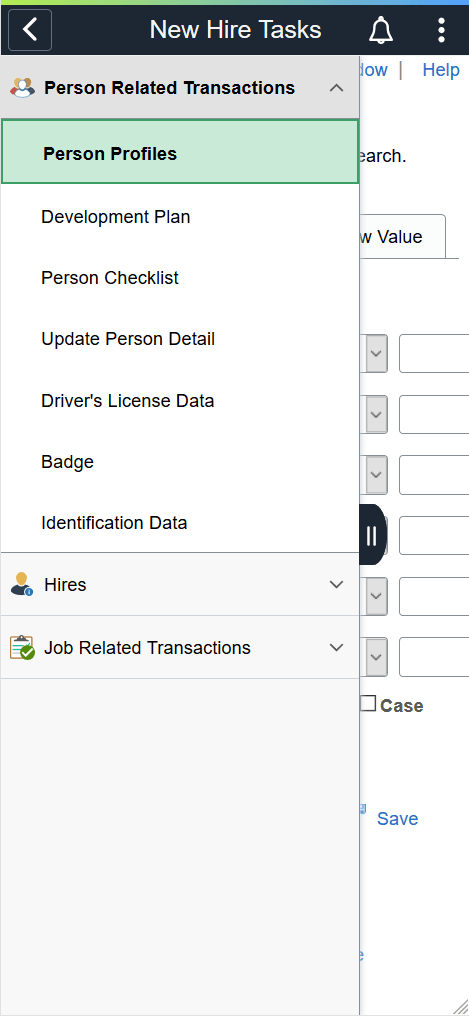
This application start page is a navigation collection that enables administrators to access frequently-used new hire task components from one location. The left panel of this page lists the components collected under three categories:
-
Person Related Transactions
-
Hires
-
Job Related Transactions
The right panel displays the component selected in the left panel.