Quick Links Pagelet
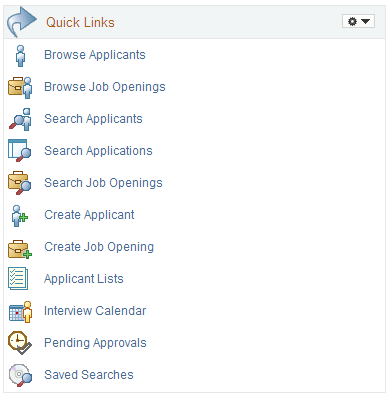
Use the Quick Links pagelet (HRS_QUICK_LINKS) to easily access the most commonly used recruiting components
This example illustrates the Quick Links pagelet.
| Field or Control | Description |
|---|---|
|
Browse Applicants |
Click to access the Browse Applicants Page. |
|
Browse Job Openings |
Click to access the Browse Job Openings Page. |
|
Search Applicants |
Click to access the Search Applicants page. This page offers four searching option: |
|
Search Applications |
Click to access the Search Applications Page. |
|
Search Job Openings |
Click to access the Search Job Openings Page. |
|
Create Applicant |
Click to access the Create Applicant Page. |
|
Create Job Opening |
Click to access the Primary Job Opening Information Page, where you begin the process of creating a job opening. |
|
Applicant Lists |
Click to access the Applicant Lists Page. |
|
Interview Calendar |
Click to access the Interview Calendar Page, where you can review your personal interview calendar. |
|
Pending Approvals |
Click to access the Pending Approvals Page. |
|
Saved Searches |
Click to access the Saved Searches Page. |