Setting Up Autoscreening For Data Received from Vendors
To set up autoscreening for data received from vendors, use the AutoScreen Setup (HRS_AUTOSCREEN) component.
Page Used To Set Up Autoscreening For Data Received from Vendors
| Page Name | Definition Name | Usage |
|---|---|---|
|
HRS_AUTOSCREEN |
Identify an application class to automatically screen incoming applicant data. You reference autoscreening definitions from recruiting source definitions for vendors. |
Understanding Autoscreening
Autoscreening definitions represent one or more application classes for screening applicant data that is received from a third-party vendor.
You associate an autoscreening definition with a vendor when you set up the recruitment source definition for the vendor.
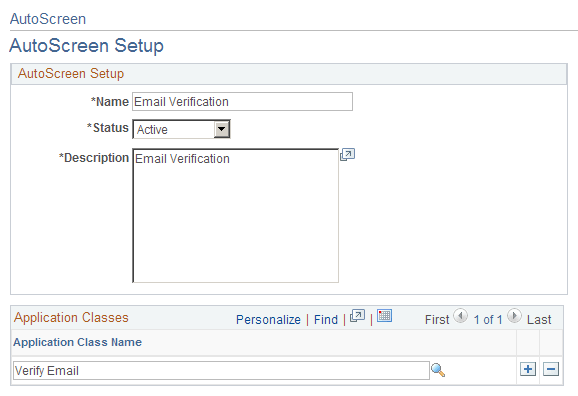
AutoScreen Setup Page
Use the AutoScreen Setup page (HRS_AUTOSCREEN) to identify an application class for automatically screening incoming applicant data.
You reference autoscreening definitions from recruiting source definitions for vendors.
Navigation:
This example illustrates the AutoScreen Setup page.