Grant Workbooks
The Grant Management SuiteApp provides the following workbooks that help you track and manage your grant funding:
Unbilled Grants Workbook
This workbook shows sales orders that have not been billed or converted to invoices.
The following screenshot shows a portion of the Unbilled Grants Workbook:
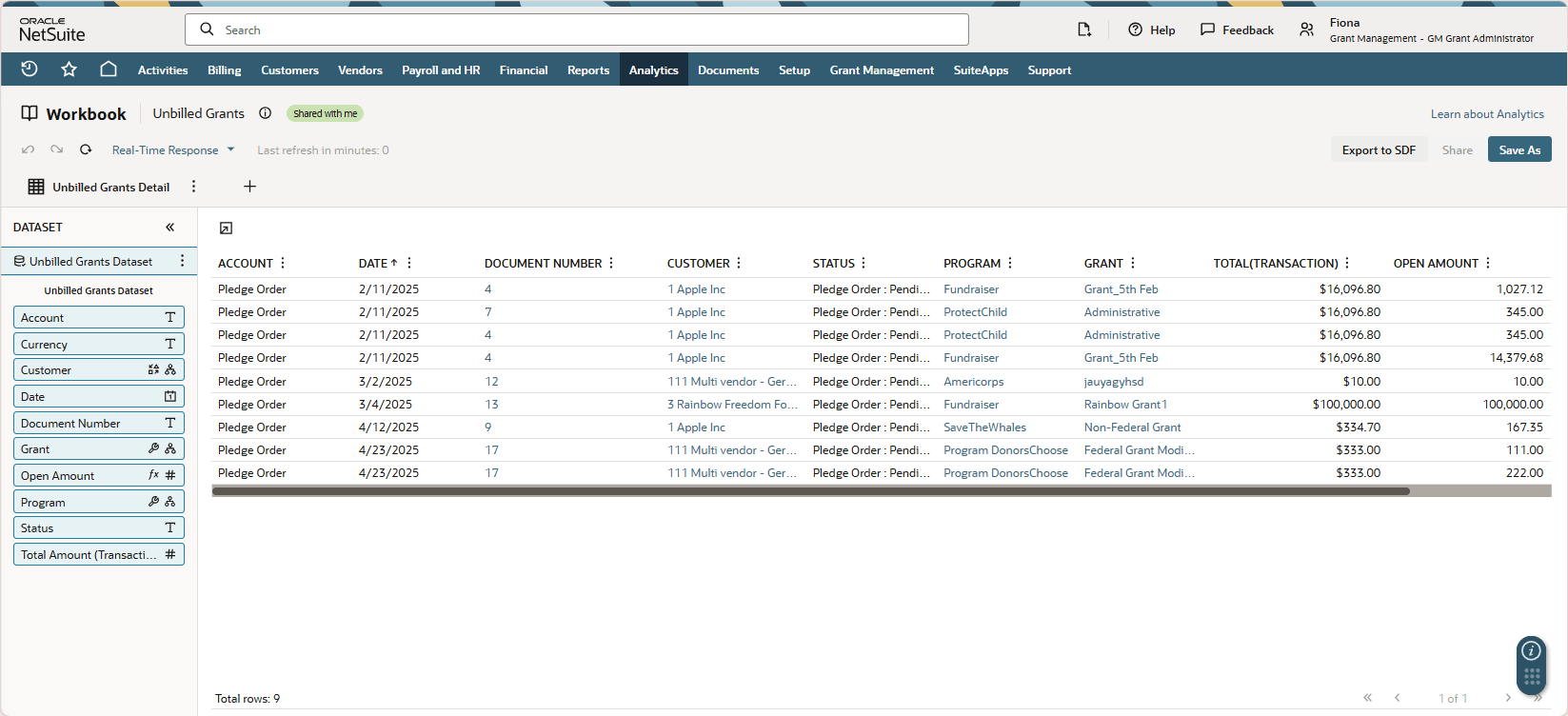
This workbook analyzes sales orders that are unbilled or partially billed and have item lines with populated Grant fields.
For example, if a sales order has ten lines, and only five item lines have Grant values on the Lines subtab, the workbook will only consider those five item lines.
If a sales order is partially billed (having some item lines billed and some are not), the workbook will only show the item lines that are unbilled.
The Unbilled Grants Workbook is based on the Unbilled Grants dataset. To access this workbook, go to Grant Management > Grant Workbooks > Unbilled Grants.
Upcoming Grant Milestones Workbook
This workbook shows the grant milestones that have not yet been completed.
The following screenshot shows a portion of the Upcoming Grant Milestones Workbook:
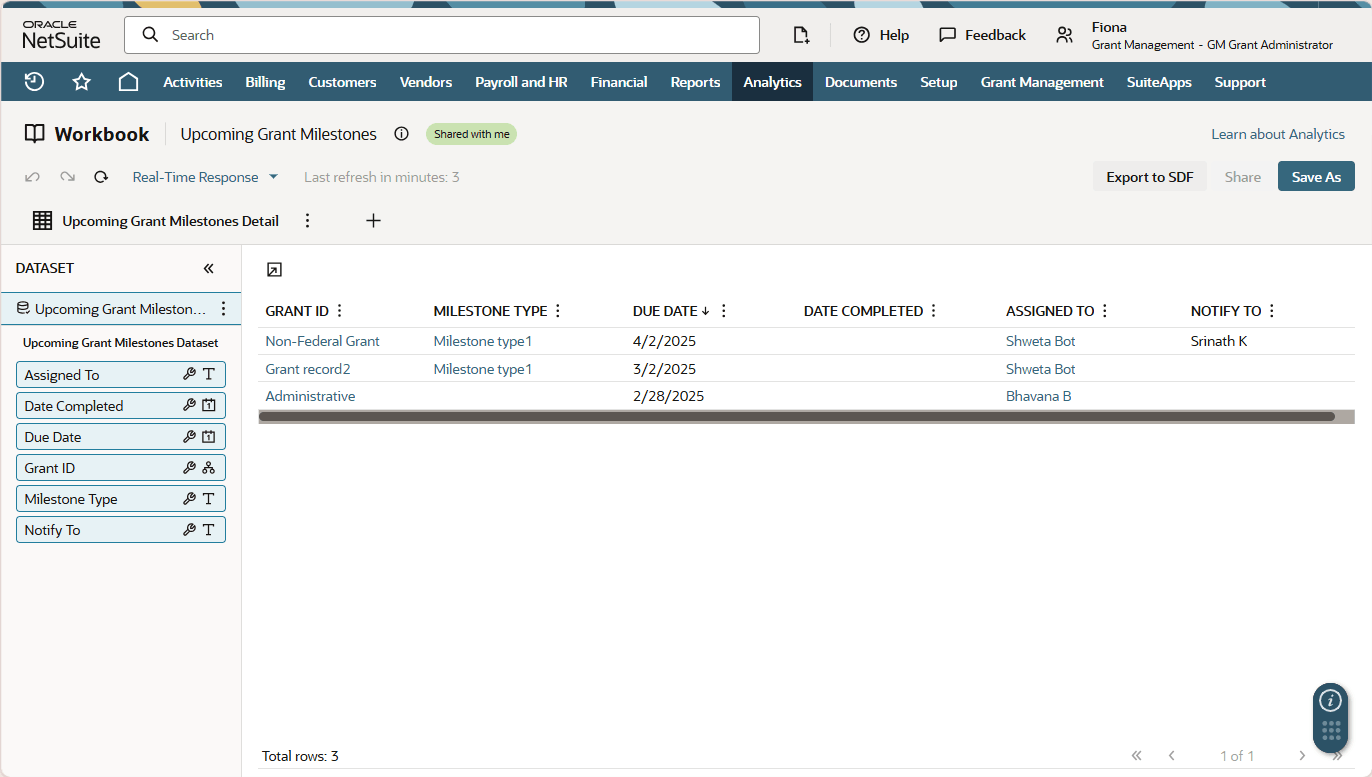
This workbook considers grant milestones that are due to be completed in the next ten days. If you edit a grant milestone record and provide a completion date in its Date Completed field, it will not be considered by the workbook anymore.
The Upcoming Grant Milestones Workbook is based on the Upcoming Grant Milestones dataset. To access this workbook, go to Grant Management > Grant Workbooks > Upcoming Grant Milestones.
Net Assets by Grant Workbook
This workbook shows the summary and detail of the net assets by grant.
The following screenshot shows a portion of the Net Assets by Grant Workbook:
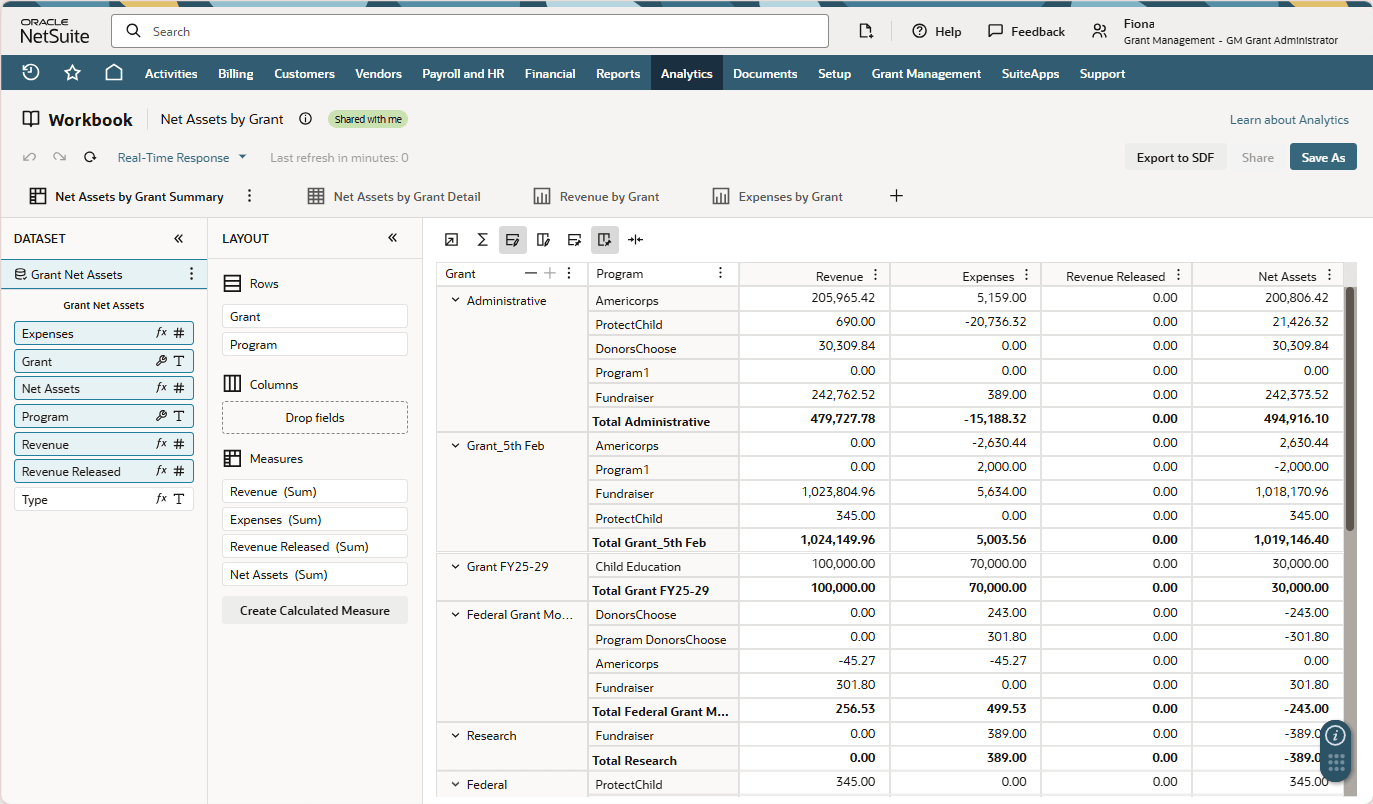
On the Net Assets by Grant Detail subtab, the data is listed according to the following columns:
-
Grant
-
Program
-
Revenue
-
Expenses
-
Revenue Released
-
Net Assets
The Net Assets by Grant Summary subtab sums the total of each column and groups all the data according to Grant and Program.
The workbook only considers the transactions (Funding and Expense types) that have GL impact, and records that have item lines with populated Grant fields.
The following tabs of the workbook are also shown as portlets in the Grant Management Dashboard:
-
Revenue by Grant
-
Expenses by Grant
This workbook is based on the Grant Net Assets dataset. To access this workbook, go to Grant Management > Grant Workbooks > Net Assets by Grant.
Grant Release from Restriction Workbook
This workbook shows a summary of the overall funding against the amount that has been released from restriction and the amount that is available for release.
The following screenshot shows a portion of the Grant Release from Restriction Workbook:
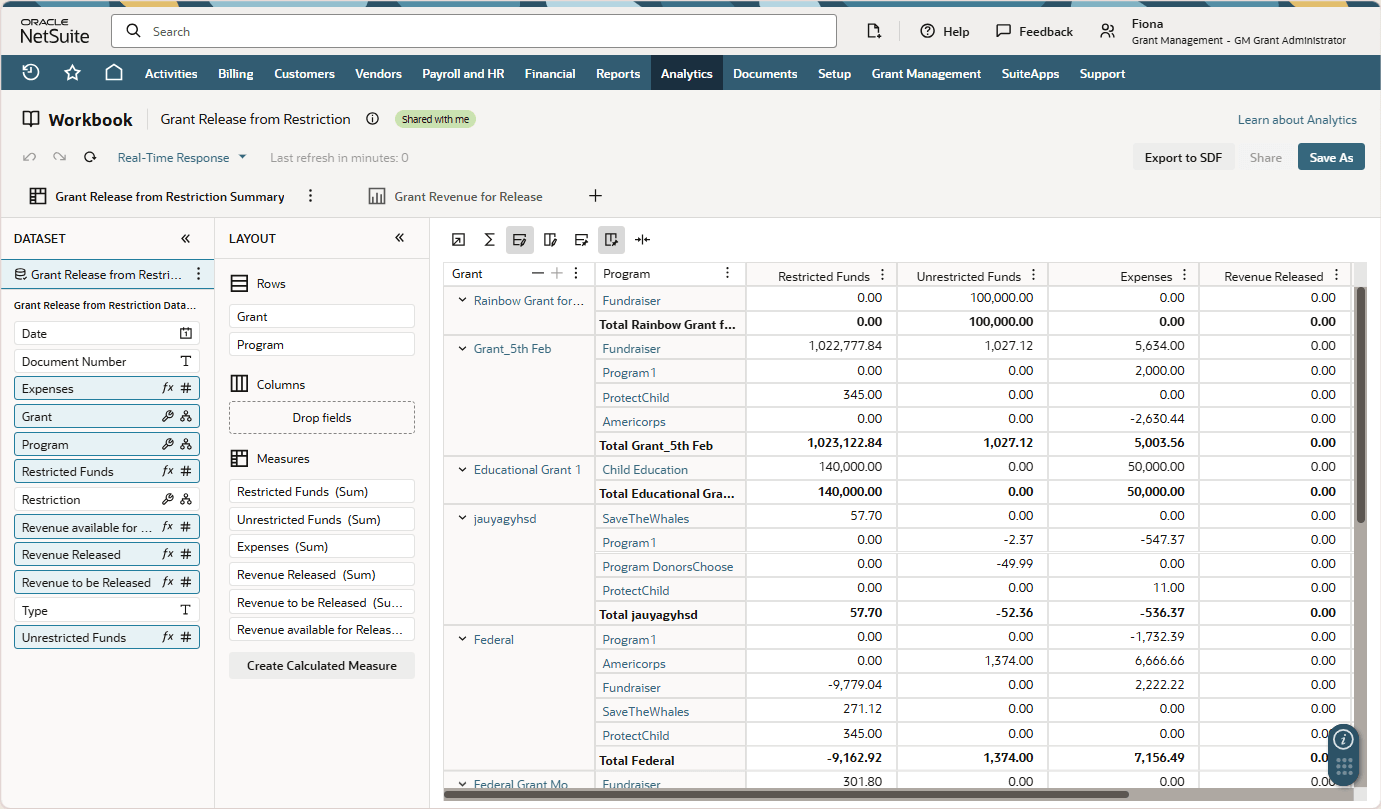
The Grant Revenue for Release subtab displays a graph of grants and revenue available for release. This tab is also shown as a portlet in the Grant Management Dashboard.
The workbook only considers the transactions that have GL impact, and records that have item lines with populated Grant and Restriction fields.
This workbook is based on the Grant Release from Restriction dataset. To access this workbook, go to Grant Management > Grant Workbooks > Grant Release from Restriction.
Restricted Revenue by Grant Workbook
This workbook shows a summary of all the funds from grant that have sponsor restrictions. Any grant that is not tagged as With Sponsor Restriction in its Restriction field is not considered by this workbook.
The following screenshot shows a portion of the Restricted Revenue by Grant Workbook:
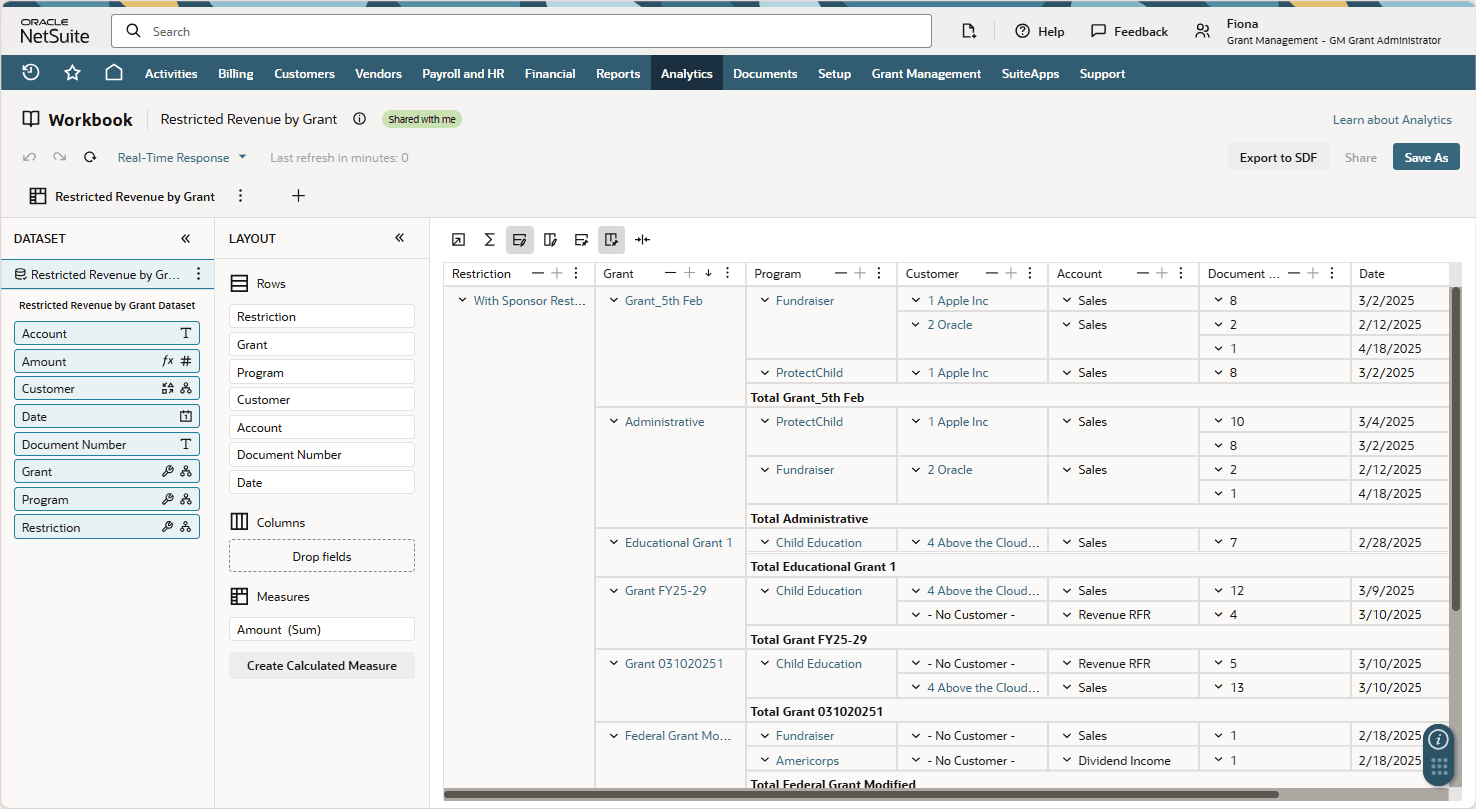
The workbook only considers the transactions that have GL impact, and records that have item lines with populated Grant fields.
This workbook is based on the Restricted Revenue by Grant dataset. To access this workbook, go to Grant Management > Grant Workbooks > Restricted Revenue by Grant.
Grant Expense Details Workbook
This workbook shows all the grant expenses. In the Grant Expense Summary tab, all the amounts are consolidated.
The following screenshot shows a portion of the Grant Expense Details Workbook:
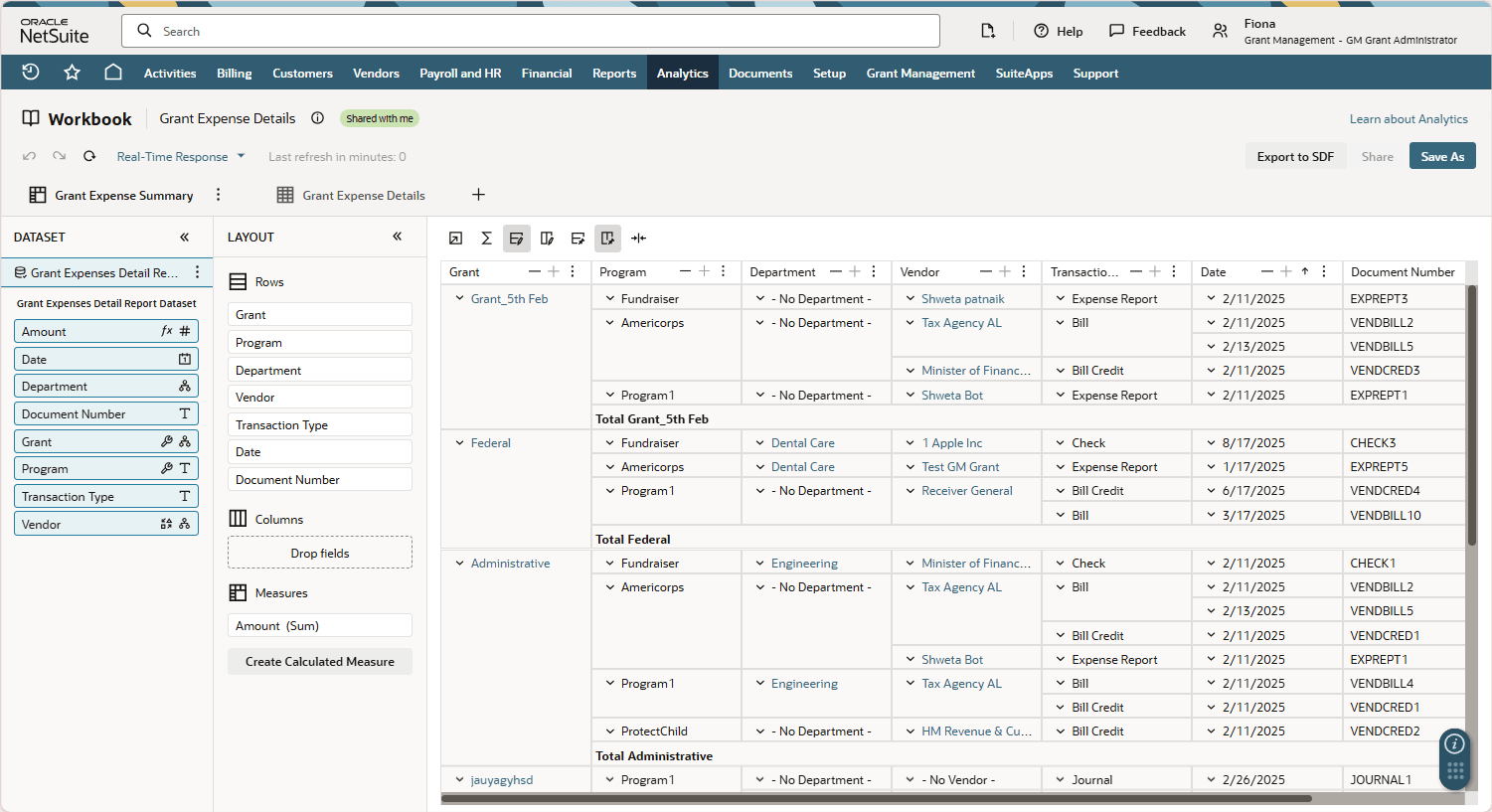
The workbook only considers the transactions that have GL impact, and records that have item lines with populated Grant fields.
This workbook is based on the Grant Expenses Detail Report dataset. To access this workbook, go to Grant Management > Grant Workbooks > Grant Expense Details.
For more information about workbooks in general, see SuiteAnalytics Workbook Overview.