Audits List Page
Created audits in the account are displayed in the Audits list page. The list page is filterable and exportable to a CSV file.
Tip:
If you created a new audit and have already applied filters to the Audits list page, you must click Apply Filters again to update the list and display your newly created audit.
The screenshot below shows the Audits page:
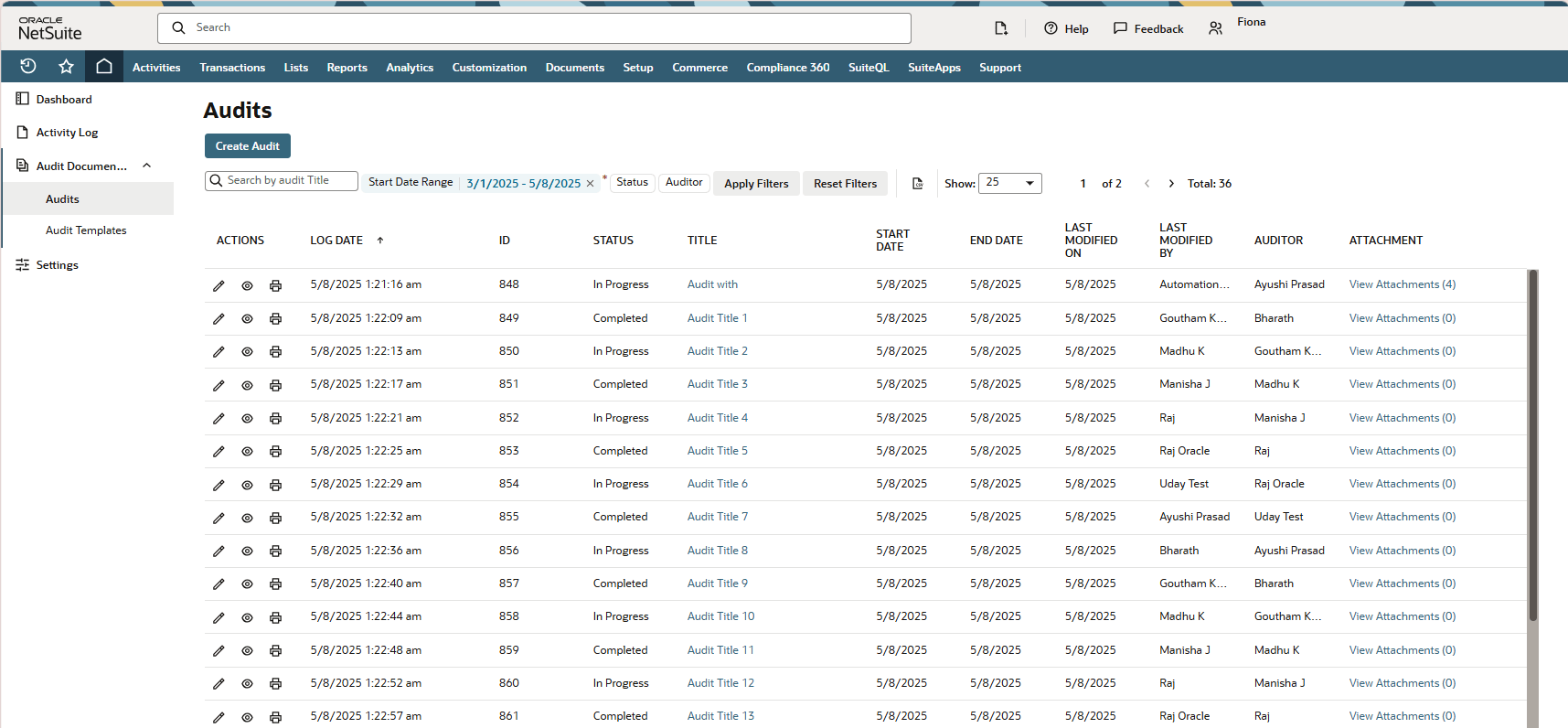
The following icons on the Actions column let you do the following to audits:
-
 - Edit
 -
 - View
 -
 - Print