IPM Insights: Ability to Show Top Insights in Dashboards
You can now include the top insights in Dashboards 2.0.
Applies To: Enterprise Profitability and Cost Management, Financial Consolidation and Close, FreeForm, Planning, Tax Reporting
When you pair this feature with the ability to use a dashboard as a landing page, you enable planners to see relevant insights immediately when they log in.
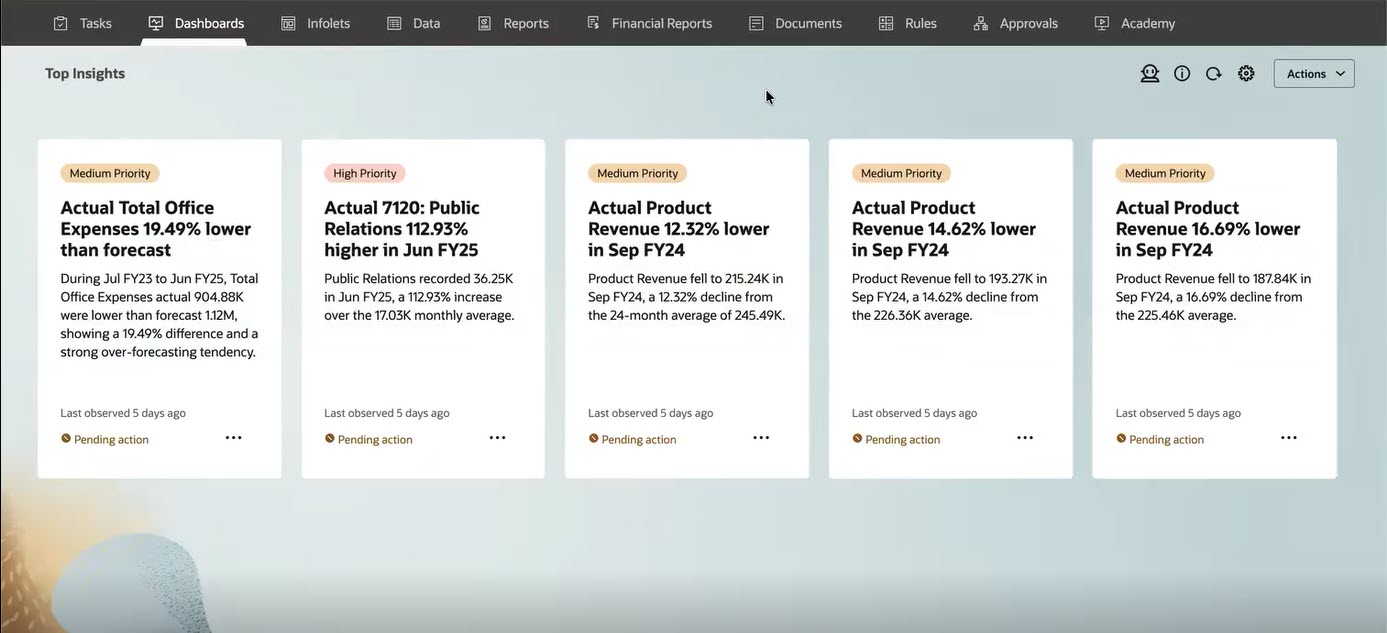
Top Insights in a Dashboard Used as a Landing Page
Users can also choose to display the available insights in a table.
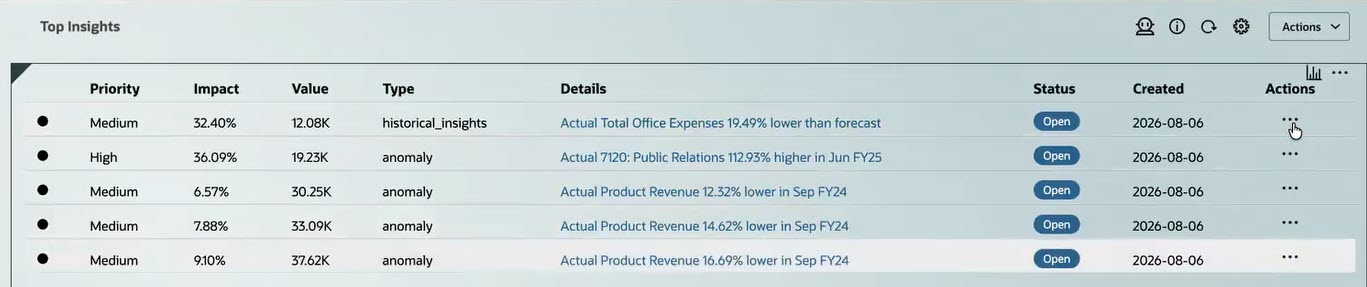
Insights Displayed as a List
Users can click the Actions  menu in an insight to see insight details, open it as an ad-hoc grid, and dismiss or delete an insight.
Administrators use the Dashboards Designer to add an Insights component to the dashboard:
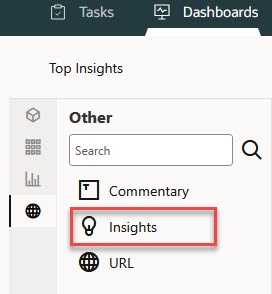
Dashboard Object Palette
Then, administrators use the Insights Property panel to define which insights should appear on the dashboard:
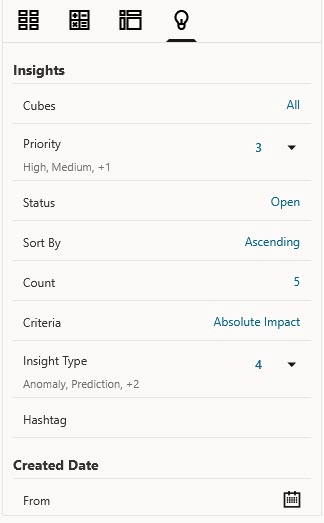
Insights Property Panel
Business Benefit: Displaying top insights in Dashboards 2.0 helps users quickly identify and act on key findings, supporting faster, more informed decisions. When a dashboard is used as a landing page, users see relevant insights immediately upon login, helping them prioritize areas that need attention.
Steps to enable and configure
To see GenAI-enhanced insights summaries, you must enable GenAI: From the Home page, click Application, then click Settings, and then in the Enable AI section, select Generative AI.
Tips and considerations
- This feature is available only for Dashboards 2.0.
- The Insights job must have already been run to see the insights in a dashboard.
- If GenAI is enabled, you see a GenAI-enhanced summary of each insight. If GenAI is not enabled, you see the template-based summary of each insight.
- If you add insights to a dashboard used as a landing page, the insights display inherits the Appearance options.
Key resources
- Enterprise Profitability and Cost Management
- Administering and Working with Enterprise Profitability and Cost Management
- FreeForm
- Administering FreeForm
- Working with FreeForm
- Financial Consolidation and Close
- Administering Financial Consolidation and Close
- Working with Financial Consolidation and Close
- Planning
- Administering Planning
- Working with Planning
- Tax Reporting
- Administering Tax Reporting
- Working with Tax Reporting