Scheduling Rules Enhancements
You now have more control for scheduling weekends and applying the right rules for different parts of your organization by picking what counts as a worked weekend: all weekend days (Full Weekend), at least 1 day (Partial Weekend), or total hours. The new Partial Weekend option sits alongside existing options, offering extra flexibility for staffing coverage without extra strain.
You can easily focus rules to specific parts of your organization with the new Business Unit option on conditions. This option lets you make sure each team follows the right scheduling policies.
Schedule Managers:
- Auto-assignment and online validation clearly enforce your weekend policies and flag when they are at risk of being missed.
- Edge situations like periods that begin mid-weekend are properly counted, so nothing falls through the cracks.
- Manual (fixed) shifts get counted; absences on weekends are never double-counted as worked.
Workers:
- When self-scheduling or making shift requests, the system blocks incompatible actions, so users cannot accidentally break the weekend attendance rules.
- If a schedule uses the Partial Weekend setting, just one worked shift counts the whole weekend; Full Weekend means all weekend days must be worked to count.
Common examples where this feature adds value:
- Fair-share coverage: Make coverage equitable without requiring everyone to work the full weekend.
- Matching demand: Cover weekends well even when only specific days need it, so overtime is avoided.
- Business Unit targeting: Apply policies easily to different teams in the same organization with the new eligibility condition.
You can now build schedules with tailored weekend work rules that match your operations—reducing effort, enhancing compliance, increasing fairness, and giving managers flexible control over which workers must follow which policies.
Steps to enable and configure
Configure the weekends in a Schedule Period rule inside your Workforce Management rule set.
- Go to My Client Groups > Workforce Management Rule Set.
- Locate or add the Weekends in a Schedule Period rule.
- Select the appropriate unit of measure—Full weekend, Partial weekend, or Hours.
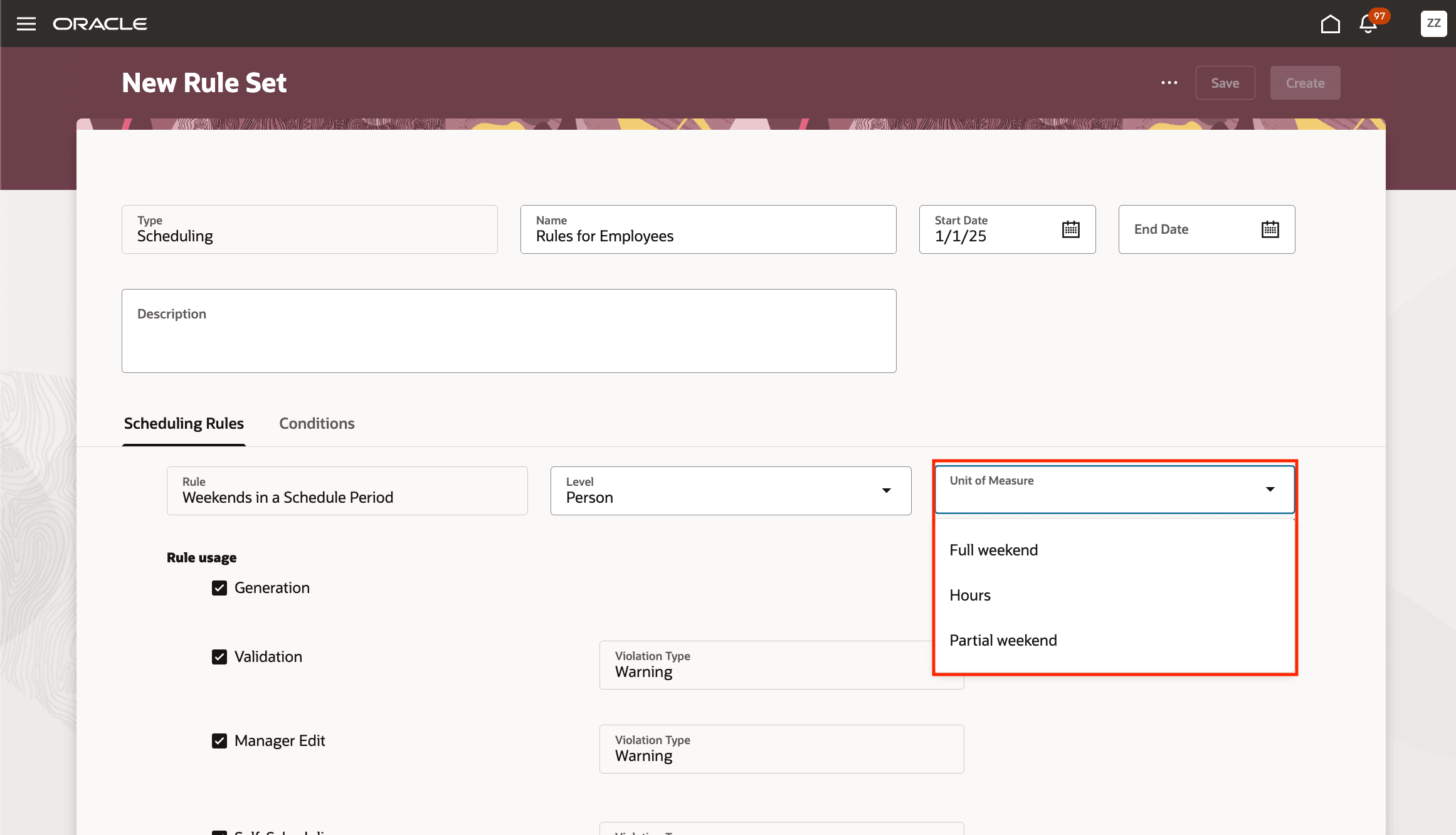
New Rule Set Page Showing the Unit of Measure Options for the Weekends in a Schedule Period Rule
- For Full or Partial weekend, enter any minimum or maximum requirements for scheduled weekends per period.
- Decide where this rule should apply, such as generation, validations, manager edits, self-scheduling, shift requests, or a combination, and define which usage results should show as warnings or errors.
- Check your schedule generation profile and confirm that the underlying weekend-day definition, such as Friday–Saturday, matches your local policy.
- Optionally, set up Business Unit based conditions so that the rule applies only to workers who belong to those units during scheduling and validation.
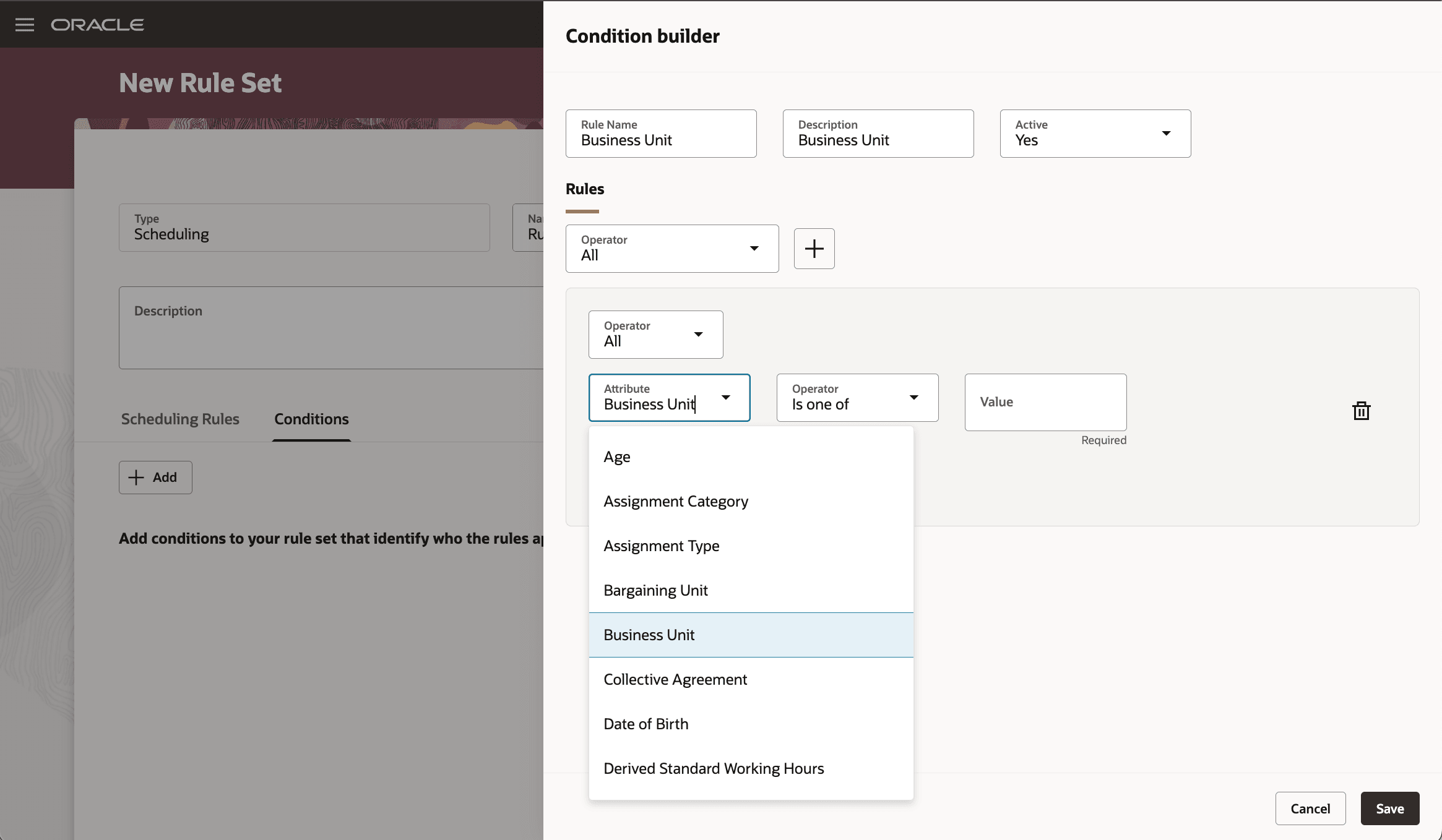
Condition Builder Drawer Showing the Attribute List with Business Unit Selected
Tips and considerations
- When a period begins in the middle of a weekend, that weekend is counted for accuracy.
- Manual (fixed) shifts increase the worked weekends count, while absences don't count for coverage.
- If a staff member’s fixed pattern conflicts with the weekend rule, reporting highlights the conflict but doesn't block schedules.
- Current Full weekend rules work as before; Partial weekend simply gives more options for your teams.
Key resources
For more information about scheduling rule sets, see these What's New features:
- Release 25A: Scheduling Rule Sets Introduction
- Release 25B: Scheduling Rule Sets Enhancements
- Release 25C: Scheduling Rule Sets Enhancements
- Release 25 D: Scheduling Rules Enhancements