Journey Task Suggestions from Learn and Task Library in Onboard AI Assistant
HR professionals and onboarding administrators can now build more relevant journeys for new hires by using these enhancements in the Onboard AI Assistant:
- Learn Agent integration: You can ask natural-language questions, and the AI agent recommends relevant learning content based on the assignment-related information. The recommended learning can then be added to the new hire's onboarding journey.
- AI-suggested journey task library tasks: The AI agent recommends onboarding tasks from the journey task library based on information and criteria associated with the new hire. The recommended tasks can be added to the new hire's onboarding journey.
These enhancements extend the onboarding experience beyond manually selecting learning and tasks, helping users assemble more personalized journeys with less effort.
Find relevant learning using natural language
The Learn Agent integration uses the Learning Catalog Search Advisor workflow agent to help users find learning content without having to search the Learning Catalog using only traditional keywords.
For example, an onboarding administrator could ask:
- What learning should a new manager complete before starting the role?
- Show me courses that would help this new hire understand our company policies.
- Recommend learning based on this employee's assignment information.
Recommend onboarding tasks
The AI agent can also suggest tasks from the journey task library for a new hire based on different criteria. For example, a user could use the recommendations to identify onboarding activities that are appropriate for a new hire and add the selected tasks directly to their journey.
In this example, the user is prompting the Onboard AI Assistant to recommend a specific learning course.
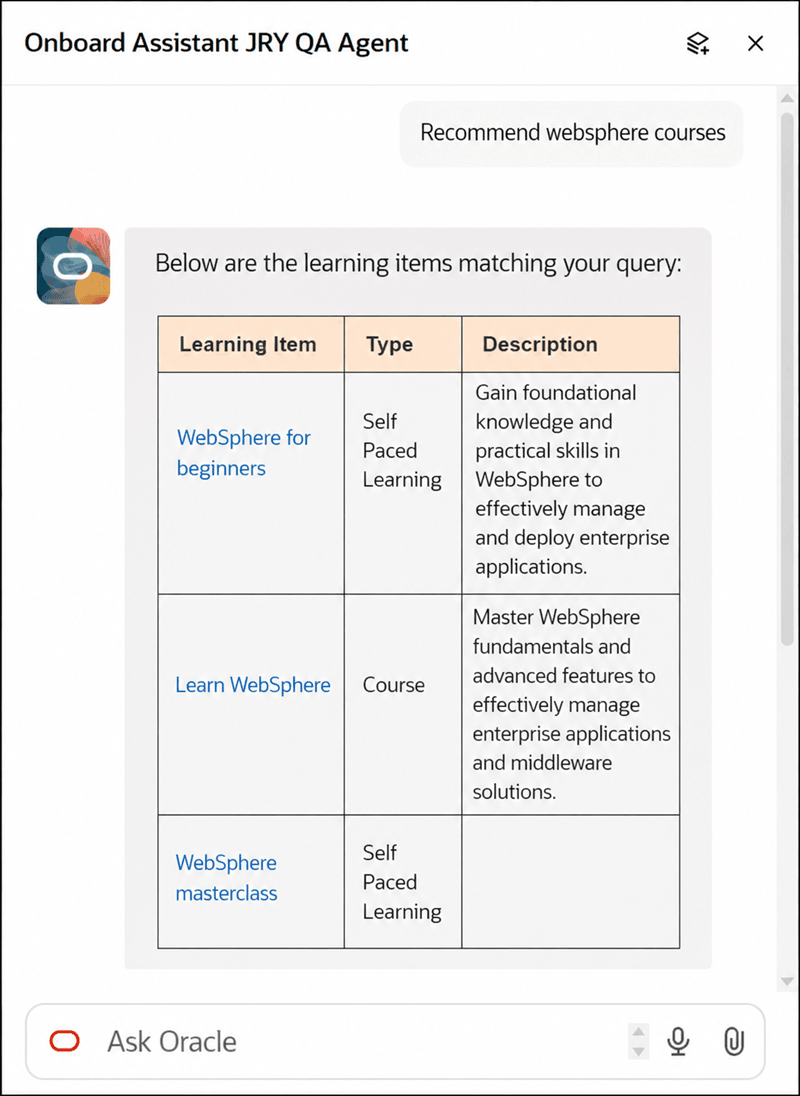
Answer Displayed Based on Prompt to Recommend Learning Course
The user chooses a course from the search results and prompts that it be added to a particular onboarding journey.
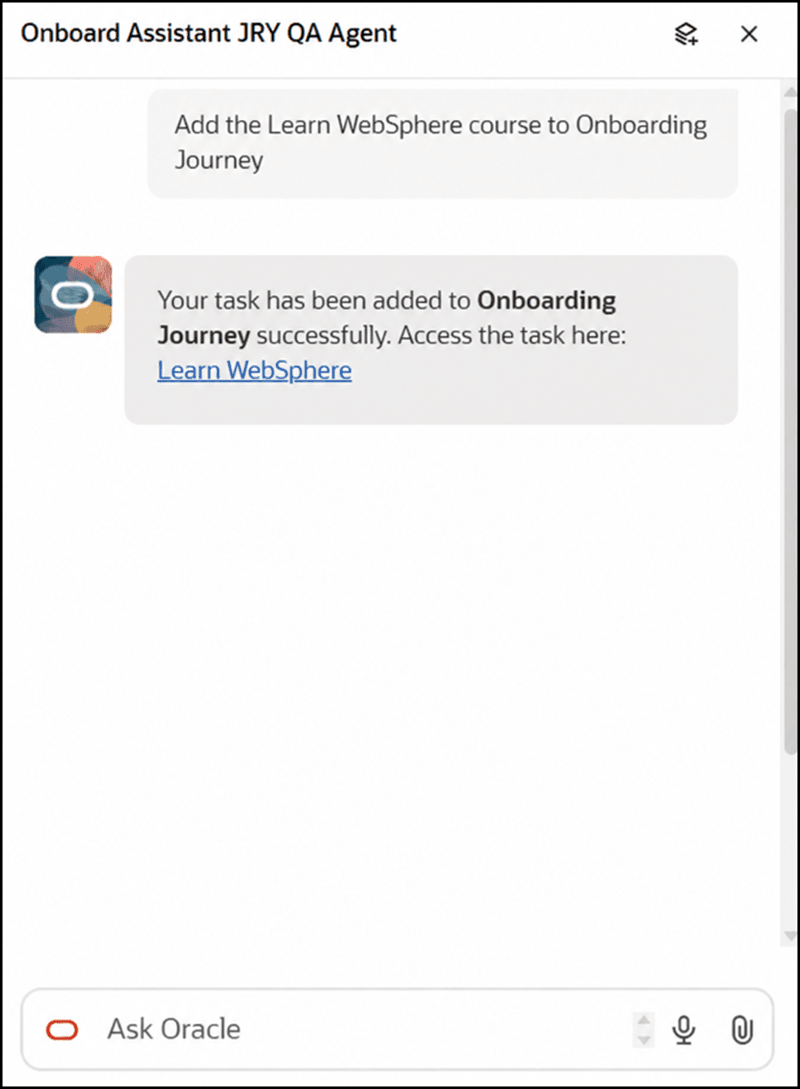
Answer Displayed Based on Prompt to Add Course to Onboarding Journey
The selected course is added as a task to the onboarding journey.
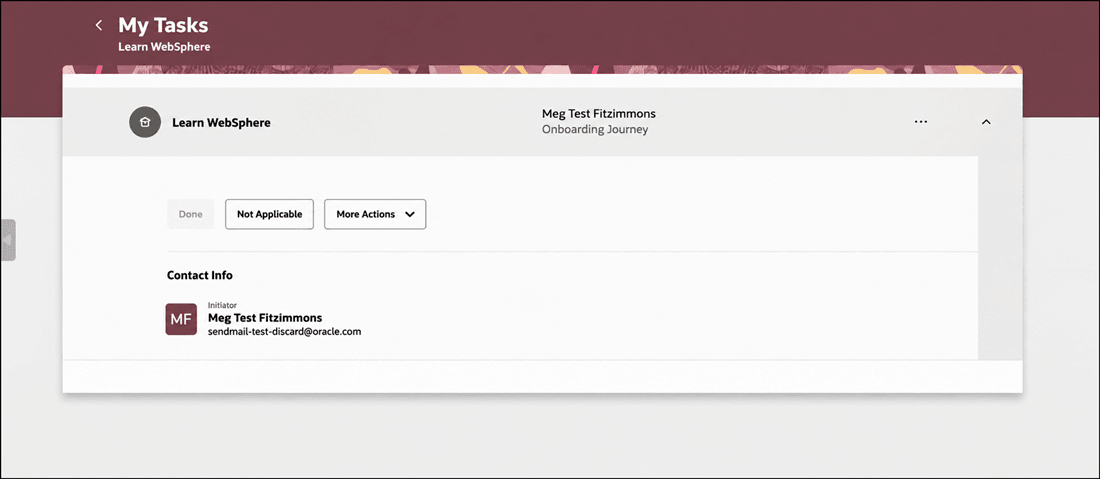
Course Added as Task to Onboarding Journey
Here’s another example where the user prompts the Assistant to recommend a task for requesting a laptop.
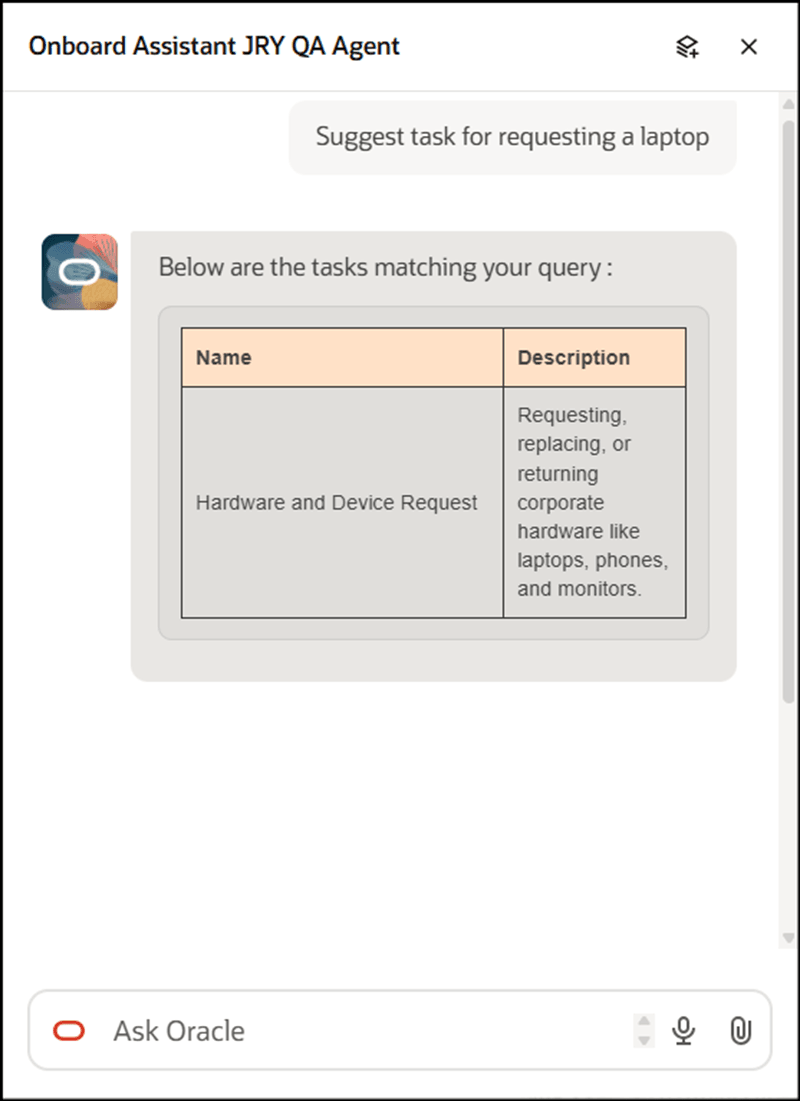
Answer Displayed Based on Prompt to Recommend Specific Task
The Assistant selects and displays the task from the task library based on the task category that closely matches the query.
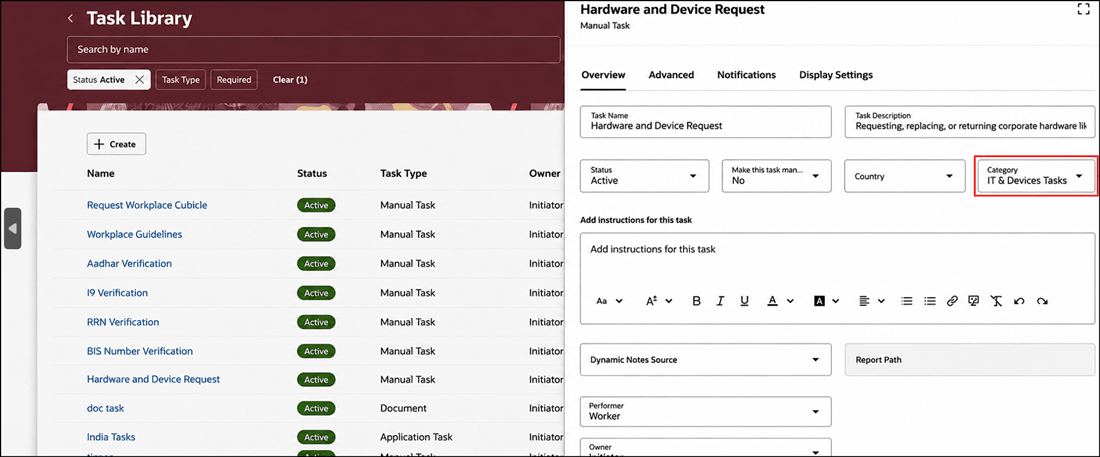
Task is Recommended by Agent Based on Matching Task Category
The task is added to the onboarding journey that the user prompts it to.
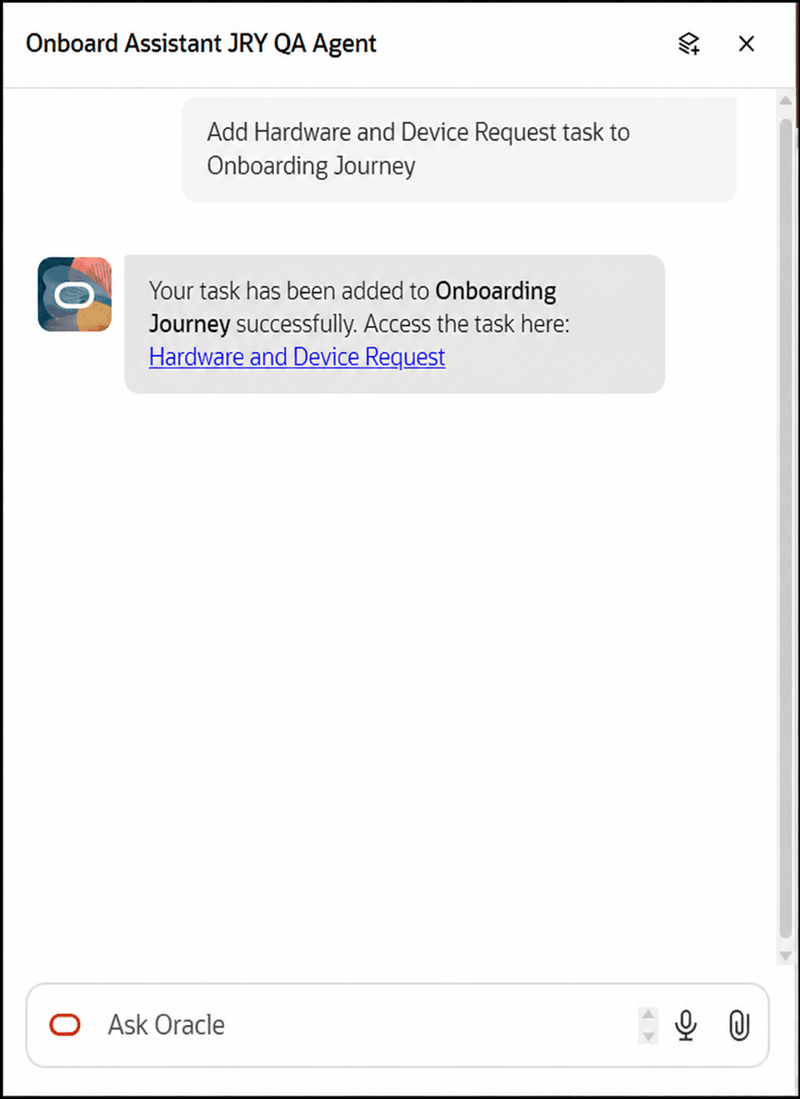
Answer Displayed Based on Prompt to Add Recommended Task to Onboarding Journey
These enhancements improve onboarding consistency by making relevant learning and task content easier to discover and apply across different new-hire scenarios.
Steps to enable and configure
- Your environment must have certain necessary configurations. Ask your help desk to contact Oracle Support, who can verify what your environment has and address any gaps. For more information, see FAQ2521 on My Oracle Cloud Support.
-
Set the Enable Security Console External Application Integration (ORA_ASE_SAS_INTEGRATION_ENABLED) profile option to Yes and enable permission groups for the appropriate roles. See Access Requirements for AI Agent Studio.
-
The Onboard Assistant is a preconfigured template. You need to create your own agent using the preconfigured template.
-
To learn how to set up AI agents, see Create AI Agents Using Preconfigured Agent Team Templates.
-
Tips and considerations
- You need to enable Oracle Search for Journeys to use this feature.
- Use natural-language questions that describe the onboarding need. For example, describe the new hire's role, situation, or learning objective rather than relying only on a single keyword.
- Keep the security current for journey task library. Task recommendations depend on the underlying security configuration for task library data.
- Expect the AI Agent recommendations to depend on available data. Because task suggestions can be based on assignment information and other criteria, the quality and relevance of recommendations can depend on the completeness and accuracy of the underlying worker and task data.
- Users can’t add tasks if they don’t have the privilege to add a new task or task from the task library. They will receive an error message in the Onboard Assistant when they try to add tasks to an onboarding journey.
- You can add only one task at a time to the onboarding journey using the Onboard Assistant. For example, if 3 tasks are fetched for your prompt query, you can’t add them at once to the onboarding journey. You need to add them separately.
Key resources
For more information, refer to these resources:
-
Onboard New Hires with AI Assistance, What's New 26C
Access requirements
- You must be granted the Manage Journey (ORA_PER_MANAGE_JOURNEY_TEMPLATE) aggregate privilege to work on journey templates.
- The agents you can view depend on the roles and privileges assigned to you. To access this agent, your role must be explicitly granted access to it by an AI Studio Administrator. See How can I give users access to AI agents, and Access Requirements for AI Agent Studio.