Create Interview Loops
Recruiters can create and manage interview loops for hiring processes that require several related interviews. The Interview Loop Scheduling Agent coordinates the candidate scheduling experience for the overall loop, helping reduce manual coordination across interviewers.
Recruiters can use this feature to:
- Add up to five child interviews, defining the title, format, meeting details, interviewers, and interview guidelines for each one.
- Configure feedback requests for each child interview, including the feedback type, questionnaire, and respondents.
- Use loop-specific candidate notifications for invitation, scheduling, updates, cancellation, reminders, and rescheduling.
- View and manage the parent loop and its child interviews from the job application, interview details, and coordinator or interviewer work areas.
- Allow candidates to schedule or reschedule the overall loop through Career Coach as one coordinated interview experience.
Try it out
- When you create an interview schedule for a job requisition, select the Interview Loop structure.
- Enter the loop title and select whether the interviews must occur in a specific order.
- Add up to five child interviews, and define the format, meeting details, interviewers, and interview guidelines for each interview.
- Schedule an interview by inviting the candidate to select a time for the interview.
- In the Request feedback step, configure feedback for each interview in the loop, as needed.
- Submit the interview. Candidates receive one invitation and schedule or reschedule the overall loop through Career Coach.
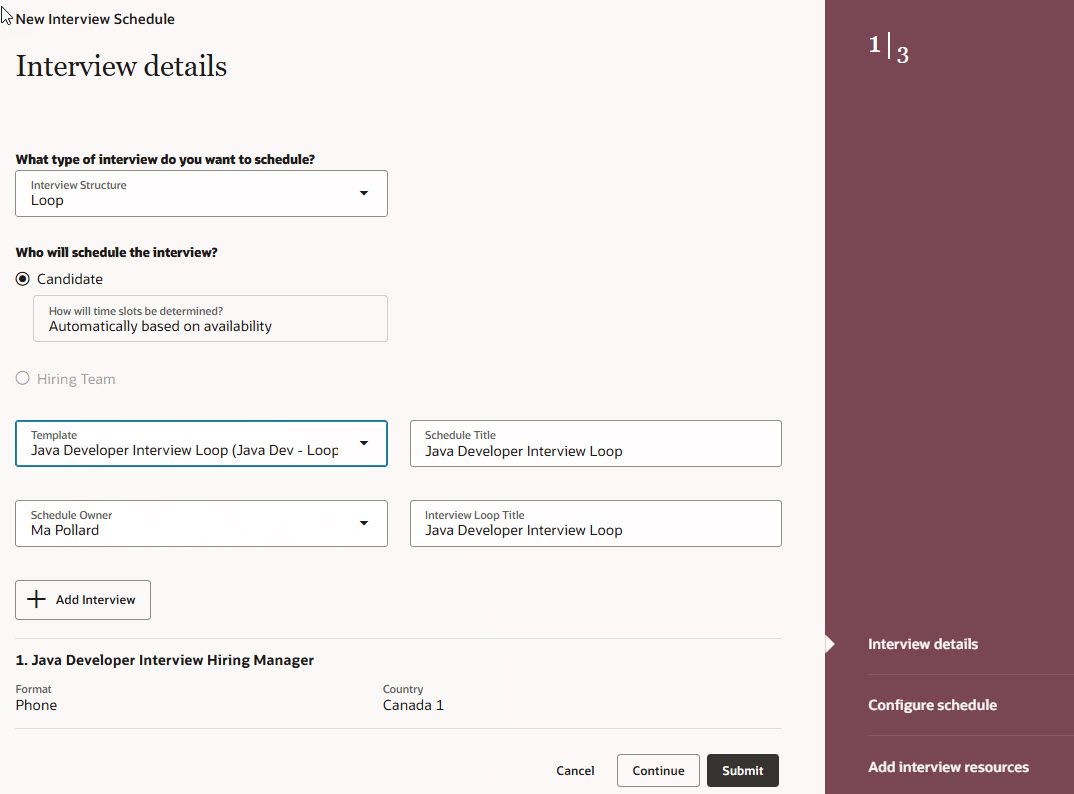
Creating an interview schedule for an interview loop
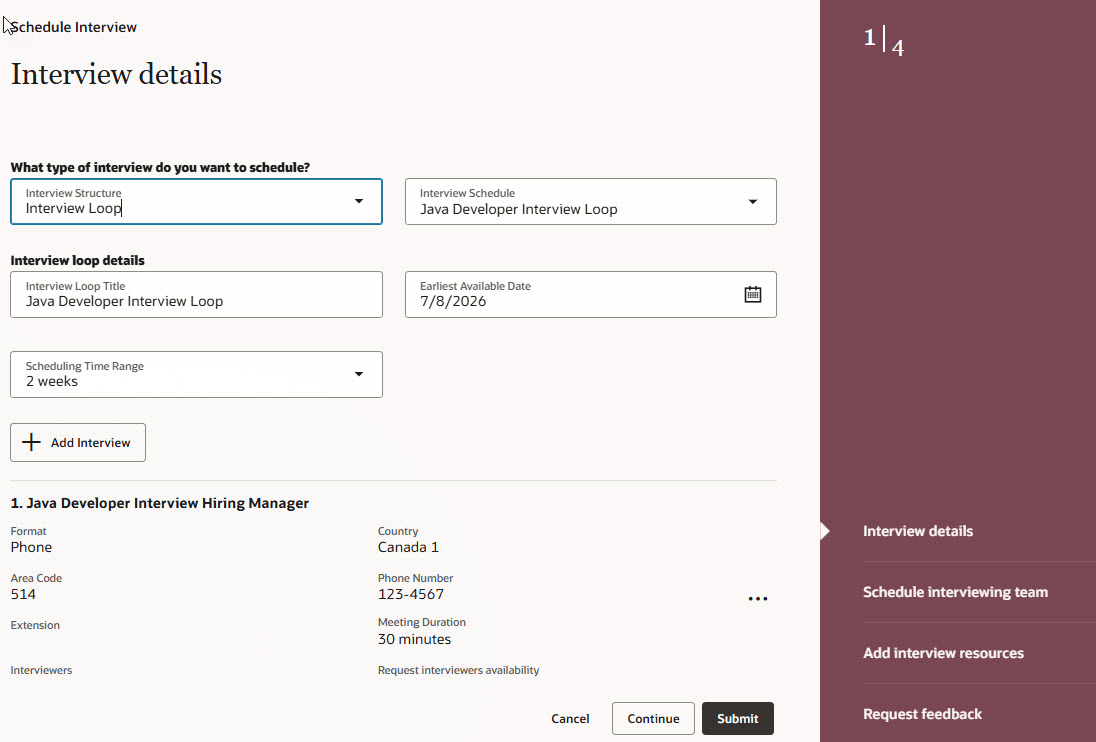
Scheduling a loop interview using a schedule template
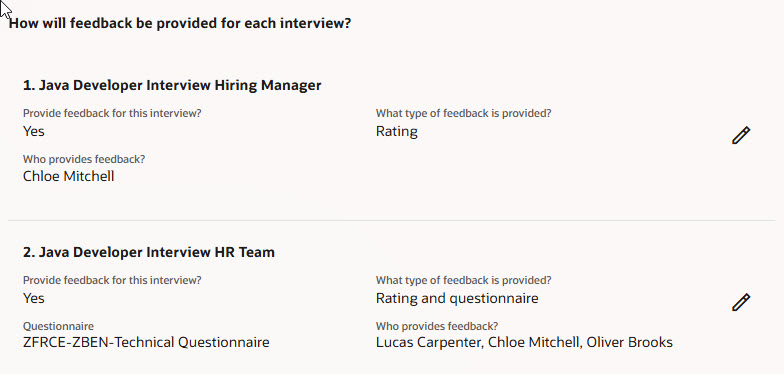
Requesting feedback for each interview in a loop
Business benefit: Reduce the effort required to coordinate multi-interviewer hiring processes by managing related interviews as a single interview loop. Automated scheduling helps reduce manual coordination while providing candidates with a more streamlined scheduling experience.
Steps to enable and configure
To use this feature, complete these prerequisites:
- Opt in to Recruiting Booster.
- Complete Google Workspace or Microsoft Graph integration and enable calendar integration.
To enable the feature:
- Enable the interview loop scheduling feature.
a. Go to My Client Groups > Quick Actions > Show More > Interview Schedule Templates > Create.
- (Optional) Configure an interview schedule template of type Loop.
- Go to My Client Groups > Quick Actions > Show More > Interview Schedule Templates > Create.
- On the Interview details step, select the Loop interview structure. Interview loops are always candidate-managed with time slots determined automatically based on availability.
- Enter details about the interview schedule template such as the schedule title, code, owner. You can set the template as the default if desired.
- Add interviews. You can add a maximum of 5 interviews in a loop.
- In the Configure schedule step, new candidate notifications were created for the loop interview.
- Interview Loop Invite (ORA_IS_LOOP_INV_NOTIFY)
- Interview Loop Scheduled (ORA_IS_LOOP_SCHED_NOTIFY)
- Interview Loop Updated (ORA_IS_LOOP_UPDATE_NOTIFY)
- Interview Loop Canceled (ORA_IS_LOOP_CANC_NOTIFY)
- Interview Loop Reminder (ORA_IS_LOOP_REMIND_NOTIFY)
- Interview Loop Rescheduled (ORA_IS_LOOP_RESCHED_NOTIFY)
- Complete the other sections of the template.
- Enable Career Coach to allow candidates to schedule and reschedule loop interviews.
- For details, see Enable and Configure AI Agent for Career Sites on My Oracle Support. (KB873870)
Key resources
Redwood Experience: Create Interview Schedule Template
Redwood Experience: Create Interview Schedule
Career Coach Enhancements: Interview Management Agents