Redwood: Review the Changes to Contract Terms in Purchase Orders
As a buyer, you can review changes made to contract terms on a purchase order by using the Contract Terms tab on the View Change Details page, which is accessible from either the Edit Change Order page or the Order history drawer.
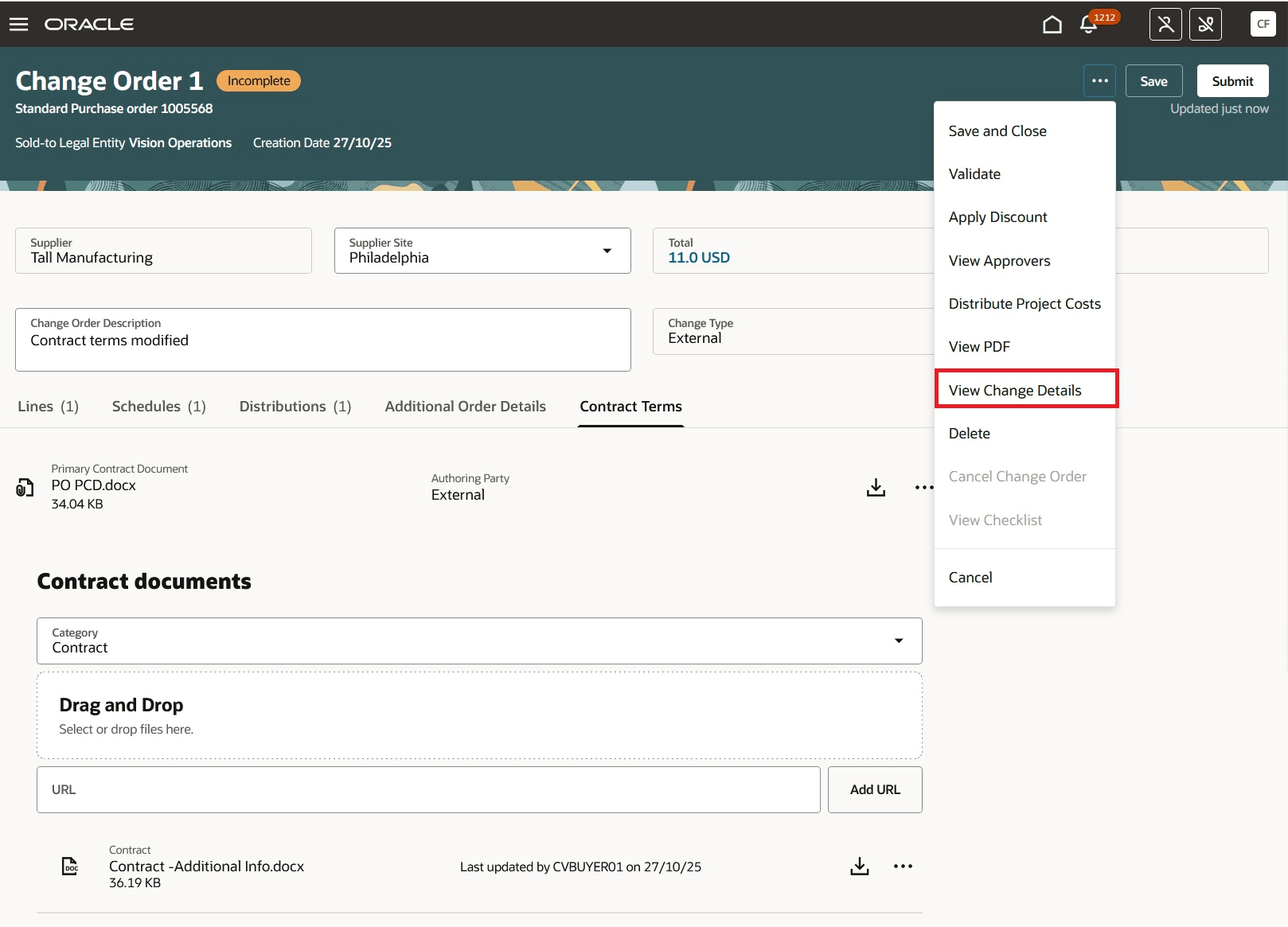
View Change Details on a Change Order
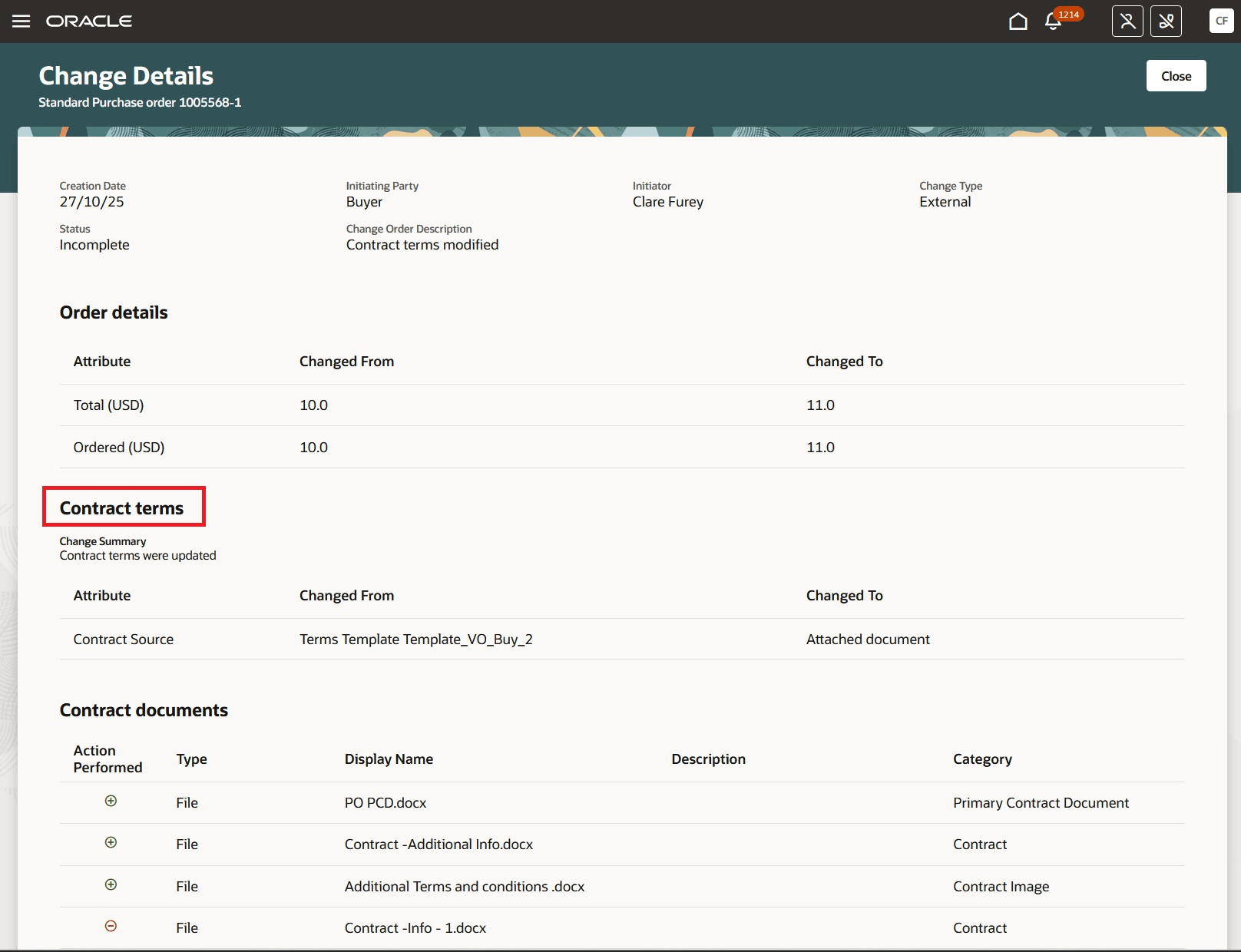
Contract Terms Section on View Change Details Page - Buyer View
The change summary offers a brief overview of the changes made to the contract terms, including contract and supporting documents that have been added or removed.
As a supplier, you can view contract term changes on the View Change Details page, accessible from the Order history drawer under the Change History tab. You will have access to the change summary and any updates made to contract documents.
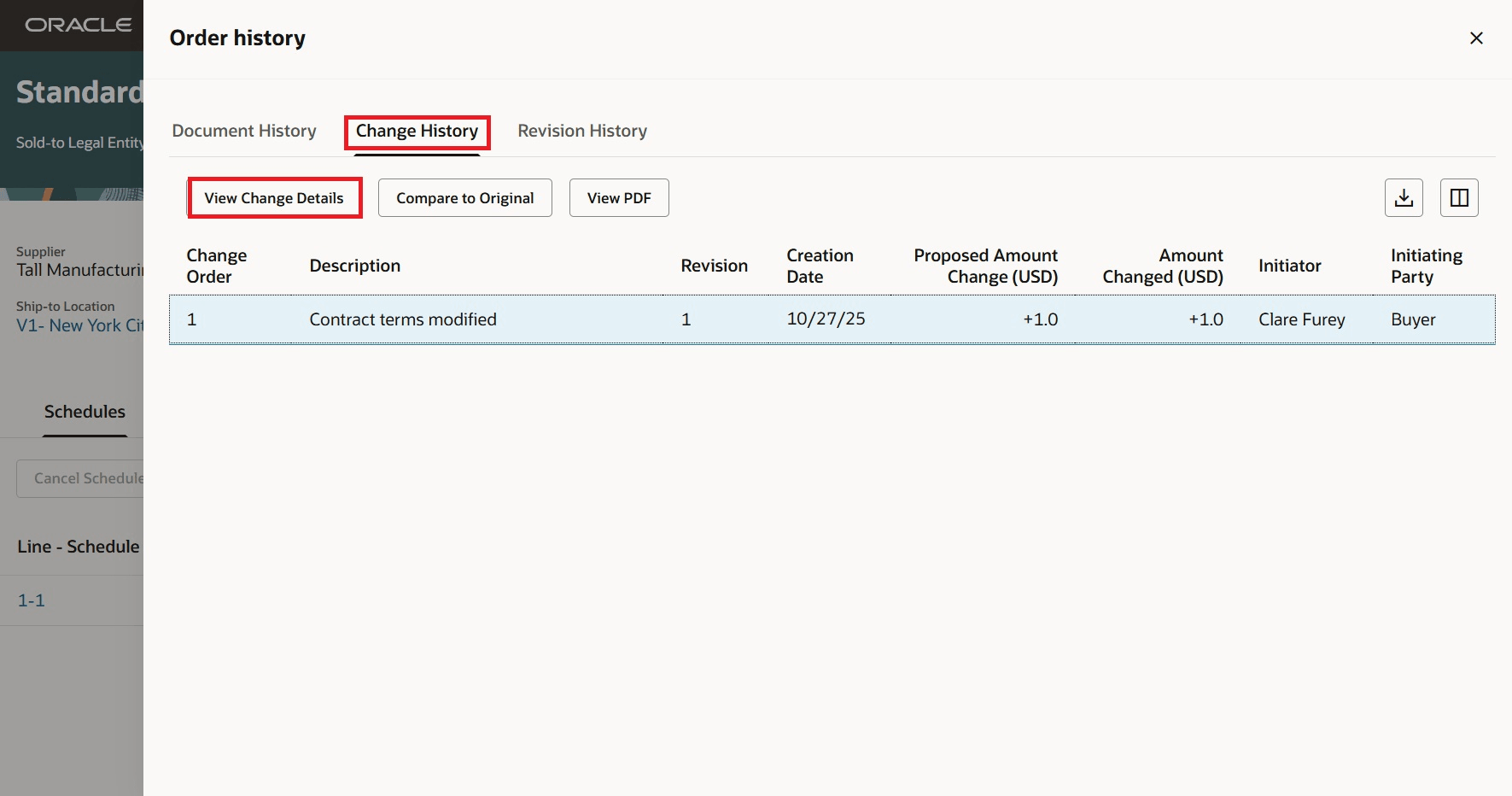
Contract Terms Section on View Change Details Page - Supplier View
Steps to enable and configure
You don't need to do anything to enable this feature.
Tips and considerations
To access contract terms on purchase orders, you must enable the Enable Contract Terms in Oracle Fusion Procurement opt in available under the Procurement Contracts functional area within the Procurement offering if it's not already enabled.
Key resources
- For details on reviewing purchase order changes as a buyer refer to the Redwood: Review Purchase Order Changes as a Buyer feature, available in Oracle Fusion Cloud Procurement What's New, update 25C.
- For details on reviewing purchase order document history, change history, and revision history refer to the Redwood: Review Purchase Order Change and Revision Histories feature, available in Oracle Fusion Cloud Procurement What's New, update 25D.
Access requirements
Users who are assigned a configured job role that contains this privilege will see the Contract Terms tab on the purchase order, as well as the Contract Terms tab on the View Change Details page:
- View Contract Terms (OKC_VIEW_CONTRACT_TERMS_AND_CONDITIONS_PRIV)
This privilege was available prior to this update.