Research and invite additional suppliers
Research and add suppliers from the Manage Suppliers page using AI-powered natural language search. This lets you add suppliers even after a negotiation is published, helping you broaden participation when new supplier options are identified. For additional control, you can restrict which negotiation lines the additional suppliers can view and respond to before sending their invitations.
This integrated experience helps you expand supplier participation while protecting sensitive line-level information and ensuring that suppliers focus on the lines relevant to them.
From the Manage Suppliers page, select Research and Add.
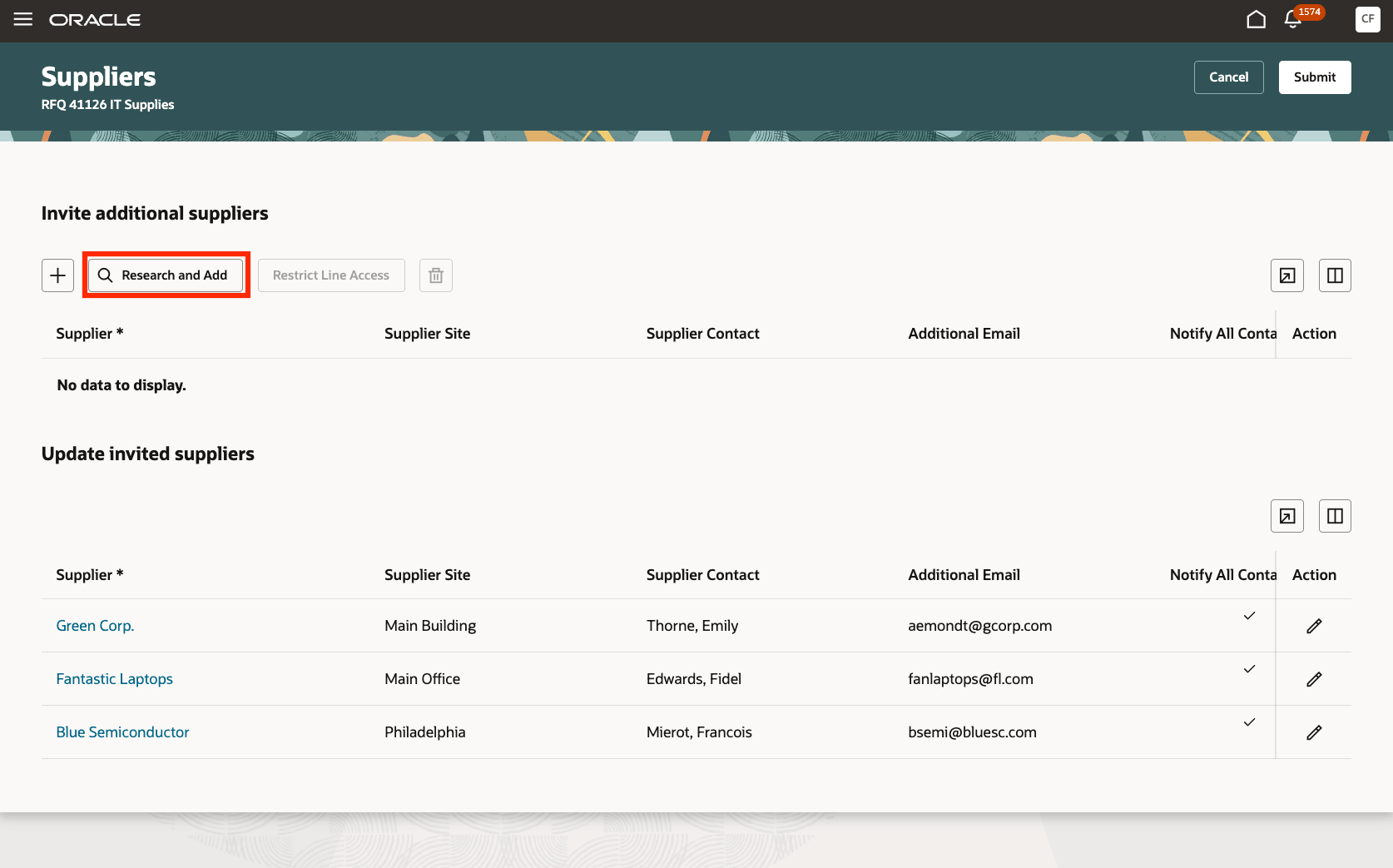
Manage suppliers - research and add suppliers
Use natural language to search for suppliers, review the matching results, and select the suppliers you want to invite to the negotiation. Suppliers who are already invited cannot be added again. You can update supplier details such as site, contact, and additional email before submitting your changes.
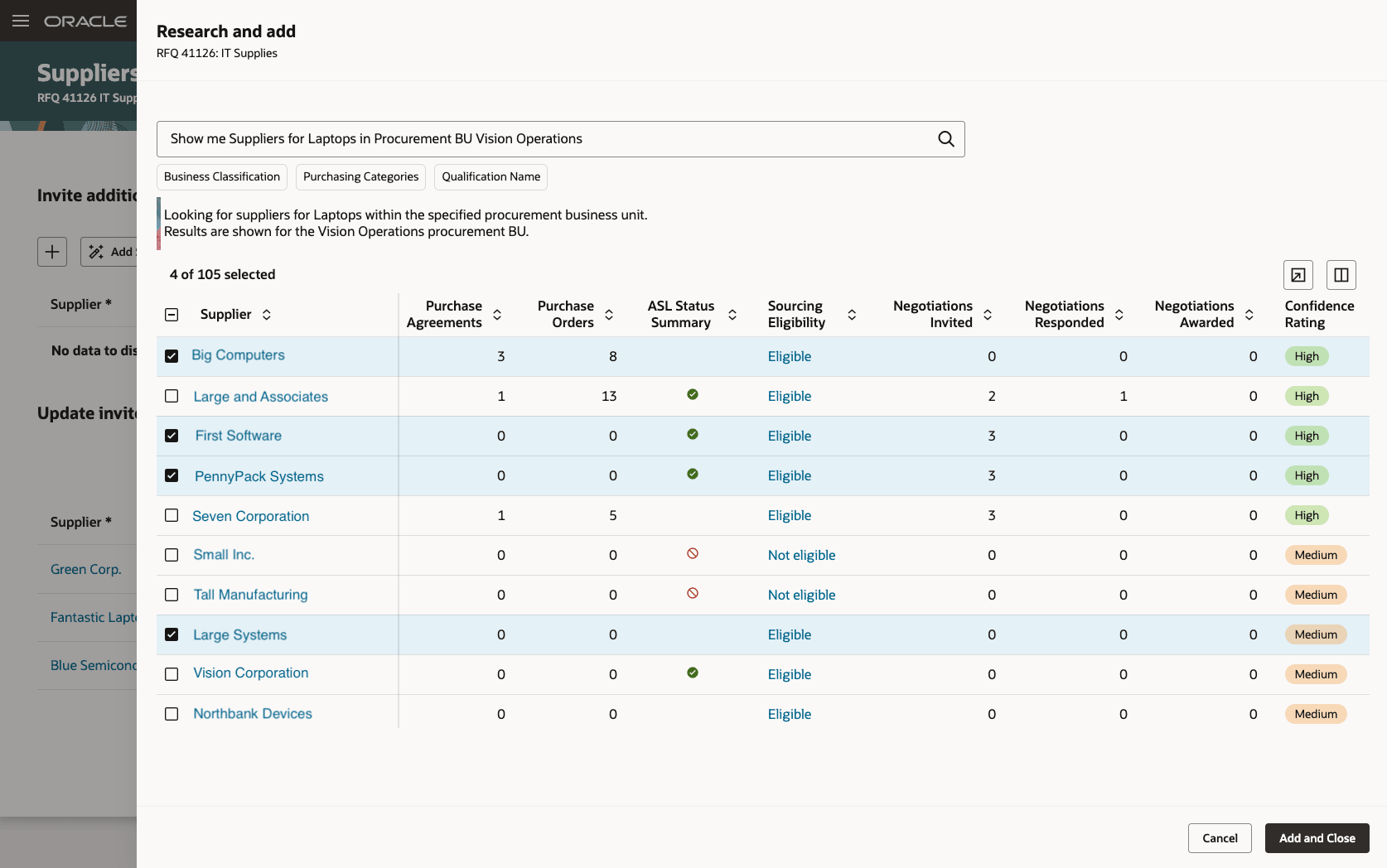
Research and add suppliers
After adding suppliers, select Restrict Line Access to control which negotiation lines they can view and respond to.
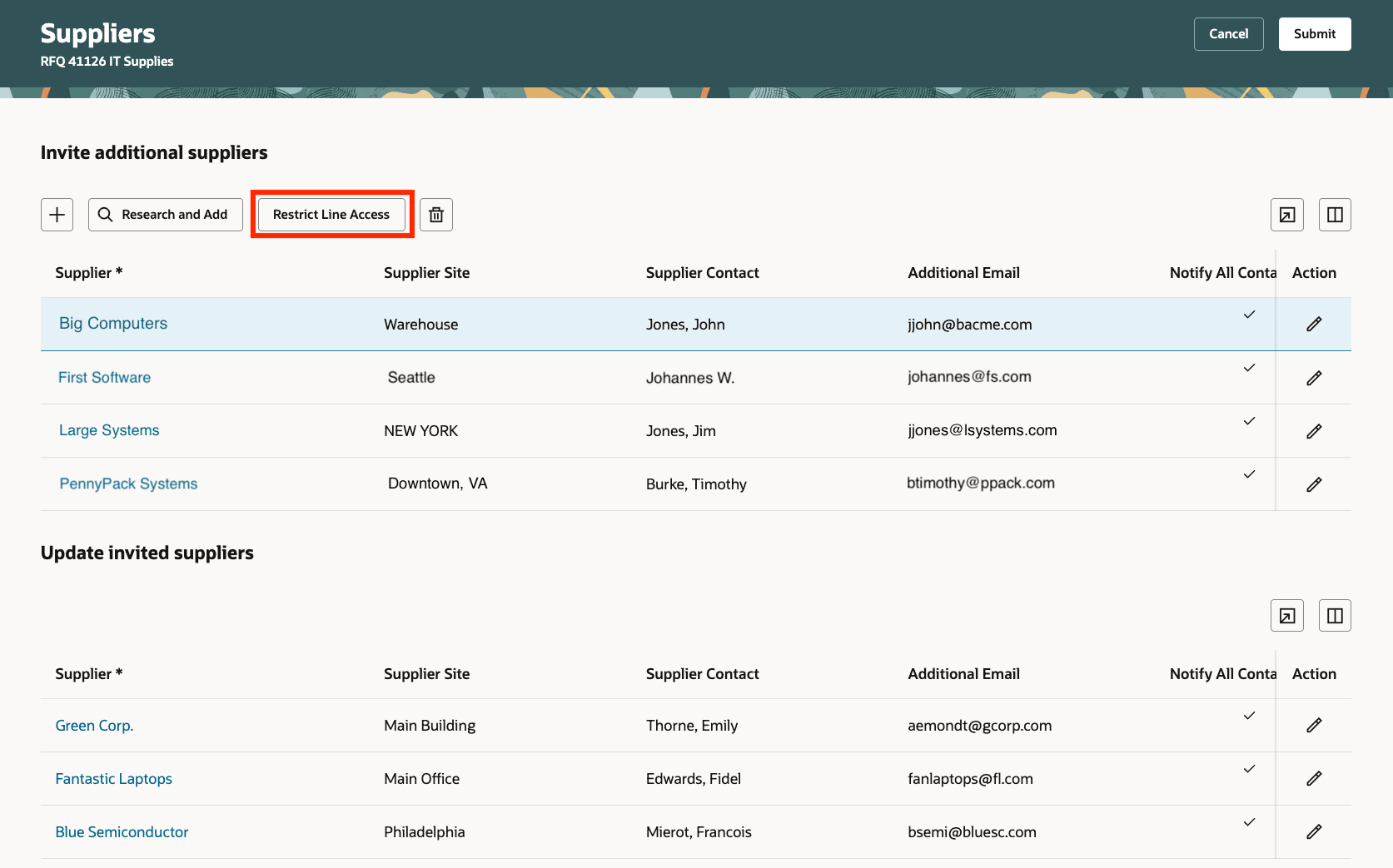
Manage suppliers - restrict line access
Search and filter negotiation lines to find the lines that need attention, configure the suppliers displayed, and grant or revoke access for one or more suppliers and lines. Suppliers can view and respond only to the negotiation lines you make available to them, and each supplier must have access to at least one negotiation line.
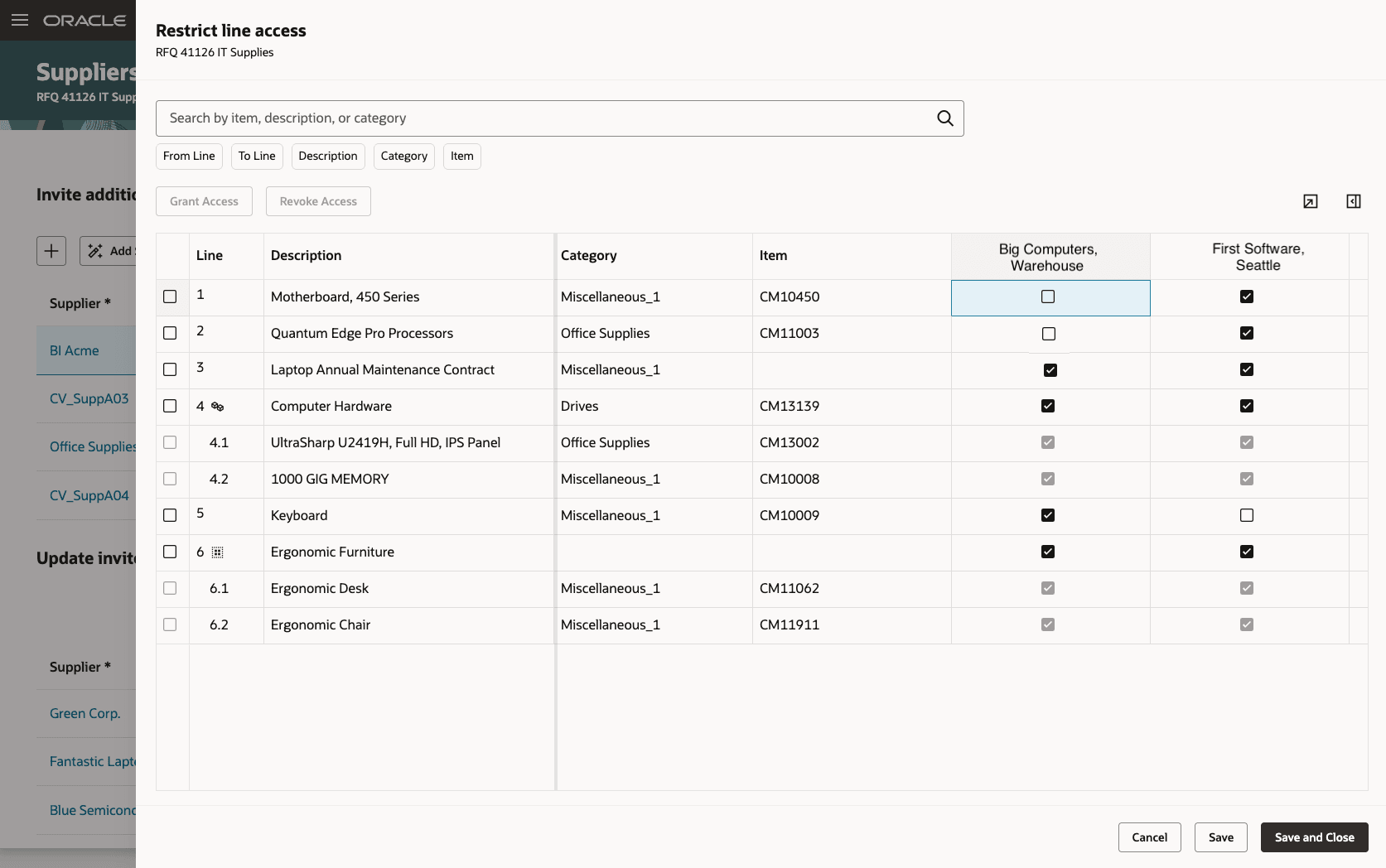
Restrict line access
Submit to add the suppliers and send negotiation invitations, including any line restrictions.
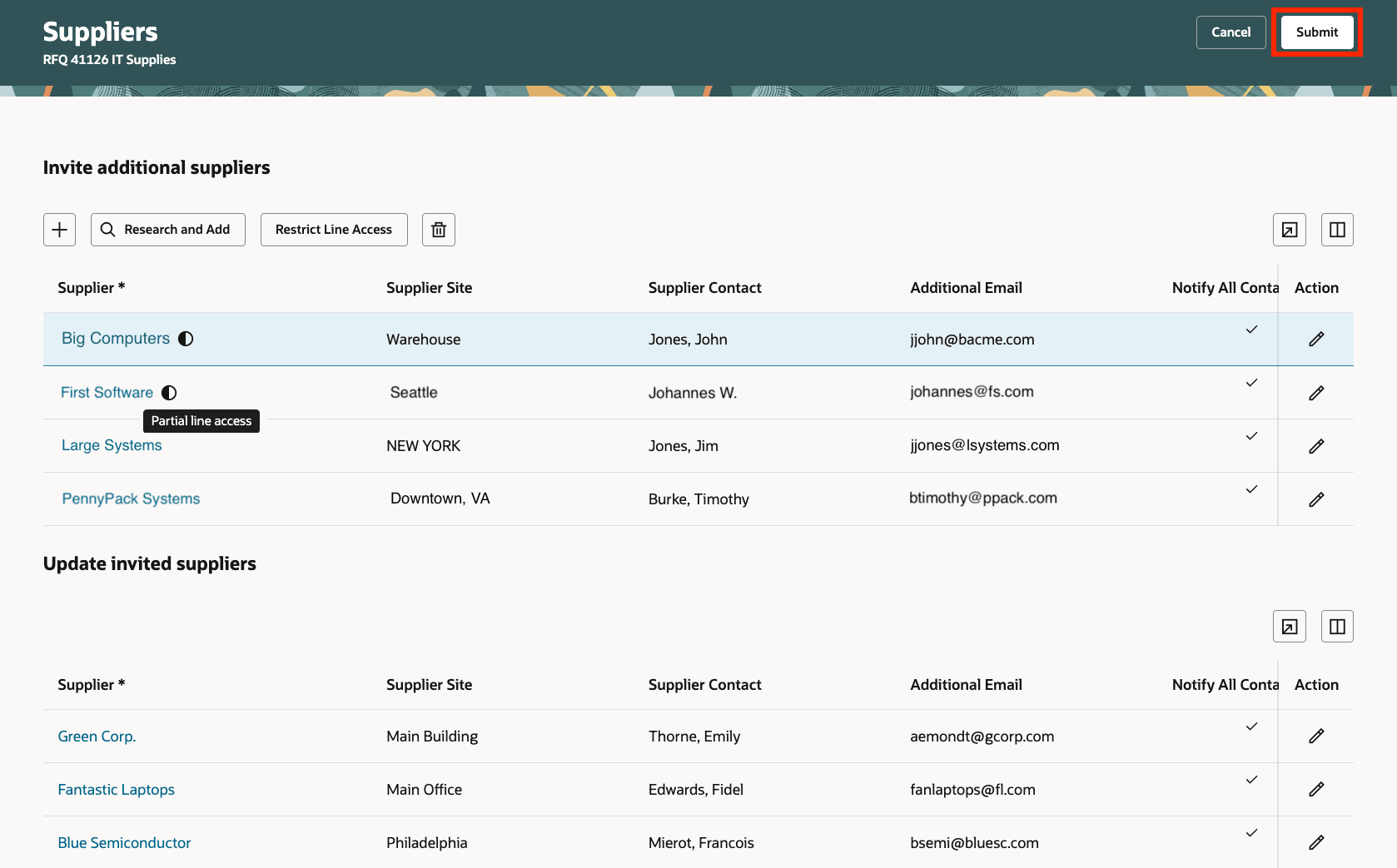
Submit to invite additional suppliers
Add suppliers to active negotiations and control their access to negotiation lines from the same Manage Suppliers workflow. This helps you expand supplier participation, protect sensitive information, and ensure suppliers focus on the negotiation lines relevant to them.
Steps to enable and configure
To use this feature, you must enable and configure the update 26B feature, AI Agent: Research Suppliers with AI, if you haven't already. For detailed instructions, refer to the Steps to Enable section in the What's New for this feature.
To let users run AI agents, there are additional setups and access requirements. You must enable permission groups for roles by taking these steps:
- In the Setup and Maintenance work area, search for the Manage Administrator Profile Values task using the search link in the Tasks panel tab.
- Search for the Enable Security Console External Application Integration (ORA_ASE_SAS_INTEGRATION_ENABLED) profile option and set the Site profile level to Yes.
Additionally, you must enable this profile option if you haven't already.
- Redwood Pages for Sourcing Enabled (ORA_PON_SOURCING_REDWOOD_ENABLED)
For instructions on enabling a profile option, refer to the Set Profile Option Values topic.
Tips and considerations
For negotiations with more than 20 suppliers, you can use the Configure Suppliers drawer to choose which suppliers are displayed on the Restrict Line Access page. To open the drawer, click the Configure Suppliers icon above the table.
Key resources
-
For information about the related Research Suppliers capability, refer to the update 26B What’s New for the AI Agent: Research Suppliers with AI and update 26C What's New for the Redwood: Research and Add Suppliers in Draft Negotiations feature.
-
For information about restricting supplier line access, refer to the update 26C What’s New for the Redwood: Restrict Supplier Line Access feature.
Access requirements
Users who are assigned a configured job role that contains these existing privileges and who meet any of the following data security conditions can access this feature.
Data security conditions (any)
- You are the negotiation owner or buyer.
- You are a collaboration team member with full access to the negotiation.
- You are an active procurement agent for the procurement business unit of the negotiation and are permitted to have full access to other agents' documents.
| Privilege Status | Privilege name and code |
|---|---|
| Previously delivered | Research Suppliers Workflow Duty (ORA_PON_RESEARCH_SUPPLIERS_WORKFLOW_DUTY) |
| Previously delivered | Manage Negotiation Supplier Invitation (PON_MANAGE_NEGOTIATION_SUPPLIER_INVITATION) |