Oracle Machine Learning User Interface Home Page
The Oracle Machine Learning User Interface home page provides you quick links to important interfaces, help links, and the log of your high-level recent activities.
Figure 2-3 Oracle Machine Learning UI Home Page
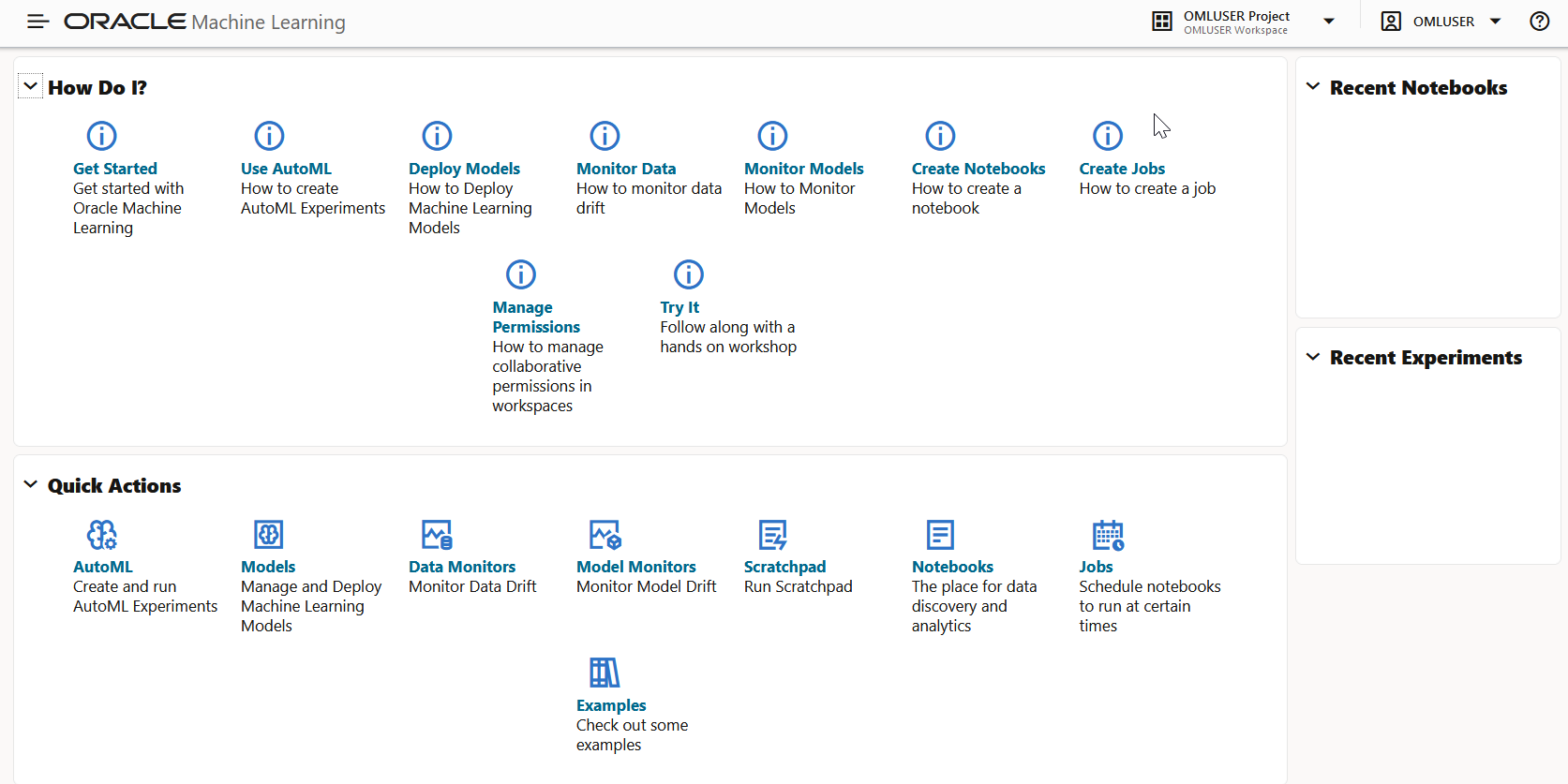
On the home page, you can access:
-
The How Do I help links to:
- Get Started
- Use AutoML
- Deploy Models
- Monitor Data
- Create Notebooks
- Create Jobs
- Manage Permissions
- Try It
-
The Quick Actions links to:
- AutoML
- Workflows
- Data Science Agent
- Models
- Notebooks
- Data Monitors
- Model Monitors
- Scratchpad
- Jobs
- GitHub Credentials
- GitHub Notebooks
- Examples
-
The log of your Recent Activities.
-
The application navigation by clicking
 on the top left corner of the home page.
-
The options to select and create new projects, access recent projects, manage workspace, and set workspace permissions by clicking
 on the top right corner of the home page.
-
The Recent Notebooks on the right pane of the home page.
- Preferences
You have the option to change your user preferences such as timezone settings in Oracle Machine Learning User Interface. - GitHub Notebooks
Oracle Machine Learning UI supports direct interaction of Oracle Machine Learning Notebooks with your external GitHub repositories. You can now directly import notebooks from your GitHub repositories. - Change Password
You have the option to change the password from Oracle Machine Learning User Interface.
Parent topic: Get Started
Preferences
You have the option to change your user preferences such as timezone settings in Oracle Machine Learning User Interface.
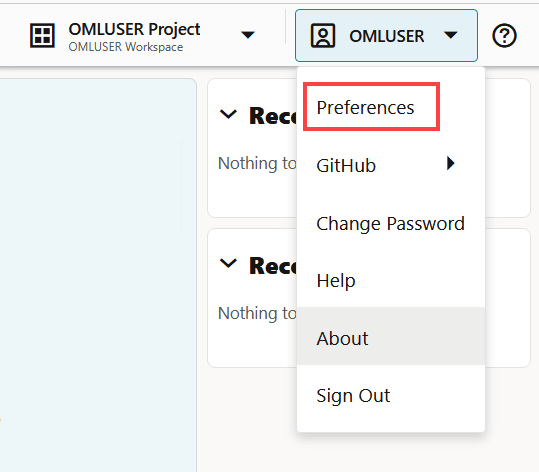
- Click on the user profile menu at the top right corner of the page and click
Preferences.
Parent topic: Oracle Machine Learning User Interface Home Page
GitHub Notebooks
Oracle Machine Learning UI supports direct interaction of Oracle Machine Learning Notebooks with your external GitHub repositories. You can now directly import notebooks from your GitHub repositories.
- Notebook clone and import—You can import notebooks directly from your GitHub repository. When you import notebooks from your GitHub repository, it clones the notebooks and creates a local copy in OML UI by using the branching mechanism in GitHub. See Clone and Access your GitHub Notebooks and Import a Notebook.
- Notebook updates and sync—You can update remote changes in your notebooks and also upload local changes in the notebooks back to your GitHub repository using the version control options Pull changes and Push & commit in OML notebook editor. See Edit and Sync your GitHub Notebook.
- Credential management—You must have separate credentials to connect to your GitHub repositories. The credentials are created and securely stored in the Autonomous AI Database. See Create GitHub Credentials.
Parent topic: Oracle Machine Learning User Interface Home Page
Change Password
You have the option to change the password from Oracle Machine Learning User Interface.
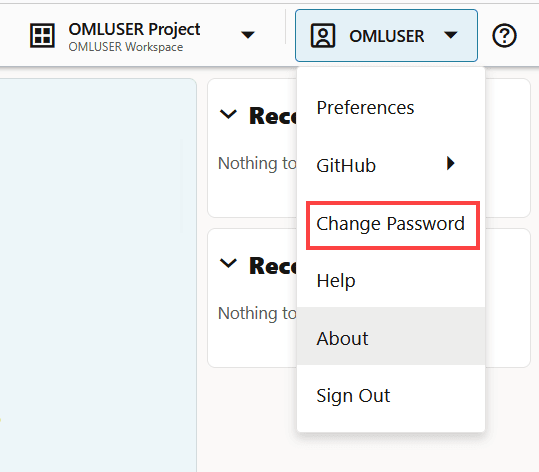
- Click on the user profile menu at the top right corner of the page and click
Change Password.
- About Oracle Machine Learning Password Policy
All Oracle Machine Learning users must follow the password policy to create a strong and secure password.
Parent topic: Oracle Machine Learning User Interface Home Page
About Oracle Machine Learning Password Policy
All Oracle Machine Learning users must follow the password policy to create a strong and secure password.
-
The password must be between 12 and 30 characters long. It must include at least one uppercase letter, one lowercase letter, and one numeric character.
-
The password cannot contain the username.
-
The password cannot be one of the last 4 passwords used for the same username.
-
The password cannot contain the double quote (") character.
-
The password must not be the same password that is set less than 24 hours ago.
Parent topic: Change Password