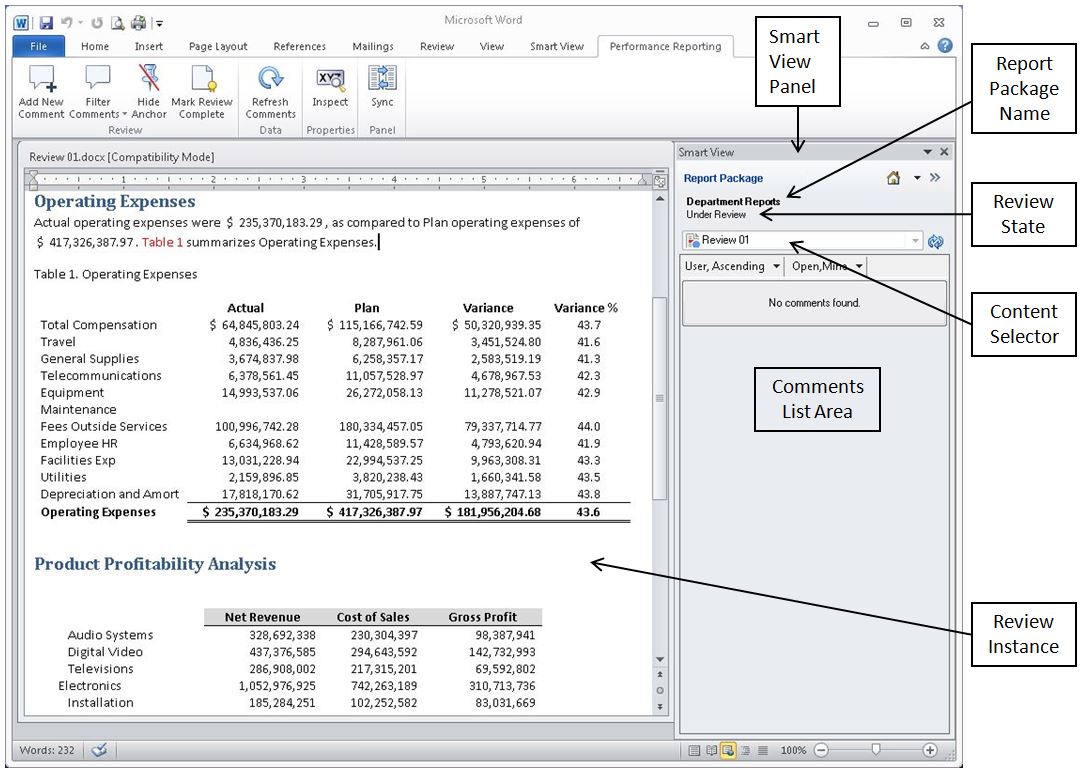
You perform reviews by entering comments and providing your feedback in a review instance in Smart View. The review instance shows you a draft version of the areas of the report package that you have been assigned to review (see Figure 101, A Portion of an Example Review Instance in Smart View with Word). The review instance may consist of the entire report or a subset of the report content. Review instances do not include supplemental doclets of any file type.
Before you begin the review procedures, you should have launched Microsoft Word or PowerPoint, connected to Oracle Enterprise Performance Reporting Cloud Service, and opened a report package, as described in Connecting to Enterprise Performance Reporting in Smart View.