Understanding the Transaction Area of the Time and Labor WorkCenter
The right side of the page in the default configuration of the Time and Labor WorkCenter provides you with an interface that consists of the following tabs:
-
Welcome
-
Manage Report Time
-
Manage Payable Time
-
Manage Schedules
This section describes each of the tabs and their contents.
Understanding the Welcome Tab
This portion of the Time and Labor WorkCenter page shows the default configuration of the Welcome tab in the WorkCenter.
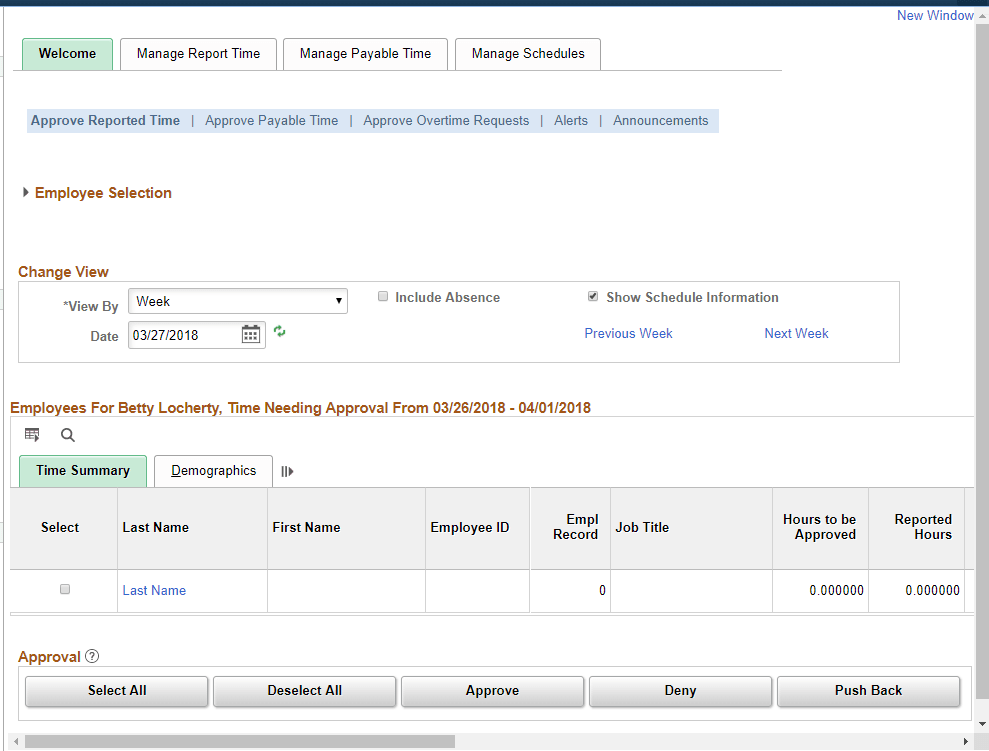
Within the default configuration of the Time and Labor WorkCenter, the Welcome tab includes the following pagelets:
-
Approve Reported Time (TL_MSS_TIMESHEET)
Note:
Note: When the approval framework is not implemented this page is not displayed and you cannot set up this page as part of the Tab application Setup. The system displays the Announcements page instead.
For more information, see: Approving Reported Time
-
Approve Payable Time (TL_MNG_APRV_SRCH)
For more information, see: Approving Payable Time
-
Approve Overtime Requests (TL_OT_MNGR_LIST)
For more information, see: Managing Overtime Requests
-
Announcements (TL_MNG_ANNOUNCE)
This page displays any announcements or email notifications to targeted system users. The pagelet displays a summary of all of the announcements for the user. The system determines which announcements are available to view based on the login user profile and the announcement “To” list and where the current date is not greater than the announcement expiration date. The announcements are displayed in ascending order by announcement expiration date. This pagelet is only available through the Time and Labor WorkCenter.
You can create announcements using the notifications page (HCSC_NOTIF_ADHOC).
Understanding the Manage Report Time Tab
This portion of the Time and Labor WorkCenter page shows the default configuration of the Manage Report Time tab in the WorkCenter.
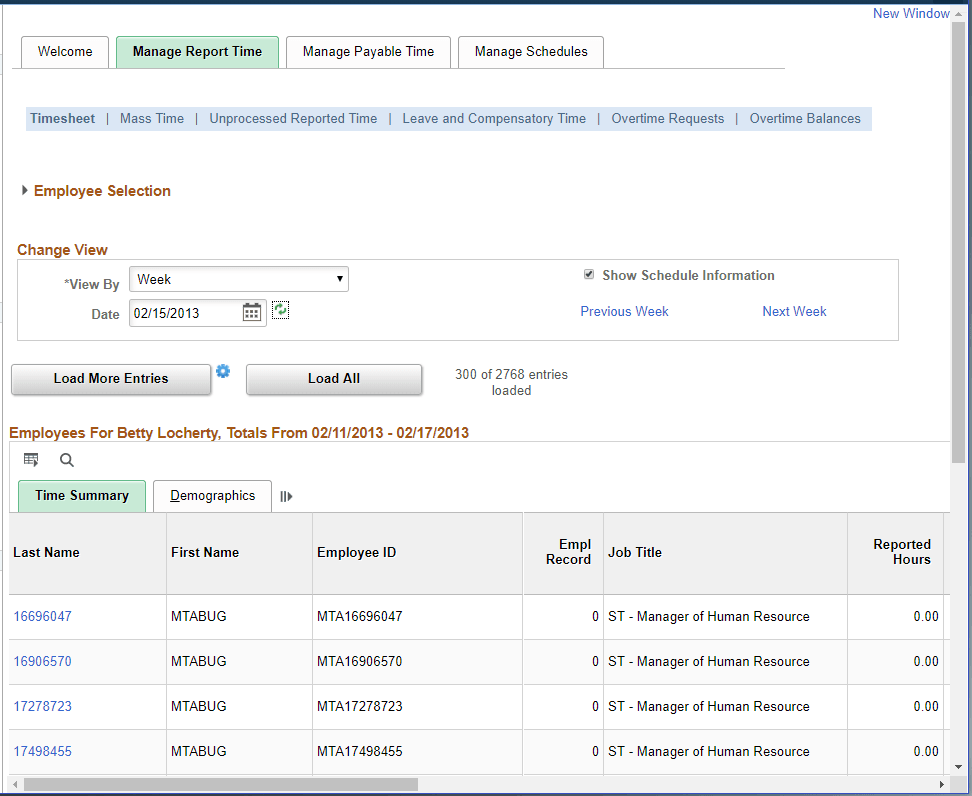
Within the default configuration of the Time and Labor WorkCenter, the Manage Report tab includes the following pagelets:
-
Timesheet (TL_MSS_TIMESHEET)
For more information, see: Reporting Time
-
Mass Time (TL_MASS_WHO)
For more information, see:Mass Time - Select Time Reporters Page
-
Unprocessed Reported Time (TL_UNPROCESS_SUMM)
For more information, see: Auditing Time
-
Leave and Compensatory Time (TL_LEAV_COMP and TL_LEAV_DET)
For more information, see: Leave and Compensatory Time Page
-
Overtime Requests (TL_OT_EVENTS)
For more information, see: Managing Overtime Requests
-
Overtime Balances (TL_OT_BALANCES)
For more information, see: Overtime Balances Page
Understanding the Manage Payable Time Tab
This portion of the Time and Labor WorkCenter page shows the default configuration of the Manage Payable Time tab in the WorkCenter.
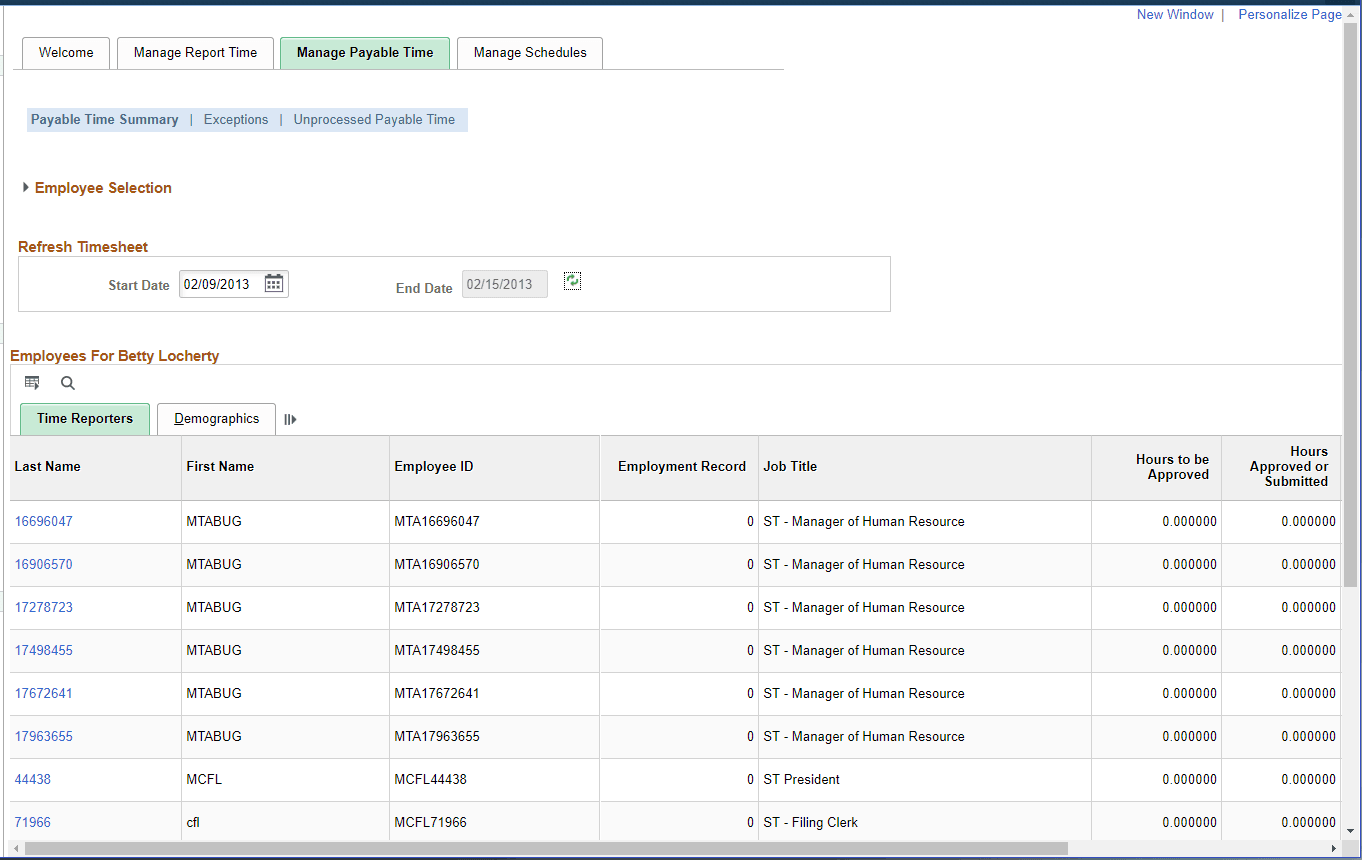
Within the default configuration of the Time and Labor WorkCenter, the Manage Payable Time tab includes the following pagelets:
-
Payable Time Summary (TL_TM_MPAY_SUMM)
For more information, see: Payable Time Summary Page
-
Exceptions (TL_MNG_EXCEPT_PNL1)
For more information, see: Managing Exceptions
-
Unprocessed Payable Time (TL_UNPROCESS_SUMM)
For more information, see: Unprocessed Payable Time Page
Understanding the Manage Schedules Tab
This portion of the Time and Labor WorkCenter page shows the default configuration of the Manage Schedules tab in the WorkCenter.
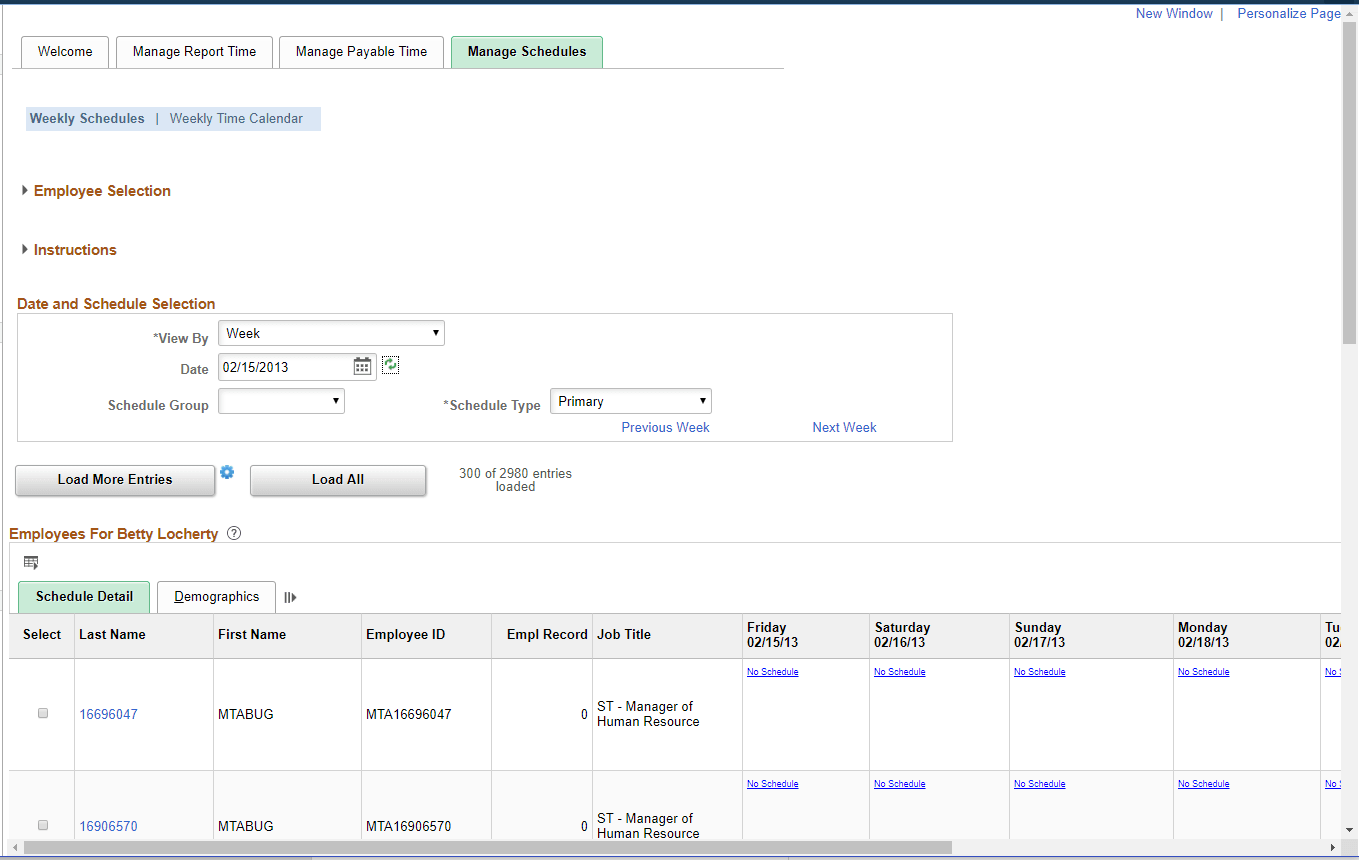
Within the default configuration of the Time and Labor WorkCenter, the Manage Schedules tab includes the following pagelets:
-
Weekly Schedules (SCH_MNG_WEEKLY)
For more information, see: Managing Schedules
-
Weekly Time Calendar (TL_WV_WEEKLY)
For more information, see: Using Manager Time Calendar Views