Creating the Parent-Child Relationship for the Equipment Service Example
This topic describes Step 2 of Equipment Service Example using Custom Record Types.
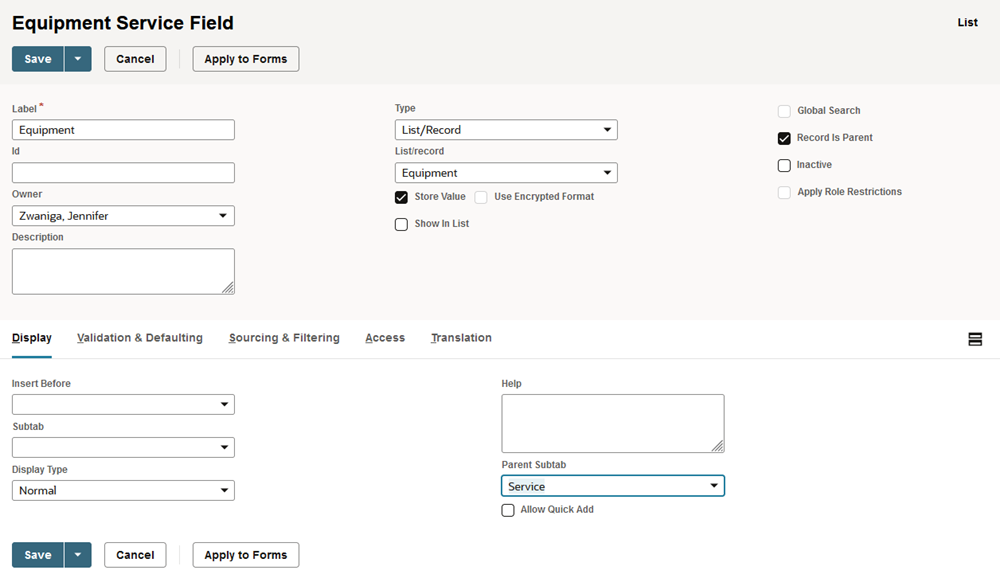
To create the parent-child relationship, you add a custom field to the Equipment Service record in which you can select the associated Equipment record. You select a field type of List/Record and select Equipment in the List/Record field. To create the parent-child relationship, check the Record is Parent box.
Continue to Step 3: Creating a New Service Record Instance for the Equipment Service Example.