Creating a New Service Record Instance for the Equipment Service Example
This topic describes Step 3 of Equipment Service Example using Custom Record Types.
When service is performed, the technician opens the Equipment record, clicks the Service subtab, and clicks a button to create the Equipment Service record instance.
In our example, you click New Equipment Service and enter the service information in the new record. The equipment field fills in automatically. The child service record shows on the parent Equipment record.
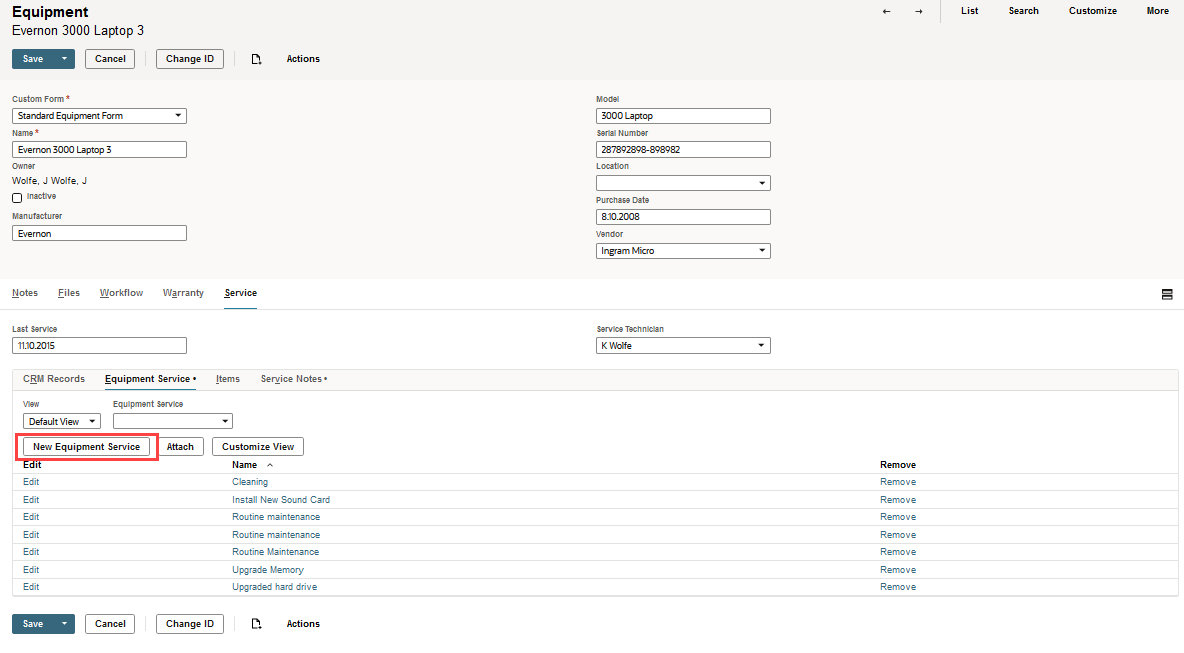
The equipment record in this scenario most useful for IT staff involved in purchasing, maintenance, and tracking. However, some information that may be relevant to others in the company.
Continue to Step 4: Customizing the Form Used to Enter Custom Records for the Equipment Service Example.