Add Required Footer Links to Cookie Policy and Settings
To meet SuiteCommerce Analytics Data consent requirements, your web store landing page, or any other selected pages you choose, must have the following footer links:
-
Cookie Policy: This link directs customers to your cookie or privacy policy page. You can add the link with Site Management Tools (SMT) by placing it as a text or link content item in the footer area. See Site Management Tools Text Content.
You can also add a link using your theme's footer link settings. See Configuring the Footer.
-
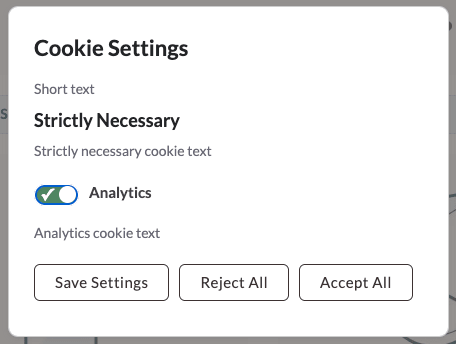
Cookie Settings: This link opens a cookie preferences dialog, where customers can view or change their consent settings. The SuiteCommerce Cookie Consent extension includes a custom content type (CCT), Cookie Modal Link, that you should add to your site using SMT.
To add the Cookie Modal Link:
-
Confirm the Cookie Modal Link content type is enabled in SMT. See Enabling or Disabling Content Types in Site Management Tools.
-
Log in to SMT. See Logging into Site Management Tools.
-
Go to the page where you want to add the cookie modal link.
-
Click the Edit Mode icon from the Site Management toolbar.
-
Click the Add icon from the Site Management toolbar.
-
Select the Cookie Modal Link from the available content types that display.

-
Drag the Cookie Modal Link in your site's footer area.
The cookie consent text and options you set up for the SC Cookie Consent appear in the cookie preferences dialog. See Configure the SC Cookie Consent Extension.
-
Publish your changes to make them live on your site. See Review and Publish Content in Site Management Tools.
Here's an example of how the footer links to the cookie policy and how settings might look on your site:
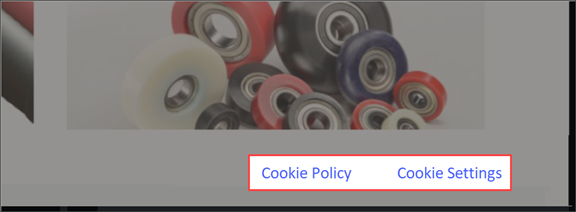
When a customer clicks the cookie settings link, the cookie preferences dialog appears, letting them view or update their settings.
Here's an example of how cookie settings might display on your site: