Basic Checks
Problems with your website don't automatically mean there's an issue with the CDN. For example, a common website problem is slowness, and it can be caused by lots of things besides the CDN. If your whole website goes down, it might be a DNS issue.
You can use a browser extension for Chrome, Akamai debug headers, to verify if your CDN is working correctly. The extension adds several HTTP headers to requests, plus some custom Pragma headers. When you check an HTTP request in the developer tools, you can find useful information.
After you add the extension, inspect your site's home page and go to the Network tab. In the Response Headers section, you can see some new responses.
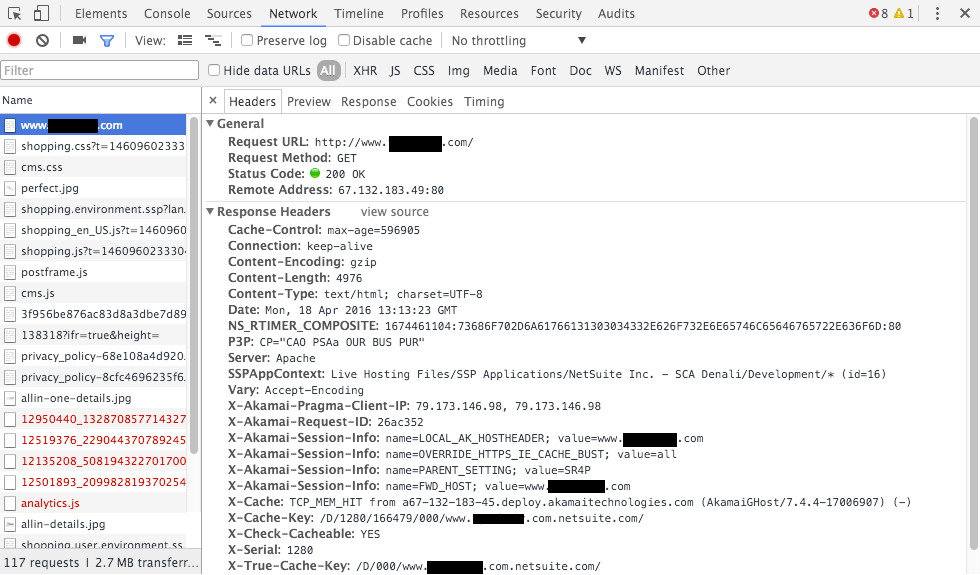
To check if the page is cached and your CDN is working, the X-Check-Cacheable property should be 'YES'.