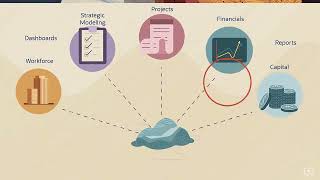
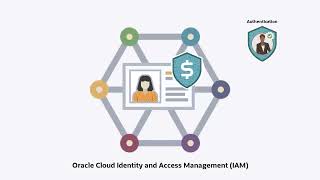
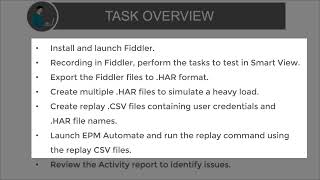
Home Cloud Cloud Applications Profitability and Cost Management Oracle Cloud EPM Profitability and Cost Management Videos Google might require you to sign in before you can watch videos hosted on YouTube. For more information, refer to this FAQ. Tour of Profitability and Cost Management in Oracle Cloud EPM (4:40) In this overview, we introduce you to Profitability and Cost Management.For more information, see the documentation.Related videos:Modeling DataUpdating Metadata with Dimension EditorManaging Rules Tour of Cloud EPM (4:40) Learn what Oracle Cloud Enterprise Performance Management and its business processes can do to benefit your organization. If your organization is thinking of implementing or migrating to Cloud EPM, consider creating a Cloud EPM Center of Excellence to manage your cloud transformation process.For more information, see the documentation.Related videos:Tour of Planning in EPM Standard CloudTour of Planning in EPM Enterprise CloudTour of Narrative ReportingTour of Financial Consolidation and CloseTour of Account ReconciliationTour of Enterprise Data Management Tour of Enterprise Profitability and Cost ManagementTour of Tax Reporting Overview: Cloud EPM Standard or Cloud EPM Enterprise (4:14) This overview highlights the differences between the two EPM Cloud offerings: EPM Standard Cloud and EPM Enterprise Cloud.For more information, see the documentation.Related videos:Tour of EPM Cloud Tour of Planning in EPM Standard CloudTour of Planning in EPM Enterprise Cloud Managing Users and Assigning Roles in Oracle Cloud Identity Console (5:40) Learn how Identity Domain Administrators manage users and assign predefined roles to users in Oracle Cloud Identity Console (IDCS).For more information, see the documentation.Related video:Overview: Security and Roles in Oracle Cloud EPM Managing Users and Assigning Roles in Oracle Identity and Access Management (6:20) Learn how Identity Domain Administrators manage users and assign predefined roles to users in Oracle Identity and Access Management (IAM).For more information, see the documentation.Related video:Overview: Security and Roles in Oracle Cloud EPM Overview: Broadening Your Capabilities in Smart View With Extensions (2:21) This overview describes how you can use extensions to expand and enhance your Smart View capabilities.For more information, see the documentation.Related overviews:Overview: Introducing Smart View for Mac and Browser. Overview: Leveraging EPM Cloud and On-Premise Data Using Smart View Connections (4:32) This video showcases the key capabilities of Smart View connections and how you can use them to work with EPM Cloud and on premise data sources.For more information, see the documentation.Related video:Overview: Broadening Your Capabilities With Extensions. Overview: Performance Testing With The EPM Automate Replay Command (3:41) For Administrators, this video describes how to use the EPM Automate replay command to identify any concurrency-related performance issues in a test environment under heavy load. This helps administrators resolve any performance issues before migrating applications to production.For more information, see the documentation. Overview: Modeling Data in Profitability and Cost Management (4:44) This video provides an overview of data modeling in Profitability and Cost Management.For more information, see the documentation.Related videos:Managing RulesManaging Rule SetsUpdating Metadata with Flat FilesUpdating Metadata with the Dimension Editor Updating Metadata with Flat Files (6:00) This video demonstrates how to run a pre-update analysis and update dimension metadata using flat files for Profitability and Cost Management applications.For more information, see the documentation.Related videos:Overview: Modeling Data in Profitability and Cost ManagementUpdating Metadata with the Dimension Editor Updating Metadata with Dimension Editor (3:24) This video demonstrates how to update dimensions and members manually in the Dimension Editor for Profitability and Cost Management applications.For more information, see the documentation.Related videos:Overview: Modeling Data in Profitability and Cost ManagementUpdating Metadata with Flat Files Managing Rules (5:47) This video demonstrates how to create allocation rules and custom calculation rules for Profitability and Cost Management applications.For more information, see the documentation.Related videos:Overview: Modeling Data in Profitability and Cost ManagementManaging Rule Sets Managing Rule Sets (3:44) This video demonstrates how to set global context and create rule sets for Profitability and Cost Management applications.For more information, see the documentation.Related videos:Overview: Modeling Data in Profitability and Cost ManagementManaging Rule Sets Overview: Streamlining Your General Ledger With Profitability and Cost Management (4:45) This overview for chief financial officers and chief accounting officers describes how you can ease an overburdened general ledger by transferring operational and management details to Profitability and Cost Management.For more information, see the documentation.Related overview:Modeling Data Related tutorials:Updating Metadata with Dimension Editor Managing Rules Overview: Tax Transfer Pricing in Profitability and Cost Management (3:30)This overview describes how you can seamlessly and transparently perform tax transfer pricing in a multi-national business using Profitability and Cost Management.For more information, see the documentation.Related overview:Calculation and ValidationRelated tutorial:Calculating and Validating Models Overview: Loading Data in Profitability and Cost Management (6:40) This video provides an overview of data loading in Profitability and Cost Management.For more information, see the documentation.Related videos:Loading Data Files Using Data Management (Part 1 of 2)Loading Data Files Using Data Management (Part 2 of 2) Loading Data Files using Data Management (Part 1 of 2) (5:44) This tutorial demonstrates how to load data using a flat file into Profitability and Cost Management applications using Data Management. Part one covers the following tasks: source system and target application registration, import format definition, and location definition.For more information, see the documentation.Related videos:Overview: Loading Data in Profitability and Cost ManagementLoading Data Files Using Data Management (Part 2 of 2) Loading Data Files using Data Management (Part 2 of 2) (4:05) This tutorial demonstrates how to load data using a flat file into Profitability and Cost Management applications using Data Management. Part two covers the following tasks: mapping definition for periods, categories, and members, and data load rule definition and execution.For more information, see the documentation.Related videos:Overview: Loading Data in Profitability and Cost ManagementLoading Data Files Using Data Management (Part 1 of 2) Overview: Calculation and Validation in Profitability and Cost Management (5:38) This video provides a high-level overview of calculations and calculation validation in Profitability and Cost Management.For more information, see the documentation.Related video:Calculating and Validating Models Calculating and Validating Models (5:47) This video demonstrates how to calculate and validate calculations in Profitability and Cost Management applications.For more information, see the documentation.Related video:Overview: Calculation and Validation in Profitability and Cost Management Overview: Submitting Data With Smart View (3:23) This video outlines your options for submitting (writing-back) data that you specify and manage in Smart View.For more information, see the documentation.Related video:Overview: Smart View for Mac and Browser. Overview: Embedded Analytics in Profitability and Cost Management (5:00) This video provides an overview of Profitability and Cost Management Analytics.For more information, see the documentation. Creating Reports with Financial Reporting Web Studio (4:30) In this tutorial, you learn how to create reports for the EPM Cloud platform with Financial Reporting Web Studio. This video uses Planning. With Financial Reporting Web Studio, you can graphically design and present highly formatted reports with report objects such as text boxes, grids, images, and charts.For more information, see the documentation.Related tutorials:Instantly Push Data for Reporting in Oracle Planning and Budgeting Cloud Overview: Embedding Content Using Direct Links (5:03) Use direct links to embed ERP-EPM Cloud, Sales Planning Cloud and Strategic Workforce Planning Cloud artifacts in other source system pages. This enhances your existing processes with functionally-tailored workflow, forms, grids, reports, and dashboards and provides seamless cross-system interaction from a unified interface.For more information, see the documentation. Overview: Integrating Oracle Cloud ERP with Oracle Cloud EPM (4:40) For administrators, this overview highlights the requirements and tasks you need to complete when integrating Oracle Fusion Cloud ERP with Oracle Cloud EPM using prepackaged extracts.For more information, see the documentation. Overview: Configure Navigation Flows to Integrate Business Processes (3:51) This video describes how Administrators can optimize the home pages of different business users whose activities span business processes by defining custom navigation flows and infolets.This tailors a user’s home page given their responsibilities, giving them rapid access to the capabilities and artifacts that they use the most for optimal efficiency.For more information, see the documentation. Overview: Drill Through to the Fusion General Ledger (2:14) This overview shows you the highlights of drilling through to the Fusion General Ledger from the Cloud.For more information, see the documentation.Related videos:Drill Through to the Oracle E-Business SuiteDrill Through to the PeopleSoft General LedgerDrill Through to the SAP General Ledger Drill Down to JD Edwards Overview: Drill Through to the PeopleSoft General Ledger (2:07) This overview shows you how to drill through to the PeopleSoft General Ledger from Oracle Cloud EPM.For more information, see the documentation.Related videos:Drill Through to the Fusion General LedgerDrill Through to the Oracle E-Business Suite Drill Through to the SAP General LedgerDrill Down to JD Edwards Overview: Drill Down to JD Edwards (1:57) This overview shows you how to drill down to JD Edwards from Oracle Cloud EPM.For more information, see the documentation.Related videos:Drill Through to the Fusion General Ledger Drill Through to the Oracle E-Business Suite Drill Through to the PeopleSoft General Ledger Drill Through to the SAP General Ledger Overview: Drill Through to the Oracle E-Business Suite (2:16) This overview shows you how to drill through to the Oracle E-Business Suite from Oracle Cloud EPM.For more information, see the documentation.Related videos:Drill Through to the Fusion General Ledger Drill Through to the PeopleSoft General LedgerDrill Through to the SAP General Ledger Drill Down to JD Edwards Overview: Drilling Through to the SAP® General Ledger in Cloud EPM (1:54) This overview shows you how to drill through to the SAP® General Ledger. After loading data into your Oracle Cloud EPM application from your source SAP® General Ledger using Data Integration, you can drill through the source SAP® system using a URL with parameters.For more information, see the documentation.Related videos:Drill Through to the Fusion General LedgerDrill Through to the Oracle E-Business SuiteDrill Through to the PeopleSoft General Ledger Drill Down to JD Edwards Overview: Data Integration in Enterprise Performance Management Cloud and Hybrid Deployments (3:01) This overview describes how you can use Data Management and Oracle Financial Data Management Enterprise Edition to load, map, and write-back source system data in a cloud or hybrid deployment.For more information, see the documentation. Overview: Integrating EPM Cloud and NETSuite Using Data Management (4:11) Describes how you can use Data Management integrations to map and load NETSuite data to any business process in Enterprise Performance Management Cloud.For more information, see the documentation. Overview: IT Financial Management in EPM Cloud (3:48) This overview describes IT Financial Management in EPM Cloud where the role of IT and customers is evolving to one that is of a strategic business partner with the business.For more information, see the documentation. Overview: User Assistance Assets for EPM Cloud (3:38) This overview shows you the types of user assistance available for Oracle EPM Cloud.For more information, see the documentation.Related videos:Help Diagnose Your Issue Faster Using Provide Feedback Part IHelp Diagnose Your Issue Faster Using Provide Feedback Part 2 Overview: Help Diagnose Your Issue Faster Using Provide Feedback (Part I) (3:45) Learn about the information that Support needs you to submit using Provide Feedback.For more information, see the documentation.Related video:Overview: Help Diagnose Your Issue Faster Using Provide Feedback (Part II) Overview: Help Diagnose Your Issue Faster Using Provide Feedback (Part II) (4:00) Learn how to gather the information Support needs using Provide Feedback and then create an effective service request.For more information, see the documentation.Related video:Overview: Help Diagnose Your Issue Faster Using Provide Feedback (Part I) Overview: Get Answers, Learn More, and Stay Current With the Help Center (5:20) Identifies the different ways you can get situation-specific help with Oracle Cloud Applications. In addition to embedded, context sensitive help in the product, visit the Help Center for functionally-tailored documentation, training, tasks, videos and tutorials and readiness resources.For more information, see the documentation.Related video:User Assistance Assets for EPM Cloud. Overview: EPM Center of Excellence (4:23) Learn what a Cloud EPM Center of Excellence is, and what the key benefits of creating one are to your organization, supporting your cloud adoption and sharing of best practices, and driving business process transformation.For more information, see the documentation.Related video:Creating an EPM Center of Excellence Creating an EPM Center of Excellence (6:30) Every journey to the cloud is different, and implementation strategies for Cloud EPM vary. Learn how to create an EPM Center of Excellence in stages. These stages contain general guidelines that you can adapt to your organization’s needs so you can start small and grow organically.For more information, see the documentation.Related video:Overview: EPM Center of Excellence