Warehouse Execution Command Center
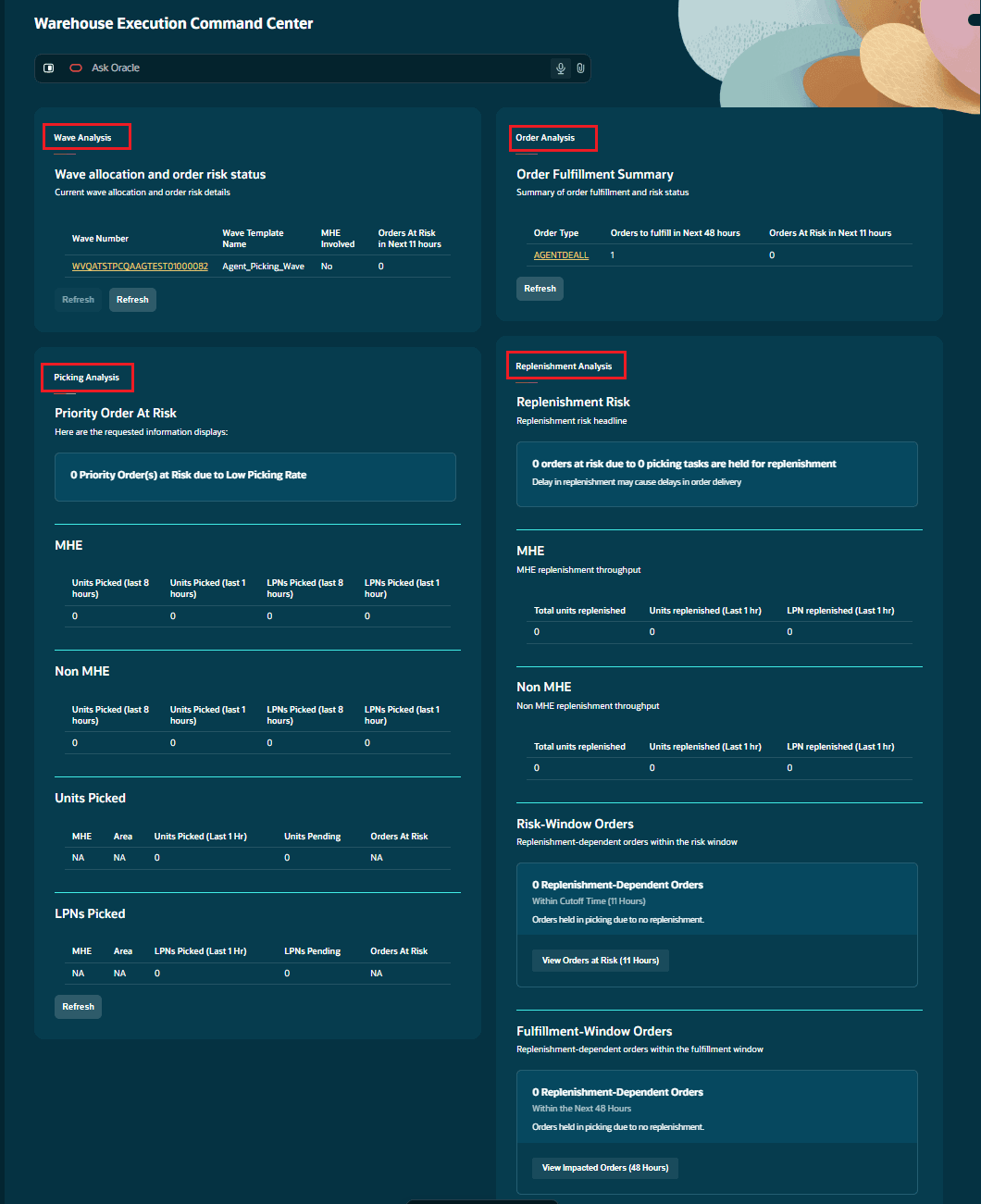
The Warehouse Execution Command Center is an AI-powered workspace for monitoring outbound fulfillment and resolving issues that could delay shipments. Warehouse supervisors and managers can review orders, waves, picking, and replenishment for their default company and facility.
The Command Center uses four analysis agents to identify exceptions, explain their operational impact, and present applicable actions.
| To… | Use… |
|---|---|
| Identify orders approaching their shipment cutoff and assess inventory before waving | Order Analysis agent |
| Investigate allocation issues, replenishment dependencies, and failed waves | Wave Analysis agent |
| Investigate picking bottlenecks, short picks, and delayed picking tasks | Picking Analysis agent |
| Identify replenishment work that is delaying picking | Replenishment Analysis agent |
Start by reviewing orders that need attention. Follow the related wave, picking, or replenishment details to identify the cause of a delay and take the available action.
Steps to enable and configure
- Provide access to the Warehouse Execution Command Center and assign the required WMS/API permissions.
- Configure the facility-level time windows, as needed:
- ORDER_FULFILLMENT_WINDOW_HRS – configure explicitly, for example 48 hours. See the agent-specific fallback guidance below.
- ORDER_RISK_WINDOW_HRS – configure explicitly, for example 8 hours. Fallback values differ by agent.
- Review Wave Templates and allocation configuration used for inventory availability assessment and wave execution.
- For MHE exception processing, configure applicable Drop locations as Error Lanes.
- If required, add REF_CODE_23 and REF_VALUE_23 to the Inventory History view to display MHE-related reference information.
The supporting Inventory History, API, and integration enhancements do not require additional configuration and are available when the corresponding transactions or integrations are used.