View the details of a trial - Finalizing Plan status

You can view the details of a Trial in Planning that has a status of Finalizing Plan. This status means that the trial plans have been generated, but one has not been selected.

To view the details of a Trial in Planning with a status of Finalizing Plan:
  1. Open the list of trials you can access, and filter the list for Trials in Planning, as described in View the list of trials you can access.
  2. In the Trials in Planning list view, in the Status column, find a study with a status of Finalizing Plan and in the Study column, select the identifier of the trial you want to view the details for. The Protocol Name panel opens. For example:
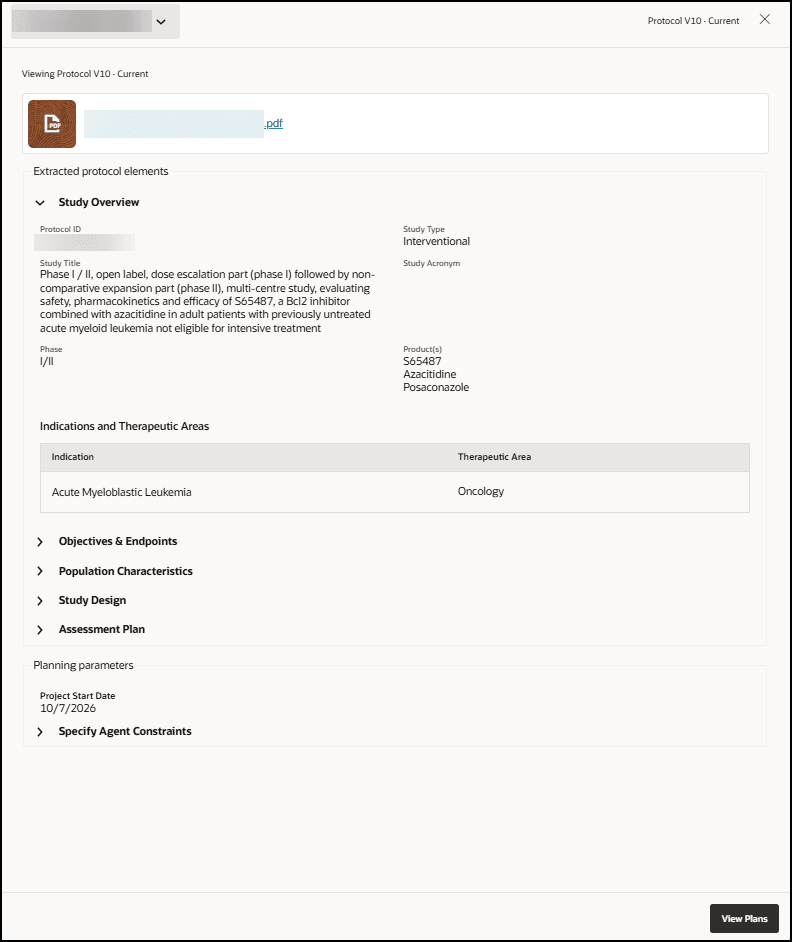

    Protocol Name panel - Shows the View Plans button

  3. Select View Plans. The Plan Recommendation page opens. For example:
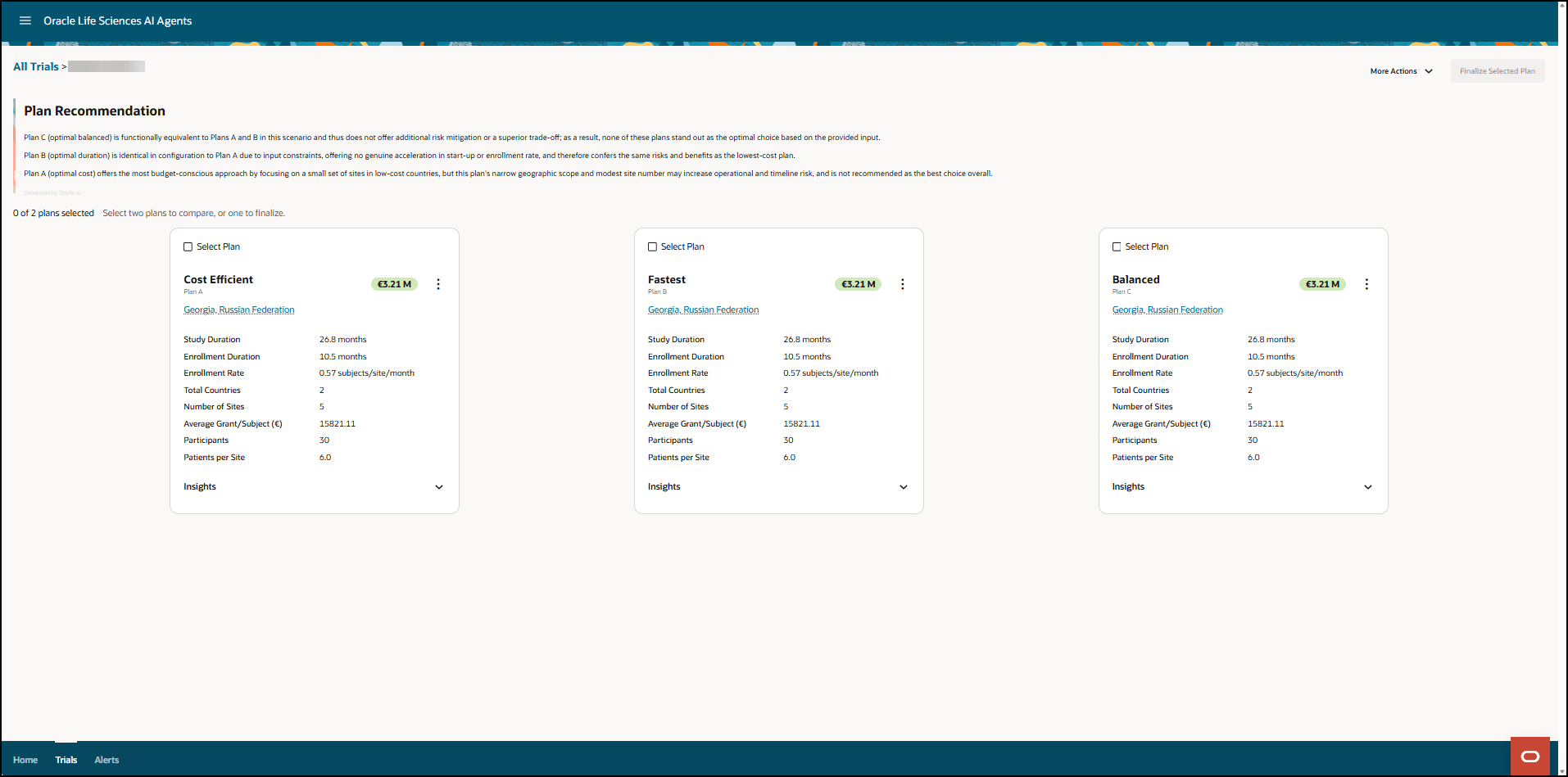
    Plan Recommendation page - Trial status of Finalizing Plan

  4. In the Plan Recommendation section, view the descriptions of each plan.
  5. To view the insights used to generate each plan, select the down arrow at the bottom right in each tile. The tile expands to show the insight details. For example:
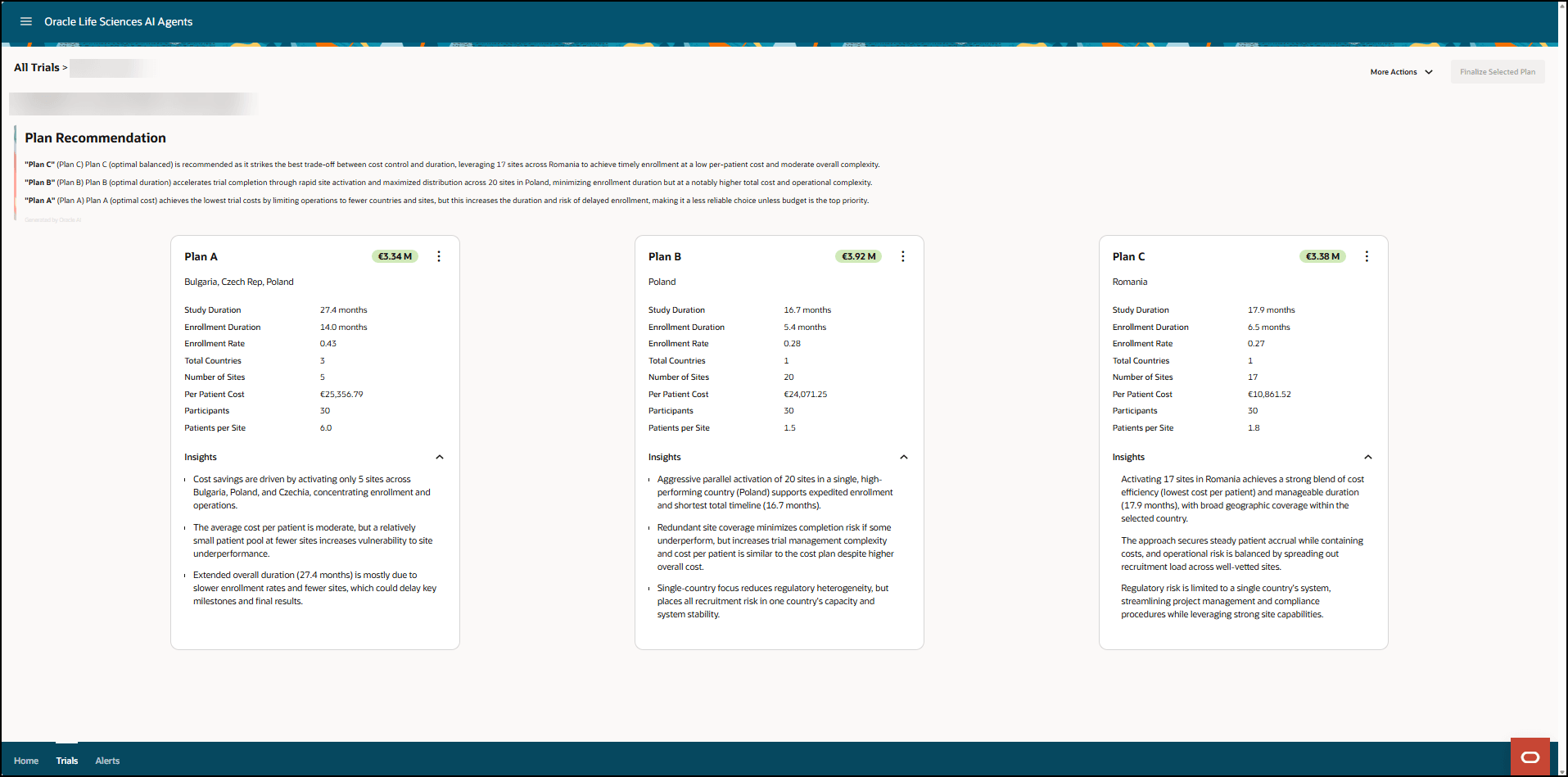
    Plan Recommendation page - Shows trial plan insights

  6. To review and adjust the details in any of the trial plans, see Edit plan details and sites.

    For each plan, you can adjust some of the parameters (for example, the study duration, approval timelines, per patient cost, and enrollment rates), add or remove sites, download the plan to a CSV file, and rename the plan.

  7. To view side-by-side comparisons of the trial plans, see Compare one or more trial plans.
  8. If ready, select Finalize Selected Plan at the top right. For more information, see Select a trial plan.