FSM Mobile Asset History
Overview
Field Service Management (FSM) provides read-only Asset history through the History tab in FSM Mobile. By default, the tab combines completed service tasks for the Asset linked to the current task with related sales order items and files. Technicians can use this history to understand previous work on that Asset.
This topic describes the supplied History tab (history). A separately configured Service History tab can use different record sources, filters, and mappings.
This is a view of selected product records, not a complete audit trail of every change to the Asset.
How it works
The current CRM Task or Project Task supplies its linked Asset. A request for a child Asset uses that child as the context. FSM retrieves completed CRM Tasks for the selected Asset and includes completed Project Tasks when Project Management is enabled. Separate searches supply sales-order item rows and service-upload files, which are joined to the corresponding task entries.
The following diagram shows how the selected Asset, completed tasks, sales order items, and files contribute to History:
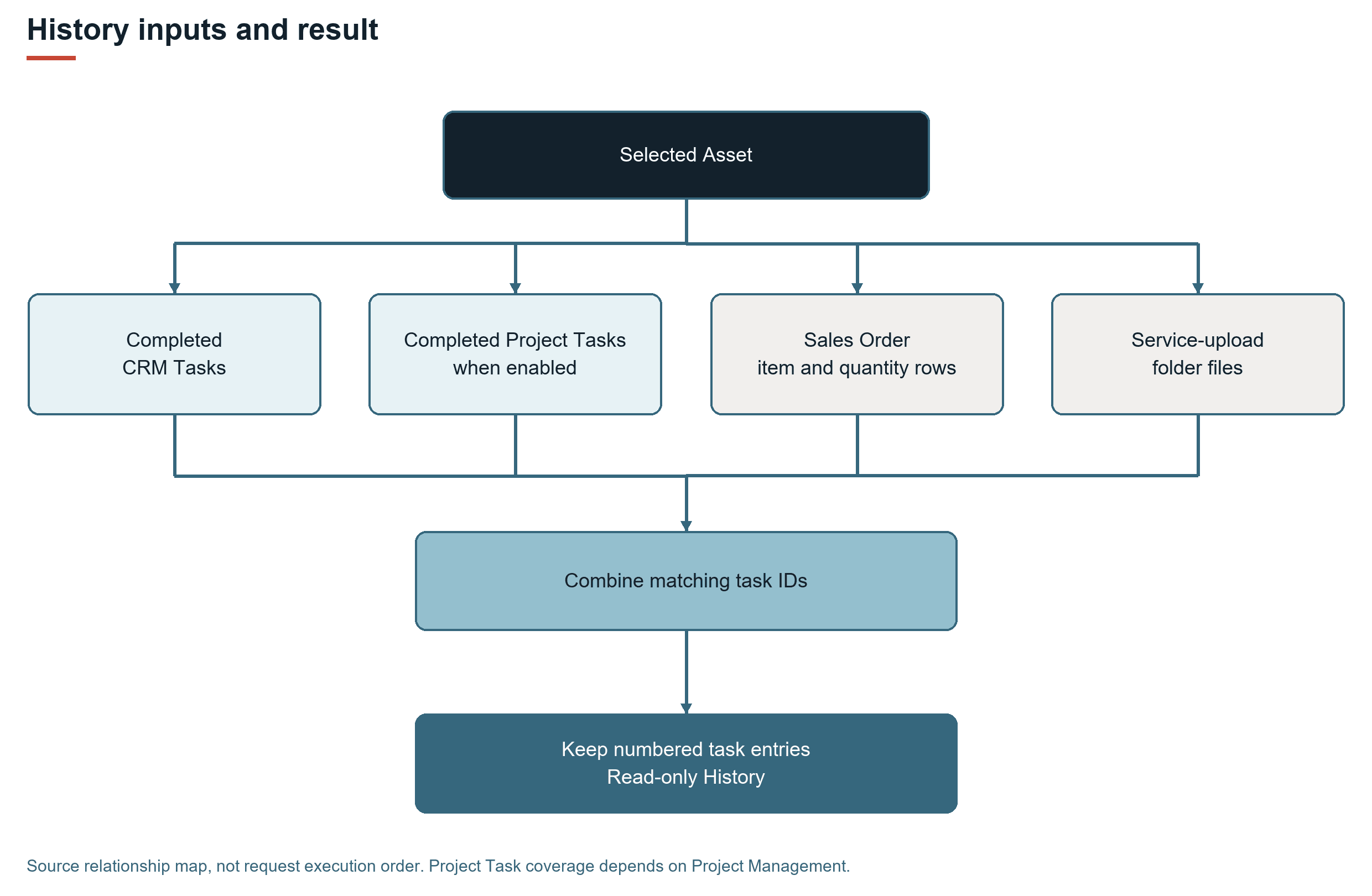
History retrieves its entries on request instead of including the entries in the initial resource definition. The search box filters the returned mapped entries on the server. Search is available on the History list, not within a single historical task's detail page.
The supplied view is read-only: it does not create, edit, or delete the underlying tasks, transaction lines, or files.
Prerequisites
History depends on the following configuration and data conditions:
-
The matching FSM Mobile event resource rule includes
history. -
The current or requested Asset is available in the FSM Mobile context. The tab is hidden when neither is supplied.
-
Historical tasks are linked to that Asset, have Status Completed, and supply the Field Service task number used by the view.
-
Project Management is enabled to include the Project Task source.
-
A server connection is available to retrieve History and download its files. History is not promised as a complete offline archive.
Key behaviours
History combines qualifying numbered tasks with related sales order items and service-upload files. Asset selection, source mappings, and search conditions determine which entries and details appear. For source information, eligibility rules, date behavior, and search limits, see FSM Mobile Asset History Sources and Eligibility.
Record interactions
The following table describes each record's role in History.
|
Record |
Role in History |
|---|---|
|
Supplies the selected equipment identity. History reads related work without updating the Asset. |
|
|
Supplies qualifying completed service work and its history details. |
|
|
Project Task ( |
Supplies completed project service work when enabled and mapped to the selected Asset. |
|
Sales Order ( |
Supplies linked order-line item names and quantities. |
|
Native File Cabinet file ( |
Supplies files selected from matching service-upload folders. See FSM File Record for the distinction from the custom association. |
Processing model and lifecycle
Opening or searching the History list requests the selected Asset's data from the FSM Mobile service. The sources are read, combined by task identity, and filtered to qualifying task entries before the list is returned. A retrieval failure affects the requested view. History does not request task completion, billing, or fulfillment processing.
The Field Service Suitelet serves the resource requests, and file delivery uses the FSM file service and Field Service Restlet 2.x. No separate scheduled History rebuild is required by the supplied definition. See FSM Script Reference for shared service and deployment details.
Configuration
Administrators can change displayed elements, list columns, mapped task details, and the selection of named sources. Additional record sources and elements can extend the supplied tab, or separate custom read-only history tabs can present other historical data. Each element that displays record data needs a corresponding source mapping because adding an element alone does not retrieve its value.
For the supplied History tab, Asset restrictions, task identity, and the properties used to combine task, item, and file data determine the meaning of the result.
The supplied History resource retrieves data remotely and is read-only. Changing the read-only setting does not provide a supported way to edit the combined history. Copying the visible JSON into another resource does not guarantee that the copy retains the final task-number filter. See Configuring FSM Mobile Asset History.
Limitations and constraints
Keep the following limits in mind:
-
History is not the NetSuite System Notes or record audit trail.
-
Incomplete tasks and tasks without the supplied history number are excluded by the standard definition.
-
Item rows do not establish that the recorded quantities were fulfilled, consumed, invoiced, or paid.
-
The file search uses service-upload folder relationships. The search does not return every document attached elsewhere to the task or Asset.
-
Default details summarize selected fields. The view is not a substitute for the complete original record.
Related processes and procedures
For the existing History screens and file viewing, see History Tab in FSM Mobile.